|
One Cool Tip Newsletter
February 13, 2026
| Your daily dose of tech-savvy brilliance! | |
😀Greetings!, Happy Friday Funday, Cool Tipper!
Get ready to streamline your digital life with simple, actionable tips delivered straight to your inbox.
Today's Cool Tip Theme: Be Scam Ready Game
IN THIS ISSUE
- 🛑 Amazon & Ring Partnership Update.
- 🤖 AI Prompt of the Day: Cybersecurity Coach.
- 🎮 Google’s "Be Scam Ready" Game.
- 🛡️ Edge Scareware Blocker.
- 💳 FBI Debit Card Warning.
- 🧠 BeyondTrust’s Acronym Overload.
New here? Subscribe to the One Cool Tip Newsletter for daily updates. It's FREE!
-
😂 Laugh with Us! Enjoy our Tech Joke of the Day, Haiku and Cool Tip Comics.
-
🌐 Stay Informed! Check out ICYMI, and our One Cool Tip Video.
| | |
3️⃣
If you enjoy the One Cool Tip newsletter, please forward this newsletter to THREE friends or colleagues or share it on social media using the links below.
Leave a Tip!
Share this One Cool Tip Newsletter!
| | |
Today's Tech Trivia
Answer at the end of this newsletter.
| |
| The term "phishing" was first coined in the mid-1990s for a tool that hacked which ISP? | | | | |
⚠️ Amazon’s Ring Cancels Flock Partnership After Super Bowl Backlash ⚠️
Amazon has officially ended its planned partnership between Ring and police tech firm Flock Safety, following public backlash over a Super Bowl ad promoting Ring’s “Search Party” feature.
The ad, which showcased AI-powered neighborhood camera sharing to help find lost pets, sparked privacy concerns about surveillance and law enforcement access.
Although the Flock integration was never launched and no user footage was shared, critics, including Senator Ed Markey, called the technology “creepy” and warned of potential misuse.
Amazon and Flock say the cancellation was mutual and based on resource demands, but the timing suggests public pressure played a role.
Why it matters:
This move highlights growing scrutiny of smart home surveillance tools and their ties to law enforcement.
Ring says its Search Party feature remains active, but the Flock integration is officially off the table.
| | |
Try this Cool AI prompt. Copy and paste to ChatGPT, Gemini or Copilot.
Help Me Spot Scams Faster
Act as my cybersecurity coach. Teach me how to recognize online scams and fraud.
- List the 7 most common scams today.
- Show me the key red flags for each one.
- Give me 3 realistic example scam messages and explain what makes them dangerous.
- Create a simple 5-second checklist I can use before clicking links or responding.
- Tell me exactly what to do if I think I’ve been targeted.
Keep the advice practical, clear, and easy to remember.
| | |
Master the Art of Spotting Scams with Google’s New Interactive Game
Discover how to sharpen your digital defense skills using a free, browser-based simulation that trains you to identify modern phishing and fraud tactics.
How confident are you that you can spot a fake text from your bank or a fraudulent "urgent" email from a coworker?
As digital threats become more sophisticated, the traditional advice to just "look for typos" no longer cuts it.
Scammers now use high-quality branding and psychological triggers to bypass our natural skepticism.
Here's a Cool Tip: Play the "Be Scam Ready" Game from Google.
This "Be Scam Ready" game puts you in the hot seat to test your instincts against realistic, real-world scenarios.
Feature Explanation
The "Be Scam Ready" game is an educational web platform that uses interactive storytelling to teach users about the most common online threats.
It operates on a simple premise: show, don't just tell.
Instead of reading a manual on digital safety, you play through a series of simulations that mimic actual emails, text messages, and phone calls.
The game focuses on three core pillars of scam detection: identifying the sender, verifying the request, and resisting the pressure of artificial urgency.
As you navigate each scenario, the tool highlights subtle red flags that even tech-savvy users might miss.
It is designed to build "muscle memory" for your brain, so when a real threat hits your inbox, you instinctively know what to check before clicking.
What You’ll Gain
-
Heightened Awareness: Learn to recognize the psychological tactics like fear and urgency that scammers use to cloud your judgment.
-
Practical Verification Skills: Master the "Check, Don't Click" method by learning how to verify sources outside of the suspicious message.
-
Confidence: Gain the peace of mind that comes from knowing you can protect your personal and financial data.
Step-by-Step Instructions
Here's how to do it.
Microsoft Web/Desktop (Windows, Mac, Chromebook)
-
Open your browser such as Edge, Chrome, or Firefox.
-
Go to the official game website: bescamready.withgoogle.com.
-
Click Play Game.
-
Click Start to Be Scam Ready.
-
Read each scenario carefully.
-
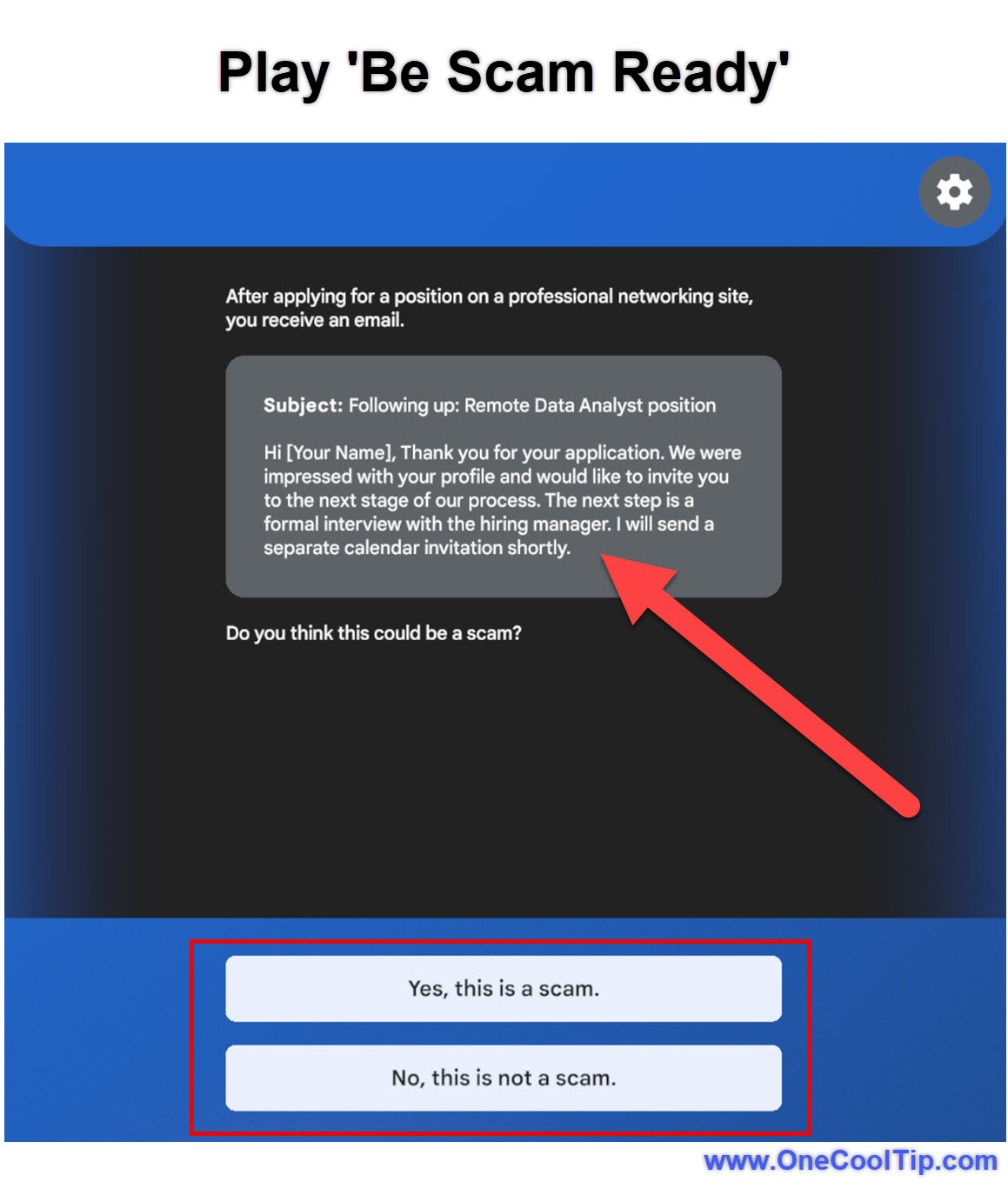
Choose whether the interaction is legitimate or a scam.
-
Review the explanation provided after each decision.
-
Continue until the game ends and review your results.
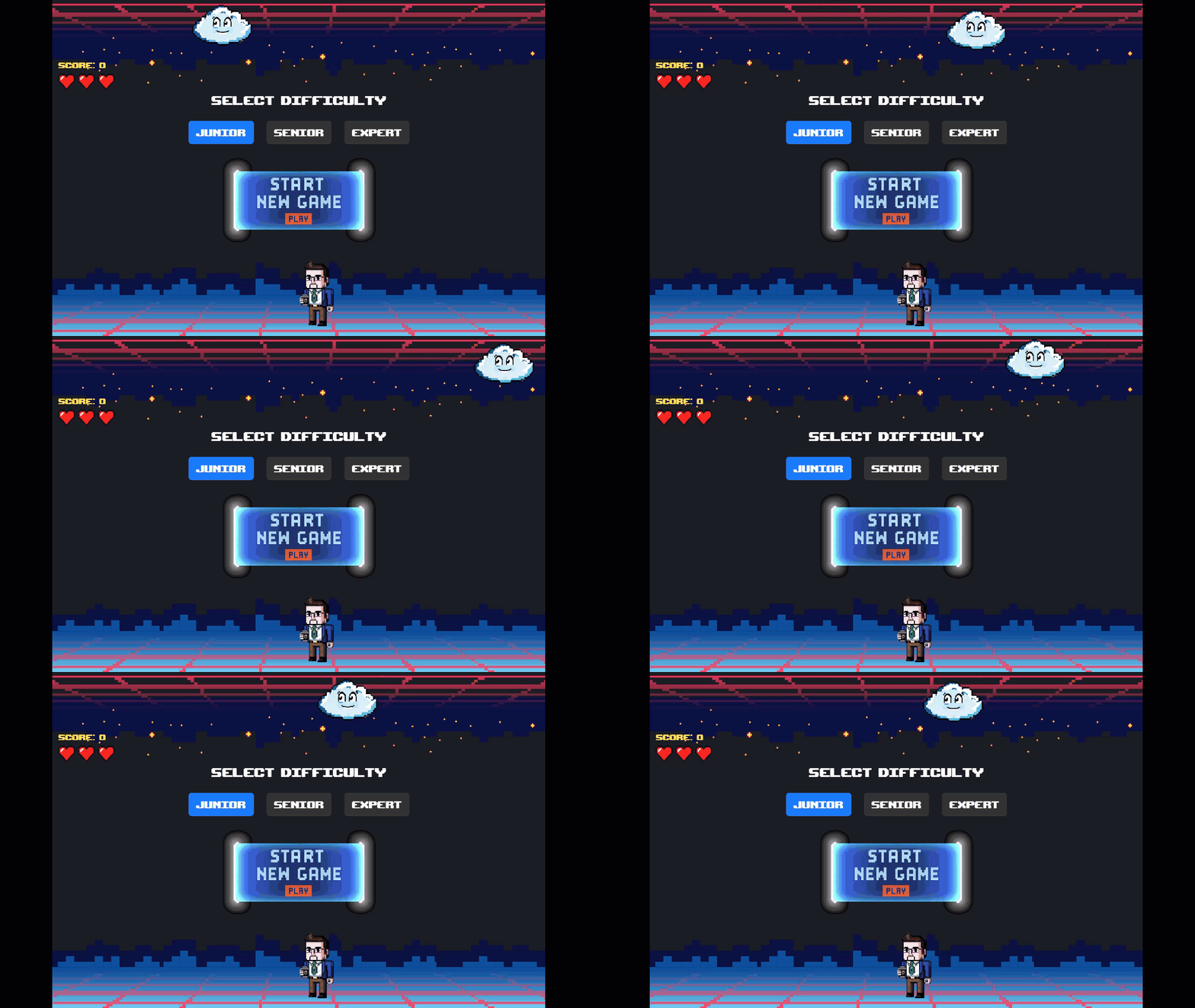
| | fig. 1 - Play Be Scam Ready Example | |
iOS and Android
-
Open Safari or Chrome.
-
Visit: bescamready.withgoogle.com.
- Tap Play Game.
-
Tap Start to Be Scam Ready.
-
Play each scenario and select your answer.
-
Review the feedback to learn from mistakes.
Pros and Cons
Pros:
- Highly engaging and interactive compared to traditional security training.
- Completely free and requires no account creation or personal data.
- Scenarios are updated to reflect modern tactics like "smishing" (SMS phishing).
Cons:
- Requires an active internet connection to play.
- Some advanced users may find the initial levels too basic.
Feature Access
- The tool is available globally to anyone with a modern web browser.
- Version: Web-based (v1.0).
- Availability: Currently live and accessible to the general public.
- Cost: Free.
Score
Criterion | Score (0–10) | Justification
Value 10
Essential knowledge provided at zero cost to the user.
Usability 9
Intuitive interface that works across all devices.
Wow Factor 8
Turns a dry, scary topic into an engaging challenge.
Total: 27/30 🌟 Excellent
This is a must-use resource for anyone who spends time online, providing a rare "fun" way to handle a serious security responsibility.
Key Takeaways
This interactive experience empowers users to take control of their digital safety by practicing in a risk-free environment.
By mastering these simple verification steps, you significantly reduce the likelihood of falling victim to identity theft or financial fraud.
Cool Tip Snapshot
-
Feature Name: Be Scam Ready Game
-
Platform(s): Web, iOS, Android, Windows, Mac
-
Quick Benefit: Trains your brain to spot phishing and fraud through realistic simulations.
-
Access Type (Free, Subscription, Beta): Free
Try It Yourself
Visit the Be Scam Ready site today and see if you can get a perfect score on your first try.
Once you finish, share this article with your family and coworkers to help keep your entire circle safe.
READ MORE
Read the Full Cool Tip.
| | Help support One Cool Tip. Use this Amazon link when you shop online. | |
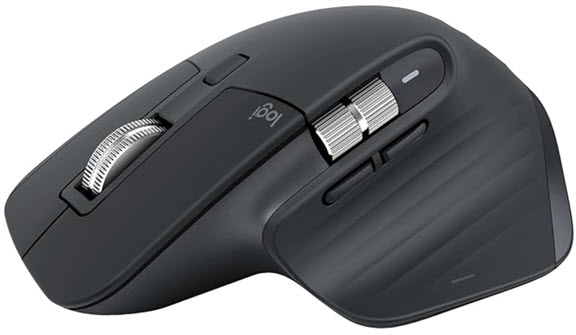
Logitech MX Master 3S Mouse
Smooth scrolling and precise control make playing the Be Scam Ready Game easy!.
$79.99 Save 20%!
Check it out on Amazon!
Prices accurate at time of publication
One Cool Tip may earn a commission from qualifying purchases.
| | |
🆒Tell Me More
-
It’s a training game, not a lecture. “Be Scam Ready” is designed as hands-on practice so your brain recognizes scam patterns faster in real life.
-
It’s built around “inoculation theory.” The idea is that safe exposure to common manipulation tactics helps you resist them later, the same way a vaccine trains your immune system.
-
It targets modern scam mechanics. Expect impersonation, urgency, and “move the conversation off-platform” tactics that show up in bank, delivery, social, and job scams.
-
The goal is reflex-level decision-making. Not just knowing the rules, but spotting the feel of a scam: pressure, secrecy, speed, and weird payment routes.
⏩Quick Tips
-
🚩 Pause the panic. If a message tries to rush you, that’s the scam working; stop and verify using a trusted channel you initiate (official app/website).
-
🔎 Read the URL, not the logo. On desktop, hover links before clicking; on mobile, press-and-hold to preview the real destination.
-
📞 Never call the number in the message. Look up the company’s official support number from their real site or your statement, then call that instead.
-
🔐 Use passkeys or a hardware key where possible. This can neutralize many phishing attempts because the “second factor” is bound to the legitimate site.
- 🧾 Report and reset fast. If you clicked, change the password immediately, enable stronger sign-in, and review recent sign-ins and forwarding rules (email) the same day.
| | ✅ More Must-Read Tech Tips | | |
👀 How Do I Use Edge's Scareware Blocker?
Have you ever encountered a pop-up claiming your computer is infected with a virus and urging you to call a fake tech support number?
These "scareware" scams are not only annoying but also dangerous. But what if there was a way to block them automatically?
Microsoft Edge has introduced a new feature called Scareware Blocker, designed to protect users from tech support scams.
Here's how to do it.
-
Click the Settings from the top-right corner.
-
Click on Privacy, search, and services from the left pane.
-
Turn on the Scareware blocker toggle switch under the Security section.
-
Optionally, turn on the Microsoft Defender SmartScreen toggle switch for additional protection.
This setting provides an extra layer of security against tech support scams.
Microsoft Edge's Scareware Blocker is a powerful tool in the fight against online scams.
Discover more HERE.
| | |
🤔 Have You Ever Wondered How to Avoid a Debit Card Scam?
Have you received an unexpected call from your bank about suspicious activity on your account?
Did they ask you to cut up your debit card and provide your PIN?
Here's a Cool Tip. If it sounds too good to be true, it probably is.
In a public service announcement, the FBI warned about a fraudulent scheme where impersonators trick bank customers into surrendering their debit cards.
Here's how the scam works:
- The impersonator calls the victim, pretending to be from their bank.
- The impersonator claims that there has been fraudulent activity on the victim's account.
- The impersonator instructs the victim to cut up their debit card but keep the chip intact.
- An accomplice then retrieves the debit card from the victim's residence.
- If the victim doesn't know their PIN, the accomplice will try to trick them into revealing it.
- With the chip and PIN, the impersonators can steal money from the victim's account.
Here are a few simple steps to take to protect yourself:
- Verify the legitimacy of any investment platform before committing funds. Do your research and make sure the platform is reputable.
- Never give out your personal information to anyone over the phone. Legitimate banks and financial institutions will not ask for your PIN or other sensitive information over the phone.
- Be wary of unsolicited calls. Scammers often use spoofed phone numbers to make it look like they are calling from a legitimate source.
- Cut up your debit card yourself if you are instructed to do so by someone over the phone. This is a red flag that the call is a scam.
- Regularly monitor your financial accounts for unauthorized transactions. If you see any suspicious activity, report it to your financial institution immediately.
-
Report suspicious activities to the appropriate authorities immediately. You can report scams to the FBI's Internet Crime Complaint Center (IC3).
The FBI's warning highlights the increasing sophistication of scams targeting unsuspecting individuals.
Find out more HERE.
| | |
🙋♂️ Here's How to Play Acronym Overload.
The nonstop flood of cybersecurity acronyms is more than a nuisance. It creates confusion that can weaken defenses. BeyondTrust’s new game, Acronym Overload, aims to fix that problem in a surprisingly effective way.
Think about the last time you sat in a security meeting.
Someone probably said, “We need to shore up IAM, JIT, ZTNA, and ABAC” and you nodded along even though at least one of those terms was fuzzy.
Most of us have been there. Acronyms dominate security conversations, but too many shortcuts can bury meaning.
BeyondTrust has built a short browser game called Acronym Overload to bring the problem into focus.
Here's how to do it.
-
Open your browser and go to BeyondTrust’s Acronym Overload: https://www.acronym-overload.com/
-
Play a round by catching valid acronyms and dodging fake ones.
-
Review the mistakes you made.
-
Use the glossary provided to check the correct definitions.
Play a quick round at your next team meeting.
Learn more HERE.
| | |
❓Did you share this newsletter with three friends yet?
😎 Cool Facts
-
$12.5 Billion: 💸 $12.5 billion in fraud losses were reported by consumers in 2024, according to FTC data (reported losses, not total real-world losses). Source.
-
$16 Billion: 🧾 The FBI’s IC3 report summarized 859,532 complaints and over $16 billion in reported losses (2024 report referenced in 2025 FBI release). Source.
-
$2.4 Billion: 👵 Reported fraud losses for adults 60+ rose to about $2.4 billion in 2024 (FTC summary). Source.
⌨️Today's Cool Keyboard Shortcuts
-
Ctrl + L (Windows), Cmd + L (Mac): Jump to the address bar to inspect the real domain before you proceed.
-
Ctrl + W: Close the suspicious tab instantly (useful when a page tries to trap you with popups).
-
Ctrl + Shift + T: Reopen the last closed tab, in case you closed something legitimate while escaping a scam page.
-
Ctrl + Shift + N: Open Incognito/InPrivate for a quick “clean session” check
😜 Tech Joke of the Day 😅
Why did the scammer cross the road?
To tell the person on the other side their car's extended warranty was expiring.
🔎 Do you have a Cool Tip or tech question? Email us at onecooltip.com@gmail.com.
| |
| |
💘 Love Never Gives Up 💘
Just in time for Valentine's Day!
| | | | |
Links glow with promise.
A quiet voice says “slow down.”
Wisdom wins the click.
| |
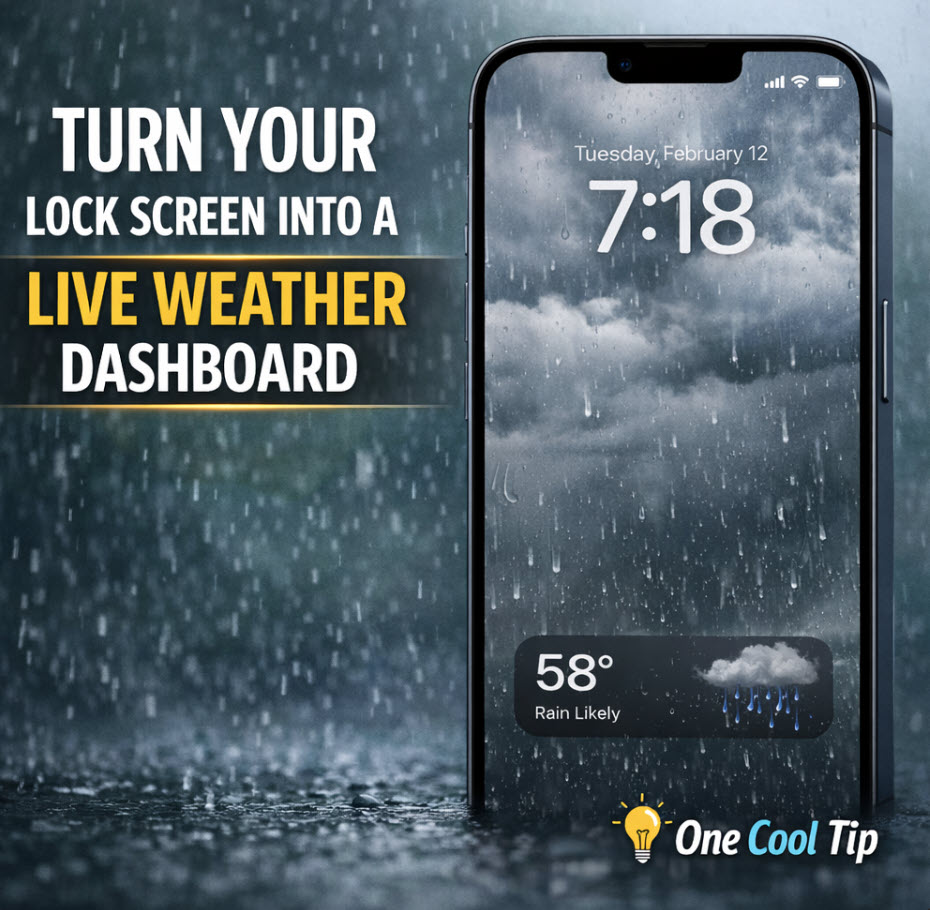
| 🤔 What’s your most common scam “delivery method”? | | | | Did You See These Cool Tips This Week? | | | | Turn Your Lock Screen Into a Live Weather Dashboard | |
See current conditions the moment you pick up your iPhone. iOS 26.3 makes weather more visible, faster to access, and easier to customize.
Read the Newsletter Version.
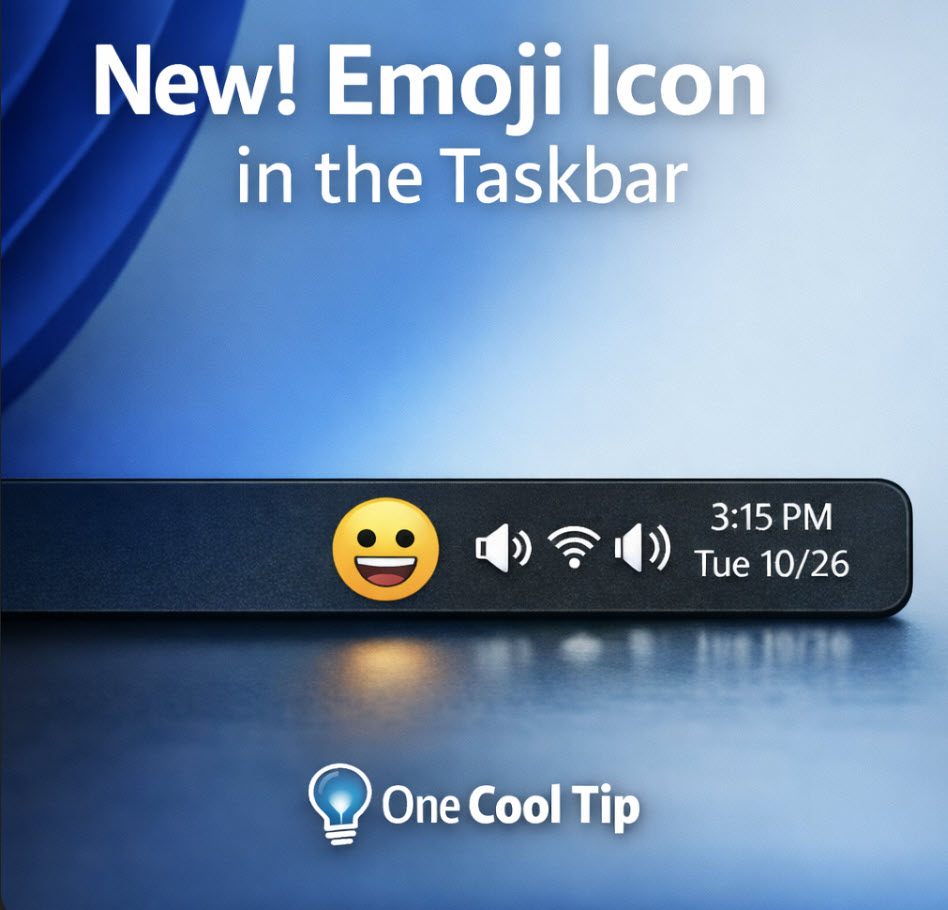
| | | | A New Emoji Icon Lands in the Windows 11 Taskbar | |
Windows 11 now includes a small emoji icon in the system tray that gives you faster access to expressive typing. It is rolling out slowly to certain groups, so availability may vary.
Read the Newsletter Version.
| |
ICYMI - In Case You Missed It ...
| | | | Google Gemini’s Image Editing is a Game Changer | |
Google Gemini’s latest image model blends prompts, edits, and styles while keeping faces and objects consistent. The result is faster, more natural editing that feels made for everyday use.
Read the Newsletter Version.
| | Somewhere, a scammer just added ‘trillionaire recruitment specialist’ to their résumé. | | |
Trivia Answer: B) AOL (America OnLine)
The term "phishing" (a play on "fishing" and "phreaking") was first recorded in 1994 within a tool called AOHell.
Created by a teenager, it allowed users to impersonate AOL staff to trick others into revealing their passwords.
It set the stage for the social engineering tactics we still see today
----------
Tomorrow's Cool Tip is waiting to amaze you.
Until then, go forth and conquer the tech world with your newfound knowledge!
Be sure to visit www.OneCoolTip.com for Cool Tech Tips for a Cooler Life!
And if you Like One Cool Tip, please support with TipJar!
Enjoy!
Rodger
Chief Cool Tipper
onecooltip.com@gmail.com
| |
| What do you think of today's OneCoolTip newsletter? | | | |
Please Share the One Cool Tip Newsletter!
You asked for it. You got it. There is now a One Cool Tip Newsletter archive. Did you delete a newsletter and want to read it again? Check it out HERE.
Want to help One Cool Tip grow? Please forward this email using the link above. And if you see an OCT social media post, please LIKE, COMMENT and SHARE!
Have you subscribed to the One Cool Tip YouTube channel? Subscribe HERE.
| | Connect with One Cool Tip!! | | |
|
As an Amazon Associate, One Cool Tip may earn a small commission from qualifying purchases.
Our media content is intended solely for informational purposes only. Please do not construe anything here as legal, tax, investment, financial, marital or other advice.
Copyright © 2026 | www.OneCoolTip.com | All Rights Reserved
|
| | | |