|
Android
-
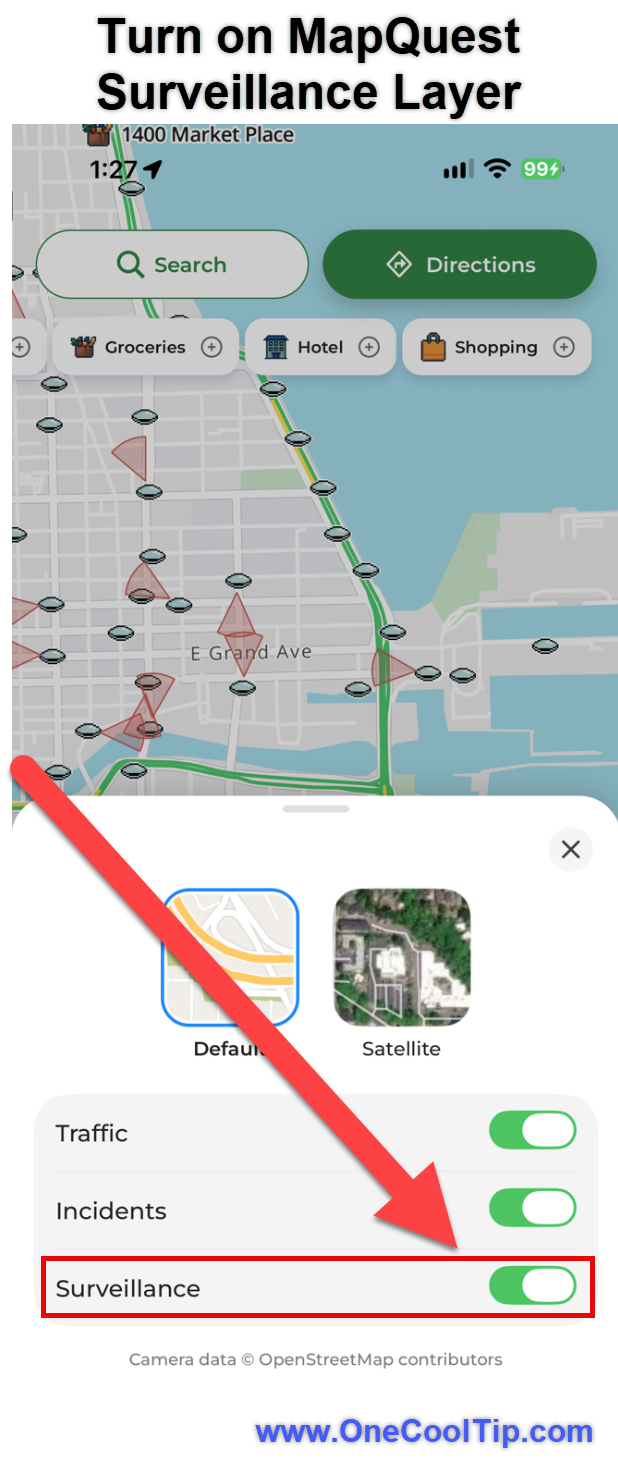
Open the MapQuest app.
-
Tap the map layers or Map Options control.
-
Find the Surveillance option.
-
Turn it On.
-
Zoom in on an area you want to explore.
-
Look for the surveillance camera markers.
-
Select a marker to view any available details.
-
The interface may vary slightly depending on your device and app version.
A Real-World Example
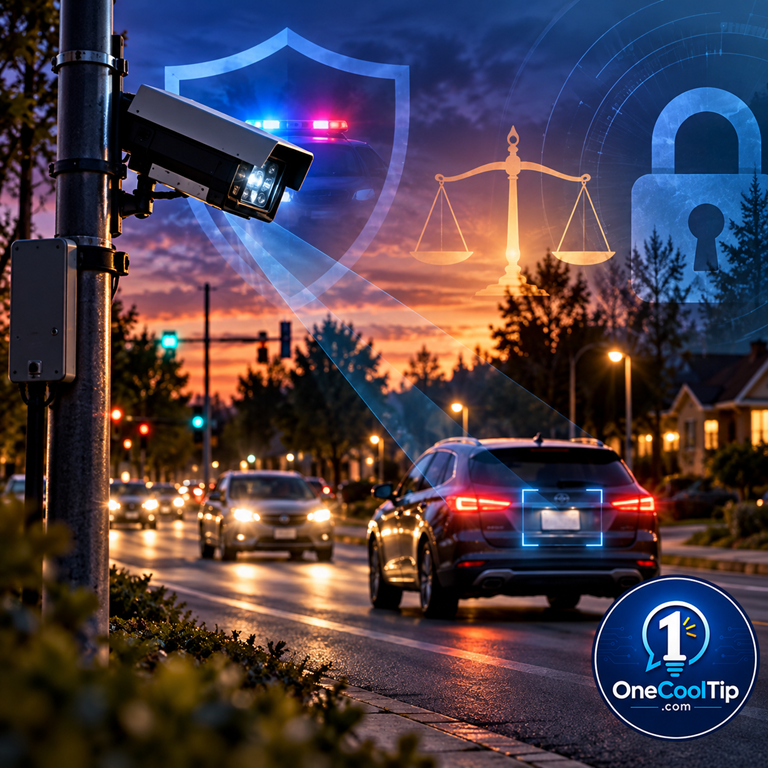
Suppose you're driving through Chicago, Illinois, and notice a new camera mounted on a pole near an intersection.
Open MapQuest and enable the Surveillance Layer.
Zoom in on the intersection and look for a camera marker.
If one appears, tap it to examine the available details.
You may learn that the location has been reported as an automated license plate reader.
The map alone cannot confirm whether the camera is currently operating, but it gives you a useful starting point for learning more.
Pros and Cons
Pros:
-
Greater transparency: Makes reported surveillance camera locations easier to discover.
-
Easy to use: Adds an optional map layer to a familiar navigation interface.
-
Broad coverage: Includes cameras from several manufacturers, not just Flock Safety.
-
Useful for research: Helps residents, journalists, and community organizations investigate surveillance equipment.
-
Convenient access: Camera information appears within a navigation app.
Cons:
-
Incomplete information: Not every surveillance camera may appear on the map.
-
Possible inaccuracies: Some markers may be outdated or incorrectly classified.
-
Limited platform support: The feature has been documented only in mobile apps.
-
No automatic avoidance routing: MapQuest does not currently provide a dedicated option to calculate routes that avoid license plate readers.
Who Should Skip This?
If you're happy using your current navigation app and have little interest in roadside surveillance, the new layer may not offer much practical value.
It also shouldn't be used as an authoritative source for determining exactly where cameras are installed or operating.
For official information, consult local government records, police department policies, and publicly available surveillance equipment disclosures.
Privacy and Data Notes
Automated license plate readers have legitimate security and law enforcement applications, but they also raise important privacy questions.
An ALPR may capture a vehicle's license plate, location, and time of travel.
Depending on the operator's policies, that information may be retained, searched, or shared with authorized organizations.
Supporters argue that license plate readers can help recover stolen vehicles, locate missing people, and investigate crimes.
Critics are concerned about widespread vehicle tracking, data retention, inappropriate access, and the possibility that location information could be misused.
There is also a separate privacy consideration when using MapQuest itself.
Like other navigation apps, MapQuest may collect location and usage information according to its privacy policies and device permissions.
Feature Access
-
iPhone: Supported through the MapQuest app.
-
Android: Supported through the MapQuest app.
-
iPad: Compatibility depends on the app; confirm the layer on your device.
-
Subscription: No separate feature fee.
-
Feature status: Newly introduced in October 2026.
Score
Criterion | Score (0–10) | Justification
Value | 8
Provides useful visibility into roadside surveillance infrastructure that many drivers may not otherwise notice.
Usability | 7
A straightforward map toggle makes the feature easy to explore, although information quality and availability remain limitations.
Wow Factor | 9
Seeing reported license plate readers displayed directly on a familiar map is both surprising and useful.
Total: 24/30 | 👍 Good
MapQuest's Surveillance Layer is a clever and useful addition for anyone interested in roadside surveillance and location privacy.
Unlike ordinary traffic-camera information, it focuses on equipment that may record vehicle identification and location data.
Key Takeaways
MapQuest's new Surveillance Layer provides a convenient way to discover reported Flock license plate readers and other roadside cameras.
It's a useful transparency tool, but camera markers should be treated as reported locations rather than a complete, verified record of active equipment.
Cool Tip Snapshot
-
Feature Name: MapQuest Surveillance Layer
-
Platform(s): iPhone and Android
-
Quick Benefit: Discover reported roadside surveillance camera locations.
-
Best For: Drivers, travelers, privacy-conscious users, and community researchers.
-
Access Type: Free app; no separate feature fee identified.
-
Difficulty: Easy
Try It Yourself
Open MapQuest on your phone, enable the Surveillance Layer, and explore your neighborhood. You might be surprised by what appears on the map!
Have you noticed any roadside cameras near your home or workplace?
Share your observations in the comments.
Subscribe to the One Cool Tip newsletter for more practical technology discoveries, and share this Cool Tip with family, friends, and coworkers who might find it useful.
READ MORE
Read the Full Cool Tip!
|