One Cool Tip Newsletter

November 8, 2026

Your daily dose of tech-savvy brilliance!

😀 Greetings! Happy Sunday Cool Tipper!


Get ready to streamline your digital life with simple, actionable tips delivered straight to your inbox.


Cool Tip Theme: Gemini Notebook Textbooks


Gemini Notebook now offers hundreds of free textbooks to generate study guides, flashcards and quizzes. Learn how to use this AI study tool.


New here? Subscribe to the One Cool Tip Newsletter for daily updates. It's FREE!

3️⃣

If you enjoy the One Cool Tip Newsletter, please forward this newsletter to THREE friends or colleagues or share it on social media using the links below.


Leave a $$$ Tip!


Share this One Cool Tip Newsletter!

X Share This Email
LinkedIn Share This Email
Pinterest Share This Email

🚨 Don’t Get Fooled: Google’s Tools Can Help Spot Online Scams🚨


Online scams can appear in search results, emails, text messages, phone calls and even online ads.


Google says it uses AI and machine learning across its products to identify potentially fraudulent content and emerging scam patterns.


In Chrome, Enhanced Protection provides Google’s highest level of Safe Browsing protection against phishing, malware and other scams.


Android also includes protections that filter spam and phishing messages, screen scam calls and warn about identified dangerous websites.


The Cool Tip:


Built-in security can help, but knowing what scam warning signs look like remains an important line of defense.


And in Other News...


  • Google’s New AI School Rules Come With a Catch


Google is expanding Guided Learning to help students work through problems step by step instead of simply giving them the answer.


The tool is now available globally in Google Classroom, with a Google Search pilot beginning in select U.S. schools later in November 2026.


Google is also changing its K-12 controls so Search, Gemini, Gemini Notebook and Gemini in Classroom will be off for student accounts until school administrators explicitly turn them on.


But the new policy has sparked pushback because schools that want students to use Google Search cannot simply turn off the AI features integrated into Search.


Schools choosing to restrict AI altogether would also lose student access to Google Search.


The Cool Tip:


That leaves schools with a difficult choice: embrace at least some AI-powered Search features or look elsewhere for a traditional search experience.


What would you do?

Cool Tip Poll

🤔 What’s your favorite way to learn new tech?

Cool Deals of the Day

  • Have you tried the Upside app? Everyday cash back on gas, groceries and dining.


Help support One Cool Tip. Use this Amazon link when you shop online.


Check out these Cool Deals:

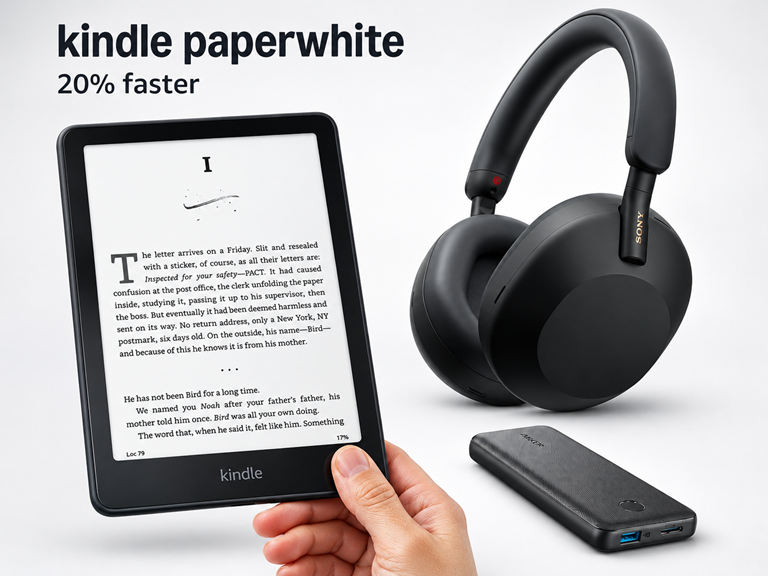
🎧 Sony WH-1000XM5 Wireless Headphones: Block out dorm noise and focus on your Audio Overviews with premium noise cancellation.

Save 50%. Now $198.00. 4.2 Stars. Check it out on Amazon!


🔋 Anker Portable Charger Power Bank: Keep your phone or tablet powered up during long study sessions in the library.

Save 20%. Now $20.89. 4.5 Stars. Check it out on Amazon!


📖 Kindle Paperwhite (16 GB): Read without eye strain if you prefer taking a break from bright computer screens.

Overall Pick! Now $199.99. 4.6 Stars. Check it out on Amazon!


*Prices accurate when originally published.

One Cool Tip may earn a commission from qualifying purchases.

Fuel Your Adventure

Try Big Mike's Jerky!


bigmikesjerky.com


Today's Cool Tip

Gemini Notebook Adds Hundreds of Free Textbooks for AI-Powered Studying

Google recently added hundreds of free textbooks directly into the Gemini Notebook workspace.


Students and educators can now instantly transform massive volumes of academic material into tailored study guides and practice quizzes.

By Rodger Mansfield, Technology Editor

November 8, 2026

Subscribe


Every student knows the feeling of staring at a massive textbook and wondering how to extract the most important information before an exam. 


Google just offered a highly practical solution to that exact problem. 


The company recently announced that Gemini Notebook now includes hundreds of free textbooks from major educational publishers. 


This update transforms static reading assignments into interactive study sessions.


Here’s a Cool Tip: Add free textbooks to Gemini Notebook to instantly generate personalized study materials.


Feature Explanation


Gemini Notebook, formerly known as NotebookLM, serves as an AI research assistant that grounds its answers entirely in the sources you provide. 


With the new textbook integration, Google removes the friction of finding and uploading your own materials. 


The catalog includes titles from providers like OpenStax, Open Textbook Library and S Chand Publishing.


Once a textbook is added as a source, the AI can process the entire text to answer specific questions, generate flashcards, create practice quizzes and even produce podcast-style Audio Overviews. 


Because the system strictly references the provided text, it reduces the risk of generating inaccurate information. 


Every answer includes inline citations linking directly back to the source passage. 


This matters because it shifts the focus from passively reading chapters to actively testing knowledge and synthesizing concepts.


What You’ll Gain


  • Save time by instantly generating study guides from massive textbook chapters.
  • Reduce confusion when reviewing complex topics by asking direct questions about the text.
  • Improve retention by creating custom flashcards and practice quizzes on demand.
  • Make daily work easier by listening to Audio Overviews of your reading assignments while commuting.


Step-by-Step Instructions


Here's how to do it.


Web/Desktop:


  1. Open your web browser and go to notebook.google.com.
  2. Open an existing notebook or create a new one.
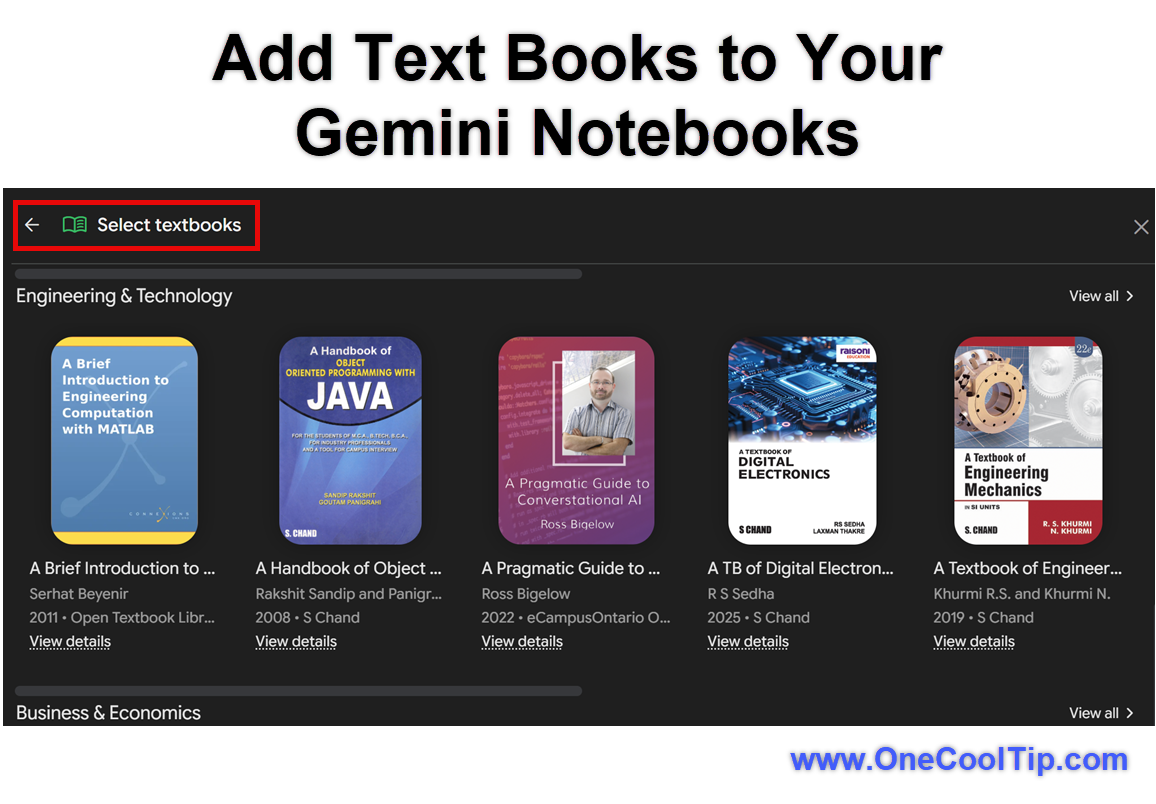
  3. Click the "Add sources" button in the source panel.
  4. Select "Textbooks" from the available options.
  5. Browse the catalog and select a textbook to add to your workspace.

fig. 1 - Add Text Books to Your Gemini Notebooks

Pros and Cons


Pros:


  • Provides free access to hundreds of verified academic titles.
  • Creates citations linking directly back to the original text for easy verification.
  • Generates varied study materials like audio summaries and flashcards.
  • Keeps personal data private and does not use organization data for training.


Cons:


  • The catalog is currently limited to specific partners like OpenStax and S Chand Publishing.
  • Requires an active internet connection to access the web workspace.
  • Users who want to use commercial books outside the free catalog must purchase them through Google Play Books.


Who Should Skip This


Students whose courses rely on highly specialized or proprietary textbooks not included in the open catalog may not find this useful. 


Users who prefer physical highlighters, paper flashcards and manual note-taking should also stick to their traditional learning methods.


Real-World Examples


Students: A college freshman taking an introductory biology course can add an OpenStax biology textbook to their notebook. Before midterms, they can prompt the workspace to generate a 20-question practice quiz on cellular respiration to test their knowledge.


Educators: A high school history teacher can load a supported textbook into a notebook and use the tool to quickly draft lesson plans, extract key vocabulary terms or create a podcast-style Audio Overview to share with auditory learners.


Personal productivity users: A self-taught programmer can add a computer science textbook and ask the tool to explain complex data structures in simple terms. They can then use the citation links to verify the explanations directly in the text.


Troubleshooting and Limitations


Problem: The "Textbooks" option does not appear in the source menu.


  • Why it happens: The feature may still be rolling out or your Google Workspace administrator has restricted access.
  • Fix or workaround: Wait for the rollout to reach your account or contact your IT administrator to request access.


Problem: A specific class textbook is missing from the catalog.


  • Why it happens: Google currently partners with specific open educational resource providers.
  • Fix or workaround: If you own a digital copy of the required book, you can upload the PDF or EPUB file directly as a standard source.


Problem: The AI gives a generic answer without citations.


  • Why it happens: The prompt may be too broad or the system might be drawing on general knowledge instead of the textbook.
  • Fix or workaround: Ask a more specific question and explicitly command the tool to "use only the provided textbook" to formulate the answer.


Privacy and Data Notes


When using Gemini Notebook as an individual, your queries and source materials are not used to train Google's models unless you explicitly submit them as feedback. 


For students and educators using Google Workspace for Education, data remains entirely private to the organization. 


Shared notebooks require collaborators to have appropriate access. 


If a commercial book from Google Play Books is used as a source, each collaborator must own a copy to interact with it.


Feature Access


The free textbook catalog began rolling out on Oct. 29, 2026. 


It is available to users via the Gemini Notebook web interface. 


Access may vary based on region and whether your Google Workspace administrator has enabled the service. 


Anyone with a standard Google account can log in and explore the available open-source titles.


Score

Criterion |  Score (0–10) |  Justification
Value |  9
Providing free, direct access to academic materials saves students time and money.
Usability |  9
Adding a source requires only a few clicks inside an existing and familiar workspace.
Wow Factor |  8
Generating instant audio podcasts and quizzes from a textbook chapter is highly impressive.
Total: 26/30 |  🌟 25–30 Excellent
Adding integrated textbooks elevates Gemini Notebook from a helpful tool to an essential study companion. 
Comparison: It operates similarly to uploading a PDF into a standard AI chat, but the strict source grounding and automatic citation linking offer superior reliability.


Key Takeaways


Gemini Notebook now includes direct access to hundreds of free textbooks from major open-source publishers. 


Students can use these texts to automatically generate study guides, flashcards and practice quizzes with reliable citations. 


This shifts the focus from simply reading material to actively engaging with it through AI.


Cool Tip Snapshot


  • Feature Name: Gemini Notebook Textbooks
  • Platform(s): Web
  • Quick Benefit: Turn massive textbooks into interactive study materials instantly.
  • Best For: Students and educators.
  • Access Type: Free
  • Difficulty: Easy


Learn More


Read the official announcement from the Gemini Notebook team to understand how this integration supports student learning.


Try It Yourself


Open Gemini Notebook today, add a textbook, and ask it to create a custom study guide for your next project. 


Leave a comment below with your favorite AI study hack, subscribe to the One Cool Tip newsletter for FREE, and share this Cool Tip with your family, friends and coworkers!


READ MORE


Read the Full Cool Tip!

Check Out These Cool Tips & Tricks


  • Add Multiple Sources: Combine notes and textbooks. Upload your personal class notes alongside the textbook to get comprehensive answers.


  • Pin Key Notes: Save important insights. Click the pin icon on generated responses to save them directly to your notebook for later review.


  • Generate Audio Overviews: Listen on the go. Click the Audio Overview button to generate a podcast conversation based entirely on your textbook chapter.


  • Command Specific Formats: Control the output. Ask the AI to "build a 10-question multiple choice quiz" rather than just asking for a summary.


  • Check Your Citations: Verify every claim. Click the small numbers at the end of generated sentences to jump straight to the source text.


  • Create Custom Flashcards: Memorize terms faster. Prompt the notebook to extract a list of bolded vocabulary words and format them as flashcards.


  • Limit the Scope: Keep answers focused. Select specific sources in the left panel to ensure the tool only searches the chapters you actually need.


  • Draft an Outline: Prepare for essays. Ask the workspace to generate a paper outline based on the themes found in your uploaded reading material.


  • Use Voice Dictation: Ask questions hands-free. Use your device's microphone icon to speak your complex research questions directly into the chat box.


  • Share the Notebook: Study with friends. Click the share button to invite classmates to view the study guides and quizzes you have generated.

ICYMI - In Case You Missed It ...

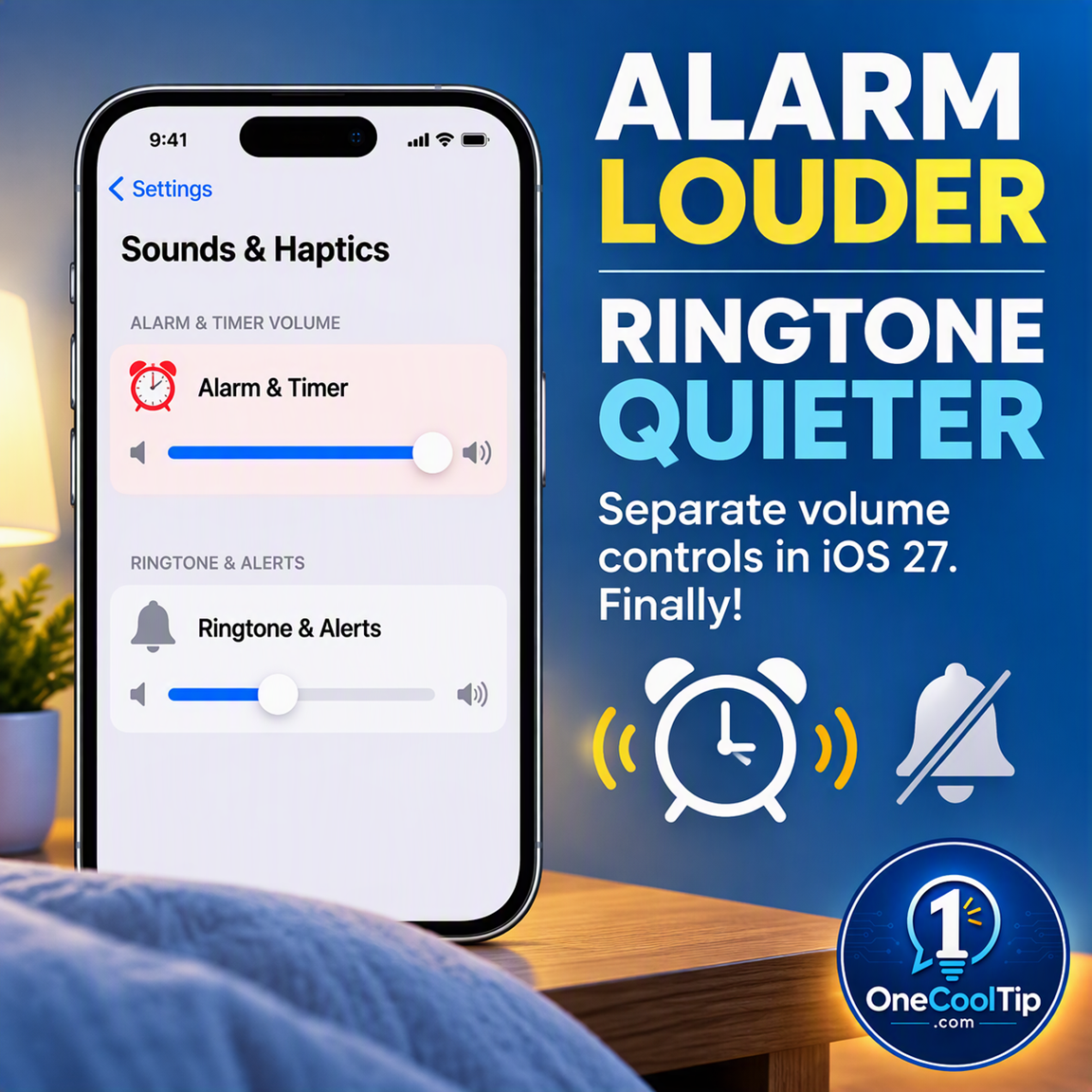
Change iPhone Alarm Volume Without Changing Your Ringtone in iOS 27


Keep your ringtone quiet while giving your iPhone alarms the volume they need. Set a shared volume for alarms and timers that is separate from your ringtone, and check the dedicated control for your Sleep schedule’s Wake Up alarm.


Read the Full Version.


Read the Newsletter Version.

Looking for your next adventure?


Call Denise at Travel For You.

314.660.3039


Sign Up for the Monthly Newsletter


http://www.travelforyouvacations.com/


https://www.facebook.com/TRAVEL.FOR.U/


See You Tomorrow

Tomorrow's Cool Tip is waiting to amaze you.


Until then, go forth and conquer the tech world with your newfound knowledge!


Be sure to visit www.OneCoolTip.com for Cool Tech Tips for a Cooler Life!


And if you Like One Cool Tip, please support with TipJar!


Enjoy!


Rodger

Chief Cool Tipper

onecooltip.com@gmail.com


What Do You Think?

What do you think of today's One Cool Tip Newsletter?
Positive        Neutral        Negative
X Share This Email
LinkedIn Share This Email

Connect with One Cool Tip!

Facebook  X  Instagram  Web  Pinterest  YouTube  LinkedIn
 

As an Amazon Associate, One Cool Tip may earn a small commission from qualifying purchases.


Our media content is intended solely for informational purposes. Please do not construe anything here as legal, tax, investment, financial, marital or other advice.


Copyright © 2026 | www.OneCoolTip.com | All Rights Reserved