One Cool Tip Newsletter

September 15, 2026

Your daily dose of tech-savvy brilliance!

😀Greetings! Happy Tuesday, Cool Tipper!


Get ready to streamline your digital life with simple, actionable tips delivered straight to your inbox.


Cool Tip Theme: Google Dreambeans


Google Labs has opened Dreambeans to all U.S. accounts. Learn how this proactive AI tool connects your daily apps into custom illustrated digests.


New here? Subscribe to the One Cool Tip Newsletter for daily updates. It's FREE!

3️⃣

If you enjoy the One Cool Tip newsletter, please forward this newsletter to THREE friends or colleagues or share it on social media using the links below.


Leave a $$$ Tip!


Share this One Cool Tip Newsletter!

X Share This Email
LinkedIn Share This Email
Pinterest Share This Email

🚨When Your Phone Says "Mom" Is Calling, It Could Be a Scammer🚨


Just because a call looks familiar does not mean it is legitimate.


The FCC warns that scammers use a tactic called spoofing to make a phone number, name, or caller ID information appear to come from someone you know or trust.


Criminals often impersonate banks, government agencies, businesses, and even family members to pressure people into sharing personal information or sending money.


If you receive an unexpected call asking for sensitive information, hang up and contact the person or organization using a phone number you know is legitimate.


Be especially cautious if the caller creates a sense of urgency or demands immediate action.


Remember, caller ID should be treated as a clue, not proof of identity.


A few seconds of verification can help you avoid becoming the next victim of a phone scam.


And in Other News...


  • The AI Debate Is Heating Up. Here's Why It Matters.


Rapid AI growth has sparked renewed debate about how quickly artificial intelligence should advance.


Some public discussions advocate that AI systems are improving so rapidly that companies should slow development to ensure safety, oversight, and proper safeguards keep pace with new capabilities.


Others believe AI's potential benefits, including medical breakthroughs, scientific discoveries, and productivity gains, make continued innovation essential.


The key takeaway is that both enthusiasm and caution can be valid.


AI is already helping people learn, work, create, and solve problems in new ways, but it also raises important questions about safety, privacy, and accountability.


As the technology evolves, staying informed and approaching AI with both curiosity and healthy skepticism can help you get the benefits while understanding the risks.


The conversation is no longer about whether AI will shape the future, but how we choose to guide its development.

Cool Tip Poll

🤔 Would you let AI turn your emails, calendar events, and search history into a custom deck?

Cool Deals of the Day

Help support One Cool Tip. Use this Amazon link when you shop online.


Check out these Cool Deals:

☕ Ember Temperature Control Smart Mug 2: Keeps your morning coffee at your chosen drinking temperature while you read through your daily story cards.

Save 33%. Now $99.99. 4.2 Stars. Check it out on Amazon!


📱 Cell Phone Stand: Keep your phone charged in an upright view so your morning Dreambeans deck is ready the moment you wake up.

Look👉 Now $9.99. 4.8 Stars. Check it out on Amazon!


🎧 Sony WH-1000XM5 Wireless Noise-Canceling Headphones: Block out household distractions while reviewing your morning notes and daily audio summaries.

Save 25%. Now $298. 4.2 Stars. Check it out on Amazon!


*Prices accurate when originally published.

One Cool Tip may earn a commission from qualifying purchases.

Fuel Your Adventure

Try Big Mike's Jerky!


bigmikesjerky.com


Now on TikTok!


Today's Cool Tip

Turn Your Scattered Digital Day into Custom Illustrated Stories


Google Labs has expanded Dreambeans to all personal U.S. accounts, turning scattered emails, photos, and calendar notes into curated daily stories. Discover how this proactive AI digest helps you catch meaningful moments without endless algorithmic scrolling.


Your daily digital life often feels like an obstacle course across half a dozen separate apps. 


You have flight confirmations buried in Gmail, event reminders stuck in Google Calendar, project inspiration saved on YouTube, and weekend snapshots sitting in Google Photos. 


Keeping track of the details that actually matter requires constant mental switching and manual checking. 


Most news and social feeds do not help either, because they are built to trap your attention with algorithmic outrage rather than bring order to your day.


Here’s a Cool Tip: Brew your personal morning brief with Google Dreambeans.


Google Labs is tackling that clutter with Dreambeans, an experimental app originally launched in June 2026 that synthesizes your digital threads into finite, illustrated daily collections. 


Instead of feeding you an infinite loop of random viral posts, it connects the dots across your Google services to brew a small batch of personalized stories tailored to your interests and upcoming schedule.


Feature Explanation


Dreambeans is a mobile storytelling companion powered by Google Personal Intelligence. 


Rather than waiting for you to type a prompt or search for an answer, the app proactively reads contextual cues across your connected Google apps, including Gmail, Google Calendar, Google Photos, YouTube, and Google Search history.


The app processes these data points to build a finite daily feed of concise cards. 


Each card presents a mini-narrative, such as a helpful summary of an upcoming trip, background context on a hobby you have been researching, or updates on topics related to videos you recently watched. 


Every story arrives paired with a custom AI illustration styled around familiar settings, pets, or recurring themes from your life.


Dreambeans differs sharply from standard social feeds because it is explicitly non-infinite. Once you finish your daily cards, the feed ends. 


Tapping any individual story allows you to explore deeper web sources or save the item directly to your personal archive for future reference.


What You’ll Gain


Save time by viewing calendar updates, travel details, and research threads in one curated spot.


Reduce confusion when tracking ongoing personal projects across separate Google services.


Cut digital burnout by replacing infinite feeds with a bite-sized, finite morning deck.


Stay prepared with timely reminders and actionable web resources surfaced automatically.


Step-by-Step Instructions


iPhone/iPad:


  1. Download Dreambeans from the Apple App Store (available in the U.S. region).
  2. Open the app and tap Sign In with Google.
  3. Select your consumer Google account credentials.
  4. Review the data integration screen and enable access for your desired Google services.
  5. Grant necessary app notification permissions when prompted.
  6. Browse your custom daily deck on the home screen. 
  7. Tap any card to read the narrative and view the generated artwork.


fig. 1 - Google Dreambeans

Android:


  1. Open the Google Play Store and install Dreambeans by Google Labs.
  2. Launch the app and tap Get Started.
  3. Sign in using your personal Google account.
  4. On the Personal Intelligence permission screen, toggle on the Google apps you want connected, such as Gmail, Calendar, Photos, and YouTube.
  5. Tap Allow Access to confirm the data permissions.
  6. Complete your brief profile questionnaire by selecting topics of interest (such as cooking, tech, travel, or DIY projects).
  7. View your first story deck. Swipe horizontally or tap through cards to read each story.
  8. Tap Dive Deeper at the bottom of any card to explore expanded details, or tap the Bookmark icon to store the card in your Library.


Web:


Pros and Cons


Pros:


  • Eliminates endless scrolling by delivering a strictly finite deck of daily updates.
  • Connects scattered notes, itineraries, and media histories into clear visual summaries.
  • Clean mobile presentation with original, stylized illustrations.
  • Deep integration pulls verified web links and search results directly into the story cards.


Cons:


  • Geographic availability is currently limited to U.S. accounts aged 18 and older.
  • No support for managed Google Workspace enterprise or school domain accounts.
  • Requires broad read access to private Google services to produce meaningful results.
  • Story quality depends heavily on how active you are within the Google ecosystem.


Feature Access


Dreambeans has expanded from its initial invite-only beta and is currently rolling out across the United States to all personal Google accounts for users aged 18 and older.


The app runs on compatible Android devices (Android 10 and newer) and iOS devices. 


A paid Google AI subscription is no longer required to test the application, though availability remains region-limited to the U.S. and excludes enterprise Google Workspace accounts.


Score

Criterion |  Score (0–10) |  Justification
Value |  7
Consolidating scattered reminders and interests into a finite daily digest saves time, though value depends on ecosystem commitment.
Usability |  8
Simple card swipe interface and straightforward permission toggles make initial setup quick on mobile.
Wow Factor |  7
Pairing contextual personal planning with custom daily illustrations is creative, but it remains an experimental preview.
Total: 22/30 |  👍 Good
Dreambeans offers a calm, visually appealing alternative to algorithmic news feeds, even if its reliance on personal data permissions will give cautious users pause.
It serves as a creative personal dashboard comparable to Apple Intelligence daily summaries or Microsoft Start digests.


Key Takeaways


Dreambeans reimagines personal daily planning by turning private calendar entries and research into bite-sized, illustrated story cards. 


The app replaces endless feed scrolling with a finite digest designed to keep you focused on upcoming priorities. 


Now that access has opened across the U.S., personal Google account holders can test the feature for free on Android and iOS.


Cool Tip Snapshot


  • Feature Name: Google Labs Dreambeans
  • Platform(s): Android, iOS
  • Quick Benefit: Converts scattered emails, calendars, and searches into a short daily deck.
  • Best For: Busy individuals seeking a calm, proactive daily overview without infinite scroll.
  • Access Type: Free Preview (U.S. Only)
  • Difficulty: Easy


Try It Yourself


Download Dreambeans from Google Labs or your mobile app store today to see how your daily routine looks as a personalized story deck. 


Did the app catch something useful you missed, or do you prefer standard calendar alerts? 


Leave a comment below with your thoughts, subscribe to the One Cool Tip newsletter for regular technology breakdowns, and share this Cool Tip with your family, friends, and coworkers.


READ MORE


Read the Full Cool Tip.

Check Out These Cool Tips & Tricks


  • Finite Reading: Set a boundary by closing Dreambeans once you review your daily deck. Swipe through all available cards until the final confirmation screen appears.


  • Selective Permissions: Protect your privacy by granting access only to essential services. Open Connected Services in app settings and toggle off apps like YouTube or Photos if unneeded.


  • Card Bookmarks: Save important travel details and recipes directly to your personal archive. Tap the Bookmark icon on the top corner of any open story card.


  • Dive Deeper: Expand any brief summary into full web research when you have extra time. Tap the Dive Deeper button at the bottom of the card to view related articles and source links.


  • Morning Alerts: Receive your daily brief at the exact start of your workday. Open notifications in the app settings to select your preferred delivery time.


  • Clean Reconnects: Refresh stalled story suggestions by cycling your account connections. Switch your connected Google service toggles off and back on within the settings menu.


  • Topic Tuning: Guide future story generation toward your current personal hobbies. Open the Interests menu in your profile and select new topic badges.


  • Story Feedback: Improve story card accuracy by rating generation quality. Tap the thumbs-up or thumbs-down icon displayed beside any finished daily card.


  • Calendar Preparation: Ensure upcoming travel bookings appear reliably in your cards. Add location tags and event times directly into Google Calendar entries.


  • Rapid Revocation: Disconnect experimental app permissions quickly whenever you want. Navigate to your Google Account permissions page at myaccount.google.com to revoke app access in one tap.

ICYMI - In Case You Missed It ...

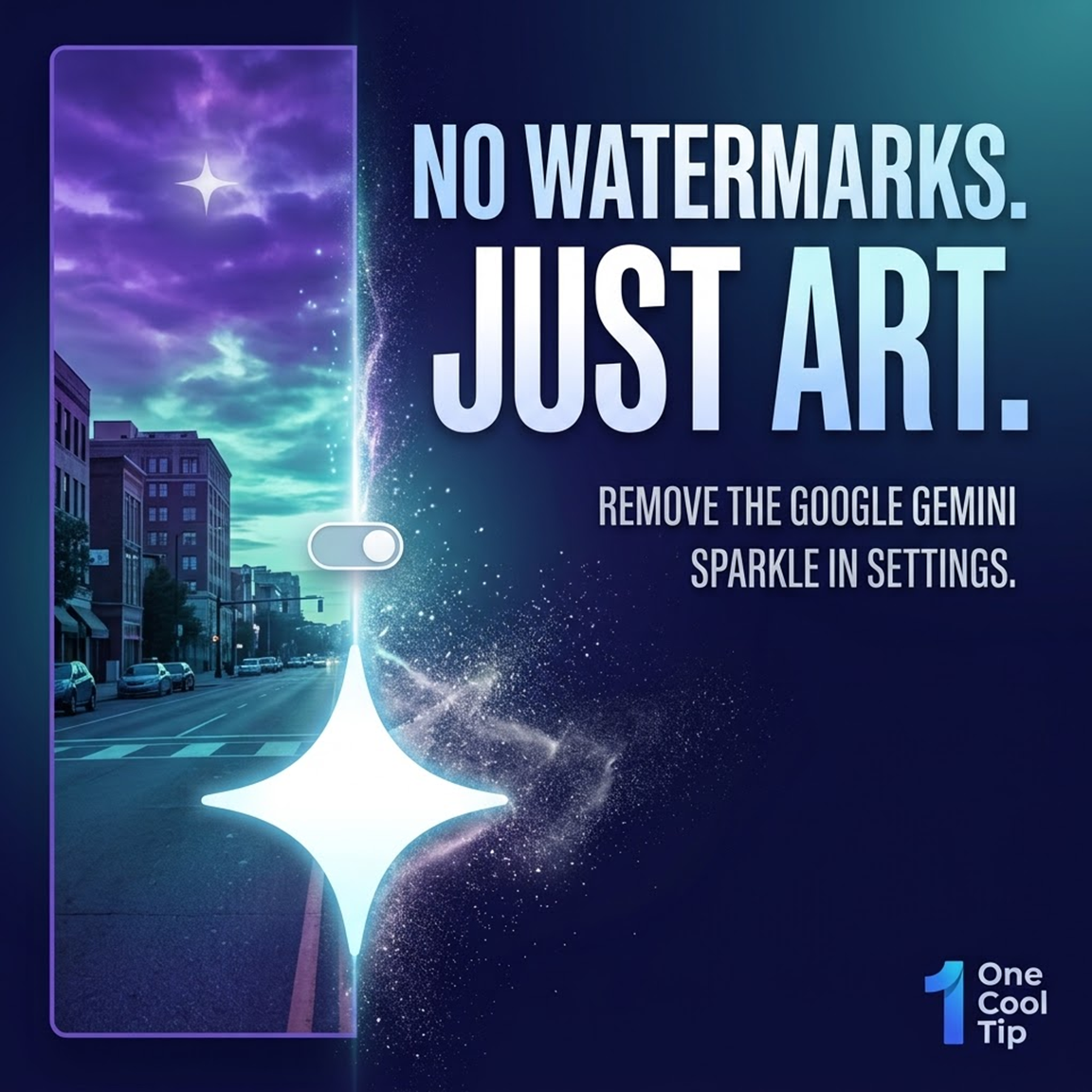
Turn Off the Visible Watermark on Google Gemini AI Images


Google now allows you to turn off visible watermarks on AI-generated images, videos, and media files directly in your account settings. Here is how to disable the visible corner sparkle overlay so your downloads stay clean and ready for presentations or personal projects.


Read the Full Version.


Read the Newsletter Version.

Looking for your next adventure?


Call Denise at Travel For You.

314.660.3039


Sign Up for the Monthly Newsletter


http://www.travelforyouvacations.com/


https://www.facebook.com/TRAVEL.FOR.U/


See You Tomorrow

Tomorrow's Cool Tip is waiting to amaze you.


Until then, go forth and conquer the tech world with your newfound knowledge!


Be sure to visit www.OneCoolTip.com for Cool Tech Tips for a Cooler Life!


And if you Like One Cool Tip, please support with TipJar!


Enjoy!


Rodger

Chief Cool Tipper

onecooltip.com@gmail.com


What Do You Think?

What do you think of today's OneCoolTip newsletter?
Positive        Neutral        Negative
X Share This Email
LinkedIn Share This Email

Connect with One Cool Tip!

Facebook  X  Instagram  Web  Pinterest  YouTube  LinkedIn
 

As an Amazon Associate, One Cool Tip may earn a small commission from qualifying purchases.


Our media content is intended solely for informational purposes. Please do not construe anything here as legal, tax, investment, financial, marital or other advice.


Copyright © 2026 | www.OneCoolTip.com | All Rights Reserved