|
One Cool Tip Newsletter
September 7, 2026
| Your daily dose of tech-savvy brilliance! | |
😀Greetings! Happy Labor Day Monday, Cool Tipper!
Get ready to streamline your digital life with simple, actionable tips delivered straight to your inbox.
Cool Tip Theme: Streaming Subscription Audit
Audit your streaming subscriptions, find hidden renewals, and cancel, pause, or downgrade services you no longer watch before fall billing begins.
New here? Subscribe to the One Cool Tip Newsletter for daily updates. It's FREE!
| |
3️⃣
If you enjoy the One Cool Tip newsletter, please forward this newsletter to THREE friends or colleagues or share it on social media using the links below.
Leave a $$$ Tip!
Share this One Cool Tip Newsletter!
| | |
🚨 The Disney+ Message You Received Might Be a Scam 🚨
Scammers are increasingly impersonating popular streaming services like Disney+ to trick people into sharing passwords, payment details, and other personal information.
Disney+ warns that it will never contact you through email, text message, social media, or phone calls asking for your password, billing details, or payment through gift cards or cryptocurrency.
Be wary of messages that create urgency, contain suspicious links, or come from strange email addresses.
Before clicking any link, check that the website address is a legitimate Disney+ domain and not a lookalike site.
If you're unsure whether a message is real, go directly to the Disney+ website or app instead of using links in the message.
If you accidentally clicked a suspicious link, change your password immediately and contact your financial institution if you shared payment information.
And in Other News...
- The Future of Tech Is Coming to Your Living Room
Every year, the IFA technology show in Berlin offers a glimpse of the gadgets and trends that could soon become part of everyday life.
This year's event highlights a growing focus on artificial intelligence, smart home ecosystems, personal wellness technology, and household robots that can handle more tasks automatically.
Industry leaders are showcasing products designed to save time, improve energy efficiency, and make connected devices work together more seamlessly.
One clear trend is that AI is moving beyond chatbots and becoming the invisible layer that powers TVs, appliances, lighting, and other everyday products.
Companies are also focusing on technologies that blend convenience, health, and home automation into a more personalized experience.
While many of these innovations are just beginning to reach consumers, they offer a preview of how our homes may become smarter, more connected, and easier to manage in the years ahead.
Here are a few new items to watch as they become available:
Acer Swift Blade 14 laptop
This ultraportable laptop weighs just 1.76 pounds while offering an aluminum and carbon-fiber chassis, Intel Core processor options, and an optional 3K OLED display.
iRobot Roomba Max 875 Combo
This robot vacuum uses a special seal to direct airflow deeper into carpets, plus a roller mop, heated stain treatment, obstacle avoidance, and a dock that washes and dries the mop.
Belkin UltraCharge Pro Slim Power Bank
Belkin’s slim power bank uses semi-solid-state battery technology to make it more compact and potentially longer-lasting than conventional portable batteries.
Govee Sky Ceiling Light
This AI-powered smart light can create personalized lighting scenes from natural-language requests and automatically adjust lighting based on the time of day and weather. It also supports Matter for broader smart-home compatibility.
Lexar Muse Ultra-Slim Portable SSD
This exceptionally thin portable drive offers fast transfer speeds and includes a MagSafe sleeve that can attach it to an iPhone for recording high-quality video directly to external storage.
| |
| 🤔 How many streaming subscriptions are you currently paying for? | | | | |
Help support One Cool Tip. Use this Amazon link when you shop online.
Check out these Cool Deals:
| | |
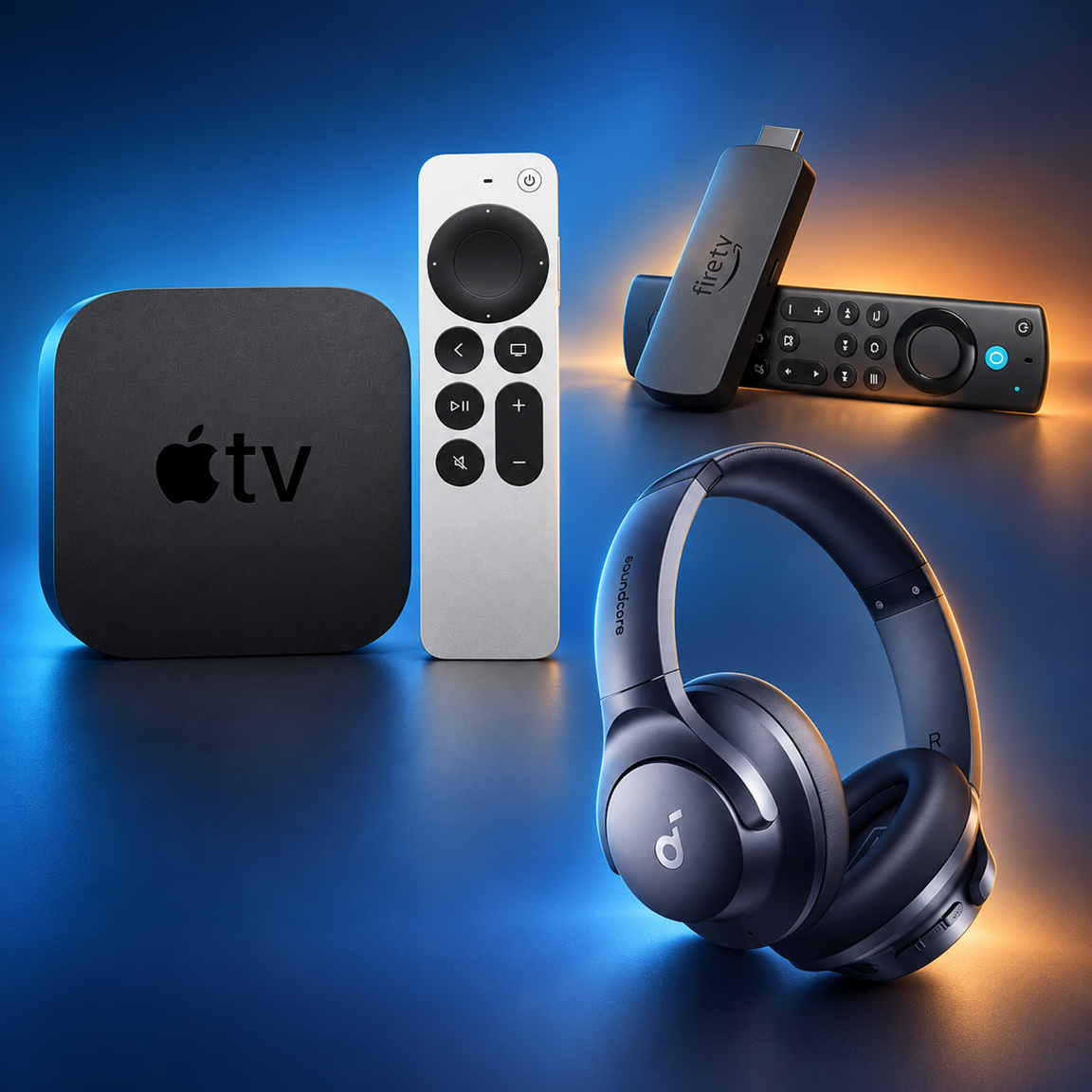
📺 Amazon Fire TV Stick 4K Max: Consolidates compatible streaming apps on one device and provides an easy place to see what the household actually watches.
Save 41%. Now $49.99. 4.6 Stars. Check it out on Amazon!
🍎 Apple 2021 Apple TV 4K 32GB - Black (2nd generation) (Renewed): A strong fit for households that use Apple devices and want a central television interface for streaming apps.
Look➡️ Now $199.99. 4.4 Stars. Check it out on Amazon!
🎧 Soundcore by Anker Q20i Noise-Canceling Headphones: Provides private listening for streaming video on compatible phones, tablets, computers, and televisions.
Save 36%. Now $44.99. 4.5 Stars. Check it out on Amazon!
*Prices accurate when originally published.
One Cool Tip may earn a commission from qualifying purchases.
| | |
Stop Paying for Forgotten Streaming Subscriptions
Summer may be ending, but streaming services added for vacation or binge-watching can keep billing well into fall. A quick subscription audit can expose forgotten trials, duplicate services, and premium add-ons before the next renewal.
You subscribed to one service for a summer blockbuster, another for a limited series, and perhaps a sports package for a single event. The shows ended, but the monthly charges did not.
Here’s a Cool Tip: Audit every subscription billing source before the next renewal.
Labor Day is a useful reminder to review those subscriptions before fall schedules get busy.
Apple and Google both provide centralized subscription screens, but there is an important catch: each screen generally shows only subscriptions billed through that company and the account currently signed in.
A service billed directly, through Amazon or Roku, or as part of a wireless or cable package may be somewhere else.
Find the Billing Source Before You Cancel
A subscription audit is not a new feature.
It is a simple process that combines the management tools already provided by Apple, Google, streaming companies, and other billing partners.
Start with the Apple and Google subscription screens because they gather many app-based purchases in one place.
Then search your email and payment statements for anything missing.
This second pass matters because downloading an app from an app store does not prove that the app store handles its billing.
The company handling the billing is usually the place to start the cancellation.
Apple advises customers who cannot find a subscription to check the receipt and contact the company doing the billing.
Amazon provides separate controls for Prime Video add-on subscriptions. A streaming service purchased through a carrier or cable company may have to be managed through that provider.
This audit is most useful for families, travelers, sports fans, and anyone who rotates among streaming services based on current programming.
It can also uncover two people in the same household paying separately for the same service.
What You’ll Gain
- Identify services, add-ons, and trials that are still renewing.
- Stop future charges for subscriptions no one uses.
- Compare canceling with pausing or choosing a less expensive plan.
- Create a simple record of renewal dates and billing sources.
Step-by-Step Instructions
Here's how to do it.
iPhone/iPad
-
Open Settings.
-
Tap your name at the top of the screen.
-
Tap Subscriptions.
-
Review active and inactive subscriptions associated with that Apple Account.
-
Tap an active subscription to view its available plans and renewal information.
-
Tap Cancel Subscription, then confirm. You may need to scroll to find the button. If no cancellation button appears or a red expiration message is shown, Apple says the subscription is already canceled.
Cancel a free or discounted trial at least 24 hours before it ends if you do not want it to renew.
Instructions and regional circumstances can vary.
Android
-
Open the Google Play Store and confirm that the correct Google Account is active.
-
Tap your profile picture.
-
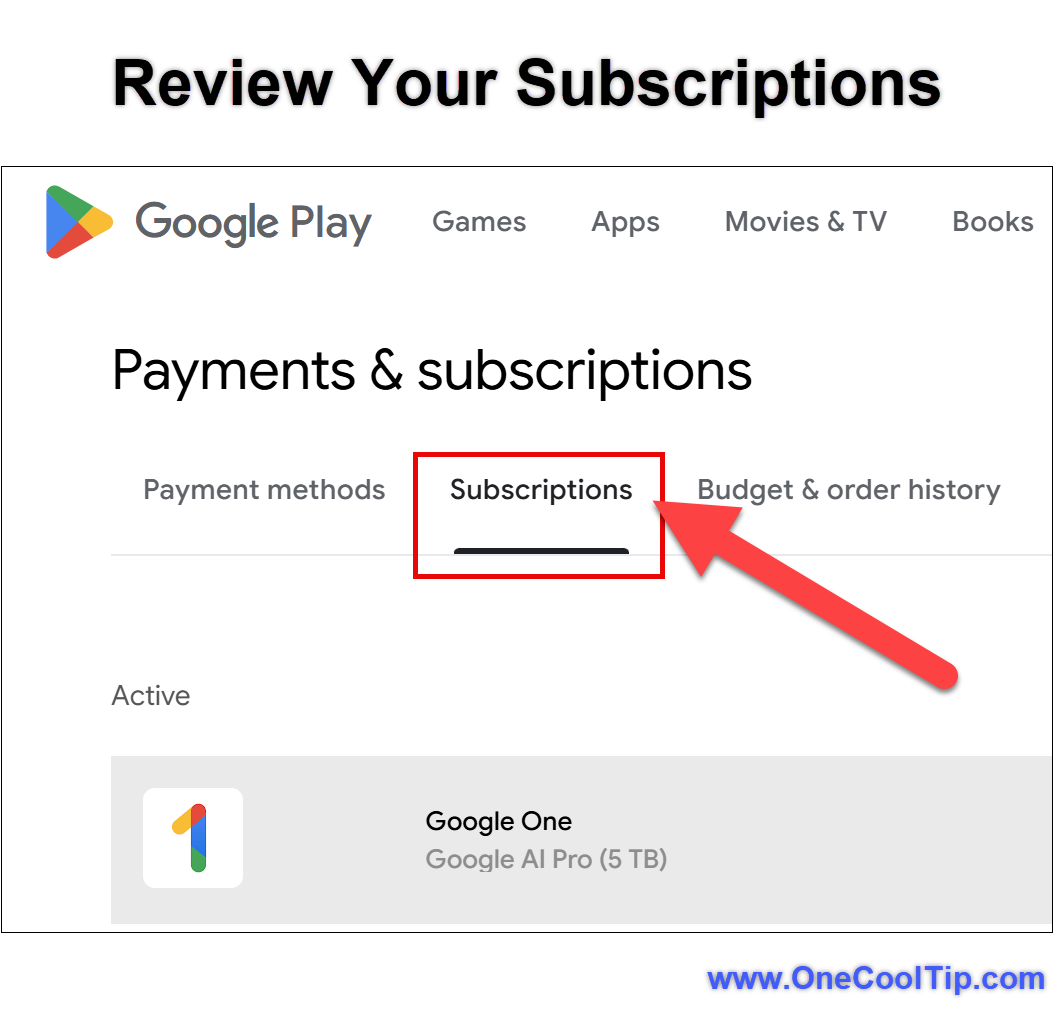
Select Payments & subscriptions, then Subscriptions. If the menu differs on your device, open the Google Play subscriptions page in a browser while signed in to the correct Google Account.
- Select the subscription you want to review.
- Tap Cancel subscription and follow the instructions.
- If the developer supports pausing, select the subscription and look for Manage > Pause payments. Choose an available pause period and confirm.
| | fig. 1 - Review Your Subscriptions | | |
Uninstalling an app does not cancel its subscription.
After cancellation, access normally continues through the period already paid.
A pause takes effect at the end of the current billing period, and only participating apps offer this option.
Web/Desktop, Windows, and macOS
-
Sign in to the Apple Account subscription page or Google Play subscriptions page in a browser.
-
Check each subscription and note its billing interval and renewal date.
-
Search your email for subscription, renewal, free trial, receipt, invoice, and the names of services you remember joining.
-
Review two or three recent credit-card, bank, PayPal, wireless, and cable statements.
-
Open the account page for any directly billed service and find Membership, Subscription, Plan, or Billing.
-
Check Amazon Memberships & Subscriptions and Prime Video add-ons. Check Roku subscriptions if you have ever subscribed through a Roku device.
- Record the result in a note or spreadsheet: service, price, billing source, renewal date, decision, and cancellation confirmation.
Cancel, Pause, Downgrade, or Rotate?
Canceling is not always the best choice.
Use this quick test:
-
Cancel when no one has watched the service recently and no must-see program is coming soon.
-
Pause when the provider offers the option and you expect to return after a short break.
-
Downgrade when an ad-supported or lower-cost plan meets your needs.
-
Remove an add-on when the base service is useful but a premium channel, sports package, or extra-member option is not.
-
Rotate services by keeping one or two at a time and rejoining when desired programming becomes available.
Before making a change, check whether canceling affects a promotional rate, unused credit, downloads, profiles, watch history, or bundled access.
Terms vary by provider.
Pros and Cons
Pros:
- Reduces recurring spending without requiring new software.
- Finds duplicate subscriptions spread across household accounts.
- Makes renewal dates and billing sources easier to understand.
- Helps families choose services based on actual viewing rather than habit.
- Can reveal premium add-ons that are easy to overlook.
Cons:
- No universal screen lists every directly and indirectly billed service.
- Pause and downgrade options vary by provider and plan.
- Canceling may end a promotional price that cannot be restored.
- Family members may use different Apple Accounts, Google Accounts, cards, or billing partners.
Feature Access
Apple subscription controls apply to subscriptions billed by Apple, including eligible subscriptions purchased through App Store apps.
Google Play controls apply to subscriptions connected to the selected Google Account and billed through Google Play.
Both ecosystems also provide web-based management.
Check directly billed, carrier-billed, cable-billed, Amazon-billed, and Roku-billed services with the applicable provider.
Cancellation, pause, downgrade, refund, and plan-change options vary by service, account, country, and subscription terms.
Score
Criterion | Score (0–10) | Justification
Value | 9
The audit can prevent unwanted renewals and exposes subscriptions scattered across several billing systems.
Usability | 8
Apple and Google make their own subscriptions easy to review, but direct and third-party billing requires extra detective work.
Wow Factor | 5
The controls are not new, but using Labor Day as a yearly financial reset is clever and immediately useful.
Total: 22/30 | 👍 Good
This is a high-value seasonal habit built from familiar tools that many users overlook.
Unlike a dedicated subscription-tracking app, this approach costs nothing and avoids giving another app access to financial information. The tradeoff is that you must check more than one location.
Key Takeaways
Apple and Google provide useful starting points, but neither screen is a complete household subscription inventory.
Check receipts and payment statements, identify who actually collects each payment, and then cancel, pause, downgrade, or rotate services before the next renewal.
Cool Tip Snapshot
-
Feature Name: Streaming Subscription Audit.
-
Platform(s): iOS, iPadOS, Android, Windows, macOS, and web.
-
Quick Benefit: Find and stop unwanted streaming renewals.
-
Best For: Families, travelers, sports fans, and seasonal streamers.
-
Access Type: Free.
-
Difficulty: Easy.
Try It Yourself
Spend 10 minutes auditing your streaming subscriptions today, then tell us what forgotten service you found.
Subscribe to the One Cool Tip newsletter, and share this article with family, friends, and coworkers who may be paying for summer streaming they no longer watch.
READ MORE
Read the Full Cool Tip.
| | |
Summer Never Ends when you Catch a Wave!
PLAY
More About Catch a Wave
“Catch a Wave” is an original song that captures the feeling of endless summer, where time slows down and the only thing that matters is the next ride.
I wrote this as a celebration of the California coast, inspired by early mornings on the sand, the sound of the ocean, and the simple freedom that comes from being out on the water.
The lyrics follow a day in motion, from sunrise in Malibu to golden light at Point Dume, with friends, surf, and that perfect moment when everything clicks and nothing else matters.
It’s a laid-back, feel-good story about escape, connection, and finding joy in the rhythm of the tide.
If this song puts you in a beach state of mind or reminds you of your favorite summer memory, I’d love to hear about it in the comments.
Thanks for listening and supporting the music.
| | |
Check Out These Cool Tips & Tricks
-
Check Receipts: Email receipts usually reveal whether Apple, Google, Amazon, Roku, a carrier, or the streaming company handles the billing. Search your inbox for “renewal,” “subscription,” and “receipt.”
-
Switch Accounts: A missing subscription may belong to another Apple Account or Google Account. Verify the signed-in account, then repeat the subscription check for other household accounts you control.
-
Keep Proof: A confirmation email protects you if a charge appears after cancellation. Save the message until at least one billing cycle has passed.
-
Set Reminders: Renewal dates are easier to act on when they are on your calendar. Create a reminder several days before every annual renewal and free-trial deadline.
-
Do Not Delete: Removing an app does not cancel its recurring payment. Cancel through the company that handles the subscription before deleting the app.
-
Try Rotation: You do not need every streaming service every month. Keep the services you are actively watching and rejoin others when desired programming returns.
-
Review Add-ons: Premium channels and sports packages can hide inside a larger platform account. Inspect Amazon Prime Video add-ons, Roku subscriptions, and cable extras separately.
-
Check Bundles: A service may already be included with a wireless, internet, retail, or credit-card benefit. Confirm the terms before paying for a duplicate standalone plan.
-
Compare Plans: Canceling is not the only option. Look for an ad-supported tier, fewer simultaneous streams, or the removal of an extra-member charge.
-
Audit Together: One person may not know what everyone watches. Review the list with the household before canceling a service or keeping a duplicate.
| | ICYMI - In Case You Missed It ... | | | | |
Turn Geography Into a Daily Challenge
FlightQ challenges you to identify cities, airports, airline routes, trains, and geographic locations using a series of clues. You can play for free in a browser or use the mobile apps to track streaks, compare scores, and test your travel knowledge.
Read the Full Version.
Read the Newsletter Version.
| | |
Tomorrow's Cool Tip is waiting to amaze you.
Until then, go forth and conquer the tech world with your newfound knowledge!
Be sure to visit www.OneCoolTip.com for Cool Tech Tips for a Cooler Life!
And if you Like One Cool Tip, please support with TipJar!
Enjoy!
Rodger
Chief Cool Tipper
onecooltip.com@gmail.com
| |
| What do you think of today's OneCoolTip newsletter?
| | | | Connect with One Cool Tip!! | | |
|
As an Amazon Associate, One Cool Tip may earn a small commission from qualifying purchases.
Our media content is intended solely for informational purposes only. Please do not construe anything here as legal, tax, investment, financial, marital or other advice.
Copyright © 2026 | www.OneCoolTip.com | All Rights Reserved
|
| | | |