One Cool Tip Newsletter

December 16, 2025

Your daily dose of tech-savvy brilliance!

😀Greetings! Happy Tuesday, Cool Tipper!


Get ready to streamline your digital life with simple, actionable tips delivered straight to your inbox.


Cool Tip Theme: NotebookLM's Complete Works of Jane Austen


New here? Subscribe to the One Cool Tip Newsletter for daily updates. It's FREE!

3️⃣

If you enjoy the One Cool Tip newsletter, please forward this newsletter to THREE friends or colleagues or share it on social media using the links below.


Leave a Tip!


Share this One Cool Tip Newsletter!

X Share This Email
LinkedIn Share This Email
Pinterest Share This Email


  • Merriam-Webster’s 2025 Word of the Year: “Slop”


Merriam-Webster has crowned “slop” as its 2025 Word of the Year.


Once meaning mud or food waste, the word now defines digital content of low quality produced in quantity by artificial intelligence.


Think absurd videos, off-kilter ads, junky AI-written books, and fake news that looks real.


Cool Tip:


  • Use “slop” as a reminder to sharpen your digital literacy.
  • When scrolling through feeds, ask: Is this authentic or just slop?
  • Bookmark trusted sources (like OneCoolTip !) and fact-check to avoid being misled.


  • Meta Messenger Desktop App Retired


Meta officially shut down its standalone desktop Messenger app for Windows and macOS on January 15, 2026.


Messenger is only be available via the mobile app (iOS / Android) or browser at Messenger.com or within Meta apps (such as Facebook).


  • Fun Fact: Today is Jane Austen's Birthday


Today's Cool Tip is about NotebookLM's new Featured Notebook on the complete works of Jane Austen (16 December 1775 – 18 July 1817). She is best known for her novels about the lives of landed-gentry in Regency-era England.

Cool Deals

Help support One Cool Tip. Use this Amazon link when you shop online.


Check out these Cool Deals:


  • 🖥️ Dell UltraSharp 27” Monitor: Ideal for side-by-side reading and research. Save 19% $469.98 Check it out on Amazon!


*prices accurate when originally published.

Fuel Your Adventure

Try Big Mike's Jerky!


bigmikesjerky.com


Now on TikTok!


Today's Cool Tip

Talk to Mr. Darcy? How NotebookLM Brings Jane Austen to Life


Ever wished you could ask a question about Pride and Prejudice and get an instant, citation-backed answer? Google's NotebookLM makes it possible by turning classic literature into an interactive AI experience.


Have you ever struggled to remember exactly how Captain Wentworth and Anne Elliot rekindled their romance in Persuasion? 


Or perhaps you want to compare the theme of inheritance across all seven of Jane Austen’s novels simultaneously. 


In the past, this required hours of flipping through pages or searching disparate websites. 


Here's a Cool Tip:  Ask Jane Austen's book in NotebookLM.


Today, you can simply ask the books. 


Google’s NotebookLM has evolved from a simple note-taking tool into a powerful engine for interacting with massive amounts of text, and a new shared notebook containing the collected works of Jane Austen proves just how game-changing this is for readers, students, and book clubs.


Feature Explanation


NotebookLM is Google's AI-powered research assistant that allows you to upload documents such as, PDFs, Google Docs, text files, and then "chat" with them using Gemini Pro. 


Unlike a general chatbot that pulls information from the entire internet, NotebookLM is "grounded" in the specific sources you provide.


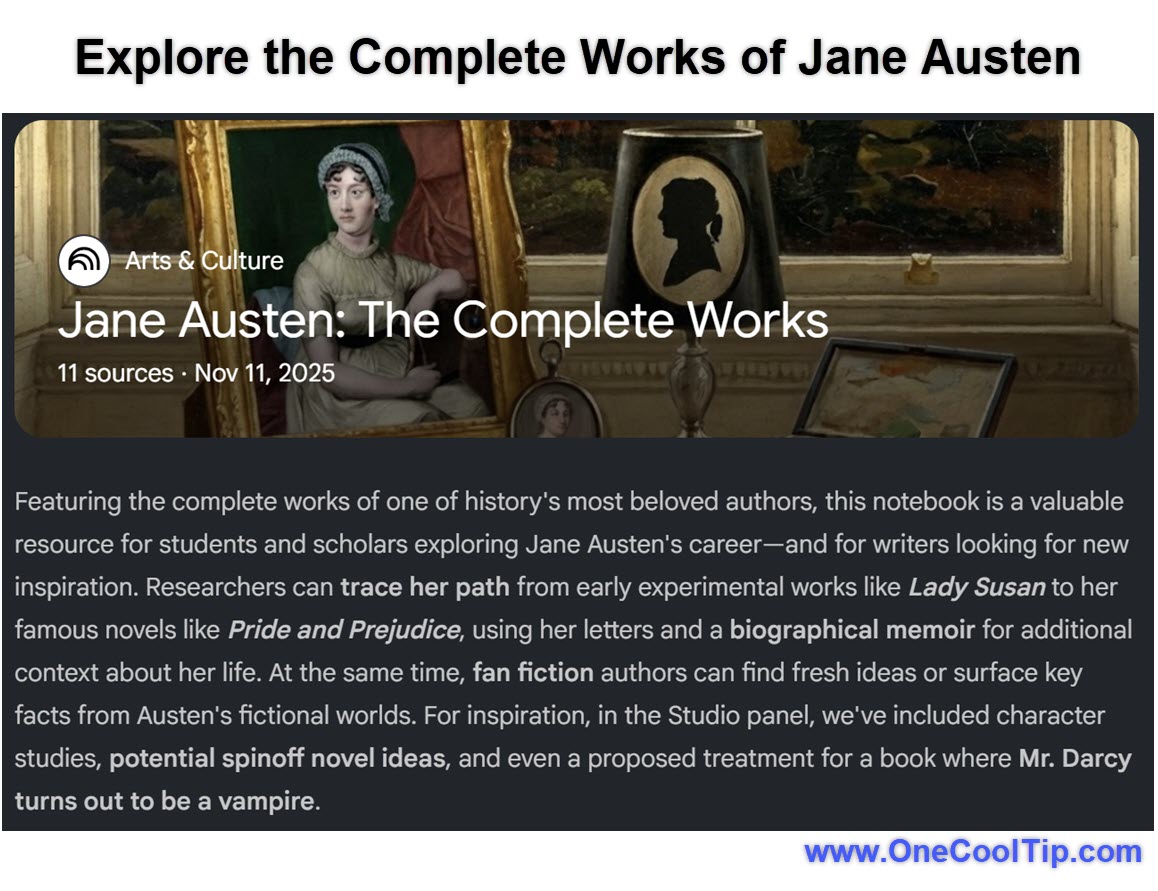
The "Jane Austen: The Complete Works" notebook, shared by author Steven Johnson, contains the full text of Austen's major novels. 


By accessing this public notebook, you are not just reading the books; you are interacting with a closed AI system that knows every character, plot point, and turn of phrase in Austen's bibliography. 


It creates citations for every answer, showing you exactly where in the text the information resides.


What You’ll Gain


  • Instant Literary Recall: Find specific quotes or plot details across seven books in seconds.
  • Deep Comparative Analysis: Ask complex questions comparing themes or characters between different novels.
  • Audio Discussions: Listen to a "Deep Dive" audio overview where two AI hosts discuss the books like a lively podcast.


Step-by-Step Instructions


Here's how to do it.


Accessing the Austen Notebook (Web/Mobile)


  1. Navigate to the NotebookLM.
  2. Sign in with your Google account if prompted.
  3. Look for "Jane Austen: The Complete Works" in Featured Notebooks section.
  4. Or click this link to go directly: "Jane Austen: The Complete Works".
  5. Type a question in the chat box at the bottom, such as "Compare the father figures in Emma and Pride and Prejudice."
  6. Explore the Studio Pane for pre-made content such as Slides, Mind Maps, Infographics, Quizzes, Video Overviews, and Audio Overviews.

fig. 1 - Explore the Complete Works of Jane Austen in NotebookLM

Feature Access


NotebookLM is currently free to use for anyone with a Google account. 


It is available globally in over 200 countries. 


The specific Austen notebook is a public link accessible to anyone.


Score

Criterion | Score (0–10) | Justification
Value 10 
Providing a specialized, grounded AI for free is immense value for researchers and readers.
Usability 9
The interface is clean and intuitive; "chatting" with a book is a natural user behavior.
Wow Factor 10
The Audio Overview feature is genuinely stunning and sounds like a real human podcast.
Total 29/30  🌟Excellent
NotebookLM transforms static text into a dynamic knowledge base, making it arguably the best tool for literary interaction currently available.


Key Takeaways


NotebookLM allows you to interact with large document sets using natural language.


The "Grounded" nature of the AI ensures answers come from the text, not the open web.


Audio Overviews provide a unique way to consume information through listening.


Cool Tip Snapshot


  • Feature Name: NotebookLM (Shared Notebooks)
  • Platform(s): Web (Desktop and Mobile)
  • Quick Benefit: Instantly analyze and discuss the complete works of Jane Austen.
  • Access Type: Free


Try It Yourself


Go to the Jane Austen notebook link today, ask "Who is the wealthiest character across all novels?" and listen to the Audio Overview while you do your morning commute.


READ MORE


Read the Full Cool Tip.

Check out these Cool Tips & Tricks for using NotebookLM:


  • Mix Media Sources: Upload PDFs, Google Slides, and copied text into one notebook to find connections between different formats. How: Click "Add Source" and select multiple file types for a single project.


  • Target Specifics: Force the AI to look at only one document in your set. How: Uncheck the boxes next to other sources in the left-hand panel before asking your question.


  • Save Suggested Questions: Use the AI's suggested follow-up questions to explore topics you missed. How: Click the pill-shaped suggestion chips at the bottom of the chat interface.


  • Rename Notebooks: Keep your dashboard organized with clear naming conventions. How: Click the notebook title at the top of the screen to edit it instantly.


  • Generate Study Guides: Turn your reading list into a quiz. How: Type "Create a study guide with 10 multiple choice questions based on these sources" in the chat.


  • Share Responsibly: Collaborate with a team on a research project. How: Click the "Share" icon in the top right corner and add email addresses for "Viewer" or "Editor" access.


  • Limit Word Count: Manage the size of your sources for better performance. How: Ensure your total source count does not exceed the current 500,000 word limit per notebook.

ICYMI - In Case You Missed It ...

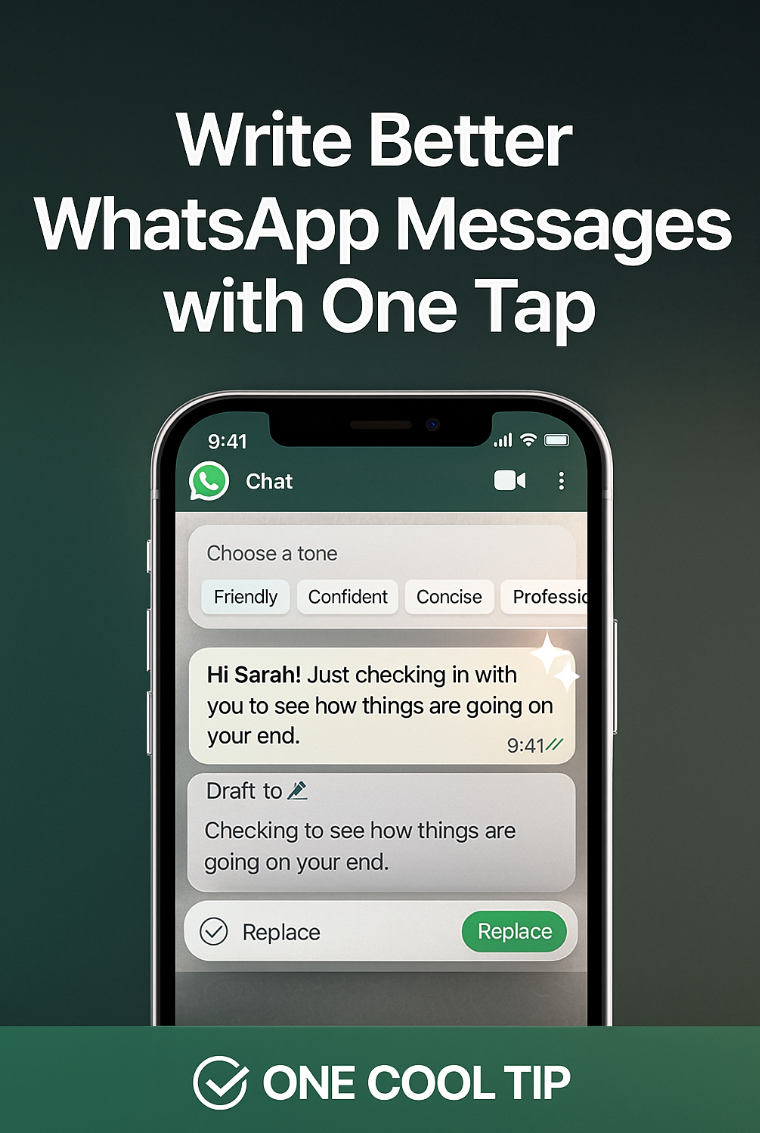
Let AI Help You Write in WhatsApp


WhatsApp just added a smarter way to refine your messages before you send them. Pick your tone, preview the rewrite, and send something that sounds clearer and more intentional.


Read the Full Cool Tip.

Read the Newsletter Version.

Looking for your next adventure?


Call Denise at Travel For You.

314.660.3039


Sign Up for the Monthly Newsletter


http://www.travelforyouvacations.com/


https://www.facebook.com/TRAVEL.FOR.U/


See You Tomorrow

Tomorrow's Cool Tip is waiting to amaze you.


Until then, go forth and conquer the tech world with your newfound knowledge!


Be sure to visit www.OneCoolTip.com for Cool Tech Tips for a Cooler Life!


And if you Like One Cool Tip, please support with TipJar!


Enjoy!


Rodger

Chief Cool Tipper

onecooltip.com@gmail.com


What Do You Think?

What do you think of today's OneCoolTip newsletter?
Positive        Neutral        Negative
X Share This Email
LinkedIn Share This Email

Connect with One Cool Tip!!

Facebook  X  Instagram  Web  Pinterest  YouTube  LinkedIn
 

As an Amazon Associate, One Cool Tip may earn a small commission from qualifying purchases.


Our media content is intended solely for informational purposes only. Please do not construe anything here as legal, tax, investment, financial, marital or other advice.


Copyright © 2025 | www.OneCoolTip.com | All Rights Reserved