β€Š

One Cool Tip Newsletter

July 31, 2026

Your daily dose of tech-savvy brilliance!

πŸ˜€Greetings! Happy Friday Funday Cool Tipper!


Get ready to streamline your digital life with simple, actionable tips delivered straight to your inbox.


Cool Tip Theme: Paint Toys Marbling.

ο»Ώ

New here? Subscribe to the One Cool Tip Newsletter for daily updates. It's FREE!

3️⃣

If you enjoy the One Cool Tip newsletter, please forward this newsletter to THREE friends or colleagues or share it on social media using the links below.


Leave a $$$ Tip!


Share this One Cool Tip Newsletter!

X Share This Email
LinkedIn Share This Email
Pinterest Share This Email

🚨 Hackers Are Looking for Easy Targets: Is Your Smart Tech Exposed?🚨


The FBI warns (pdf) that cybercriminals are targeting internet-connected control devices and changing settings that can disrupt real-world operations.


While the alert focuses on water and wastewater systems, the lesson applies to everyday consumers as well.


Any smart device connected directly to the internet can become a target if it is not properly secured.


Take a few minutes to change default passwords, enable strong and unique login credentials, and install available firmware updates on routers, cameras, and other smart devices.


If remote access is enabled, make sure it is protected with strong authentication.


A little preventive maintenance today can help keep your connected technology safe from unwanted intrusions.


And in Other News...


Discover Art Like Never Before With AI


Art lovers now have a new way to explore one of the world's most famous museums.


The Metropolitan Museum of Art and Google Arts & Culture have launched new AI-powered experiences designed to help people discover connections between artworks in fresh and engaging ways.


One feature, called Art Aura, lets users explore themes, styles, and artistic ideas to create a personalized portrait of their unique tastes.


The project is part of a broader effort to make art more accessible, whether you're visiting the museum in person or exploring from home.


You can also browse more than 200,000 digitized objects online and uncover stories behind pieces spanning centuries of history.


It's a great example of how AI can help bring culture and creativity to life for everyone.

Cool Tip Poll

πŸ€” How would you use digital marbled artwork?

Cool Deals of the Day

Help support One Cool Tip. Use this Amazon link when you shop online.


Check out these Cool Deals:

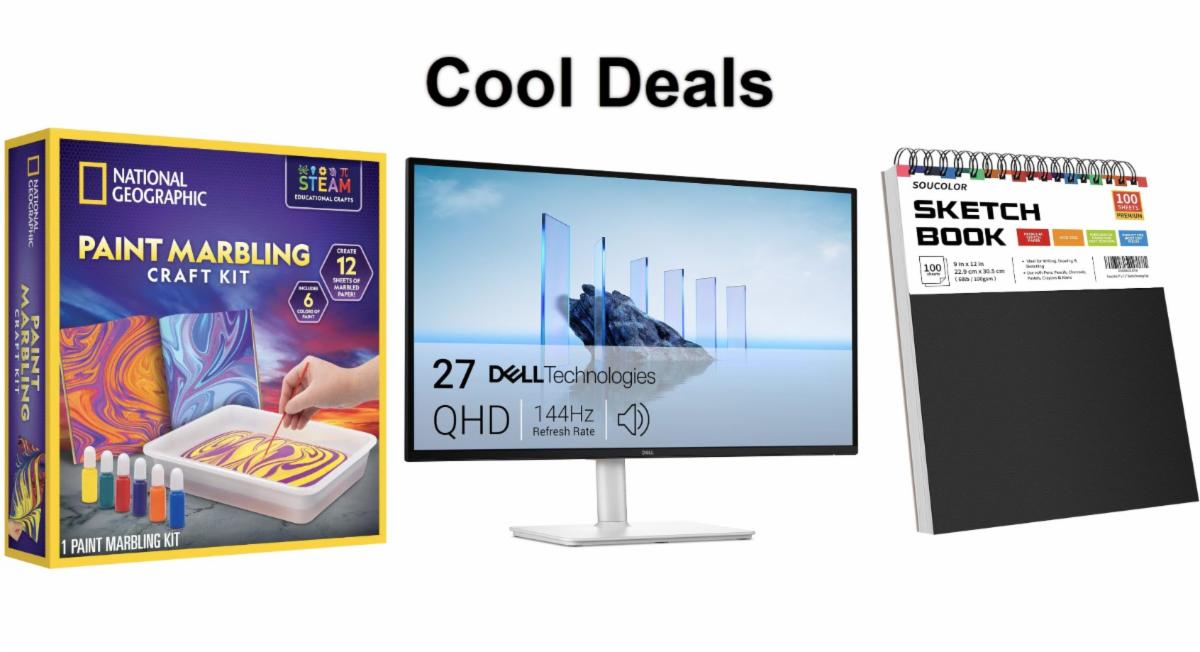
🎨 National Geographic Marbling Paint Craft Kit: Popular marbling kit for creating physical marble-art projects at home.

Overall Pick. Now $16.99. 4.7 Stars. Check it out on Amazon!


πŸ–₯️ Dell 27 Plus QHD Monitor: Displays vivid color reproduction for digital art and high-res wallpapers.

Save 14%. Now $189.99. 4.6 Stars. Check it out on Amazon!


πŸ““ Soucolor Sketch Book: Perfect for displaying creative ideas inspired by digital marbling.

Save 21%. Now $9.49. 4.8 Stars. Check it out on Amazon!


ο»Ώ*Prices accurate when originally published.

One Cool Tip may earn a commission from qualifying purchases.

Fuel Your Adventure

Try Big Mike's Jerky!ο»Ώ


bigmikesjerky.com


Now on TikTok!


Today's Cool Tipο»Ώ

Make Mesmerizing Marbled Art in Your Browser


Paint Toys Marbling turns your web browser into a virtual tray of floating ink. Drop colors onto the canvas, drag a digital comb through them, and save the resulting artwork without installing an app or creating an account.


Traditional paper marbling can produce beautiful patterns, but it also requires paint, water, trays, paper, and a workspace you do not mind getting messy.


Here’s a Cool Tip: Create colorful marbled artwork without making a mess.


Paint Toys Marbling recreates the most satisfying parts of that process inside a web browser. 


You add drops of virtual ink to a simulated water surface and then pull a comb through the colors to form waves, feathers, curls, and flowing bands.


There is no complicated toolbar to learn. The intentionally simple interface encourages you to click, drag, experiment, clear the canvas, and try again.


What Is Paint Toys Marbling?


Paint Toys is a collection of playful browser-based art experiments created by developer Tim Holman. 


The collection includes marbling, oil painting, sand art, symmetry painting, and other interactive visual toys.


The Marbling tool serves as a way to drop ink onto water and drag a comb through it. 


The resulting swirls resemble the decorative patterns sometimes found inside the covers of older hardback books.


The Marbling tool opens directly to a large canvas. 


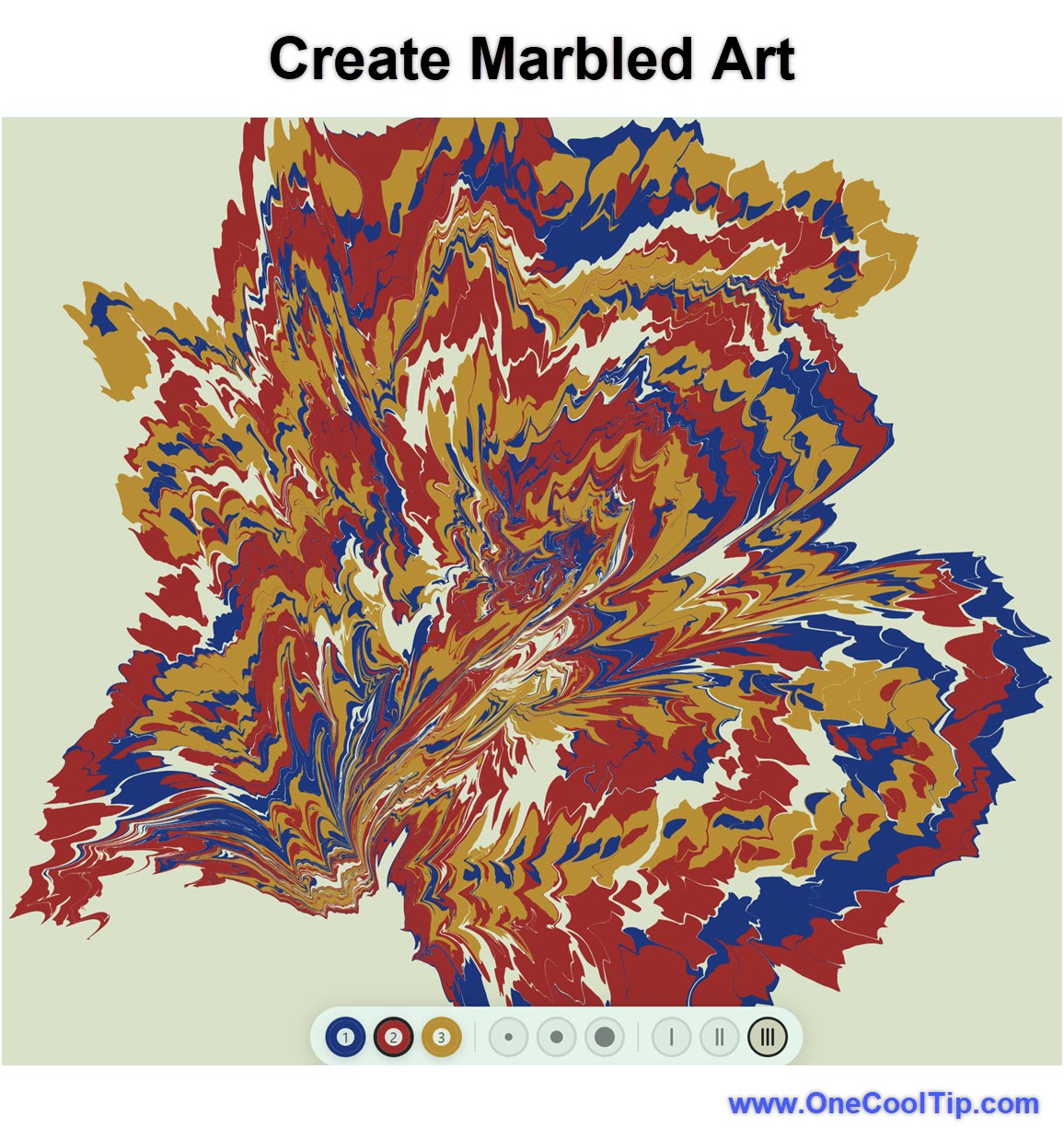
Clicking the canvas deposits a circular drop of virtual ink. Repeated clicks in the same area build concentric layers of color.


Three numbered comb choices appear near the bottom of the canvas. 


Each comb has a different arrangement of teeth, which changes how it pulls the virtual ink. 


After selecting a comb, drag it across the canvas to stretch and swirl the colors.


Paint Toys Marbling is closer to a digital art toy than a professional graphics editor. 


It does not offer layers, precision drawing tools, text controls, or an extensive color palette. That simplicity is part of its appeal. You can begin creating within seconds.


What You’ll Gain


  • Create original abstract artwork in minutes.
  • Explore color combinations without using physical art supplies.
  • Give children or students a low-pressure creative activity.
  • Save designs for backgrounds, wallpapers, and personal projects.


Step-by-Step Instructions


Here's how to do it.


Web Browser

ο»Ώ

  1. Open a web browser and go to paint.toys/marbling.
  2. Click anywhere on the canvas to add a drop of virtual ink.
  3. Click repeatedly in the same location to create rings of color.
  4. Add groups of ink drops in several areas of the canvas.
  5. Select comb 1, 2, or 3 near the bottom of the screen.
  6. Click and drag the comb through the ink.
  7. Experiment with horizontal, vertical, curved, and circular movements.
  8. Add more ink after combing if you want a layered design.
  9. Select the Save artwork button to save your finished creation.
  10. Select Clear canvas when you want to start over.


fig. 1 - Create Marbled Art

Try This Marbling Technique


Begin with three groups of ink drops placed across the canvas. 


Build each group by clicking the same location four or five times.


Select a comb and drag it horizontally across all three groups. 


Next, make several short vertical strokes through the resulting bands.


This combination can produce a woven or feathered pattern. 


Save the image before adding more strokes because the tool does not provide a visible undo command.


Pros and Cons


Pros:


  • Free to access.
  • No visible account or subscription requirement.
  • No software installation.
  • Easy for beginners to understand.
  • Produces interesting results quickly.
  • Includes controls for saving artwork and clearing the canvas.
  • Avoids the supplies and cleanup required for physical marbling.


Cons:


  • Offers limited control over colors.
  • Does not include a visible undo command.
  • Lacks layers, text tools, brushes, and professional editing controls.
  • Does not provide cloud storage or synchronization.
  • Has no published device or browser compatibility list.
  • May behave differently across mobile browsers.


Feature Access


  • Access type: Free web tool.
  • Account required: No account requirement.
  • Supported environment: Web browser.
  • Business and education restrictions: Access may depend on organizational web-filtering policies.


Score

Criterion | Score (0–10) |  Justification
Value |  7
It provides a quick and entertaining way to create abstract artwork, although its practical editing features are limited.
Usability |  9
The click, select, and drag process requires almost no instruction.
Wow Factor |  8
Watching simple circles transform into intricate marbled patterns is surprisingly satisfying.
Total: 24/30 | πŸ‘ Good
Paint Toys Marbling is a clever and approachable creative tool that delivers attractive results with very little effort. Compared with Canva or Adobe Express, it offers far fewer controls but gets you creating much faster.

Key Takeaways


Paint Toys Marbling provides a quick, free way to create colorful abstract art in a web browser. 


Its simplicity makes it especially useful for casual creators, teachers, students, families, and anyone looking for a brief creative break.


Cool Tip Snapshot


  • Feature Name: Paint Toys Marbling
  • Platform: Web
  • Quick Benefit: Create and save digital marbled artwork without supplies or cleanup.
  • Best For: Creators, students, educators, families, and casual users
  • Access Type: Free
  • Difficulty: Easy


Try It Yourself


Visit Paint Toys Marbling and see what you can create with a few ink drops and a single comb stroke. 


Share your favorite result in the comments, and send this article to family members, friends, and coworkers who could use a colorful creative break.


READ MORE


Read the Full Cool Tip.

Check Out These Cool Tips & Tricks


  • Layer Drops: Repeatedly click the same location to create concentric rings of color. Add three or four drops before moving to another area.

ο»Ώ

  • Start Simple: A few well-placed colors often produce cleaner patterns than a completely filled canvas. Begin with five or six drop clusters and add more only when needed.


  • Try Each Comb: The three comb choices distort the ink differently. Save a design, clear the canvas, and repeat a similar arrangement with another comb for comparison.


  • Change Direction: Alternating horizontal and vertical strokes creates a woven appearance. Drag once across the canvas and then comb through it from top to bottom.


  • Make Feathers: Closely spaced strokes can form shapes resembling feathers or leaves. Pull the comb in one direction and then make a shorter return stroke beside it.


  • Use Curves: You do not have to drag in a straight line. Make a slow S-shaped movement to create flowing waves.


  • Save Early: Save intermediate versions before experimenting further.


  • Add Contrast: Light and dark colors make the swirls easier to distinguish. Continue adding drops until the canvas contains both bright and deep tones.


  • Create Backgrounds: Marbled artwork can become a background for invitations, presentations, or social posts. Save the image and add text in Canva, PowerPoint, Microsoft Designer, or Adobe Express.


  • Protect Readability: Detailed patterns can make overlaid text difficult to read. Place text inside a solid or semitransparent box when using the artwork in a graphic.

ICYMI - In Case You Missed It ...

Be AI Ready in Just 10 Minutes a Day


AI skills are becoming basic workplace skills, but not everyone has time for a formal class or access to a laptop. The U.S. Department of Labor’s free Make America AI-Ready course delivers short AI lessons by text message, making it one of the easiest ways to start learning.


Read the Full Version.


Read the Newsletter Version.

Looking for your next adventure?


Call Denise at Travel For You.

314.660.3039


Sign Up for the Monthly Newsletter


http://www.travelforyouvacations.com/


https://www.facebook.com/TRAVEL.FOR.U/


See You Tomorrow

Tomorrow's Cool Tip is waiting to amaze you.


Until then, go forth and conquer the tech world with your newfound knowledge!


Be sure to visit www.OneCoolTip.com for Cool Tech Tips for a Cooler Life!


And if you Like One Cool Tip, please support with TipJar!


Enjoy!

ο»Ώ


Rodger

Chief Cool Tipper

onecooltip.com@gmail.com


What Do You Think?

What do you think of today's OneCoolTip newsletter?
Positive        Neutral        Negative
X Share This Email
LinkedIn Share This Email

Connect with One Cool Tip!!

Facebook  X  Instagram  Web  Pinterest  YouTube  LinkedIn
β€Š

As an Amazon Associate, One Cool Tip may earn a small commission from qualifying purchases.


Our media content is intended solely for informational purposes only. Please do not construe anything here as legal, tax, investment, financial, marital or other advice.


Copyright Β© 2026 | www.OneCoolTip.com | All Rights Reserved


β€Š