One Cool Tip Newsletter

June 5, 2026

Your daily dose of tech-savvy brilliance!

😀Greetings! Happy Friday Funday, Cool Tipper!


Get ready to streamline your digital life with simple, actionable tips delivered straight to your inbox.


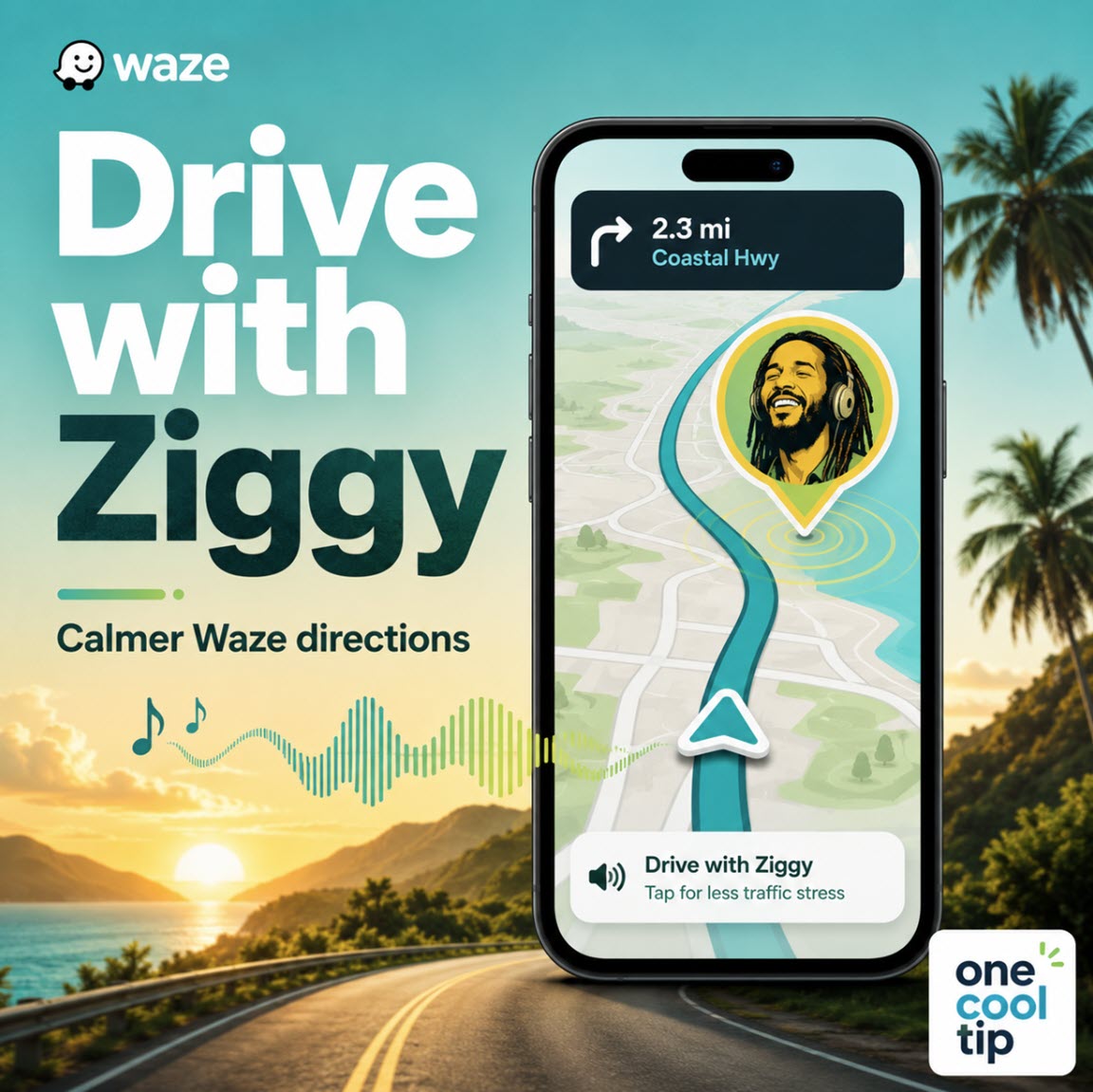
Cool Tip Theme: Drive with Ziggy Marley on Waze


New here? Subscribe to the One Cool Tip Newsletter for daily updates. It's FREE!

3️⃣

If you enjoy the One Cool Tip newsletter, please forward this newsletter to THREE friends or colleagues or share it on social media using the links below.


Leave a $$$ Tip!


Share this One Cool Tip Newsletter!

X Share This Email
LinkedIn Share This Email
Pinterest Share This Email

🚨 Station Casinos Data Breach 🚨


A recent cybersecurity incident at Station Casinos may have exposed personal information belonging to customers and employees.


Here’s what consumers need to know:


What Happened


An unauthorized third party accessed a single employee’s account and related files on March 5, 2026.


The company says the breach did not disrupt casino operations, but it is notifying affected individuals and working with cybersecurity experts and law enforcement.


While details vary, investigators found that some personal data may have been accessed.


This can include names, and in some cases more sensitive data such as Social Security numbers, dates of birth, or financial details.


What the Company is Doing


  • Notifying affected individuals.
  • Offering credit monitoring and identity theft protection (typically 12 months).
  • Reporting the incident to regulators.


What You Should Do


If you’ve visited or done business with Station Casinos:


  • Watch your accounts for suspicious activity.
  • Check your credit reports regularly.
  • Consider placing a fraud alert or credit freeze.
  • Take advantage of any free identity protection services offered.


Bottom line


Even though the breach appears limited to one employee account, it still carries a risk of identity theft.


Staying alert and taking basic protective steps can help reduce your risk.


And in Other News...


  • Waze Adds New Voice‑Powered Reporting Feature


Waze is rolling out a new feature that lets drivers report road issues just by talking: no typing or tapping required.


What’s New


The update, called Conversational Reporting, lets you describe what you see on the road in your own words, like “there’s traffic ahead” or “something is blocking the lane.”


The app uses AI (Google’s Gemini) to understand you and automatically turn that into a real-time alert for other drivers.


Why It Matters


  • Safer driving: You can keep your eyes on the road instead of navigating menus.
  • Easier reporting: No need to remember specific commands, just speak naturally.
  • Better alerts: Your report helps update maps instantly, warning other drivers nearby.


How It Works


Tap the report button in Waze, then speak normally, like you’re talking to a friend.


The app interprets your message and adds the appropriate alert to the map in real time.


What to know


  • The feature may ask follow‑up questions if it needs more details.
  • It’s rolling out gradually and may not be available to all users yet.


Bottom Line


This update makes Waze more hands‑free and user‑friendly, helping drivers share road hazards quickly while staying focused on driving.


Cool Deals of the Day

Help support One Cool Tip. Use this Amazon link when you shop online.


Check out these Cool Deals:


📱 Anker Nano Magnetic Wireless Car Charger: Keep your iPhone 13-17 securely positioned. Save 25% $44.99 Check it out on Amazon!


⚡ Anker USB C Car Charger: Keep your phone battery completely topped off while downloading large voice packages and streaming maps. Save 15% $16.99 Check it out on Amazon!


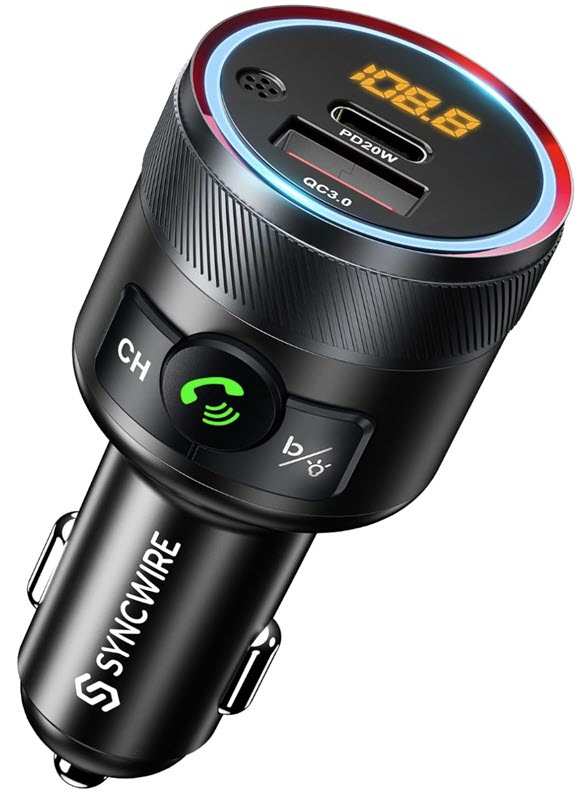
🎧 Syncwire Bluetooth FM Transmitter: Seamlessly stream your custom navigation audio to older car stereos without native Bluetooth capability. $25.99 Check it out on Amazon!


*Prices accurate when originally published.

One Cool Tip may earn a commission from qualifying purchases.

Fuel Your Adventure

Try Big Mike's Jerky!


bigmikesjerky.com


Now on TikTok!


Today's Cool Tip

How to Let Ziggy Marley Guide Your Next Drive


Switching up your GPS audio can completely transform a boring daily drive into a relaxing experience. Discover how to activate Ziggy Marley as your navigation guide inside the Waze app to bring positive vibes directly to your car speakers.


Daily traffic jams and endless highway miles can test the patience of even the most experienced drivers. 


Standard, robotic navigation voices often add to that stress by barking out repetitive commands when you are already running late.


Here’s a Cool Tip: Drive with Ziggy Marley on Waze.


Feature Explanation


Waze has long been known for its community-driven navigation data and its unique library of custom celebrity voice options. 


The platform collaborated with legendary musician Ziggy Marley to introduce his specific vocal styling to the app, giving users a warm, melodic alternative to standard computer-generated text-to-speech options.


Instead of traditional directional prompts, this feature infuses standard commands with a distinctly relaxed tone. 


The audio package replaces clinical phrases with positive reinforcement, making stressful route changes feel far more manageable. 


Whether you are navigating dense urban environments or embarking on a long summer road trip with your family, updating this configuration transforms your smartphone into a source of peaceful encouragement.


What You’ll Gain


  • Reduce driving anxiety by replacing harsh, abrupt navigation alarms with a smooth, calming vocal cadence.
  • Entertain your passengers with a unique, recognizable celebrity audio experience during long family road trips.
  • Improve focus through clear, highly distinct directional prompts that stand out cleanly against background road noise.


Step-by-Step Instructions


Here's how to do it.


iPhone/iPad:


  1. Launch the Waze app on your iOS device.
  2. Tap the Menu icon (represented by three horizontal lines) located in the upper-left corner of the primary map view.
  3. Tap on Pick a Sidekick to open the comprehensive index of available accents and celebrity packages.
  4. Scroll through the English section until you locate Ziggy Marley.
  5. Tap the name to initiate the download. 
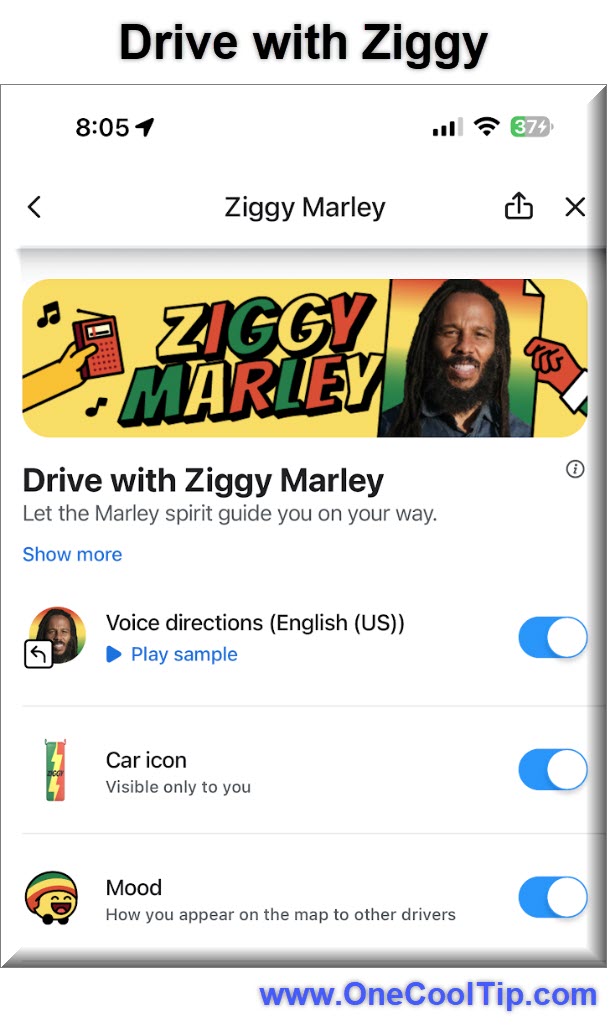
  6. Slide the three options to On:
  • Voice Direction
  • Car Icon
  • Mood


fig. 1 - Drive with Ziggy settings

Android:


  1. Open the Waze app on your Android device.
  2. Slide open the left navigation drawer or tap the Menu option.
  3. Tap on Pick a Sidekick to open the comprehensive index of available accents and celebrity packages.
  4. Scroll through the English section until you locate Ziggy Marley.
  5. Tap the name to initiate the download. 
  6. Slide the three options to On:
  • Voice Direction
  • Car Icon
  • Mood


Pros and Cons


Pros:


  • Excellent sound quality featuring high-fidelity, studio-recorded vocals instead of robotic synthetic speech.
  • Positive atmospheric shift that can keep both drivers and young children more relaxed during unexpected travel delays.
  • Simple toggle control that allows users to swap back to standard names at any point without losing app progress.


Cons:


  • Street names are not read aloud because custom celebrity audio files rely on pre-recorded phrasing rather than real-time text-to-speech rendering.
  • Requires a solid cellular connection during the initial setup phase to download the custom audio profile to local storage.


Feature Access


  • The audio package is open to all global users utilizing the English language setting on their mobile devices.
  • Supported Platforms: iOS and Android mobile operating systems.
  • Version Requirements: Requires a current version of the Waze application downloaded from official app marketplaces.


Score

Criterion | Score (0–10) | Justification
Value | 7
It effectively solves the problem of commuter fatigue by offering a distinct, high-quality audio alternative.
Usability | 9
The menu path is direct and the download takes only a single tap to initiate.
Wow Factor | 8
Having an international music legend directly address you during your commute is a clever and delightful use of custom audio.
Total: 24/30 👍Good
A highly enjoyable, free customization that effortlessly injects personality and calm into your daily travel routines.


Key Takeaways


Customizing your GPS audio profile is a fast, highly effective way to mitigate daily driving frustration. 


By prioritizing clear, soothing vocal tones over rigid computer text, you can completely redefine the interior atmosphere of your vehicle.


Cool Tip Snapshot


  • Feature Name: Drive with Ziggy
  • Platform(s): iOS, Android
  • Quick Benefit: Replaces harsh navigation audio with soothing celebrity guidance.
  • Best For: Daily commuters, road-tripping families, and music enthusiasts.
  • Access Type: Free
  • Difficulty: Easy


Try It Yourself


Open your navigation settings today and give this custom audio update a try before your evening commute. 


If you enjoyed this tip, please subscribe to the One Cool Tip newsletter, drop a comment with your favorite navigation options, and share this article with your family, friends, and coworkers.


READ MORE


Read the Cool Tip on OneCoolTip.com.

Check out these Cool Tips & Tricks.


  • Update Regularly: Keep your app current to ensure access to new celebrity files. Check your mobile app store weekly for the latest software version.


  • Check Storage: Clear out old app cache files if custom voices fail to download. Navigate to app storage settings to free up hidden space.


  • Download on Wi-Fi: Save cellular data by fetching large vocal files before leaving the house. Connect to a home network before opening the sound catalog.


  • Enable Alerts: Keep safety warnings active even when using music profiles. Toggle the alerts-only mode if you prefer minimal turn interruptions.


  • Boost Volume: Ensure guidance instructions never get drowned out by loud road noise. Select the louder volume preset within the native sound configuration menu.


  • Verify Car Integration: Test your custom audio profiles with your vehicle dashboard hardware before leaving your driveway. Plug into the USB data port to confirm stable sound routing.


  • Switch Language Profiles: Find specialized regional options by altering your core system settings. Change the app language toggle to see exclusive international talent options.


  • Keep Hands Free: Use integrated steering wheel buttons to adjust navigation volume safely while driving. Tap the physical controls to modulate audio levels instantly.


  • Mute Quickly: Silence unexpected route updates when passengers are sleeping. Tap the speaker icon directly on the main map display for instant muting.


  • Check Bluetooth Sync: Fix audio clipping issues by re-pairing your device to your dashboard. Delete the old connection profiles and establish a clean link.

ICYMI - In Case You Missed It ...

Netflix Clips: Find Your Next Favorite Show in Seconds


Netflix Clips introduces a vertical, swipeable feed of short video moments from shows and movies. It transforms discovery into a fast, mobile-first experience that mirrors how people already consume content today.


Read the Full Cool Tip.


Read the Newsletter Version.

Looking for your next adventure?


Call Denise at Travel For You.

314.660.3039


Sign Up for the Monthly Newsletter


http://www.travelforyouvacations.com/


https://www.facebook.com/TRAVEL.FOR.U/


See You Tomorrow

Tomorrow's Cool Tip is waiting to amaze you.


Until then, go forth and conquer the tech world with your newfound knowledge!


Be sure to visit www.OneCoolTip.com for Cool Tech Tips for a Cooler Life!


And if you Like One Cool Tip, please support with TipJar!


Enjoy!


Rodger

Chief Cool Tipper

onecooltip.com@gmail.com


What Do You Think?

What do you think of today's OneCoolTip newsletter?
Positive        Neutral        Negative
X Share This Email
LinkedIn Share This Email

Connect with One Cool Tip!!

Facebook  X  Instagram  Web  Pinterest  YouTube  LinkedIn
 

As an Amazon Associate, One Cool Tip may earn a small commission from qualifying purchases.


Our media content is intended solely for informational purposes only. Please do not construe anything here as legal, tax, investment, financial, marital or other advice.


Copyright © 2026 | www.OneCoolTip.com | All Rights Reserved