One Cool Tip Newsletter

July 19, 2026

Your daily dose of tech-savvy brilliance!

😀Greetings! Happy Sunday, Cool Tipper!


Get ready to streamline your digital life with simple, actionable tips delivered straight to your inbox.


Cool Tip Theme: YouTube Ad Blocking.


New here? Subscribe to the One Cool Tip Newsletter for daily updates. It's FREE!

3️⃣

If you enjoy the One Cool Tip newsletter, please forward this newsletter to THREE friends or colleagues or share it on social media using the links below.


Leave a $$$ Tip!


Share this One Cool Tip Newsletter!

X Share This Email
LinkedIn Share This Email
Pinterest Share This Email

🚨 EY Data Breach Exposes Tax-Related Personal Information🚨


Accounting and consulting giant Ernst & Young (EY) is notifying individuals about a data breach involving a third-party IT support platform used for tax-related client work.


According to the company's notice (pdf), an unauthorized party accessed the system and downloaded documents between March 28 and April 12, 2026.


The exposed files may have included personal information tied to investment holdings, along with financial information contained in or used to prepare tax filings.


EY says it discovered suspicious activity on April 23, launched an investigation with cybersecurity experts, and has since secured the affected system.


The company stated it is not currently aware of any misuse of the information, but affected individuals are being offered complimentary identity monitoring services.


Anyone who receives a notification from EY should review the details carefully, enroll in the offered protection services, and watch financial accounts for unusual activity.


And in Other News...


YouTube Creators Drive Major Economic Impact


A new YouTube report, based on research from Oxford Economics, says the platform's creative ecosystem contributed more than $60 billion to U.S. GDP in 2025 and supported over 540,000 full-time equivalent jobs.


The report highlights how creators and small businesses are using YouTube to grow audiences, build careers, and reach customers across all 50 states.


It also found that many teachers and parents rely on YouTube for educational content, reinforcing the platform's role beyond entertainment.


YouTube says the findings show how the creator economy continues to influence business, culture, and learning nationwide.


Browser Wars

What's Your Favorite Browser?

Cool Deals of the Day

Help support One Cool Tip. Use this Amazon link when you shop online.


Check out these Cool Deals:

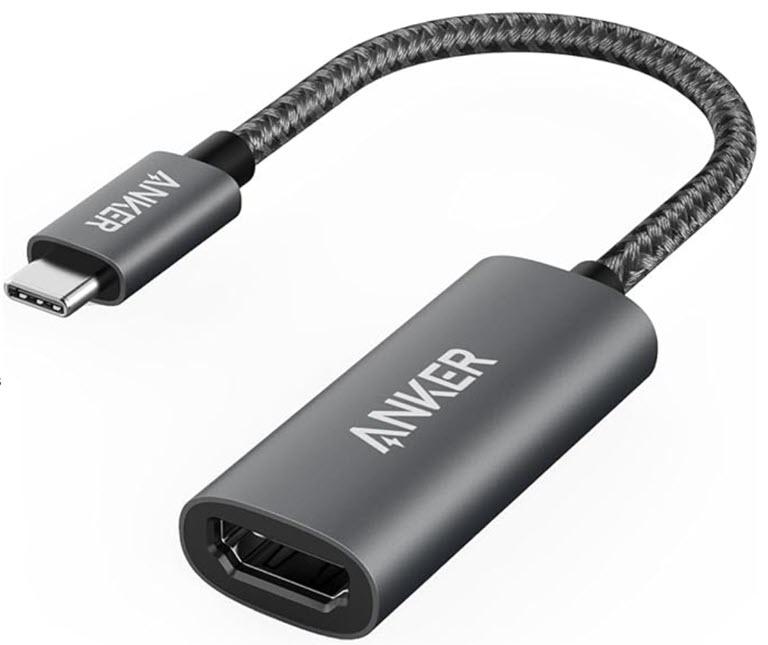
📺 Anker 310 USB-C to HDMI Adapter: Connect a compatible laptop, tablet, or phone to an HDMI display for browser-based video viewing on a larger screen. Verify that your device supports video output through USB-C.

Save 24%. $12.99. 4.6 Stars. Check it out on Amazon!


📱 Lamicall Adjustable Tablet Stand: Position a phone or tablet at a comfortable viewing angle while watching YouTube through the DuckDuckGo browser.

Save 27%. $9.47. 4.7 Stars. Check it out on Amazon!


⌨️ Logitech K400 Plus Wireless Touch Keyboard: Control a Windows computer connected to a television from across the room using the integrated keyboard and touchpad.

Save 19%. $28.49. 4.4 Stars. Check it out on Amazon!


*Prices accurate when originally published.

One Cool Tip may earn a commission from qualifying purchases.

Fuel Your Adventure

Try Big Mike's Jerky!


bigmikesjerky.com


Now on TikTok!


Today's Cool Tip

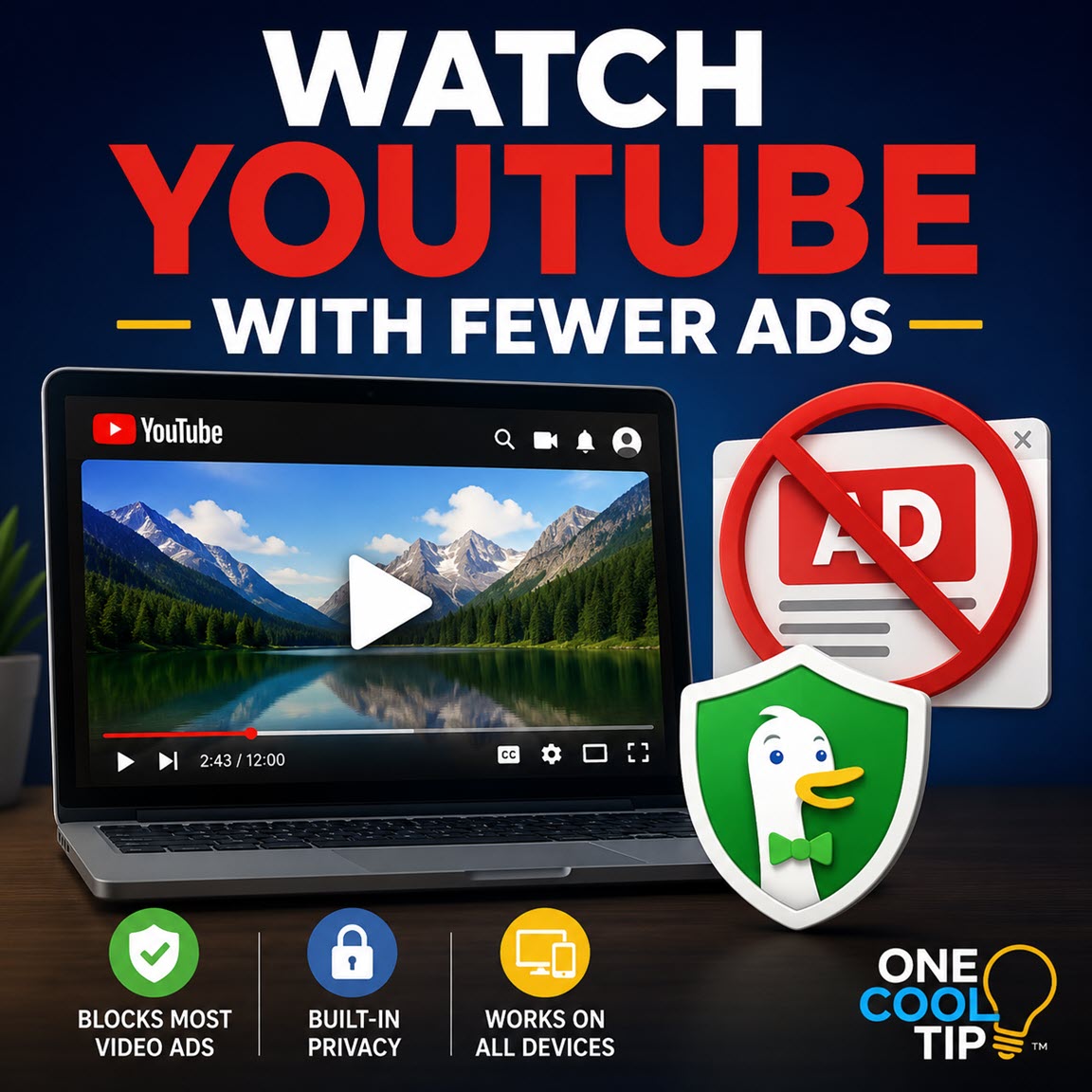
Watch YouTube With Fewer Ads


DuckDuckGo’s free browser can now block most advertisements that play before and during YouTube videos. You can continue using the familiar YouTube website without installing a separate ad-blocking extension or paying for a subscription.


You open YouTube to watch a quick tutorial, product review, or news clip. Before the video begins, an advertisement appears. Another interruption arrives halfway through.


Here’s a Cool Tip: Watch YouTube with Fewer Ad Interruptions in DuckDuckGo.


DuckDuckGo now offers a free alternative for people who watch YouTube in a web browser. 


Its built-in YouTube Ad Blocking feature blocks most video advertisements that appear before and during videos.


DuckDuckGo introduced the feature on July 8, 2026. It is available in the company’s browser for Windows, macOS, iPhone, iPad, and Android. No DuckDuckGo account or paid subscription is required.


There is one important limitation: You must watch YouTube through the DuckDuckGo browser. 


The feature does not work inside the native YouTube app on a phone or tablet.


Feature Explanation


YouTube Ad Blocking is built directly into the DuckDuckGo browser. 


It uses community-maintained filter lists sourced from the uBlock Origin project, along with additional DuckDuckGo rules designed to improve compatibility and reduce playback problems. 


These lists are updated as online advertising methods change.


The feature blocks video ads while leaving you on the standard YouTube website. 


You can still sign in, manage subscriptions, save videos, read comments, use playlists, and maintain your viewing history.


This differs from Duck Player, another feature in the DuckDuckGo browser. 


Duck Player opens videos in a simplified theater-style interface and prevents the videos you watch from influencing your personalized YouTube recommendations or advertising profile. 


YouTube can still record the video view, so Duck Player does not make viewing completely anonymous.


You can enable both features at the same time. 


YouTube Ad Blocking provides the regular YouTube experience with fewer interruptions, while Duck Player adds a more private and distraction-free viewing option.


What You’ll Gain


  • Fewer interruptions: Block most pre-roll and mid-roll video advertisements.
  • No added subscription: The feature is included in DuckDuckGo’s free browser.
  • Familiar controls: Continue using playlists, comments, subscriptions, and playback settings.
  • Easy control: Disable or restore ad blocking from the browser settings or while watching a video.


Step-by-Step Instructions


Here's how to do it.


Windows


  1. Install or update the DuckDuckGo browser.
  2. Open the browser menu.
  3. Select Settings.
  4. Select Ad Blocking.
  5. Confirm that YouTube Ad Blocking is turned on.
  6. Visit YouTube in the DuckDuckGo browser and play a video.
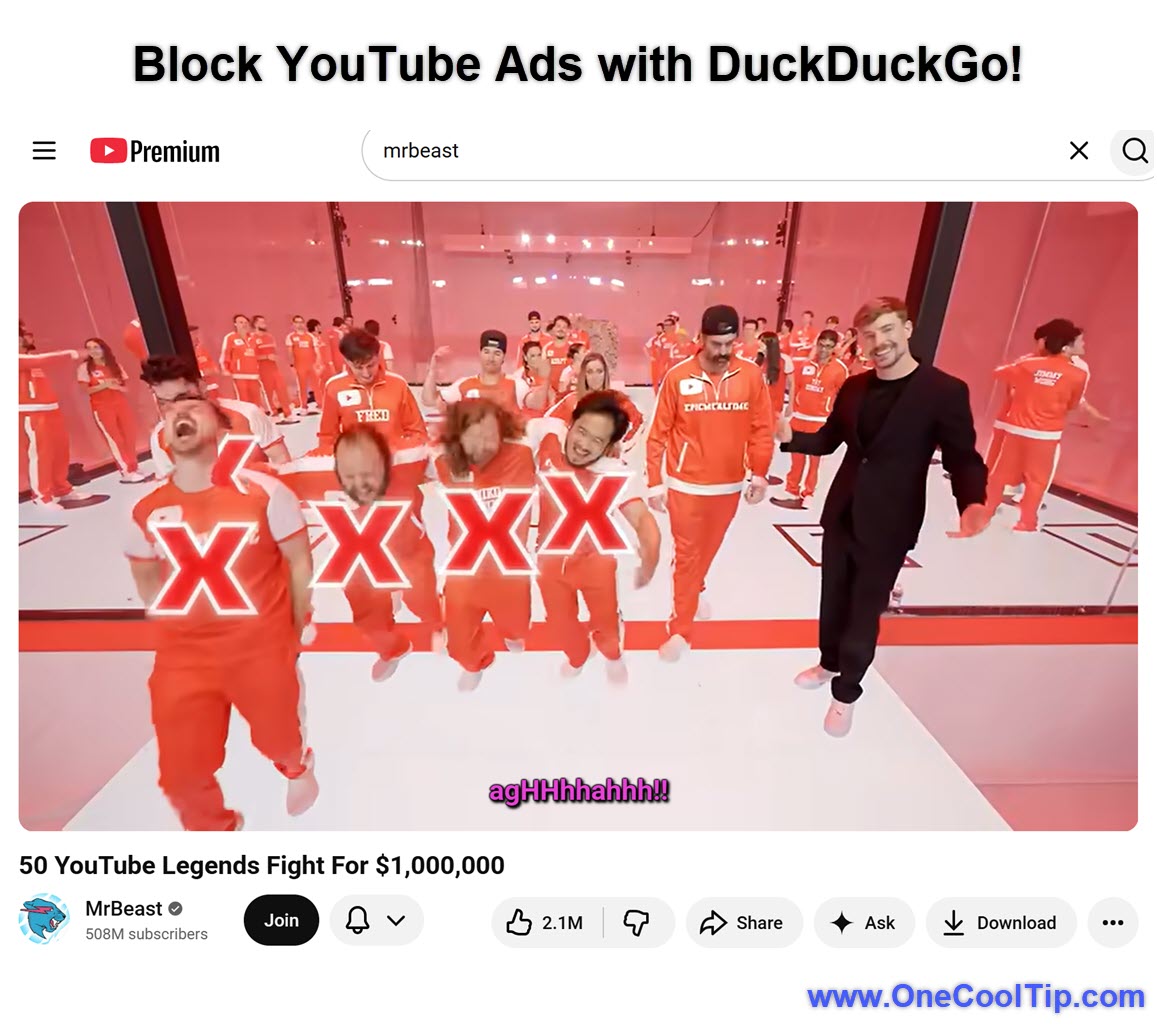
  7. To change the setting while watching, select the video icon beside the green shield in the address bar.


fig. 1 - Block YouTube Ads with DuckDuckGo!

macOS


  1. Install or update the DuckDuckGo browser.
  2. Open Settings > Ad Blocking.
  3. Confirm that YouTube Ad Blocking is enabled.
  4. Visit YouTube and play a video.
  5. To change the setting for the current video, select the video icon beside the green shield.


iPhone and iPad


  1. Update DuckDuckGo through the App Store.
  2. Open DuckDuckGo.
  3. Go to Settings > Ad Blocking.
  4. Confirm that YouTube Ad Blocking is enabled.
  5. Enter youtube.com in the DuckDuckGo address bar.
  6. Play the video on the YouTube website.
  7. To disable blocking temporarily, tap ☰ > Disable YouTube Ad Blocking.


Note:


YouTube links may automatically open in the YouTube app. When that happens, return to DuckDuckGo and open the YouTube website manually. The blocking feature does not work inside the YouTube app.


Android


  1. Update DuckDuckGo through Google Play.
  2. Open the browser.
  3. Select Settings > Ad Blocking.
  4. Turn on YouTube Ad Blocking if it is disabled.
  5. Visit the YouTube website inside DuckDuckGo.
  6. Play a video.
  7. To disable blocking temporarily, tap ☰ > Disable YouTube Ad Blocking.


Pros and Cons


Pros:


  1. Blocks most advertisements before and during YouTube videos.
  2. Does not require a paid subscription.
  3. Works with the standard YouTube website.
  4. Preserves playlists, comments, subscriptions, and viewing history.
  5. Can be disabled temporarily when a video does not load correctly.
  6. Available on major desktop and mobile platforms.


Cons:


  1. Does not work inside the native YouTube mobile app.
  2. May cause additional buffering before playback begins.
  3. YouTube may change its ad-delivery or ad-block detection systems.
  4. Some advertisements or sponsored content may still appear.
  5. It does not include other YouTube Premium benefits, such as ad removal in the native app.


Feature Access


  • Platforms: Windows, macOS, iPhone, iPad, and Android.
  • Access Type: Free.
  • DuckDuckGo Account Required: No.
  • Paid Subscription Required: No.
  • Rollout Status: Available now in the DuckDuckGo browser.
  • DuckDuckGo currently offers its browser on Windows, macOS, iOS, and Android.


Score

Criterion | Score (0–10) | Justification
Value | 9
The feature solves a frequent annoyance without requiring an additional subscription.
Usability | 8
It is built into the browser and easy to manage, although mobile users must avoid opening videos in the YouTube app.
Wow Factor | 7
Browser ad blocking is not new, but integrating it across DuckDuckGo’s desktop and mobile browsers is notably convenient.
Total: 24/30 | 👍 Good
DuckDuckGo’s YouTube Ad Blocking earns a strong Good rating and provides one of the simplest free ways to reduce YouTube advertising interruptions in a browser.
Compared with YouTube Premium, DuckDuckGo’s feature is free but limited to browser viewing and does not include native-app benefits.


Key Takeaways


DuckDuckGo’s browser can block most advertisements that play before and during YouTube videos on Windows, Mac, iPhone, iPad, and Android. 


The feature is free and easy to control, but viewers must use the YouTube website inside DuckDuckGo rather than the native YouTube app.


Cool Tip Snapshot


  • Feature Name: YouTube Ad Blocking.
  • Platform(s): Windows, macOS, iPhone, iPad, and Android.
  • Quick Benefit: Blocks most advertisements before and during YouTube videos.
  • Best For: Tutorials, presentations, education, research, and casual viewing.
  • Access Type: Free.
  • Difficulty: Easy.


Try It Yourself


Update the DuckDuckGo browser, open YouTube, and test the feature with one of your favorite channels. 


Share your experience in the comments, and send this article to family, friends, and coworkers who are tired of video interruptions.


READ MORE 


Read the Full Cool Tip.

Check Out These Cool Tips & Tricks


  • Update First: New browser protections arrive through software updates. Open your app store or DuckDuckGo’s desktop menu and install the latest available version.


  • Use Website: The blocker works on the YouTube website, not inside the native mobile app. Enter youtube.com directly in DuckDuckGo’s address bar.


  • Check Toggle: Do not assume the feature is enabled on every device. Open Settings > Ad Blocking and verify the setting.


  • Save YouTube: Add YouTube to your favorites for faster browser access. Open the website and use DuckDuckGo’s bookmark command.


  • Stay Signed In: You can continue using playlists, subscriptions, comments, and viewing history. Sign in through the regular YouTube website.


  • Disable Temporarily: Turn off blocking when a particular video refuses to play. Use the video icon on desktop or the browser menu on mobile.


  • Try Duck Player: Duck Player reduces recommendation tracking and removes surrounding page distractions. Enable it under Settings > Ad Blocking.


  • Expect Buffering: Ad detection can occasionally delay playback. Wait briefly or reload the video before changing other settings.


  • Report Problems: Anonymous feedback helps DuckDuckGo identify widespread failures. Use the browser menu to submit feedback.


  • Support Creators: Consider channel memberships, merchandise, or direct contributions when you want to support creators without viewing advertisements.

ICYMI - In Case You Missed It ...

Take Flight From Your Browser with Google Earth’s Free Web Simulator


Google Earth brought its popular flight simulator out of the desktop app and straight into your web browser. In just a few clicks, you can pilot a plane over any landmark in the world without installing a single program.


Read the Full Cool Tip.


Read the Newsletter Version.

Looking for your next adventure?


Call Denise at Travel For You.

314.660.3039


Sign Up for the Monthly Newsletter


http://www.travelforyouvacations.com/


https://www.facebook.com/TRAVEL.FOR.U/


See You Tomorrow

Tomorrow's Cool Tip is waiting to amaze you.


Until then, go forth and conquer the tech world with your newfound knowledge!


Be sure to visit www.OneCoolTip.com for Cool Tech Tips for a Cooler Life!


And if you Like One Cool Tip, please support with TipJar!


Enjoy!


Rodger

Chief Cool Tipper

onecooltip.com@gmail.com


What Do You Think?

What do you think of today's OneCoolTip newsletter?
Positive        Neutral        Negative
X Share This Email
LinkedIn Share This Email

Connect with One Cool Tip!!

Facebook  X  Instagram  Web  Pinterest  YouTube  LinkedIn
 

As an Amazon Associate, One Cool Tip may earn a small commission from qualifying purchases.


Our media content is intended solely for informational purposes only. Please do not construe anything here as legal, tax, investment, financial, marital or other advice.


Copyright © 2026 | www.OneCoolTip.com | All Rights Reserved