|
Unlock Your Productivity Potential: A Deep Dive into Google Docs' Enhanced Templates
How much time do you spend staring at a blank document, wrestling with formatting and structure before you even begin writing?
In today's fast-paced digital landscape, efficiency is paramount, and the ability to quickly create professional-looking documents can be a game-changer.
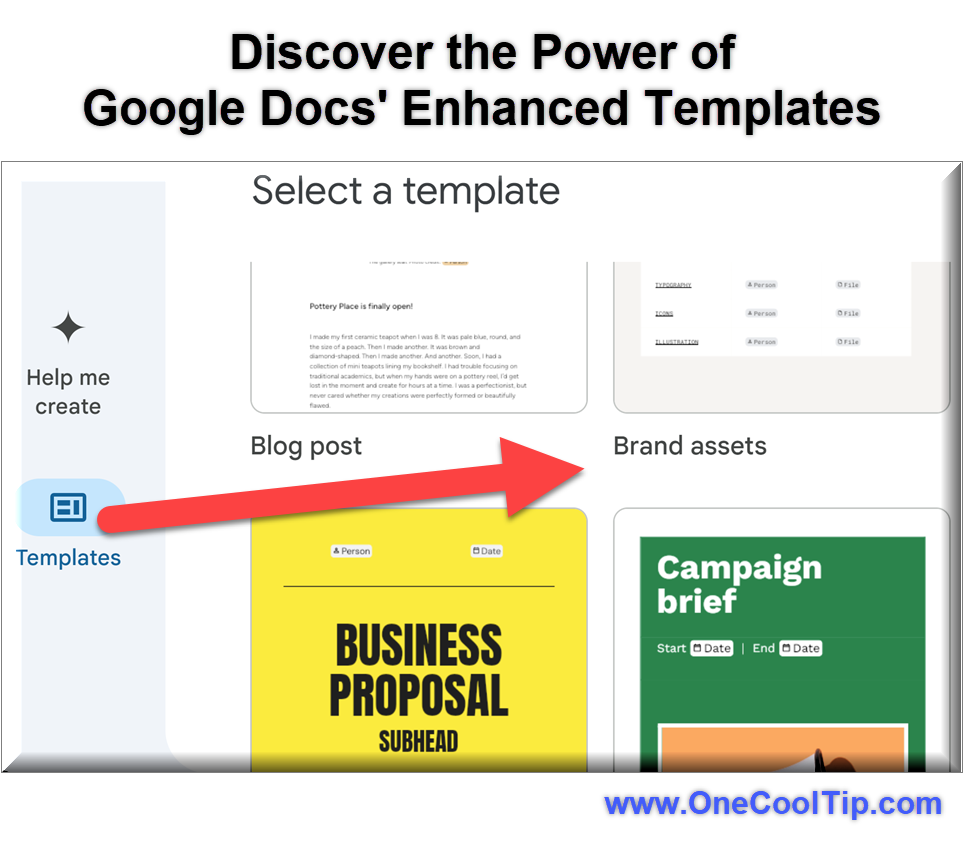
Here's a Cool Tip: Try the New Google Docs Templates.
Google Docs, a cornerstone of Google Workspace, has been quietly bolstering its template library, offering a wealth of pre-designed documents to kickstart your projects.
Google Docs templates are pre-formatted document layouts designed for various purposes, ranging from resumes and cover letters to project proposals and meeting notes.
These templates provide a ready-made structure, complete with suggested headings, formatting styles, and even placeholder text, allowing users to focus on content creation rather than the often tedious task of setting up a document from scratch.
The recent enhancements to Google Docs templates involve an expanded selection, improved organization, and tighter integration within the Google Workspace ecosystem.
Accessing and utilizing these time-saving templates is straightforward across different platforms:
Here's how to do it.
For Web Users:
- Open Google Docs, docs.google.com.
- Select "Blank Document"
- Go to File, New Document, From a Template.
- Browse and select the desired template.
For iOS and Android Users:
- Open the Google Docs app. iOS / Android
- Choose “Choose Template.”
-
Browse and select the desired template.
New templates include:
- Blog posts
- Newsletters
- Marketing pitches
- Memos
- Proposals
- Annual plans
- Journals
- Press releases
- Requests for quotation, proposal or information (RFQ, RFP, RFI)
- Project kickoff
- Accounting plans
- Meeting notes
- Branding asset management guides
- Class rules
- FAQ
- Feedback tracker
- Case studies
- Whitepapers
- Interview guide
- Onboarding plan
- Event planner
- Content planners
- Competitive analysis study
- Business campaign brief
- Research report
Pros and Cons
The enhanced Google Docs templates offer a compelling set of advantages.
The most significant pro is undoubtedly the increased efficiency they provide.
Users can create professional-looking documents in a fraction of the time it would take to build them from scratch.
The wide variety of templates caters to diverse needs, from academic reports to business proposals, making Google Docs a more versatile tool.
Furthermore, the consistent formatting ensures a level of professionalism that can enhance the user's credibility.
While the template library is extensive, some users might find it lacks highly specific templates tailored to niche industries or unique requirements.
Key Take Aways
By offering a diverse range of professionally designed layouts, Google empowers users to focus on their content rather than the intricacies of formatting.
Whether you're crafting a resume, writing a report, or collaborating on a project, these templates provide a valuable foundation for creating polished and effective documents quickly and efficiently.
Embracing this feature can save you time, enhance your professionalism, and ultimately help you work smarter.
Try It Yourself
Head over to Google Docs right now and explore the "Template gallery."
Experiment with a few different templates relevant to your needs.
READ MORE
Read the Full Cool Tip
|