One Cool Tip Newsletter

July 28, 2026

Your daily dose of tech-savvy brilliance!

😀Greetings! Happy TuesdayCool Tipper!


Get ready to streamline your digital life with simple, actionable tips delivered straight to your inbox.


Cool Tip Theme: Google Selfie Video Sign-in.


New here? Subscribe to the One Cool Tip Newsletter for daily updates. It's FREE!

3️⃣

If you enjoy the One Cool Tip newsletter, please forward this newsletter to THREE friends or colleagues or share it on social media using the links below.


Leave a $$$ Tip!


Share this One Cool Tip Newsletter!

X Share This Email
LinkedIn Share This Email
Pinterest Share This Email

🚨 Don’t Let a Fake Ticket Ruin Your Big Event 🚨


Planning to score last-minute tickets to a concert, festival, or sporting event?


The Better Business Bureau is warning that scammers are taking advantage of eager buyers with fake websites, counterfeit tickets, and fraudulent resale offers.


Common red flags include prices that seem too good to be true, high-pressure sales tactics, and requests for payment by cash, wire transfer, or debit card.


The BBB recommends buying only from official ticket sellers or verified resale platforms and researching refund policies before making a purchase.


Using a credit card can provide added protection if something goes wrong.


A few extra minutes of caution can help ensure your next big event starts with great memories, not a costly scam.


And in Other News...


Google’s AI Data Fight Could Shape the Future of the Web


Google says it will continue its efforts to limit AI companies and other bots from scraping information from its search results, even after a recent court setback.


The dispute centers on whether existing copyright laws can be used to stop large-scale data collection used to train AI tools.


For consumers, the case highlights a growing debate over who controls online information and how AI systems gather data from the web.


The outcome could influence how information is accessed, shared, and used by future AI services.


User Insight

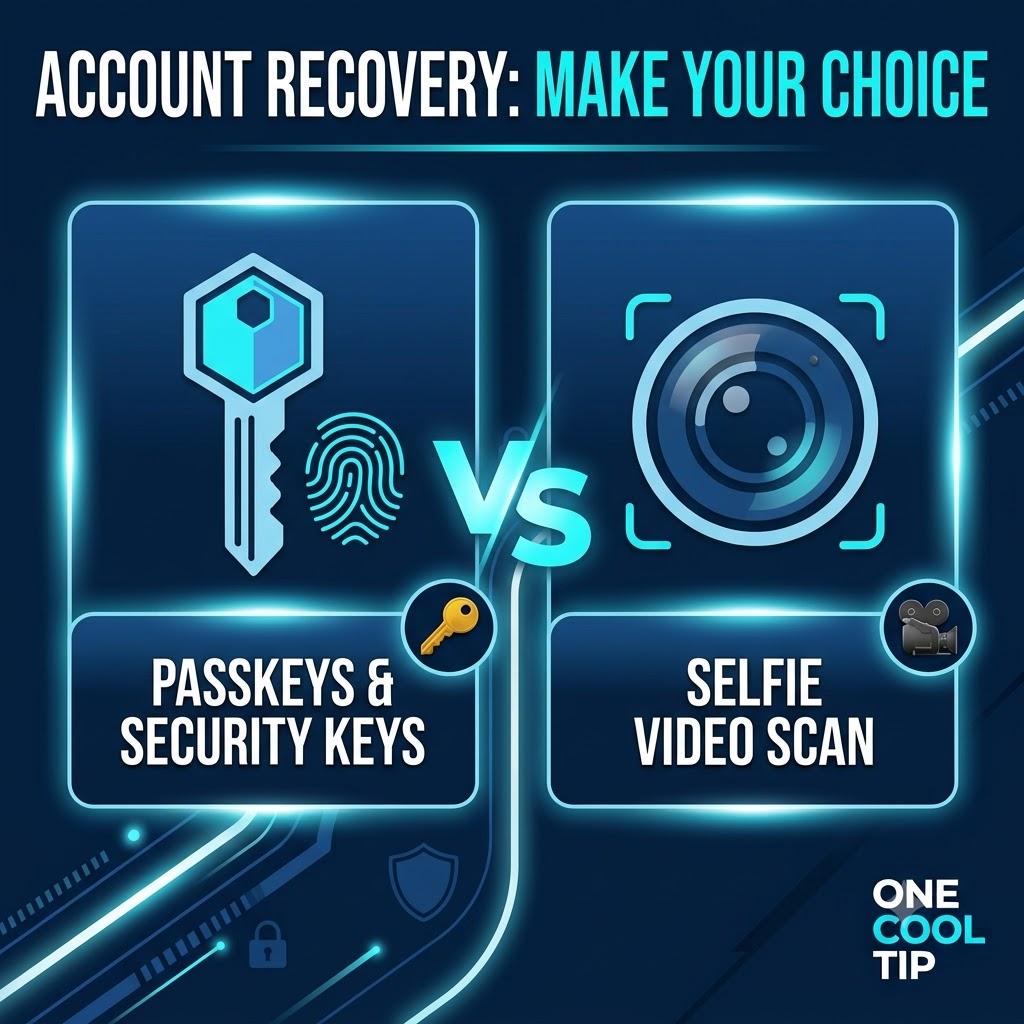
🤔 How do you usually recover your account if you get locked out or forget your password?

Cool Deals of the Day

Help support One Cool Tip. Use this Amazon link when you shop online.


Check out these Cool Deals:

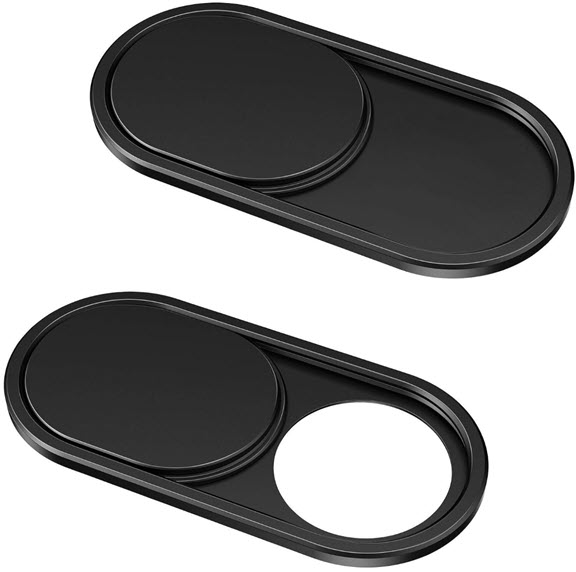
🕶️ CloudValley Laptop Camera Cover Slide, Two-Pack: A sliding cover provides physical camera privacy between verification sessions. Remember to open it before recording the selfie video.

$6.99. 4.5 Stars. Check it out on Amazon!


📹 Anker PowerConf C200 2K Webcam: Delivers crisp 2K video clarity for desktop camera setups and biometric video verification.

Save 9%. $59.99. 4.4 Stars. Check it out on Amazon!


💡 Lume Cube Video Conference Lighting Kit: Provides clear illumination to ensure proper facial visibility during video verification recordings.

$69.99. 4.0 Stars. Check it out on Amazon!


*Prices accurate when originally published.

One Cool Tip may earn a commission from qualifying purchases.

Fuel Your Adventure

Try Big Mike's Jerky!


bigmikesjerky.com


Now on TikTok!


Today's Cool Tip

Lockout Backup: Access Your Google Account With a Selfie Video


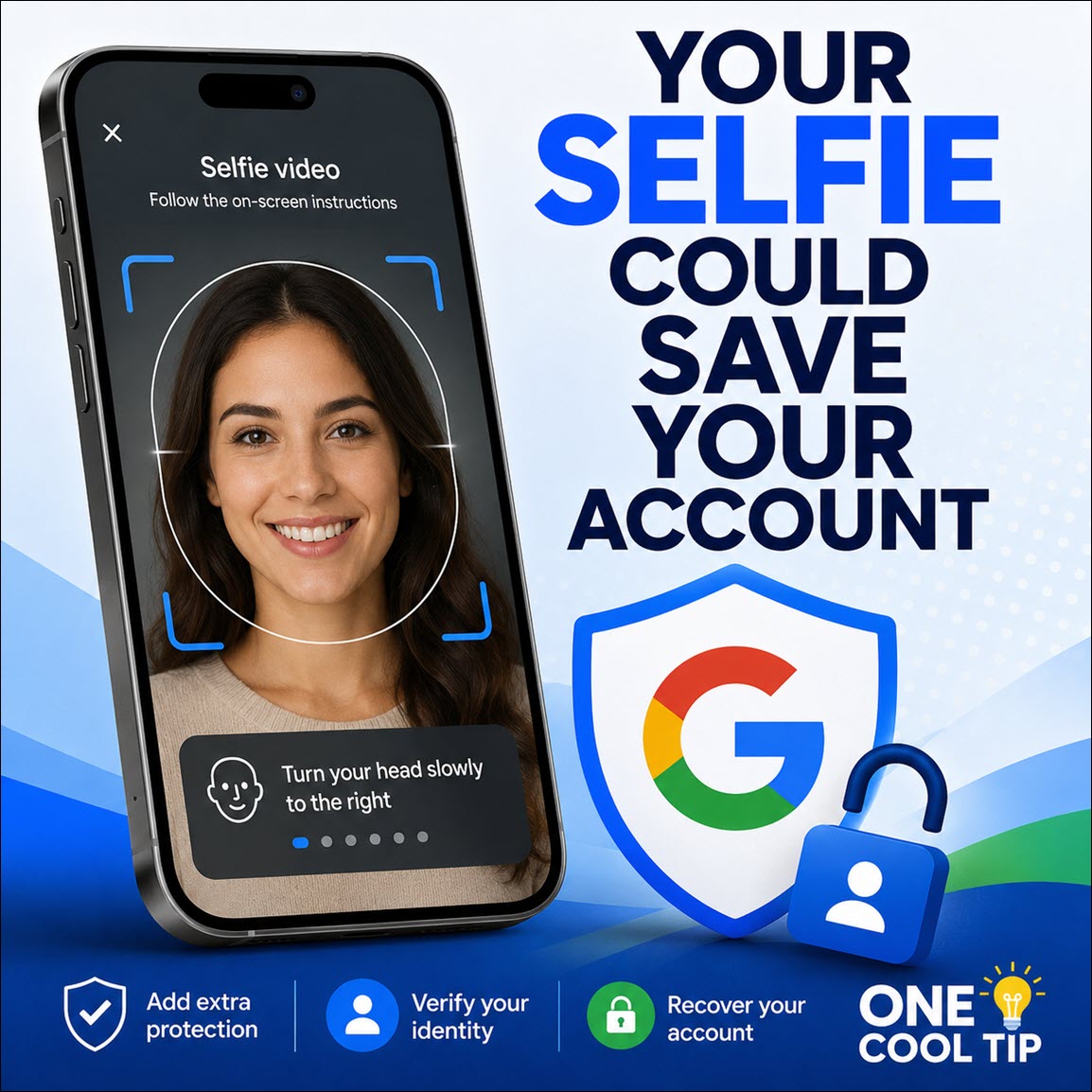
Google launched a selfie video verification method to help users regain access to locked accounts when standard recovery devices are unavailable. By recording guided head movements, account owners can store an encrypted facial verification baseline to verify their identity in emergency situations.


Getting locked out of a primary digital account can stall an entire workday or disrupt personal travel plans. 


Passwords can be forgotten, smartphones can be misplaced during travel, and secondary authentication hardware isn't always within reach. 


Here’s a Cool Tip: Set up Google selfie Video Verification.


Google recently introduced a modern backup option designed to resolve account access emergencies: selfie video verification.


This backup mechanism provides a secure alternative when primary devices, passkeys, or recovery codes aren't available. 


Rather than relying solely on static phone numbers or secondary email addresses, users can record a short video of their face while moving their head in guided directions.


Feature Explanation


Google selfie video sign-in acts as an extra emergency recovery tool for Google Accounts. 


It does not replace daily sign-in tools like passkeys or two-factor authentication prompts. 


Instead, it works alongside passkeys and trusted recovery contacts to ensure you retain access to Gmail, Google Photos, and Google Drive if standard methods fail.


When setting up the feature, your mobile device or web camera prompts you to center your face and complete specific head movements, such as turning left, turning right, or looking up. 


The system captures multiple angles to establish a secure facial baseline.


When you request account recovery later, Google asks you to record a new short video following dynamic, real-time movement prompts. 


The system compares key geometric facial features from the live video against the encrypted original baseline.


To defend against impersonation, Google uses multi-layered security models that detect deepfakes, static photo prints, digital screen replays, and pre-recorded videos. 


Requiring real-time, random movement checks confirms that a living person is physically in front of the camera during recovery.


What You’ll Gain


  • Recover accounts faster by verifying your identity without needing access to a lost phone or secondary phone number.
  • Protect against account lockouts while traveling, attending conferences, or switching between unrecognized desktop workstations.
  • Prevent deepfake fraud through active, multi-angle liveness detection technology.
  • Maintain full privacy control with full encryption at rest and on-demand deletion settings.


Step-by-Step Instructions


Web / Desktop


  1. Open your web browser and sign in to your Google Account.
  2. Navigate to g.co/signin-selfie or go to Google Account Settings > Security & Sign-in.
  3. Locate Selfie video under the list of recovery options.
  4. If your desktop lacks an integrated camera, the system displays a QR code. Scan the code using your mobile device to complete enrollment on your smartphone.


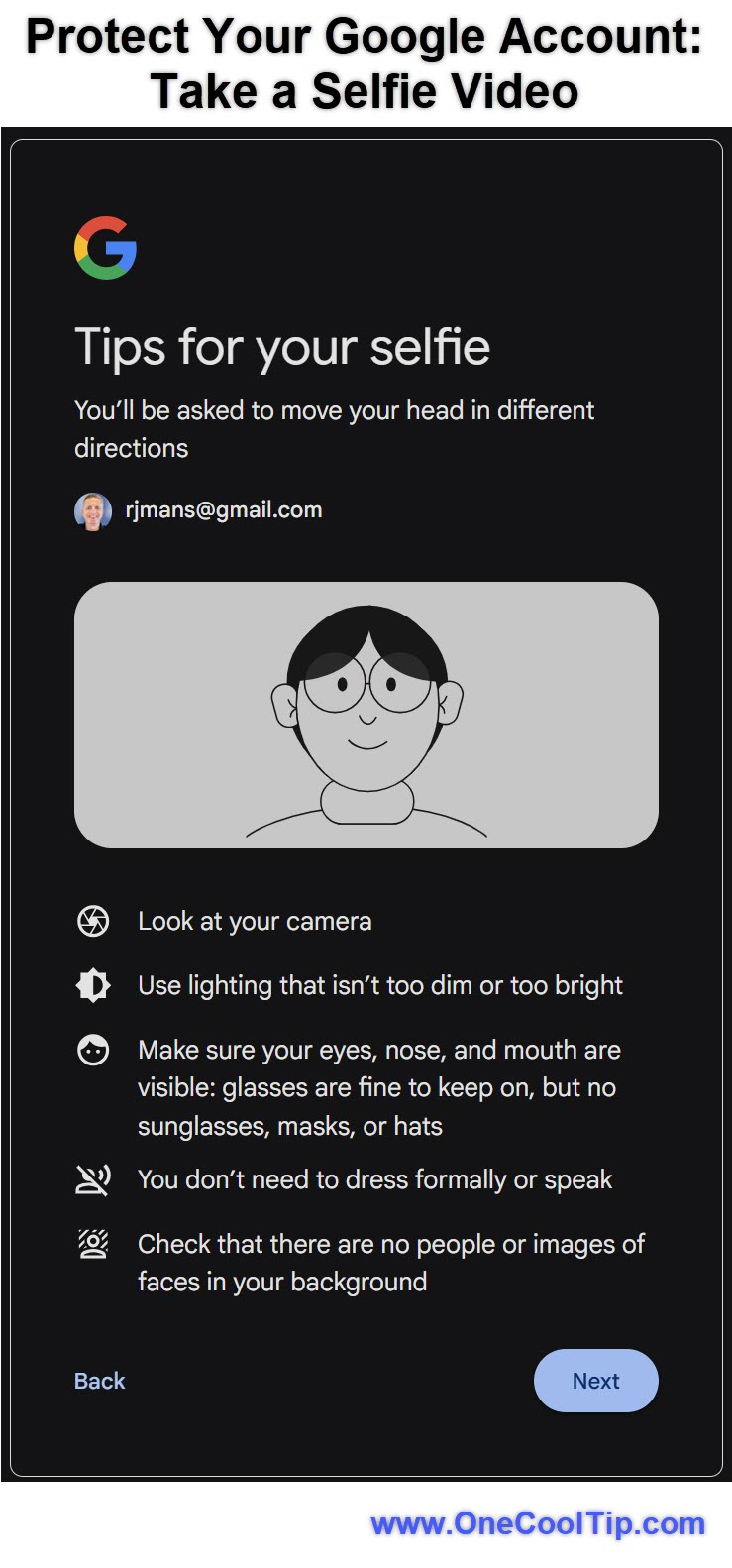
fig. 1 - Protect Your Google Account: Take a Selfie Video

iPhone / iPad


  1. Open Safari or the Google App and navigate to g.co/signin-selfie.
  2. Select Set up a selfie video and grant temporary camera access when prompted.
  3. Position your face inside the circular on-screen frame in a well-lit room.
  4. Follow the live directional prompts, such as tilting your head slowly to the left or turning right.
  5. Tap Save once the multi-angle capture completes. You will see a confirmation badge stating that your selfie baseline is encrypted and saved.


Android


  1. Open Settings on your Android device.
  2. Tap Google > Manage your Google Account.
  3. Select the Security tab and scroll to the sign-in section.
  4. Tap Selfie video.
  5. Select Continue, align your face in the camera view, and follow the guided movement prompts.
  6. Confirm the prompt to complete enrollment.


Pros and Cons


Pros:


  • Emergency safety net: Provides an additional path back into your account if your primary mobile phone is stolen or broken.
  • Deepfake defense: Active liveness challenges stop attackers who attempt to use stolen photos or generated videos.
  • Encrypted storage: Biometric registration files are encrypted at rest inside your Google Account settings.
  • Simple deletion: Users can delete their stored baseline video permanently at any time.


Cons:


  • Rolling availability: Not every Google Account or region has access to this feature immediately.
  • Account exclusions: Unavailable for Google Workspace accounts, child accounts, or Advanced Protection Program registrants based on initial rollout terms.
  • Pre-enrollment requirement: You must set up the feature before you get locked out.


Real World Example


The International Traveler


An independent contractor travels abroad and loses their smartphone at an airport. 


Without access to their usual two-factor SMS codes or physical device prompts, they log into a borrowed laptop, navigate to Google's recovery portal, and submit a live selfie video. 


The system verifies their facial movements against their saved baseline and restores access to critical travel itineraries stored in Gmail within minutes.


Feature Access


  • Availability Status: Currently rolling out gradually.
  • Supported Platforms: Web browsers, Android, iOS.
  • Account Eligibility: Personal Google Accounts.
  • Exclusions: Excludes Google Workspace enterprise accounts, supervised child accounts, and Advanced Protection Program users.
  • Cost: Free.


Score

Criterion |  Score (0–10) |  Justification
Value |  8
Provides a much-needed, secure backup recovery path when physical devices or passkeys are lost.
Usability |  9
Guided head-movement prompts and simple web links make enrollment quick and straightforward.
Wow Factor |  7
Uses clever anti-spoofing and deepfake prevention techniques for standard consumer account recovery.
Total: 24/30 |  👍 Good
Google selfie video sign-in is a practical, well-designed backup safety net that offers genuine peace of mind for anyone afraid of account lockouts.


Key Takeaways


Selfie video verification provides a reliable emergency backup option for Google Account recovery.


Live head movements prevent deepfake attacks and ensure only real account owners gain access.


Recordings are encrypted at rest, kept private, and can be deleted at any time.


Cool Tip Snapshot


  • Feature Name: Google Selfie Video Sign-in
  • Platform(s): Android, iOS, Web
  • Quick Benefit: Provides an encrypted video recovery path if you forget passwords or lose primary devices.
  • Best For: Frequent travelers, remote workers, and anyone wanting backup security options.
  • Access Type: Free / Rolling Out
  • Difficulty: Easy


Try It Yourself


Take a minute right now to visit g.co/signin-selfie and set up your video verification backup before you actually need it! 


Have you tried setting up biometrics for account recovery yet? 


Share your thoughts in the comments below, and share this tip with friends, family, and coworkers who want to keep their accounts safe.


READ MORE


Read the Full Cool Tip.

Check Out These Cool Tips & Tricks


  • Direct Link: Access selfie video setup directly at g.co/signin-selfie. Open your browser and navigate to this URL to check account eligibility immediately.


  • Lighting Check: Position yourself facing bright ambient light. Face a window or lamp so the camera can clearly capture facial geometry.


  • Remove Obstructions: Take off hats and dark sunglasses before recording. Ensure your forehead, eyes, and jawline are fully visible to the camera lens.


  • Solo Frame: Clear extra people from your background. Make sure only your face is present in the camera frame during video enrollment.


  • Data Control: Delete baseline recordings anytime in security settings. Go to your Google Security tab and select delete to remove stored video files instantly.


  • Privacy Check: Keep optional model training turned off. Uncheck optional sharing toggles during setup to restrict video usage strictly to login verification.


  • Multi-Layer Defense: Combine selfie verification with recovery contacts. Set up recovery emails and passkeys alongside selfie video for complete account protection.


  • Mobile Settings: Access controls directly inside Android settings. Navigate to Settings > Google > Manage Account > Security to adjust your preferences.


  • Pre-Enrollment Priority: Set up video verification before lockouts occur. Complete the registration process today while you still have active access to your account.

ICYMI - In Case You Missed It ...

Search Facebook Smarter With Meta AI Mode


Facebook’s new Meta AI Mode turns search into a more conversational experience by using Meta AI to answer questions from public activity across Meta apps. It could help you find real-world recommendations faster, but rollout and privacy details deserve a careful look.


Read the Full Version.


Read the Newsletter Version.

Looking for your next adventure?


Call Denise at Travel For You.

314.660.3039


Sign Up for the Monthly Newsletter


http://www.travelforyouvacations.com/


https://www.facebook.com/TRAVEL.FOR.U/


See You Tomorrow

Tomorrow's Cool Tip is waiting to amaze you.


Until then, go forth and conquer the tech world with your newfound knowledge!


Be sure to visit www.OneCoolTip.com for Cool Tech Tips for a Cooler Life!


And if you Like One Cool Tip, please support with TipJar!


Enjoy!


Rodger

Chief Cool Tipper

onecooltip.com@gmail.com


What Do You Think?

What do you think of today's OneCoolTip newsletter?
Positive        Neutral        Negative
X Share This Email
LinkedIn Share This Email

Connect with One Cool Tip!!

Facebook  X  Instagram  Web  Pinterest  YouTube  LinkedIn
 

As an Amazon Associate, One Cool Tip may earn a small commission from qualifying purchases.


Our media content is intended solely for informational purposes only. Please do not construe anything here as legal, tax, investment, financial, marital or other advice.


Copyright © 2026 | www.OneCoolTip.com | All Rights Reserved