One Cool Tip Newsletter

March 1, 2026

Your daily dose of tech-savvy brilliance!

😀Greetings! Happy Sunday, Cool Tipper!


Get ready to streamline your digital life with simple, actionable tips delivered straight to your inbox.


Cool Tip Theme: Google Gemini Nano Banana 2


New here? Subscribe to the One Cool Tip Newsletter for daily updates. It's FREE!

3️⃣

If you enjoy the One Cool Tip newsletter, please forward this newsletter to THREE friends or colleagues or share it on social media using the links below.


Leave a Tip!


Share this One Cool Tip Newsletter!

X Share This Email
LinkedIn Share This Email
Pinterest Share This Email

🚨New LEGO Smart Blocks🚨


A new generation of interactive LEGO play just launched with the LEGO SMART Play System, a major upgrade that blends classic bricks with sensors, sound, and character reactions. The system introduces three new elements, SMART Bricks, SMART Tags, and SMART Minifigures that respond to movement, color, proximity, and play scenarios.


What’s new in LEGO SMART Play:


  • SMART Bricks include motion and color sensors, lights, and a speaker. They react to twists, taps, turns, and nearby characters with unique sounds and lighting effects.
  • SMART Minifigures trigger different reactions depending on which character is near the brick, creating dynamic storytelling moments.
  • SMART Tags are special tiles that tell the brick how to behave, unlocking new sounds and interactions.


This system works with every LEGO set ever made, thanks to the color sensor built into the SMART Brick. No app is required; everything happens through the brick itself. Shop Amazon!


And in Other News...


  • Punch the Monkey


For a fun surprise, type "Punch the monkey" into the Google Search bar.


  • Big Bear Valley Eagles


Big Bear’s well‑known bald eagles, Jackie and Shadow, have welcomed a new egg just weeks after losing their earlier clutch to a raven attack.


The latest egg arrived shortly before 6 p.m. on Friday, and Jackie is already settled in, keeping it warm. It’s the second egg of her second clutch, a hopeful reset after two eggs were breached last month while the pair was away from the nest.


Jackie typically lays eggs about three days apart, so observers say a third egg could arrive Monday if her pattern holds.


We first told you about the Big Bear Valley eagles last year. Check out the live webcam HERE.


Cool Deals of the Day

Help support One Cool Tip. Use this Amazon link when you shop online.


Check out these Cool Deals:


  • 🖱️ Logitech MX Master 3S: The ultimate precision mouse for digital creators and editors. $99.99 Check it out on Amazon!


  • ⌨️ Logitech MX Keys S: A sleek, comfortable keyboard designed for long creative sessions. $129.99 Check it out on Amazon!


  • 🎧 Sony WH-1000XM5: Industry-leading noise cancellation to keep you focused on your work. $249. Check it out on Amazon!


*Prices accurate when originally published.

One Cool Tip may earn a commission from qualifying purchases.

Fuel Your Adventure

Try Big Mike's Jerky!


bigmikesjerky.com


Now on TikTok!


Today's Cool Tip

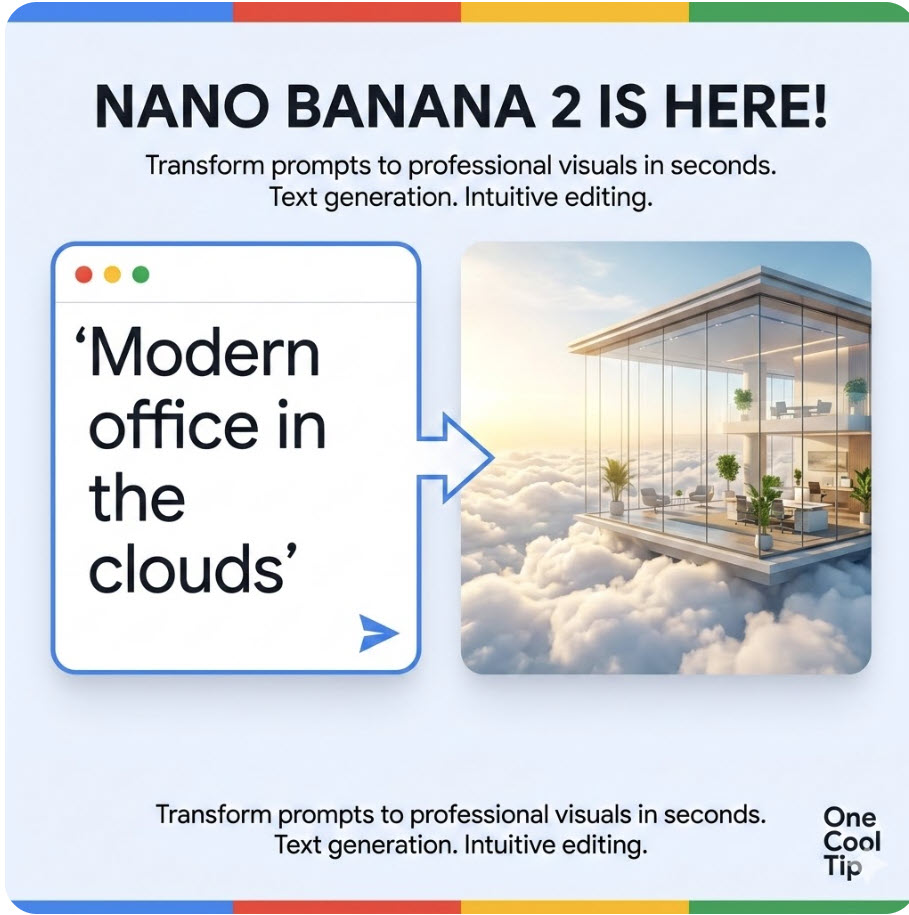
Google Nano Banana 2: The Next Giant Leap for Desktop and Mobile AI


Elevate your creative workflow with the most advanced multimodal AI model yet. Nano Banana 2 brings high-fidelity image generation and seamless editing directly to your favorite devices.


The world of generative AI moves at a breakneck pace, but every so often, a tool arrives that fundamentally changes how we interact with our screens. 


Imagine sitting at your desk, describing a complex scene, and watching it materialize in seconds with photographic precision. 


Better yet, imagine clicking a single element in that image and changing its color, shape, or position just by speaking. 


This isn't a futuristic concept for a high-end film studio. 


Here's a Cool Tip:  Use Nano Banana 2.


Nano Banana 2 is the latest powerhouse model from Google designed to bridge the gap between simple text-to-image prompts and professional-grade composition.


Feature Explanation


Nano Banana 2 is a state-of-the-art multimodal model that specializes in three core areas: text-to-image generation, image editing, and style transfer. 


While earlier models often struggled with rendering legible text within images or maintaining consistency during edits, Nano Banana 2 uses a refined architecture to handle these tasks with ease. 


It allows users to combine multiple images into a single composition or use a reference image to guide the aesthetic of a new creation. 


Whether you are a social media manager needing a quick graphic or a small business owner designing a logo, this tool provides a level of control that previously required mastery of complex editing software.


What You’ll Gain


  • Professional Precision: Generate images with high-fidelity text rendering and realistic textures.
  • Intuitive Editing: Modify existing images using natural language instead of manual brush tools.
  • Workflow Efficiency: Reduce the time spent on asset creation from hours to minutes.


Step-by-Step Instructions


Microsoft Web/Desktop


  1. Open your browser and navigate to gemini.google.com.
  2. Type a detailed prompt in the chat box, such as "Generate a professional 3D logo for a tech tip site named 'One Cool Tip' with a minimalist aesthetic."
  3. Once the image appears, click the Edit icon or simply type a follow-up command like "Change the color to forest green."
  4. To save, click the download icon in the top right corner.


fig. 1 - Gemini Nano Banana 2

iOS


  1. Launch the Gemini app on your iPhone.
  2. Tap the text entry field and describe the image you want to create.
  3. To edit, tap the generated image to expand it, then select the Refine tool.
  4. Use your finger to circle an area you want to change and dictate the modification.


Android


  1. Open the Gemini app or use the overlay shortcut.
  2. Enter your prompt and wait for the four-grid preview.
  3. Select your preferred image and use the Modify prompt to add or remove objects.
  4. Share the image directly to your team via the integrated share sheet.


Pros and Cons


Pros:


  • Exceptional text rendering makes it ideal for marketing materials and flyers.
  • Multimodal capabilities allow for complex "image + text" prompts.


Cons:


  • High-resolution exports may require a paid subscription tier.
  • Strict safety filters can sometimes block benign but complex creative requests.


Feature Access


  • Nano Banana 2 is currently rolling out to Google One AI Premium subscribers and Gemini Advanced users. 
  • Free tier users may have limited access to the model with lower daily generation quotas.


Score

Criterion | Score (0–10) | Justification
Value 9 
It replaces several standalone editing tools with one cohesive interface.
Usability 10 
The natural language editing is the most intuitive implementation to date.
Wow Factor 9 
The ability to render perfect text inside images is a massive technical leap.
Total: 28/30  🌟 Excellent
Nano Banana 2 is a game-changer for anyone who needs high-quality visual content without the steep learning curve of traditional design software.


Key Takeaways


Nano Banana 2 simplifies complex creative tasks by allowing users to generate and edit images through simple conversation. 


It empowers both professionals and casual users to produce high-fidelity visuals with unprecedented control.


Cool Tip Snapshot


  • Feature Name: Nano Banana 2.
  • Platform(s): Web, iOS, Android.
  • Quick Benefit: Create and edit professional images with text using natural language.
  • Access Type: Paid Subscription (Full Access), Free (Limited).


Try It Yourself


Ready to see your ideas come to life? 


Head over to the Gemini interface today and try generating a custom banner for your next project. 


If you found this tip helpful, share this article with your team to help them boost their productivity!


READ MORE


Read the Full Cool Tip.

Check out these Cool Tips & Tricks.


  • Prompt Specificity: Use detailed adjectives like "cinematic" or "macro" to get better results. Describe the lighting and texture in your initial request.


  • Iterative Refinement: Don't start over if the first result is off. Use the edit tool to tweak specific parts of the image.


  • Style Reference: Upload an image you like to guide the AI. Ask it to "Apply this aesthetic" to your new prompt.


  • Aspect Ratios: Specify the dimensions you need. Add "in 16:9 ratio" at the end of your prompt for wide banners.


  • Text Integration: Place text in quotes for better accuracy. Type "A neon sign that says 'Open Now'" to ensure the AI renders it correctly.


  • Color Control: Use hex codes for exact brand colors. Tell the AI to "Use #003366 for the primary accent."


  • Negative Prompts: List what you don't want. Type "No people" or "No shadows" to clean up a composition.


  • Object Removal: Highlight an area and say "Remove this." The AI will intelligently fill the background.


  • Lighting Swaps: Change the mood instantly. Ask to "Change the lighting to golden hour" for a warmer feel.


  • Batch Creation: Generate multiple versions at once. Ask for "Four different concepts for a tech logo."

ICYMI - In Case You Missed It ...

NotebookLM Video Overviews Now Available on Mobile


Transform dense documents into engaging AI-generated video presentations directly from your iPhone or Android device.


Read the Full Cool Tip.

Read the Newsletter Version.

Looking for your next adventure?


Call Denise at Travel For You.

314.660.3039


Sign Up for the Monthly Newsletter


http://www.travelforyouvacations.com/


https://www.facebook.com/TRAVEL.FOR.U/


See You Tomorrow

Tomorrow's Cool Tip is waiting to amaze you.


Until then, go forth and conquer the tech world with your newfound knowledge!


Be sure to visit www.OneCoolTip.com for Cool Tech Tips for a Cooler Life!


And if you Like One Cool Tip, please support with TipJar!


Enjoy!


Rodger

Chief Cool Tipper

onecooltip.com@gmail.com


What Do You Think?

What do you think of today's OneCoolTip newsletter?
Positive        Neutral        Negative
X Share This Email
LinkedIn Share This Email

Connect with One Cool Tip!!

Facebook  X  Instagram  Web  Pinterest  YouTube  LinkedIn
 

As an Amazon Associate, One Cool Tip may earn a small commission from qualifying purchases.


Our media content is intended solely for informational purposes only. Please do not construe anything here as legal, tax, investment, financial, marital or other advice.


Copyright © 2026 | www.OneCoolTip.com | All Rights Reserved