|
One Cool Tip Newsletter
June 14, 2026
| Your daily dose of tech-savvy brilliance! | |
😀Greetings! Happy Sunday, Cool Tipper!
Get ready to streamline your digital life with simple, actionable tips delivered straight to your inbox.
Cool Tip Theme: Create Custom Merch with Alexa
New here? Subscribe to the One Cool Tip Newsletter for daily updates. It's FREE!
| |
3️⃣
If you enjoy the One Cool Tip newsletter, please forward this newsletter to THREE friends or colleagues or share it on social media using the links below.
Leave a $$$ Tip!
Share this One Cool Tip Newsletter!
| | |
🚨 Comcast Data Breach Settlement Now Open for Claims🚨
Comcast customers notified about the October 2023 data breach can now file for cash payments as part of a $117.5 million class‑action settlement.
What Happened
Hackers accessed Comcast internal systems in October 2023, exposing personal information for an estimated 36 million customers.
Comcast denies wrongdoing but agreed to the settlement to resolve the lawsuit.
What You Can Claim
- $50 Alternative Cash Payment: no documentation required.
- Up to $10,000: reimbursement for documented fraud‑related expenses, bank fees, credit monitoring, or lost time.
- Free identity defense and restoration services for all class members.
Who’s Eligible
You qualify if Comcast sent you a data breach notice around December 18, 2023 stating your information may have been compromised.
Deadline
- File a claim by September 14, 2026.
How to File
Submit your claim at ComcastBreachSettlement.com.
And in Other News...
- Amazon Reports Major Gains in Data‑Center Water Efficiency
Amazon says its global data centers are now over 7× more water‑efficient than the industry average, thanks to expanded use of air cooling and reclaimed water systems.
The company reports a 52% improvement in water efficiency since 2021 and says it’s 75% of the way toward its 2030 “water positive” goal, returning more water to communities than it consumes.
Key Points:
- 0.12 liters per kWh: Amazon’s 2025 water‑use rate; far below the industry’s 0.84 L/kWh.
- Free‑air cooling 90% of the year reduces reliance on water-intensive systems.
- Reclaimed water expansion: 26 facilities already run on 100% reclaimed water, with 130 more contracted.
- 50+ community water projects are expected to return 5.8 billion gallons annually once fully implemented.
Why it matters:
As AI and cloud demand surge, data‑center water use is under scrutiny.
Amazon’s latest numbers show meaningful progress and a push to scale reclaimed water programs in regions facing scarcity.
This data, of course, is coming from Amazon.
Take it with a grain of salt.
Or a drop of water.
| | |
Help support One Cool Tip. Use this Amazon link when you shop online.
Check out these Cool Deals:
| | |
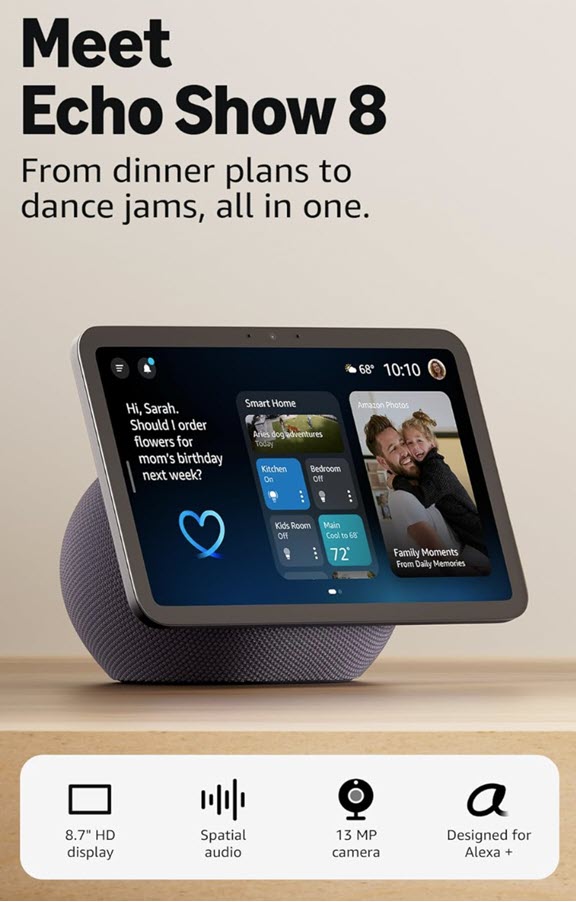
🖥️ Amazon Echo Show 8: A screen-based Alexa device is helpful for seeing shopping, smart-home, video, and family-room information at a glance. Now $179.99 Check it out on Amazon!
🔊 Amazon Echo Pop Kids: A compact Alexa speaker. $49.99 Check it out on Amazon!
📱 Amazon Fire HD 10 Tablet: A larger tablet can make shopping, browsing, and previewing designs more comfortable than using a phone. Now $179.99 Check it out on Amazon!
🔌 Amazon Smart Plug: A simple Alexa-compatible accessory for controlling lamps, fans, and small appliances by voice or routine. Now $25.99 Check it out on Amazon!
🧾 Amazon Basics Thermal Laminator: Useful for small creators, teachers, and families who make signs, labels, event cards, or merch-adjacent materials. Now $42.83 Check it out on Amazon!
*Prices accurate when originally published.
One Cool Tip may earn a commission from qualifying purchases.
| | |
Create Custom Merch Fast With Alexa for Shopping
Amazon’s new Alexa for Shopping feature lets U.S. customers turn simple prompts into custom merchandise designs. It lowers the barrier for creating one-off shirts, hoodies, tumblers, and water bottles without needing design software.
Custom merchandise usually starts with a familiar problem: you have the joke, reunion slogan, team idea, pet portrait concept, or small-business phrase, but you do not want to open Photoshop, hire a designer, upload artwork, check print specs, and manage fulfillment.
Here’s a Cool Tip: Create Custom Merch With Alexa.
Alexa for Shopping now includes an AI-powered custom merch design feature that lets customers describe an idea, generate a design, edit it with suggestions or typed changes, share it, and order the finished item through Amazon’s Merch on Demand print-on-demand system.
The feature works in the Amazon Shopping app and on Amazon.com, and Amazon handles production and Prime-eligible delivery.
Feature Explanation
Alexa Print on Demand is not a standalone app.
It is a new custom merchandise creation flow inside Alexa for Shopping, Amazon’s AI shopping assistant.
Instead of uploading finished artwork, you describe what you want.
For example, you might ask for “a retro road trip design for a family vacation shirt” or “a cartoon black cat drinking coffee on a tumbler.”
Alexa generates a design, then lets you revise it by choosing suggested edits or typing more instructions.
When the design looks right, you can put it on eligible merchandise and order it through Amazon.
The feature matters because it collapses several steps into one shopping flow.
You no longer need a separate AI image generator, design editor, print-on-demand storefront, and fulfillment tool for simple personal merch.
That makes it useful for families, small groups, creators, school clubs, travelers, and small businesses that need fast, low-volume custom items.
Supported products include apparel such as T-shirts, long-sleeve shirts, polo shirts, jerseys, hoodies, and sweatshirts, plus drinkware such as tumblers and water bottles.
The key distinction: this is best for quick, personal, or small-group designs.
It is not a replacement for a professional designer when brand precision, licensing, typography, production consistency, or commercial merchandising strategy matters.
What You’ll Gain
- Save time by moving from idea to purchasable merch in one flow.
- Reduce design friction by using prompts instead of image-editing software.
- Share designs easily so friends, family, or team members can order the same item.
- Create one-off gifts without managing separate production and shipping vendors.
Step-by-Step Instructions
Here's how to do it.
Amazon Shopping App
-
Open the Amazon Shopping app (iOS / Android).
- Tap the Alexa icon in the bottom-right corner, or search for customize in the Amazon search bar.
- Interact with the conversational assistant when the customization interface initializes.
- Describe your idea in plain language.
- Review the generated design.
- Use suggested actions or type changes to refine the result.
- Choose an eligible product such as a T-shirt, hoodie, tumbler, or water bottle.
- Share the design link or add the item to your cart.
- Check out like a normal Amazon purchase.
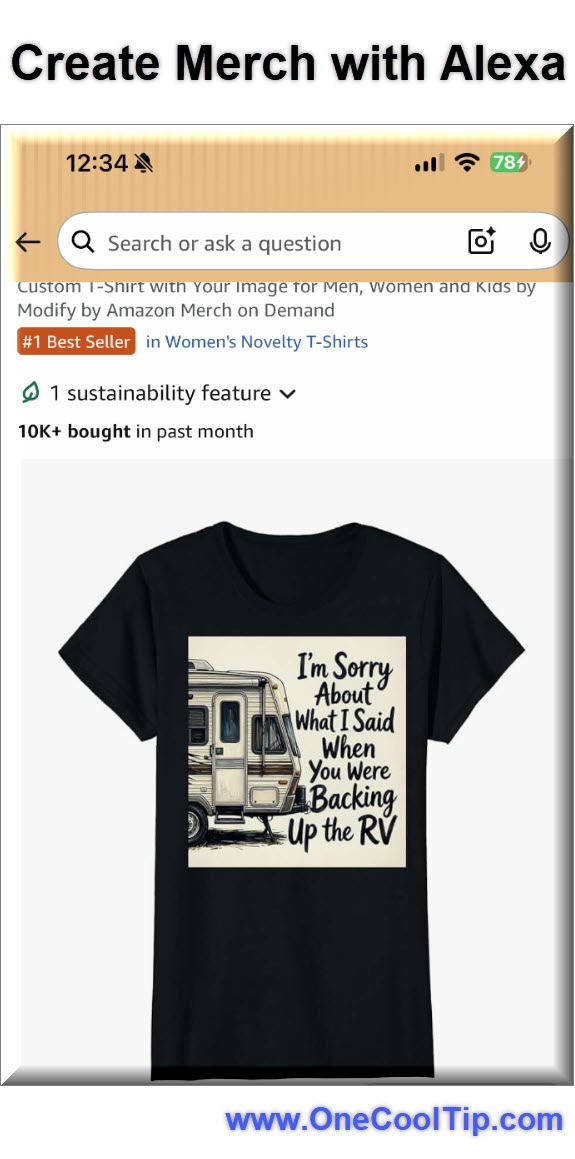
| | fig. 1 - Create Merch with Alexa | | |
Web/Desktop
-
Go to Amazon.com.
- Use the search bar to search for customize, or open Alexa for Shopping where available.
- Start the custom merch flow.
- Enter a prompt describing your design idea.
- Edit the generated design with typed changes or suggested actions.
- Select a supported product.
- Share the design or add it to your cart.
Pros and Cons
Pros:
-
Fast idea-to-product workflow: Good for reunion shirts, trip gear, office jokes, and one-off gifts.
-
No design software needed: Helpful for families, students, and non-designers.
-
Built-in sharing: Friends and family can order from the shared design link.
-
Amazon fulfillment: Amazon says production is handled through Merch on Demand with Prime-eligible delivery.
-
Free design step: Amazon says designing is free and customers pay only for products ordered.
Cons:
-
U.S.-only availability: Amazon says the feature is available to all U.S. customers. International availability is not confirmed in the official announcement.
-
Limited product categories: It currently focuses on apparel and drinkware.
-
AI design quality may vary: Expect to revise prompts, especially for text-heavy designs.
-
Not ideal for protected brands or licensed characters: Designs must avoid rights issues, trademarks, and copyrighted material.
-
Commercial use details are not fully explained: Amazon’s consumer announcement does not spell out creator royalties, storefront use, or business resale terms for this specific flow.
Feature Access
Amazon says designing merch with Alexa for Shopping is available to all U.S. customers through the Amazon Shopping app and Amazon.com.
The feature uses Amazon’s Merch on Demand production system and supports apparel and drinkware at launch.
Availability outside the United States has not been confirmed in the official announcement.
App version requirements, business-account restrictions, and enterprise controls were not specified.
Score
Criterion | Score (0–10) | Justification
Value | 8
This solves a real friction point for personal merch, group events, and quick gifts. It is less valuable for professional brand work.
Usability | 8
The prompt-based flow should be easy for everyday shoppers, especially since it lives inside Amazon. Discoverability may be uneven while users learn where to start.
Wow Factor | 7
AI-generated merch inside a major shopping flow is clever and convenient, though AI print design quality still needs user judgment.
Total: 23/30 | 👍 Good
Alexa Print on Demand is a useful shortcut for casual custom merchandise, but not a full replacement for professional design or specialized print-on-demand platforms.
Key Takeaways
Alexa for Shopping can now turn a simple prompt into custom apparel or drinkware that you can order through Amazon.
It is best for fast, personal, low-volume creations where convenience matters more than perfect design control.
Cool Tip Snapshot
-
Feature Name: Alexa Print on Demand.
-
Platform(s): Amazon Shopping app, Amazon.com.
-
Quick Benefit: Create custom merch from AI prompts.
-
Best For: Families, travelers, creators, students, small groups.
-
Access Type: Free design tool, U.S. availability, product purchase required.
-
Difficulty: Easy.
Try It Yourself
Try creating a custom shirt, hoodie, tumbler, or water bottle with Alexa for Shopping, then tell us what you made.
Please share this Cool Tip with family, friends, and coworkers who love practical tech shortcuts.
READ MORE
Read the Cool Tip on OneCoolTip.com.
| | |
Check Out These Cool Tips & Tricks
-
Prompt Clearly: Use short, specific prompts instead of vague ideas. Try “retro beach vacation T-shirt with sunset colors” rather than “cool shirt.”
-
Limit Text: AI design tools often struggle with long phrases. Use one short slogan and check every letter before ordering.
-
Avoid Logos: Do not request sports teams, movie characters, brand logos, or celebrity likenesses. Use original themes, inside jokes, and personal concepts.
-
Pick the Product First: Think about whether the design belongs on a shirt, hoodie, tumbler, or water bottle. A tall design may work better on drinkware than on a chest print.
-
Use Style Words: Add terms such as vintage, minimalist, cartoon, badge, travel poster, or hand-drawn. Style words guide the AI toward a cleaner result.
-
Revise Once: Do not accept the first design unless it is clearly right. Ask Alexa to simplify, brighten, enlarge, or remove elements.
-
Check Contrast: Light text on light fabric can disappear. Choose high-contrast colors before adding the item to your cart.
-
Share Before Buying: Send the design link to one trusted person before ordering for a group. A second set of eyes can catch typos and awkward visuals.
-
Save Good Prompts: Keep your best prompts in Notes, OneNote, Google Keep, or a text file. Reusing strong prompt patterns makes future designs faster.
-
Order One Test: For groups or events, order one sample before buying many. Confirm print placement, fabric choice, colors, and readability first.
| | ICYMI - In Case You Missed It ... | | | | |
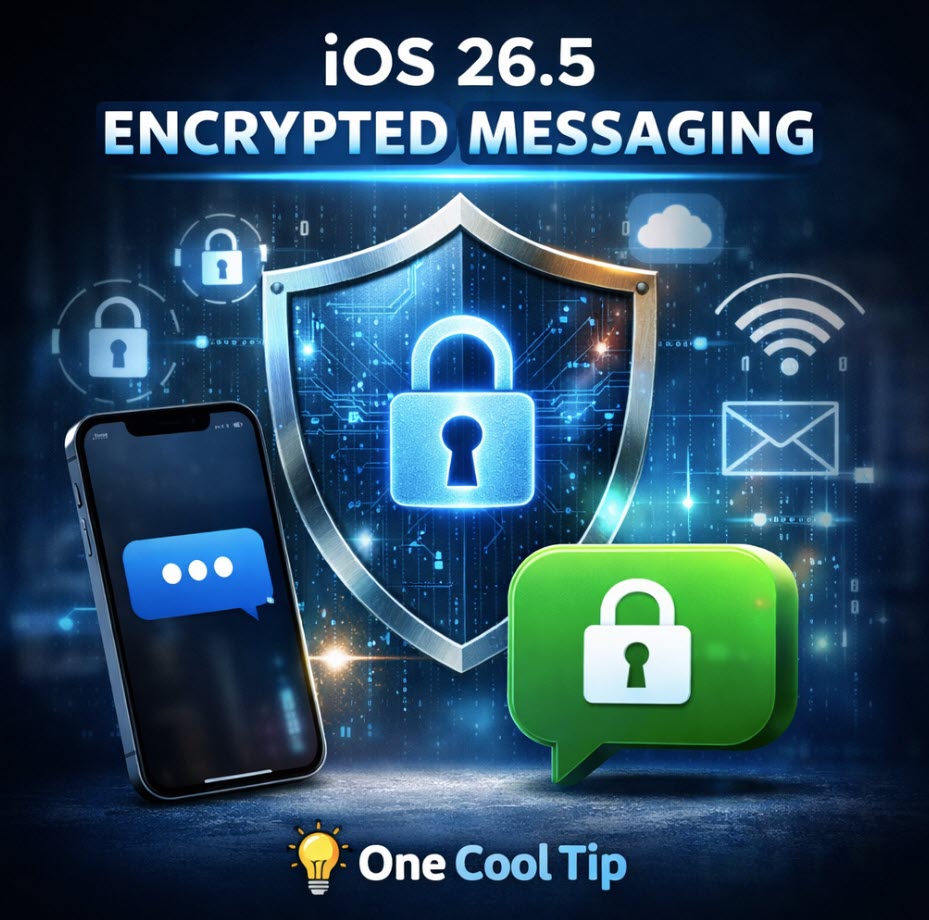
iOS 26.5 Finally Fixes One of the Biggest iPhone Messaging Problems
Secure texting between iPhone and Android users is finally arriving. iOS 26.5 also adds smarter Maps suggestions, new customization options, and several under-the-radar improvements that make everyday iPhone use better.
Read the Full Cool Tip.
Read the Newsletter Version.
| | |
Tomorrow's Cool Tip is waiting to amaze you.
Until then, go forth and conquer the tech world with your newfound knowledge!
Be sure to visit www.OneCoolTip.com for Cool Tech Tips for a Cooler Life!
And if you Like One Cool Tip, please support with TipJar!
Enjoy!
Rodger
Chief Cool Tipper
onecooltip.com@gmail.com
| |
| What do you think of today's OneCoolTip newsletter?
| | | | Connect with One Cool Tip!! | | |
|
As an Amazon Associate, One Cool Tip may earn a small commission from qualifying purchases.
Our media content is intended solely for informational purposes only. Please do not construe anything here as legal, tax, investment, financial, marital or other advice.
Copyright © 2026 | www.OneCoolTip.com | All Rights Reserved
|
| | | |