One Cool Tip Newsletter

July 17, 2026

Your daily dose of tech-savvy brilliance!

😀Greetings! Happy Friday Funday, Cool Tipper!


Get ready to streamline your digital life with simple, actionable tips delivered straight to your inbox.


Cool Tip Theme: Play Classic Games at ArcadeSpace


New here? Subscribe to the One Cool Tip Newsletter for daily updates. It's FREE!

3️⃣

If you enjoy the One Cool Tip newsletter, please forward this newsletter to THREE friends or colleagues or share it on social media using the links below.


Leave a $$$ Tip!


Share this One Cool Tip Newsletter!

X Share This Email
LinkedIn Share This Email
Pinterest Share This Email

🚨 Fake “Veterans Savings Program” Scam Targets Veterans🚨


The U.S. Department of Veterans Affairs is warning veterans and their families about a scam promoting a fake “Veterans Savings Program.”


The fraudsters claim recipients qualify for extra VA benefits, including CHAMPVA, TRICARE, or dental coverage, and often pressure them to respond quickly.


Scammers lure victims into calling a phone number where they may be asked for sensitive information such as Social Security numbers or bank account details.


The VA says legitimate communications will not pressure you to act immediately or provide personal information over the phone.


If you receive one of these postcards, emails or texts, do not call the number listed or share any personal information.


Instead, verify any benefit-related claims directly with the VA through official channels.


And in Other News...

Pokémon GO Celebrates 10 Years With Special Anniversary Artwork


Pokémon GO (iOS / Android) is marking its 10th anniversary with newly released commemorative artwork created by Yusuke Kozaki, the game's longtime character designer.


The artwork celebrates a decade of exploration, friendship, and Pokémon adventures while highlighting some of the characters and creatures that have helped define the game over the years.


Alongside the artwork, the Pokémon GO team reflected on major milestones from the past ten years, including Raid Battles, Trading, Mega Evolution, and Dynamax and Gigantamax Pokémon.


The company says it remains focused on creating new experiences that bring players together and encourage real-world exploration.


For longtime Trainers and newcomers alike, the anniversary serves as a reminder of how a mobile game became a global phenomenon that continues to evolve a decade after launch.


Game Fun


Try these fun Cool Tip games!


Cool Deals of the Day

Help support One Cool Tip. Use this Amazon link when you shop online.


Check out these Cool Deals:

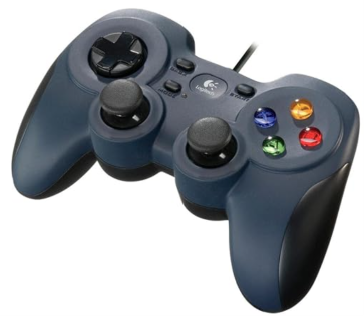
🔌 Logitech F310 Wired Gamepad: This straightforward USB controller uses a familiar console layout and offers plug-and-play PC connectivity.

Save 20%. $19.99. 4.4 Stars. Check it out on Amazon!


🎮 8BitDo SN30 Pro Bluetooth Gamepad: Its compact retro design, Hall Effect joysticks, and support for Windows, Apple devices, and smartphones make it useful beyond browser gaming.

$44.99. 4.6 Stars. Check it out on Amazon!


🕹️ 8BitDo Ultimate 2C Wireless Controller: It connects to Windows through a 2.4 GHz receiver or cable and to supported Android devices through Bluetooth.

$59.99. 4.5 Stars. Check it out on Amazon!


*Prices accurate when originally published.

One Cool Tip may earn a commission from qualifying purchases.

Fuel Your Adventure

Try Big Mike's Jerky!


bigmikesjerky.com


Now on TikTok!


Today's Cool Tip

Play Thousands of Classic Games in Your Web Browser


ArcadeSpace.org lets you explore thousands of classic video games through a browser-based emulator, without downloading separate emulation software. Search for an old favorite, start playing, and rediscover an earlier generation of game design.


Playing an old video game often requires more work than people expect.


You may need to find an emulator, configure its controls, locate compatible game files, and determine which settings work with your computer. That is a lot of preparation when you simply want to revisit a game you remember.


Here’s a Cool Tip: Turn your Browser into a Retro Arcade with ArcadeSpace.org.


ArcadeSpace.org organizes classic games by platform and category, then runs supported titles through an emulator inside your web browser. 


Arcade Space says its catalog includes thousands of games that can be accessed without installing a separate emulator.


The site is particularly appealing to casual players who want to sample older games without building a dedicated retro gaming system.


Feature Explanation


Arcade Space is a web-based collection of classic video games. Its browser emulator handles the technical work that would otherwise require a separately installed program.


Select a game, open its page, and choose the available play option. The emulator loads within the website and translates the original game’s controls and display for a modern browser.


The site covers games from multiple consoles and arcade platforms. Its Dashboard provides a central place to search and browse the catalog.


You can play without installing Arcade Space software. Creating a free account adds features such as saving favorite games, tracking supported high scores, and participating in the site’s gaming community.


Arcade Space currently warns that high traffic and concurrent requests are placing pressure on its servers. Visitors may occasionally encounter slower loading, temporary access limits, or requests to support the service financially.


What You’ll Gain


  • Play supported classic games without installing an emulator.
  • Browse titles by platform, category, or game name.
  • Save favorites and supported high scores with a free account.
  • Explore how video games looked and worked in earlier eras.


Step-by-Step Instructions


Here's how to do it.


Web/Desktop


  1. Open a current web browser.
  2. Go to ArcadeSpace.org.
  3. Select Dashboard from the site menu.
  4. Browse the available platforms and games, or use the search function to find a specific title.
  5. Select the game’s title or cover image.
  6. Choose the available play option, such as Play Now.
  7. Allow the emulator and game files to finish loading.
  8. Click inside the game window before using the keyboard. This gives the emulator control of your keystrokes.
  9. Review any control instructions displayed beside or below the game.
  10. Select the full-screen control when available for a larger playing area.


fig. 1 - Thousands of Classic Games at ArcadeSpace.org

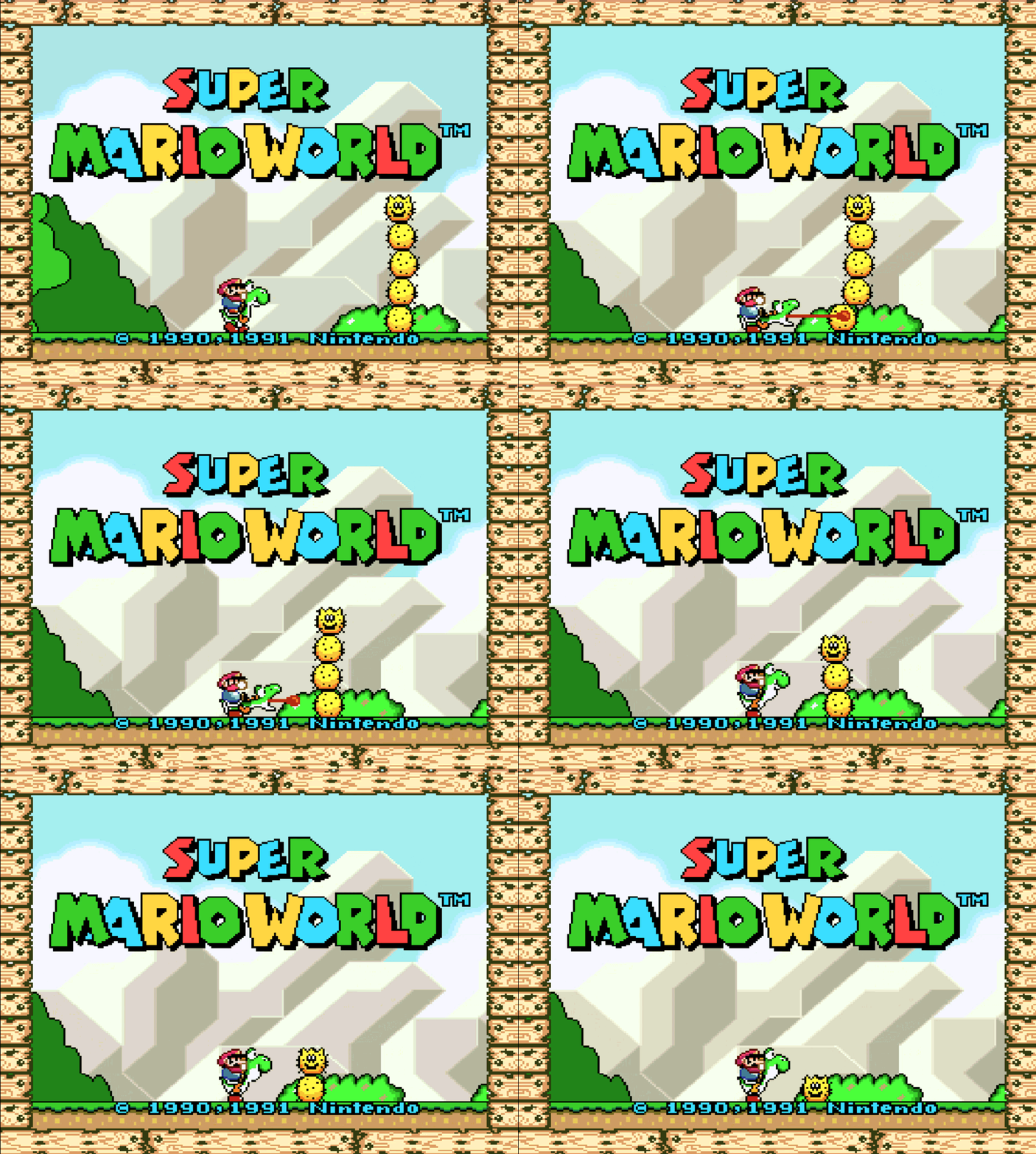
fig. 2 - ArcadeSpace Super Mario World

Pros and Cons


Pros:


  • No separate emulator installation: Supported games run through a browser-based emulator.
  • Large catalog: Arcade Space provides access to thousands of classic games.
  • Easy discovery: Games are organized by platform and category.
  • Free account features: Registered users can save favorites and track supported high scores.
  • Low commitment: You can sample a game without assembling a complete emulation system.


Cons:


  • Inconsistent controls: Keyboard, touchscreen, and controller behavior can vary by emulator and game.
  • Server congestion: Heavy traffic may cause slow loading or temporary access problems.
  • Limited documentation: The site does not publish a detailed browser, controller, or device compatibility chart.
  • Internet required: Games load from the website and are not designed for offline play.
  • Mobile limitations: Games originally designed for joysticks or multi-button controllers may be difficult to use on a touchscreen.


Feature Access


  • Who gets it: Website visitors with a compatible browser.
  • Account requirement: No account is advertised as necessary for basic browsing or game access.
  • Account benefits: Favorites, supported high scores, and community participation.
  • Supported platforms: Web browsers, with the best experience likely on a desktop or laptop.
  • Required technology: JavaScript.
  • Controller support: Varies by browser, emulator, device, and game.
  • Subscription requirement: No paid subscription requirement for basic play.
  • Support options: Arcade Space offers one-time and recurring supporter tiers beginning at $1.99.
  • Availability: Access may vary because of server load and concurrent traffic.


Score

Criterion | Score (0–10) | Justification
Value | 8
Arcade Space removes much of the technical setup involved in trying classic games and offers a large catalog through a browser.
Usability | 6
Finding a game is straightforward, but loading, controls, controller support, and mobile performance may vary.
Wow Factor | 8
Launching an older console or arcade game inside a modern browser remains clever and surprisingly convenient.
Total: 22/30 | 👍 Good
ArcadeSpace.org earns a Good rating for making retro games easier to discover, although limited compatibility documentation and current server congestion hold it back.
Compared with a locally installed emulator, Arcade Space is easier to start using but provides less control over settings, compatibility, saves, and performance.


Key Takeaways


ArcadeSpace.org offers a convenient way to sample thousands of classic games without installing separate emulation software. 


A desktop browser and keyboard provide the most practical starting point, while mobile and controller support should be tested one game at a time.


Cool Tip Snapshot


  • Feature Name: Arcade Space Browser Gaming.
  • Platform(s): Web browsers.
  • Quick Benefit: Play supported classic games without installing an emulator.
  • Best For: Casual gamers, families, students, educators, and retro gaming fans.
  • Access Type: Free, with optional supporter contributions.
  • Difficulty: Easy.


Try It Yourself


Visit ArcadeSpace.org, search for a game you remember, and see whether you can still beat your old high score. 


Share your favorite discovery in the comments, and send this article to family members, friends, and coworkers who enjoy classic games.


READ MORE


Read the Full Cool Tip.

Check Out These Cool Tips & Tricks


  • Start Simple: Choose a familiar arcade game with only a few controls for your first session. Open the game page and review its control instructions before starting.


  • Click First: A browser game may ignore the keyboard until the emulator has focus. Click once inside the game window before pressing any control keys.


  • Check Controls: Classic systems used very different controller layouts. Look for the game’s control guide rather than assuming the arrow keys and spacebar will work.


  • Use Full Screen: Small pixel graphics are easier to see when the game fills more of the display. Select the emulator’s full-screen control when one is available.


  • Try Private Mode: Extensions and stored website data can interfere with browser games. Open Arcade Space in a private or incognito window to test a troublesome title.


  • Allow Sound: Browsers may block audio until you interact with the page. Click inside the game and confirm that the browser tab is not muted.


  • Save Favorites: A free account makes frequently played titles easier to find. Sign in and select the available favorite option on supported game pages.


  • Test Controllers: Browser controller support differs among games and emulators. Connect the controller before loading the game and keep the keyboard available as a backup.


  • Use a Desktop: Physical keyboards and larger screens usually provide a better experience than touch controls. Move to a laptop or desktop when a mobile game is difficult to control.


  • Set a Timer: Short arcade rounds can easily turn into repeated attempts to beat a high score. Set a timer before playing during a work or study break.

ICYMI - In Case You Missed It ...

3 Smart Windows 11 Printer Tricks That Save Time and Ink


Printing mistakes and repetitive settings can quietly waste time, ink, and paper. These three Windows 11 printer tips help you take control and keep things running smoothly.


Read the Full Cool Tip.


Read the Newsletter Version.

Looking for your next adventure?


Call Denise at Travel For You.

314.660.3039


Sign Up for the Monthly Newsletter


http://www.travelforyouvacations.com/


https://www.facebook.com/TRAVEL.FOR.U/


See You Tomorrow

Tomorrow's Cool Tip is waiting to amaze you.


Until then, go forth and conquer the tech world with your newfound knowledge!


Be sure to visit www.OneCoolTip.com for Cool Tech Tips for a Cooler Life!


And if you Like One Cool Tip, please support with TipJar!


Enjoy!


Rodger

Chief Cool Tipper

onecooltip.com@gmail.com


What Do You Think?

What do you think of today's OneCoolTip newsletter?
Positive        Neutral        Negative
X Share This Email
LinkedIn Share This Email

Connect with One Cool Tip!!

Facebook  X  Instagram  Web  Pinterest  YouTube  LinkedIn
 

As an Amazon Associate, One Cool Tip may earn a small commission from qualifying purchases.


Our media content is intended solely for informational purposes only. Please do not construe anything here as legal, tax, investment, financial, marital or other advice.


Copyright © 2026 | www.OneCoolTip.com | All Rights Reserved