|
🆒Tell Me More
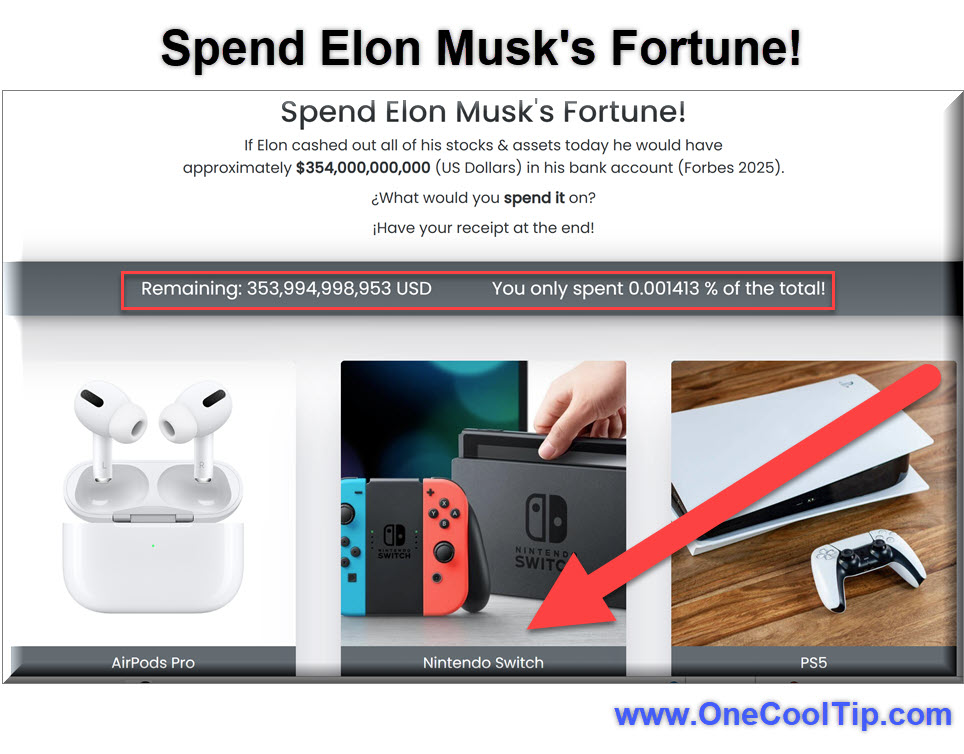
- The "Spend Elon Musk's Fortune" website is a fun way to visualize the sheer scale of wealth.
- It uses up-to-date net worth data, so the numbers fluctuate with Elon Musk's actual wealth.
- You can "buy" everything from small items like coffee to huge purchases like sports teams or space exploration projects.
- This type of site can spark conversations about wealth distribution and economic concepts.
- It is a great example of how a simple web tool can be used for entertainment and education.
✅ More Must-Read Tech Tips.
👀 How Do I Prank My Friends?
Have you ever wondered how your friends or coworkers would react if they believed their computer was undergoing a major Windows 10 or 11 update?
Here's a Cool Tip. Check out the Windows 10/11 update simulator.
The Windows Fake Updates tool creates a convincing fake update screen that will have everyone fooled.
Whether you want to spice up the office, prank your sibling, or impress your tech-savvy friends, this simulation is guaranteed to deliver laughs and suspense.
Here's how to do it.
-
Head over to whitescreen.online
-
Scroll down until you see the Fake Update Screens.
-
Windows 10 Update: https://www.whitescreen.online/fake-windows-10-update-screen/
-
Windows 11 Update: https://www.whitescreen.online/fake-windows-11-update-screen/
-
Under the update screen, find the “Update time” option and enter the desired duration for your fake update. Set the “Start Percentage” to indicate how much progress the update has made.
-
Click the update screen and watch the magic unfold!
The authentic-looking progress bar and status messages make this prank incredibly convincing.
In a world of serious updates and patches, sometimes we all need a good laugh.
The Windows Fake Update is the perfect way to inject some humor into your tech life.
So go ahead, create that fake update, and share the joy with others.
While this is fun, be sure that you do it only on a PC you own!
Corporate IT staff do not have a sense of humor.
Discover more HERE.
Do you love emojis?
Want to take your emoji game to the next level?
Here's a Cool Tip: Check out Google's Emoji Kitchen feature.
With Emoji Kitchen, you can create custom emoji stickers by combining two emojis.
You could create a dancing pizza emoji, a crying robot emoji, or even a cat emoji riding a unicorn emoji.
Here's how to do it.
-
Go to www.google.com and search for "Emoji Kitchen."
-
Select 'Get Cooking' button.
-
Click on the two emojis that you want to combine.
- Emoji Kitchen generates a custom emoji sticker.
- Once you've found an emoji that you like, click on it to copy it to your clipboard.
Emoji Kitchen is a fun and creative way to express yourself.
With so many different combinations to choose from, you're sure to find the perfect emoji to express your thoughts and feelings.
Start cooking up your own custom emoji today!
Enjoy!
Find more HERE.
🙋♂️ Here's How To Play Games on LinkedIn.
Ever feel a pang of guilt sneaking in a few minutes of Wordle or Sudoku during work?
Here's a Cool Tip. Play games on LinkedIn.
LinkedIn, the professional networking platform, has started introducing a selection of lightweight games directly into the experience.
LinkedIn recognizes the importance of short breaks for focus and productivity.
Games can be an icebreaker for networking or deepening existing connections.
Here's how to do it.
- Log in to LinkedIn
- Games can be accessed through various channels:
-
Games hub - http://linkedin.com/games
- Search for games on the LinkedIn Search bar
- My Network page
- Today’s Games section under LinkedIn News on your homepage (Desktop only)
- Select a game to play.
Enjoy!
Find more HERE.
❓Did you share this newsletter with three friends yet?
⌨️Today's Cool Keyboard Shortcuts
-
Windows: Ctrl + Shift + N to open a new incognito window in most browsers.
-
Mac: Cmd + Shift + N to open a new incognito window in most browsers.
-
Windows: Alt + Tab to quickly switch between open applications.
-
Mac: Cmd + Tab to quickly switch between open applications.
✍️Today's Haiku
Wealth beyond all dreams,
Buy the world, a playful game,
Numbers disappear.
🔎 Do you have a Cool Tip or tech question? Email us at onecooltip.com@gmail.com
😜 Tech Joke of the Day 😅
Why did the programmer quit his job?
Because he didn't get arrays.
|