One Cool Tip Newsletter

November 18, 2025

Your daily dose of tech-savvy brilliance!

😀Greetings! Happy Tuesday, Cool Tipper!


Get ready to streamline your digital life with simple, actionable tips delivered straight to your inbox.


Cool Tip Theme: Google Chrome's Enhanced Autofill


Enjoy today's abbreviated Cool Tip Newsletter while Cool Tip is searching the world for more Cool Tips.


New here? Subscribe to the One Cool Tip Newsletter for daily updates. It's FREE!

  • A global Cloudflare outage is disrupting access to major sites including ChatGPT and X. Service is being restored, but users may still experience intermittent issues. Cool Tip: Visit Cloudflare’s status site for real-time updates.


  • Google has issued an emergency Chrome update after confirming active attacks exploiting a critical vulnerability. Update immediately to stay protected. Menu → Help → About Google Chrome.

Check out these Cool Tips & Tricks for Google Chrome:


  • Quick Search: Use the address bar to search instantly. Enable by typing any query directly into the bar.


  • Tabs to Search: Find open tabs faster. Press Ctrl+Shift+A on Windows or Cmd+Shift+A on Mac.


  • Save Groups: Organize heavy research sessions. Right click a tab and select Add Tab to New Group.


  • Send to Phone: Share pages across devices. Right click any tab and choose Send to Your Devices.


  • Tab Mute: Silence noisy sites. Right click the tab and select Mute Site.


  • Live Captions: Turn on captions for any audio. Go to Settings, then Accessibility, then Live Caption.


  • Reading Mode: Strip pages to clean text. Select Menu, More Tools, Reading Mode.


  • Password Checkup: Review stored credentials. Go to Password Manager and select Check Passwords.


  • Shortcut Apps: Turn sites into apps. Navigate to the website and click the three-dot menu, then go to More > Cast, Save and Share > Create shortcut.


  • Clear Junk Fast: Clean cached files quickly. Open Settings and choose Clear Browsing Data.

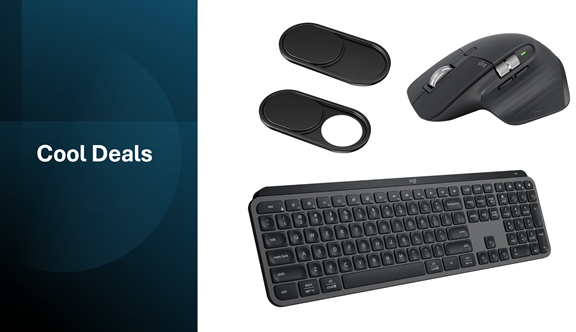
Cool Deals

Help support One Cool Tip. Use this Amazon link when you shop online.


Look at these Cool Products:


  • 🎧 Bose QuietComfort Earbuds II: Perfect for focusing and entering key information without distraction. $159.90 Check it out on Amazon!


  • 🔋 Anker Nano Power Bank: Keeps your mobile device charged so you never miss information to complete. Save 14% $42.99 Check it out on Amazon!


  • ⌨️ Logitech Pebble Keys 2 K380s Keyboard: For users who prefer entering information via keyboard. Overall Picks $39.99 Check it out on Amazon!


*prices accurate when originally published.

Fuel Your Adventure

Try Big Mike's Jerky!


bigmikesjerky.com


Now on TikTok!


Today's Cool Tip

Stop Typing What Chrome Can Autofill for You


Chrome’s new enhanced autofill now handles passports, driver’s licenses, and vehicle information across your devices. It saves time, improves accuracy, and removes the pain of hunting for documents when you need them most.


Have you ever tried to check in for a flight, renew a license plate, or verify your identity on a secure form only to realize your passport or driver’s license is across the house? 


Many times we enter the same strings of numbers again and again. 


Here's a Cool Tip:  Let Chrome Autofill For You.


Chrome’s new enhanced autofill feature changes that pattern by securely storing and filling sensitive ID data across Windows, iOS, Android, and the web.


Feature Explanation


Chrome’s enhanced autofill expands the browser’s existing capabilities by supporting more official document types. 


The feature stores items such as passport numbers, driver’s license IDs, vehicle registration data, and similar information. 


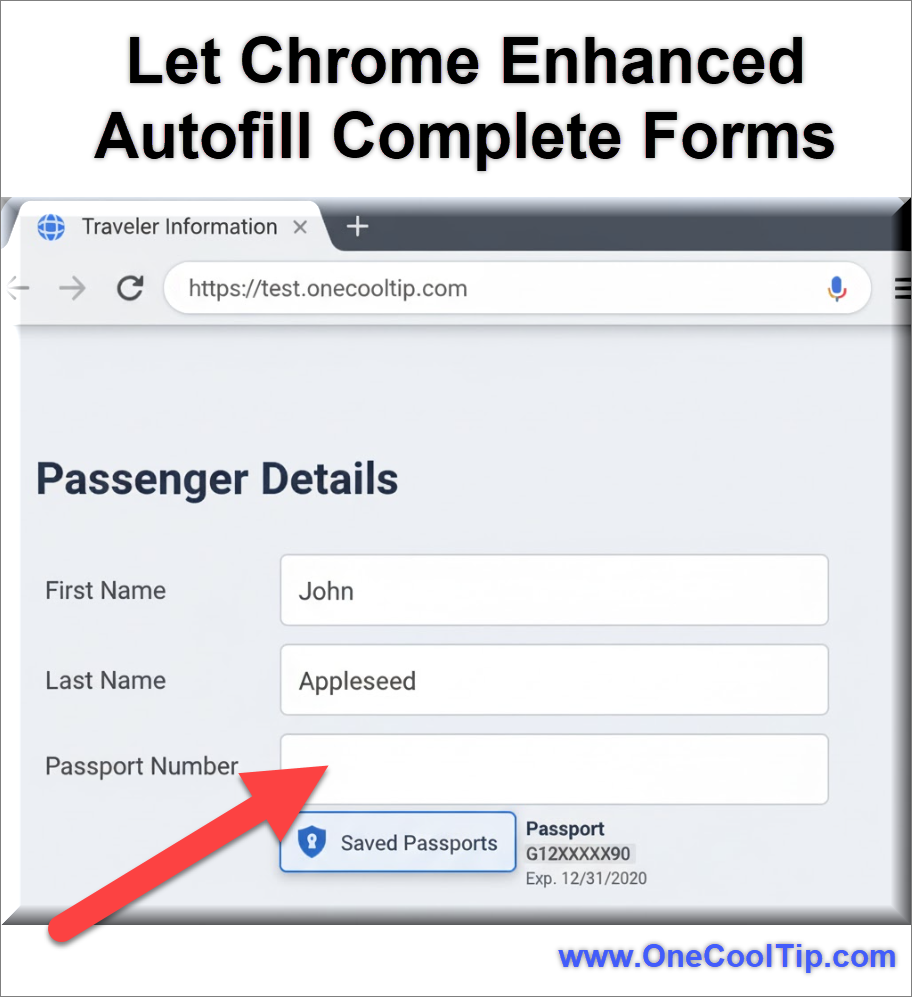
When a compatible form appears, Chrome detects the field type and offers the stored details for one-tap or one-click entry.


The feature encrypts stored information locally. 


On desktops, a system password prompt may appear before sensitive information becomes visible or fillable. 


This keeps everyday workflows fast without sacrificing basic security.


What You’ll Gain


  • Time saved: No repeated retyping of long numbers.
  • Accuracy improved: Reduced risk of typos in critical forms.
  • Better mobility: Access your information across devices.
  • Less friction: Fewer interruptions while completing tasks.


Step-by-Step Instructions


Here's how to do it.


Microsoft Web/Desktop


  1. Open Chrome and select the three dots in the upper right corner.
  2. Choose Settings.
  3. Select Autofill and Passwords.
  4. Select Enhanced Autofill.
  5. Select Add to enter passport, driver’s license, or vehicle information.
  6. Chrome will prompt you for your system password when you attempt to view or fill saved data.


fig. 1 - Let Chrome Enhanced Autofill Complete Forms

Pros and Cons


Pros

  • Faster form completion for travel, government sites, and secure verifications.
  • Useful across multiple devices.
  • Reduces error rates in long numeric fields.


Cons

  • Requires trust in local device security.
  • Some government portals may block autofill.
  • Rollout varies, so not all users may see the feature immediately.


Real-World Examples


  • Business travel: You book international flights monthly. Chrome fills passport details on airline and hotel sites without searching through email or photos.
  • Home users: Renewing car registrations becomes painless because Chrome fills your plate and VIN numbers with a single tap.


Configuration Guide


You can turn Enhanced Autofill on or off in Chrome’s Autofill settings. 


Each ID type appears as a separate entry. Editing, viewing, or deleting stored information always requires authentication through your device lock or system password. 


Chrome sync is optional but recommended if you want access across devices.


Feature Access


This Enhanced Autofill capability for documents like passports, driver’s licenses, and vehicle information is available to users globally across all languages as part of the standard Chrome update. 


This is a core Chrome feature and does not require a paid subscription.


Desktop (Windows, macOS, Linux): The feature is available for all desktop users with the Enhanced Autofill option enabled in settings.


Mobile (iOS and Android): The enhanced support for passports, driver's licenses, and vehicle details is currently rolling out to the Chrome mobile apps. 


While the ability to save passwords and addresses is fully functional, users on iPhone and Android devices may not see the specific setup or management options for these new document types yet. 


Keep your Chrome app updated to receive the feature as the global mobile rollout continues.


Score

Criterion | Score (0–10) | Justification
Value 9
Saves time on tasks that normally slow users down and reduces typing errors.
Usability 8
Straightforward setup on all devices with minimal friction.
Wow Factor 7
Expands autofill into new territory, though not a flashy feature.
Total: 24/30 👍 Good
The feature compares well to Apple Wallet’s ID storage but is more flexible for web-based workflows.


Key Takeaways


Enhanced Autofill expands Chrome’s usefulness beyond passwords and addresses. 


It removes friction from everyday tasks that require ID numbers and allows secure access across devices. 


Users who travel or complete forms often will benefit most.


Cool Tip Snapshot


Feature Name: Chrome Enhanced Autofill.

Platforms: Windows, Web. (rolling out: iOS, Android)

Quick Benefit: Faster and more accurate ID entry.

Access Type: Free, currently rolling out.


Try It Yourself


Head into Chrome settings today and add your passport or driver’s license so your next form fills instantly. 


Then share the article with your team, family, and friends, and subscribe to the One Cool Tip Newsletter for more time savers.


READ MORE


Read the Full Cool Tip HERE.

ICYMI - In Case You Missed It ...

Google AI Mode Is Your New, Easier Way to Shop


You can now find products using natural conversation, eliminating the frustrating need to click through dozens of filters.


Read the Full Cool Tip.

Looking for your next adventure?


Call Denise at Travel For You.

314.660.3039


Sign Up for the Monthly Newsletter


http://www.travelforyouvacations.com/


https://www.facebook.com/TRAVEL.FOR.U/


See You Tomorrow

Tomorrow's Cool Tip is waiting to amaze you.


Until then, go forth and conquer the tech world with your newfound knowledge!


Be sure to visit www.OneCoolTip.com for Cool Tech Tips for a Cooler Life!


And if you Like One Cool Tip, please support with TipJar!


Enjoy!


Rodger

Chief Cool Tipper

onecooltip.com@gmail.com

3️⃣

If you enjoy the One Cool Tip newsletter, please forward this newsletter to THREE friends or colleagues or share it on social media using the links below.


Leave a Tip!


Share this One Cool Tip Newsletter!

X Share This Email
LinkedIn Share This Email
Pinterest Share This Email


What Do You Think?

What do you think of today's OneCoolTip newsletter?
Positive        Neutral        Negative
X Share This Email
LinkedIn Share This Email

Connect with One Cool Tip!!

Facebook  X  Instagram  Web  Pinterest  YouTube  LinkedIn
 

As an Amazon Associate, One Cool Tip may earn a small commission from qualifying purchases.


Our media content is intended solely for informational purposes only. Please do not construe anything here as legal, tax, investment, financial, marital or other advice.


Copyright © 2025 | www.OneCoolTip.com | All Rights Reserved