One Cool Tip Newsletter

June 2, 2025

Your daily dose of tech-savvy brilliance!

😀Hello Rodger, Happy Back to Work Monday, Cool Tipper!


Get ready to streamline your digital life with simple, actionable tips delivered straight to your inbox.


Today's Cool Tip Theme: Shared Word, Excel and PowerPoint Files


IN THIS ISSUE


  • 🚨 Scam Alert: Car Wrap Fraud.
  • 🏢 Leave the Office Early Day.
  • 🚀 Make It a Great Week & AI Productivity Prompt.
  • 🖼️ Cool ChatGPT AI Prompt of the Day.
  • 📤 Share Office Files Without a Microsoft Account.
  • 👀 Fill a Page with Text in Word.
  • 🤔 Total an Excel Column Faster.
  • 🙋‍♂️ Make YOU The Star in PowerPoint.


New here? Subscribe to the One Cool Tip Newsletter for daily updates. It's FREE!


  • 😂 Laugh with Us! Enjoy our Tech Joke of the Day, Haiku and Cool Tip Comics.


  • 🌐 Stay Informed! Check out ICYMI, and our One Cool Tip Video.


🔔 Is your email provider (Gmail, Yahoo, Outlook...) not delivering the newsletter? 


Check the Junk folder - Move the newsletter to your Inbox. And reply to this email with a “Hey, Rodger” or “I got it.” That tells your mail service you want this newsletter!


Today's Tech Trivia


Which groundbreaking spreadsheet program, released in 1979, is often credited with being the "killer app" that drove personal computer sales?


A) Microsoft Excel

B) Lotus 1-2-3

C) VisiCalc

D) Apple Numbers


Answer at the end of this newsletter.

3️⃣

If you enjoy the One Cool Tip newsletter, please forward this newsletter to THREE friends or colleagues or share it on social media using the links below.


Share this One Cool Tip Newsletter!

X Share This Email
LinkedIn Share This Email
Pinterest Share This Email


🔥Hot Topics 🔥

🚨Tech Scam Alert: Car Wrap Scam🚨


Scammers are again targeting people with fake offers to get paid for wrapping their car in advertisements. They promise $600-$700 per week, but it's all a fraud.


Here's how it works:


1️⃣ You receive a text, email, or social media ad offering easy money.

2️⃣ The scammer sends you a fake check and asks you to pay an "installer" using money orders, payment apps, cryptocurrency, or wire transfers.

3️⃣ The check bounces, and you're left paying the bank back while the scammer disappears with your money.


💡 How to Stay Safe:


✔️ Never trust unsolicited offers to wrap your car for cash.

✔️ Don't deposit checks from unknown sources—they could be fake.

✔️ Report scams to the FTC at ReportFraud.ftc.gov.


Stay alert and don't get wrapped up in this scam! 🚗💨


And in Other News...


  • 🏢Leave the Office Early Day - June 2


It's true. Today is Leave the Office Early Day. Maybe catch that Lilo movie? Or read a book? What are you going to do?


  • 🚀 Make It a Great Week!


Let's make this week count!


Copy/Paste this AI-powered prompt. Use with your favorite AI assistant: Gemini, Copilot, Grok, DuckAI, Meta and ChatGPT.


“It’s Monday, and I want to make this week highly productive without burning out.


Create a personalized weekly productivity plan for me based on the following:

– I work [insert hours/days here]

– My top 3 goals this week are: [insert goals]

– I have these key meetings or deadlines: [insert schedule]

– I’m most focused during: [insert time of day]

– I want to include time for breaks, exercise, and [insert personal priorities]


Give me a detailed daily schedule (Monday–Friday), with time blocks, task priorities, energy management tips, and a Friday review/reflection task.”

  • Try THIS!


🖼️ Cool ChatGPT AI Prompt of the Day: Transform Your Photos! In this case, Mona Lisa


  • Upload a portrait photo.
  • Enter this prompt:


“Here’s a portrait. Reimagine it in an unusual or artistic style while keeping my face recognizable.


Choose one of these styles—or surprise me with something weird and wonderful:

– Studio Ghibli animation style – Vintage 1930s detective noir photo

– Cyberpunk neon glitch effect

– Magazine cover from the 1980s

– Pencil sketch with dramatic shading

– Mosaic made of circuit board patterns


Keep the final image centered, high quality, and frame-worthy. Don't distort my facial structure, just stylize it creatively.”


Today's Cool Tip

Share Word, Excel, and PowerPoint Files Without a Microsoft Account


Ever tried sharing a document with someone, only to have them stumble over account sign-ins and app installations? 


Here's a Cool Tip:  Now share Word, Excel and PowerPoint files with anyone, even if they don't have a Microsoft account.


Microsoft has addressed the common hurdle by enabling users to open shared Office files on mobile devices without a Microsoft account. 


This enhancement streamlines collaboration, making it more accessible and efficient.


What You'll Gain


  • Simplified Sharing: Recipients can view shared documents without account sign-ins.
  • Enhanced Accessibility: Ideal for quick reviews on mobile devices.
  • Improved Collaboration: Facilitates smoother interactions with clients and team members.


Step-by-Step Instructions


Here's how to do it.


  1. Make sure you are signed into your personal Microsoft account.
  2. Open a Word, Excel, or PowerPoint file that you want to share.
  3. Select Share > Link settings (the gear icon in the top-right corner).
  4. Select either the Anyone with the link can edit or Anyone with the link can view option is selected.
  5. Select the Apply button. 
  6. To share the link with others, type their email address in the Share dialog box, and then click the Send button, or click the Copy link button and paste it in a message created using an app such as Microsoft Outlook or Microsoft Teams.


Pros and Cons


Pros:


  • No Account Needed: Recipients can access files without a Microsoft account.
  • Mobile-Friendly: Optimized for viewing on iOS and Android devices.
  • Time-Saving: Reduces delays associated with account creation and sign-ins.


Cons:


  • Limited Editing: Editing requires signing into a Microsoft account.


Feature Access


This is available to all users with personal Microsoft accounts.


Key Takeaways


Microsoft's update simplifies the process of sharing Office files by removing the need for recipients to have a Microsoft account. 


This enhancement is particularly beneficial for mobile users, facilitating quicker and more efficient collaboration.


Try It Yourself


Next time you need to share a document, try this streamlined method. 


Experience the ease of collaboration without the usual sign-in barriers.


READ MORE


Read the Full Cool Tip


Cool Products

Help support One Cool Tip. Use this Amazon link when you shop online.


Look at these Cool Products:


  • 💾 SanDisk 128GB iXpand Flash Drive - Easily transfer and back up files between your iPhone/iPad and computer. $39.99 Check it out on Amazon!


  • 📱 Anker Portable Charger - Keep your mobile devices charged for seamless file viewing on the go! This compact power bank offers fast charging and multiple ports. $39.99 Check it out on Amazon!


  • ⌨️ iClever Foldable Bluetooth Keyboard - For more comfortable viewing and note-taking on your tablet, a portable keyboard is invaluable. This one folds up easily for travel. $45.04 Check it out on Amazon!


  • 🖥️ Arzopa Portable Monitor 15.6 inch : Extend your screen on the go for better multi-tasking and viewing of large documents. This lightweight monitor connects easily to your phone or tablet. $86.49 Check it out on Amazon!

Cool Thoughts

🆒Tell Me More


  • No Microsoft Account Needed - View shared files instantly without signing in.


  • Editing Requires Sign-In - Users must log in to make changes.


  • Enterprise Accounts Still Require Sign-In - This feature applies only to personal accounts.


  • Available on iPhone, iPad, and Android - Ensures seamless cross-platform collaboration.


⏩Quick Tips


  • 📤 Share Files Easily - Use OneDrive or SharePoint to generate a shareable link. Go to "Share" > "Link Settings" > Select "Anyone with the link can view."


  • 🔍 Check Permissions - Ensure recipients have the correct access level. Modify settings under "Link Settings" before sharing.


  • 📱 Open Files on Mobile - Tap the shared link to open files instantly. Ensure you have the latest Microsoft 365 app installed.


  • ✏️ Editing Requires Sign-In - Log in to make changes. Click "Sign in" when prompted in the app.


  • 🔒 Secure Your Files - Use password protection for sensitive documents. Enable security settings in OneDrive or SharePoint.

✅ More Must-Read Tech Tips


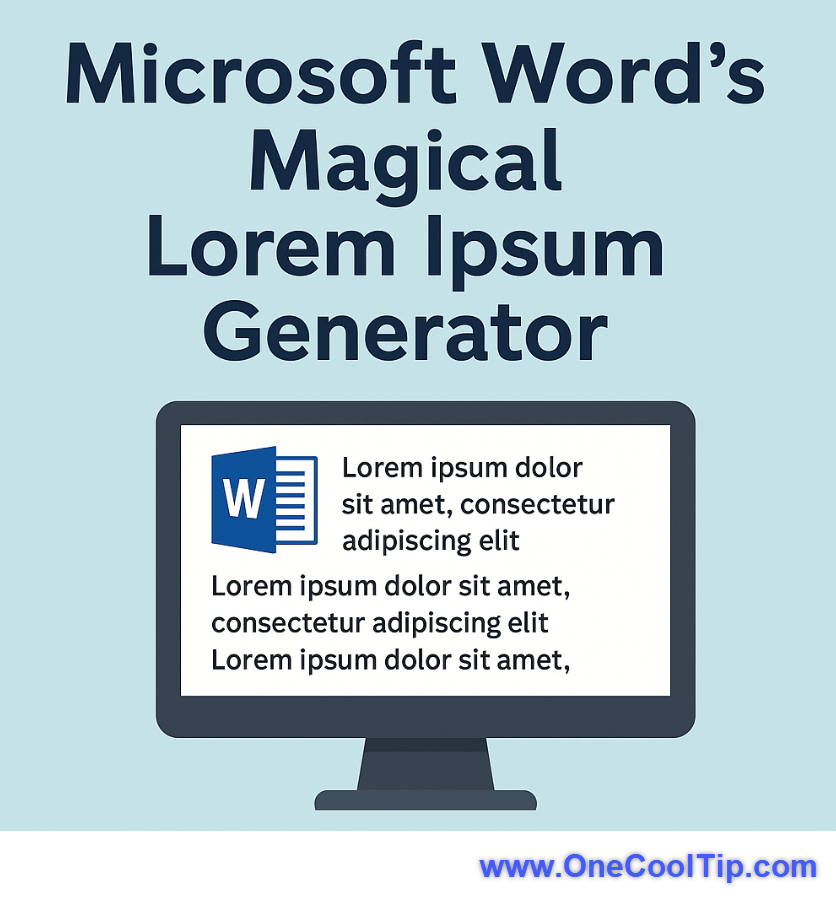
👀 How Do I Fill a Page with Text in Word?


In publishing and graphical design, "lorem ipsum" is random Latin text used to fill a page.


It is used by designers as a tool to show others how a page layout design will look.


But why random Latin words?


This filler text allows the viewer to focus on the graphical elements and overall page layout rather than focusing on the actual words.


How can you generate your own lorem ipsum if you are mocking up a document, web page or presentation for review?


Fortunately, Microsoft Word has a built-in lorem ipsum text generator with a simple command:


=lorem(p,l)


Where "p" is the number of paragraphs to generate and "l" is the number of lines for each paragraph.


To generate lorem ipsum, just enter the formula in a document and press the "enter" key, for example, =lorem(5,6)


That's it!


Text can also be copied and used in other programs such as Microsoft PowerPoint to do the same thing.


Lorem ipsum is derived from the Latin dolorem ipsum, "pain itself". 


The text is usually scrambled text from a text by Cicero, De finibus bonorum et malorum.


If you would like English words rather than Latin, replace "lorem" with "Rand" and random Microsoft Office help text will be generated and displayed in the MS Word document.


Enjoy!


Discover more HERE. 

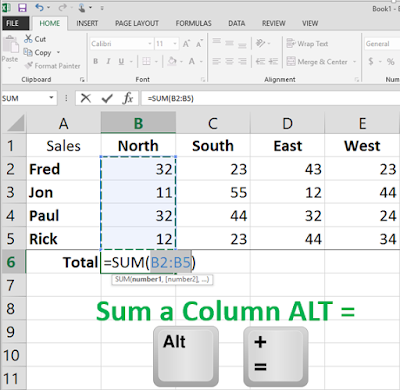
🤔 Have You Ever Wondered How to Total an Excel Column Faster ?


When you are working with Excel, who has time to use the mouse to select a column and create a formula to total?


You don't have to.


A quick and easy shortcut will let you do it mouse-free.


To quickly sum a column, go to the first empty column at the bottom and then press and hold the ALT and then = keys.


The formula =SUM will be entered with the column range. Press the Enter key to confirm.


That's it. A quick and easy way to total a column in Excel.


Find more HERE. 

🙋‍♂️ Here's How to Make YOU The Star!🌟.

.

Who doesn't love PowerPoint?


You can really wow your audience with lots of graphics, bullets and even video.


Maybe too much.


But is your audience watching your screen more than you?


Sometimes you need to get the audience's attention to watch you and not the screen.


To do that, you'll want the screen to go dark.


 Press W or B to Make You the Focus


Pressing the W key will turn the presentation to a White screen and pressing the B key will turn the presentation to a black screen. 


Use the arrow keys to resume forward or backward to the next slide.


So make your dramatic selling point without the distraction of a PowerPoint slide.


You'll be the star of the show.


Enjoy!


Learn more HERE. 

❓Did you share this newsletter with three friends yet?


⌨️Today's Cool Keyboard Shortcuts


Cool Keyboard shortcuts:


  • Word: Ctrl + Shift + N : Apply the Normal style to selected text.
  • Excel: Ctrl + ; : Insert the current date into the selected cell.
  • PowerPoint: Ctrl + D : Duplicate the selected slide or object instantly.


✍️Today's Haiku


Sharing made simple,

No login walls to hinder,

Files flow freely now.


🔎 Do you have a Cool Tip or tech question? Email us at onecooltip.com@gmail.com.


😜 Tech Joke of the Day 😅


Why did the PowerPoint presentation cross the road?


To get to the other slide!


Cool Tip Pulse

🤔 How do you prefer to share files?


Fuel Your Adventure

Try Big Mike's Jerky!


bigmikesjerky.com


Did You See These Cool Tips This Week?

Set Length for NotebookLM Audio Overviews: Customize Your Listening Experience

Get just the right amount of insight from NotebookLM's audio summaries—now customizable to fit your time and attention.

Watch Rattlesnakes Like Never Before!

Curious about what hundreds of rattlesnakes do when no one’s watching? RattleCam.org brings you face-to-fang with nature’s most misunderstood reptiles—live from a hidden MegaDen. Perfect for educators, wildlife fans, and curious minds alike.


Find Your Adventure

Looking for your next adventure?


Call Denise at Travel For You.

314.660.3039


Sign Up for the Monthly Newsletter - Deals and Specials


http://www.travelforyouvacations.com/


https://www.facebook.com/TRAVEL.FOR.U/


ICYMI - In Case You Missed It ...

Feeling Bored? Discover the Bored Button – Your Instant Gateway to Fun!

Explore the Bored Button, a digital solution offering a plethora of random games and activities to instantly alleviate boredom.


One Cool Tip Video

How to View Hyperlink Links in Microsoft Word


Have you ever found yourself lost in a sea of hyperlinks while working on a Microsoft Word document? 


Ever wished there was a way to view and manage all those hyperlinks effortlessly?


Watch


Cool Tip Comics

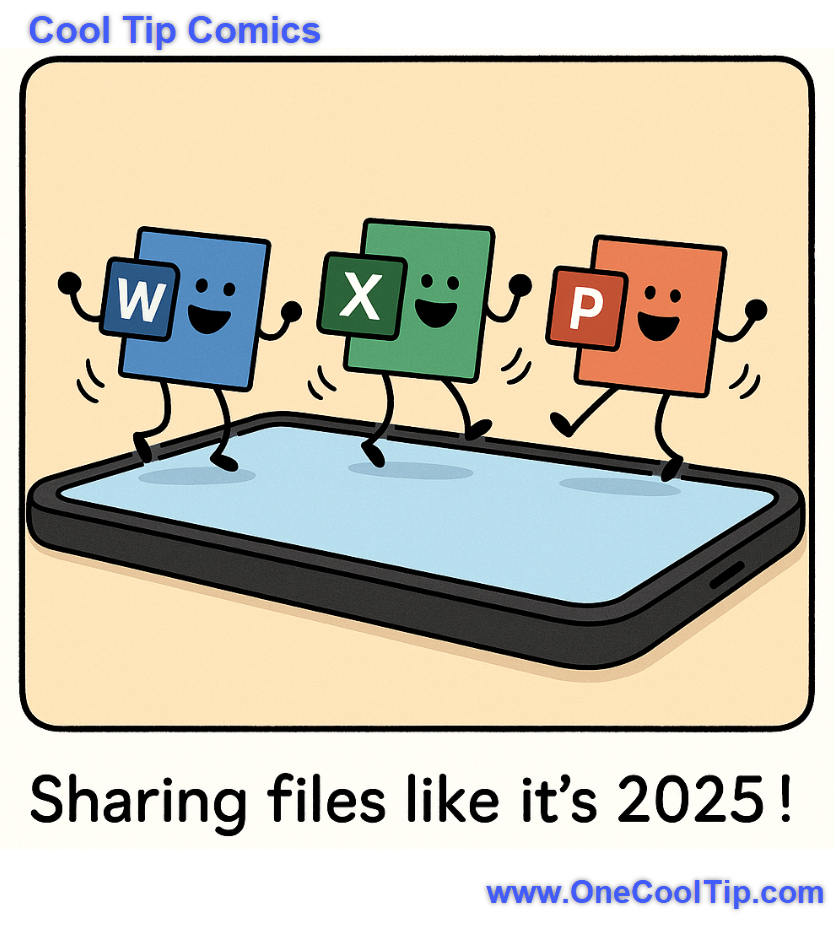
When your Office apps have better dance moves than your coworkers at the holiday party! 🕺💃📱


See You Tomorrow

Trivia Answer: C) VisiCalc


VisiCalc was the first spreadsheet program for personal computers and was released in 1979 for the Apple II.


It revolutionized how businesses managed data, making financial modeling accessible to a wider audience and significantly contributing to the success of personal computers in the business world.


Its intuitive grid-based interface and instant recalculation capabilities were unprecedented at the time.


----------


Tomorrow's Cool Tip is waiting to amaze you.


Until then, go forth and conquer the tech world with your newfound knowledge!


And be sure to visit www.OneCoolTip.com for Cool Tech Tips for a Cooler Life!


Enjoy!


Rodger

Chief Cool Tipper

onecooltip.com@gmail.com


What Do You Think?

What do you think of today's OneCoolTip newsletter?

Please Share the One Cool Tip Newsletter!


You asked for it. You got it. There is now a One Cool Tip Newsletter archive. Did you delete a newsletter and want to read it again? Check it out HERE.


Want to help One Cool Tip grow? Please forward this email using the link above. And if you see an OCT social media post, please LIKE, COMMENT and SHARE!


Have you subscribed to the One Cool Tip YouTube channel? Subscribe HERE.

X Share This Email
LinkedIn Share This Email

Connect with One Cool Tip!!

Facebook  X  Instagram  Web  Pinterest  YouTube  LinkedIn
 

As an Amazon Associate, One Cool Tip may earn a small commission from qualifying purchases.


Our media content is intended solely for informational purposes only. Please do not construe anything here as legal, tax, investment, financial, marital or other advice.


Copyright © 2025 | www.OneCoolTip.com | All Rights Reserved