|
Transform Your Commute With the Make My Drive Fun Map
Discover how to turn boring road trips into interactive adventures using a specialized web tool. This guide shows you how to find quirky roadside attractions and hidden gems along any route.
Have you ever looked out of your car window at a blurry highway landscape and wondered what you were missing just a few miles off the exit?
Most navigation apps are designed for efficiency, ruthlessly cutting out anything that adds a minute to your arrival time.
But what if the goal isn't just to arrive, but to actually enjoy the miles in between?
Here's a Cool Tip: Make My Drive Fun.
Make My Drive Fun is changing the way travelers look at the pavement ahead by highlighting the strange, the historic, and the flat-out hilarious landmarks that standard GPS ignores.
Feature Explanation
Make My Drive Fun is a map-based discovery tool that overlays unique points of interest onto your specific driving route.
Unlike traditional travel sites that give you a static list of "top ten" things to do in a city, this tool focuses on the transit corridor itself.
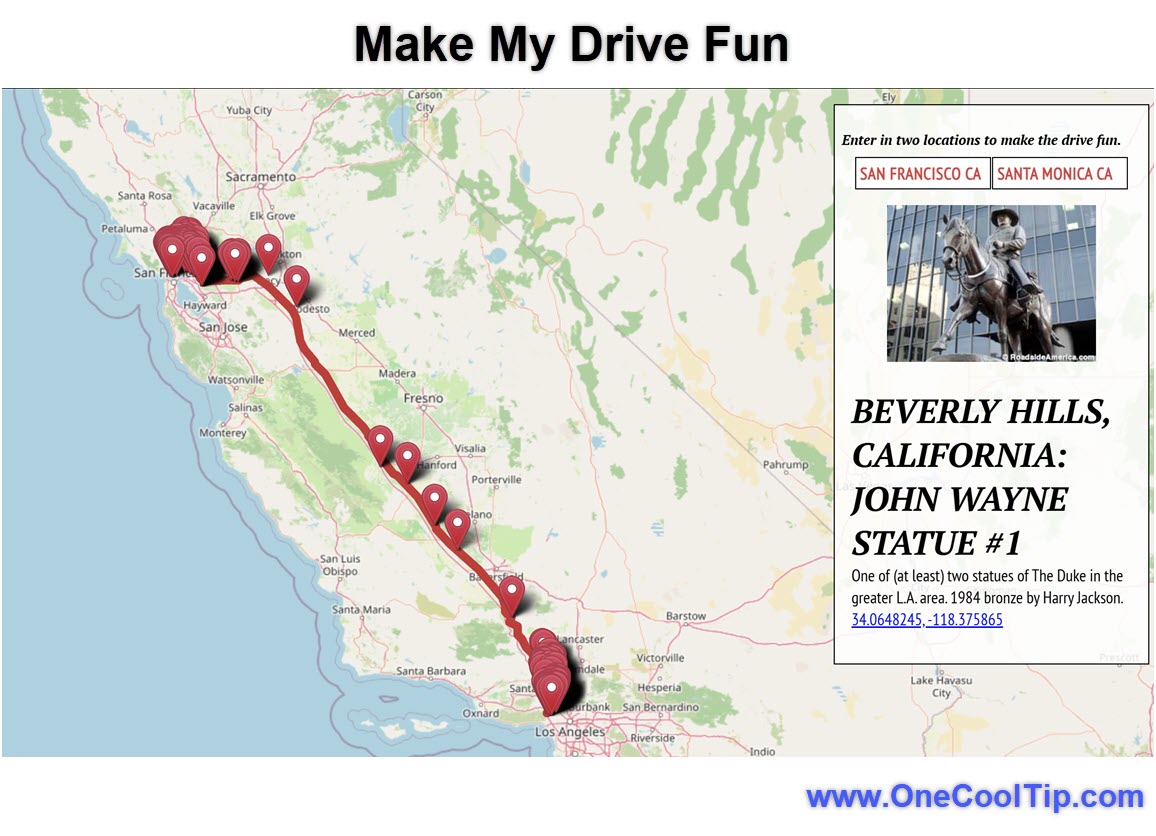
It utilizes a clean interface where users input a starting point and a destination.
The engine then scans the path and populates the map with icons representing "fun" stops.
These aren't your typical rest stops or gas stations.
The tool pulls data on roadside oddities, unique museums, and local curiosities.
By clicking on these icons, travelers can see a brief description and decide if a ten-minute detour to see a giant ball of twine or a vintage neon sign graveyard is worth the stop.
It serves as a layer of serendipity for an otherwise predictable journey.
What You’ll Gain
-
Spontaneous Discovery: Find unique landmarks that do not appear on standard Google or Apple Maps searches.
-
Reduced Driver Fatigue: Natural breaking points help keep drivers alert and entertained.
-
Memorable Stories: Transform a standard business trip or family visit into a collection of interesting experiences.
Step-by-Step Instructions
Here's how to do it.
Microsoft Web/Desktop
-
Open your preferred browser and navigate to makemydrivefun.com.
-
Locate the search bars at the top of the interface labeled "From" and "To."
-
Enter your starting city and your final destination.
-
Press "Enter" to generate your route.
-
Hover over the colorful icons that appear along your path to see a preview of the attraction.
|