|
One Cool Tip Newsletter
September 19, 2026
| Your daily dose of tech-savvy brilliance! | |
😀Greetings! Happy Saturday, Cool Tipper!
Get ready to streamline your digital life with simple, actionable tips delivered straight to your inbox.
Cool Tip Theme: ChatGPT Images 2.5
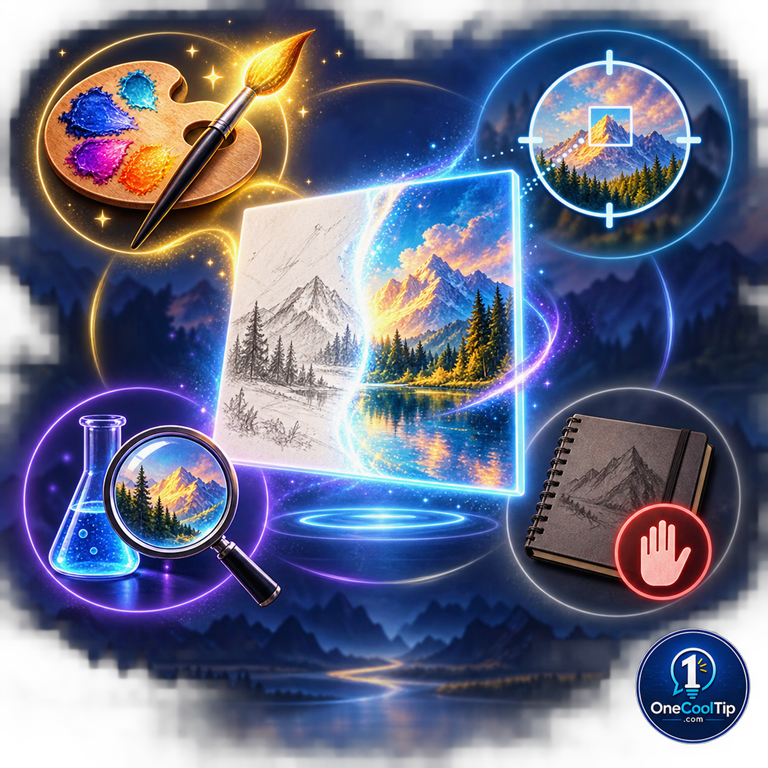
Learn how ChatGPT Images 2.5 improves image creation with precise edits, better subject consistency, faster results, Sketch, and templates.
New here? Subscribe to the One Cool Tip Newsletter for daily updates. It's FREE!
| |
3️⃣
If you enjoy the One Cool Tip newsletter, please forward this newsletter to THREE friends or colleagues or share it on social media using the links below.
Leave a $$$ Tip!
Share this One Cool Tip Newsletter!
| | |
🚨Got a Suspicious Text? Let AI Be Your Second Opinion🚨
Scam messages are becoming more convincing, but AI can help you spot red flags before you click.
A recent tutorial from OpenAI Academy shows how tools like ChatGPT can act as a second set of eyes when you receive a suspicious email, text message, or online request.
By pasting a message into an AI assistant, you can ask it to identify common warning signs such as urgent language, suspicious links, requests for personal information, or other scam indicators.
Of course, AI is not perfect and should not be your only line of defense.
Always verify important requests directly with the company, bank, or person involved using trusted contact information.
Think of AI as a helpful assistant that can slow you down and encourage a closer look before you act.
In a world full of scams, having a digital second opinion can be a smart habit.
And in Other News...
- AI May Have Cracked a 90-Year-Old Math Mystery
OpenAI says an internal AI system produced a solution to the Navier-Stokes existence and smoothness problem, one of mathematics’ famous Millennium Prize Problems.
The equations describe how fluids move and play a role in fields such as aircraft design, weather forecasting, and blood-flow research.
According to the company, thousands of coordinated AI agents worked on the problem, while another AI system helped formally verify the proof using the Lean theorem prover.
OpenAI has published both the proof and its formalization for experts to examine, but says it does not intend to claim the Millennium Prize.
For everyday users, this offers a striking example of how AI could help researchers tackle complex scientific questions, while also showing why transparency and careful verification remain essential.
The breakthrough suggests that AI may become more than a productivity tool and could serve as a powerful partner in future research.
| |
| 🤔 How likely are you to use ChatGPT Images 2.5 for your next creative project? | | | | |
Help support One Cool Tip. Use this Amazon link when you shop online.
Check out these Cool Deals:
| | |
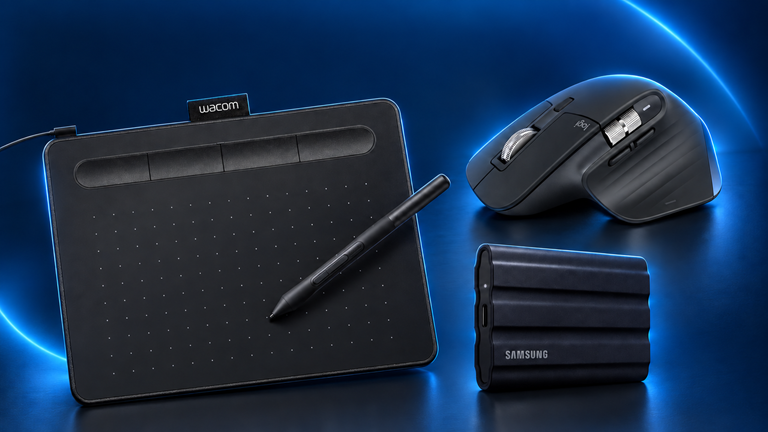
✏️ Wacom Intuos Small Graphics Drawing Tablet: A compact pen tablet can make rough layouts and Sketch references easier to create than drawing with a mouse.
Overall Pick! Now $39.95. 4.6 Stars. Check it out on Amazon!
🖱️ Logitech MX Master 3S Wireless Mouse: Its precise tracking and customizable controls are useful when reviewing image details and moving between ChatGPT and a design editor.
Save 10%. Now $89.99. 4.5 Stars. Check it out on Amazon!
💾 Samsung T7 Shield 1TB Portable SSD: Fast portable storage provides a practical place to organize source photos, exported variations, and finished campaign assets.
Save 7%. Now $269.00. 4.7 Stars. Check it out on Amazon!
*Prices accurate when originally published.
One Cool Tip may earn a commission from qualifying purchases.
| | |
ChatGPT Images 2.5 Makes Image Editing More Precise
ChatGPT Images 2.5 creates sharper visuals and does a better job changing only the parts you ask it to change. New creative controls, including Sketch, templates, image comments, and prompt sharing, make it easier to move from a rough idea to a usable image.
AI image editing often feels like repainting a room when you only wanted to move one chair.
Ask for a new headline, different shirt color, or a cleaner background, and the tool may also alter the person, composition, or lighting.
Here’s a Cool Tip: Build your image in small, focused edits with ChatGPT Images 2.5.
The new image model produces sharper details, more natural lighting, richer textures, and more reliable edits while preserving the rest of an image.
It also maintains subjects and earlier changes more consistently during a longer editing conversation.
OpenAI announced the release on September 8, 2026, with rollout across all ChatGPT tiers, ChatGPT Work, and Codex on desktop, mobile, and web.
Feature Explanation
ChatGPT Images 2.5 is the image-generation and editing system inside ChatGPT.
You can describe a new image in plain language, upload a reference photo, or start with a rough drawing.
After ChatGPT produces the first version, continue the same conversation to refine it.
The important improvement is control.
Images 2.5 is better at changing a requested object, background, or piece of text without unnecessarily rebuilding the surrounding image.
It is also designed to preserve recognizable subjects from reference photos and retain visual quality through multiple editing rounds.
Speed gets an upgrade, too.
Generation latency is up to 50 percent lower than Images 2.0.
“Up to” matters because actual wait times can vary with prompt complexity, demand, plan limits, and the requested output.
New ChatGPT creation tools broaden the workflow:
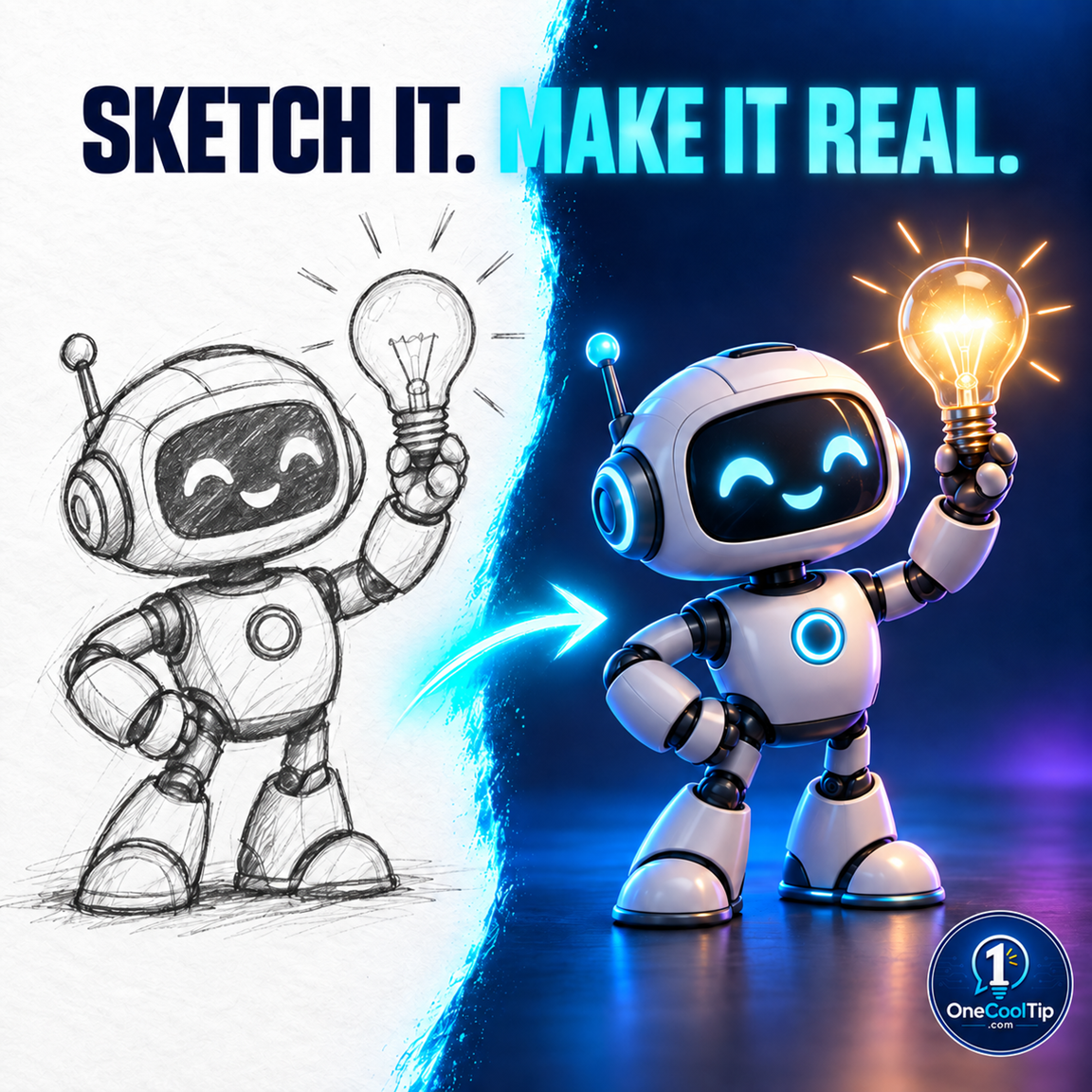
- Sketch lets you draw a rough visual guide inside ChatGPT.
- Templates provide starting points for common formats such as flyers and product photos.
- Image comments let you identify a specific area that needs attention, while prompt sharing lets another person reuse the idea with their own details or photos.
- Availability and interface placement may vary while rollout completes.
Creators, small businesses, educators, families, and anyone who regularly revises AI images should see the clearest benefit.
The model will not replace careful review, but it should reduce the frustrating cycle of fixing one detail and breaking three others.
What You’ll Gain
Make targeted edits while preserving more of the original composition.
Keep people, products, and design choices more consistent through repeated revisions.
Turn sketches and reference photos into polished concepts with less prompt rewriting.
Produce drafts faster, with generation latency reduced by up to 50 percent in OpenAI’s comparison with Images 2.0.
Step-by-Step Instructions
Here's how to do it.
Web/Desktop
-
Open ChatGPT and start a new chat.
-
Describe the image you want. Include the subject, setting, composition, style, lighting, colors, aspect ratio, and any exact text that must appear.
-
To use a reference, select the + button and choose Add photos & files. You can also drag an image into the prompt box or paste one from the clipboard. Supported image inputs include PNG, JPEG, and non-animated GIF files, with a 20 MB limit per image.
-
Send the prompt and review the result carefully, especially faces, hands, product details, spelling, numbers, and logos.
-
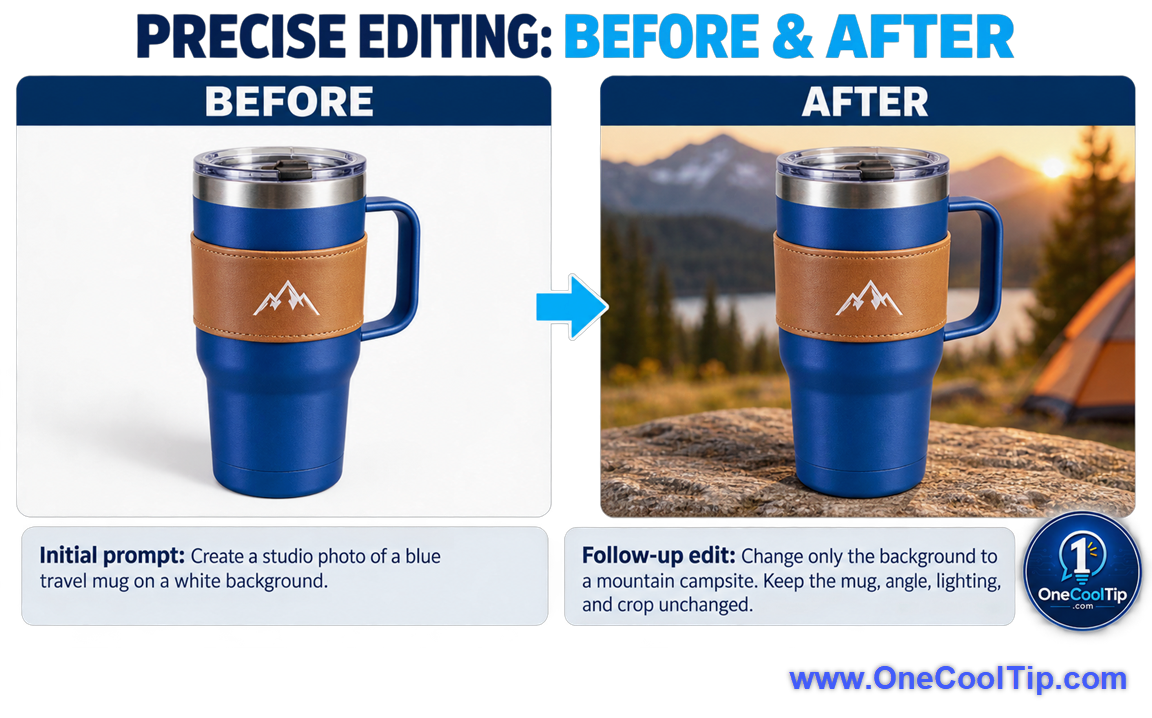
Continue in the same chat for revisions. Ask for one focused change at a time, such as: “Change only the background to a softly lit office. Keep the person, pose, clothing, crop, and headline unchanged.”
-
If Sketch, a template, or image comments appear in your interface, use them to provide a visual starting point or mark the exact area to revise.
- To start with a drawing, type @Sketch in ChatGPT, create your rough visual guide, and describe how you want ChatGPT to transform it.
-
Open the completed image and use the available download or save control.
| | fig. 1 - ChatGPT Images 2.5 Precise-Editing Example | | |
iPhone/iPad and Android
-
Open the current ChatGPT (iOS / Android) app and begin a new conversation.
-
Enter a detailed image request, or tap + and select Add photos & files to attach a reference image.
-
Generate the image, then remain in the same conversation for changes.
-
Request one edit at a time and state what must remain unchanged.
-
Save or share the final image using the controls shown on your device.
Pros and Cons
Pros:
- More precise edits can save creators from regenerating an entire design.
- Better reference fidelity helps keep a person or product recognizable.
- Stronger multi-turn consistency supports iterative marketing and classroom projects.
- Sketch and comments provide visual ways to communicate changes.
- Faster generation can shorten routine creative workflows.
Cons:
- “Better” does not mean perfect. Small text, anatomy, factual details, and brand elements still require inspection.
- Image use is subject to plan-specific limits, even though Images 2.5 is available across all tiers.
- New interface tools may not appear simultaneously for every account during rollout.
- Uploaded personal or business images create privacy and rights considerations.
Feature Access
Images 2.5 began rolling out September 8, 2026, across all tiers of ChatGPT, ChatGPT Work, and Codex on desktop, mobile, and web.
Usage limits and specific controls may vary by plan, workspace, device, and account.
Developers have separate API access to GPT-Image-2.5 Flare, which emphasizes speed and the core quality improvements, and GPT-Image-2.5 Sunburst, which prioritizes added precision with longer generation times.
Score
Criterion | Score (0–10) | Justification
Value | 9
Better preservation during targeted and repeated edits addresses one of the biggest practical frustrations in AI image work.
Usability | 9
Plain-language prompting remains simple, while Sketch, templates, and comments add control without demanding design expertise.
Wow Factor | 8
The gains are evolutionary, but preserving people, products, and layouts through multiple edits can feel dramatic in daily use.
Total: 26/30 | 🌟 Excellent
ChatGPT Images 2.5 earns its score by making refinement more dependable, not merely by producing prettier first drafts.
Compared with Images 2.0, the most useful advance is the combination of faster generation and better preservation of the image elements you did not ask to change.
Key Takeaways
ChatGPT Images 2.5 should reduce the time spent regenerating images after a small edit goes wrong.
Its best results will come from a clear initial brief, one focused revision at a time, and careful human review before publishing.
Cool Tip Snapshot
-
Feature Name: ChatGPT Images 2.5.
-
Platform(s): ChatGPT desktop, mobile, and web; ChatGPT Work; Codex; separate API models.
-
Quick Benefit: Faster generation with more precise, consistent edits.
-
Best For: Creators, marketers, educators, families, and small businesses.
-
Access Type: All ChatGPT tiers, rolling out; separate paid API access.
-
Difficulty: Easy.
Try It Yourself
Create or upload an image in ChatGPT, make one tightly focused edit, and tell us how well it preserved the rest.
Subscribe to the One Cool Tip newsletter, then share this article with family, friends, and coworkers who create digital images.
READ MORE
Read the Full Cool Tip.
| | |
Check Out These Cool Tips & Tricks
-
State the Goal: Explain where the image will be used so ChatGPT can choose a practical composition. Add wording such as “for a square newsletter promotion viewed on a phone.”
-
Set the Frame: Specify the aspect ratio, camera angle, subject position, and amount of open space. Put these requirements near the beginning of the prompt.
-
Name Constants: Tell ChatGPT exactly what must not change during an edit. List the subject, pose, crop, colors, lighting, text, and brand elements that should remain fixed.
-
Edit Singly: One focused change is easier to evaluate and reverse than five simultaneous changes. Request one revision, inspect it, and continue from the strongest version.
-
Use References: A photo or sketch communicates shape and composition better than a long description alone. Attach it with + > Add photos & files and explain what should be borrowed from it.
-
Quote Text: Put required on-image wording in quotation marks and keep it short. Check every character after generation, then correct critical copy in a design editor if needed.
-
Reserve Space: Ask for clean negative space where a headline, logo, or call to action will go. Specify its location, such as “open space in the upper-left quarter.”
-
Track Versions: Name promising variations before continuing with more edits. Download important stages so a weaker revision does not cost you the best result.
-
Check Rights: Confirm that you have permission to use uploaded photos, logos, characters, and artwork. Avoid publishing generated material that could mislead viewers about a real event or product.
-
Inspect Closely: Zoom in before publishing to catch malformed hands, repeated objects, bad reflections, stray marks, and incorrect text. Treat the output as a draft until a person approves it.
| | ICYMI - In Case You Missed It ... | | | | |
Windows 11’s Latest Updates Make Bluetooth More Reliable
Windows 11’s latest updates aim to make Bluetooth audio less frustrating, especially for users who rely on wireless earbuds and headsets every day. If your headphones have been slow to pair, flaky on calls, or inconsistent with mute controls, this is one update worth checking.
Read the Full Version.
Read the Newsletter Version.
| | |
Tomorrow's Cool Tip is waiting to amaze you.
Until then, go forth and conquer the tech world with your newfound knowledge!
Be sure to visit www.OneCoolTip.com for Cool Tech Tips for a Cooler Life!
And if you Like One Cool Tip, please support with TipJar!
Enjoy!
Rodger
Chief Cool Tipper
onecooltip.com@gmail.com
| |
| What do you think of today's OneCoolTip newsletter?
| | | | Connect with One Cool Tip! | | |
|
As an Amazon Associate, One Cool Tip may earn a small commission from qualifying purchases.
Our media content is intended solely for informational purposes. Please do not construe anything here as legal, tax, investment, financial, marital or other advice.
Copyright © 2026 | www.OneCoolTip.com | All Rights Reserved
|
| | | |