One Cool Tip Newsletter

June 2, 2026

Your daily dose of tech-savvy brilliance!

😀Greetings! Happy Tuesday, Cool Tipper!


Get ready to streamline your digital life with simple, actionable tips delivered straight to your inbox.


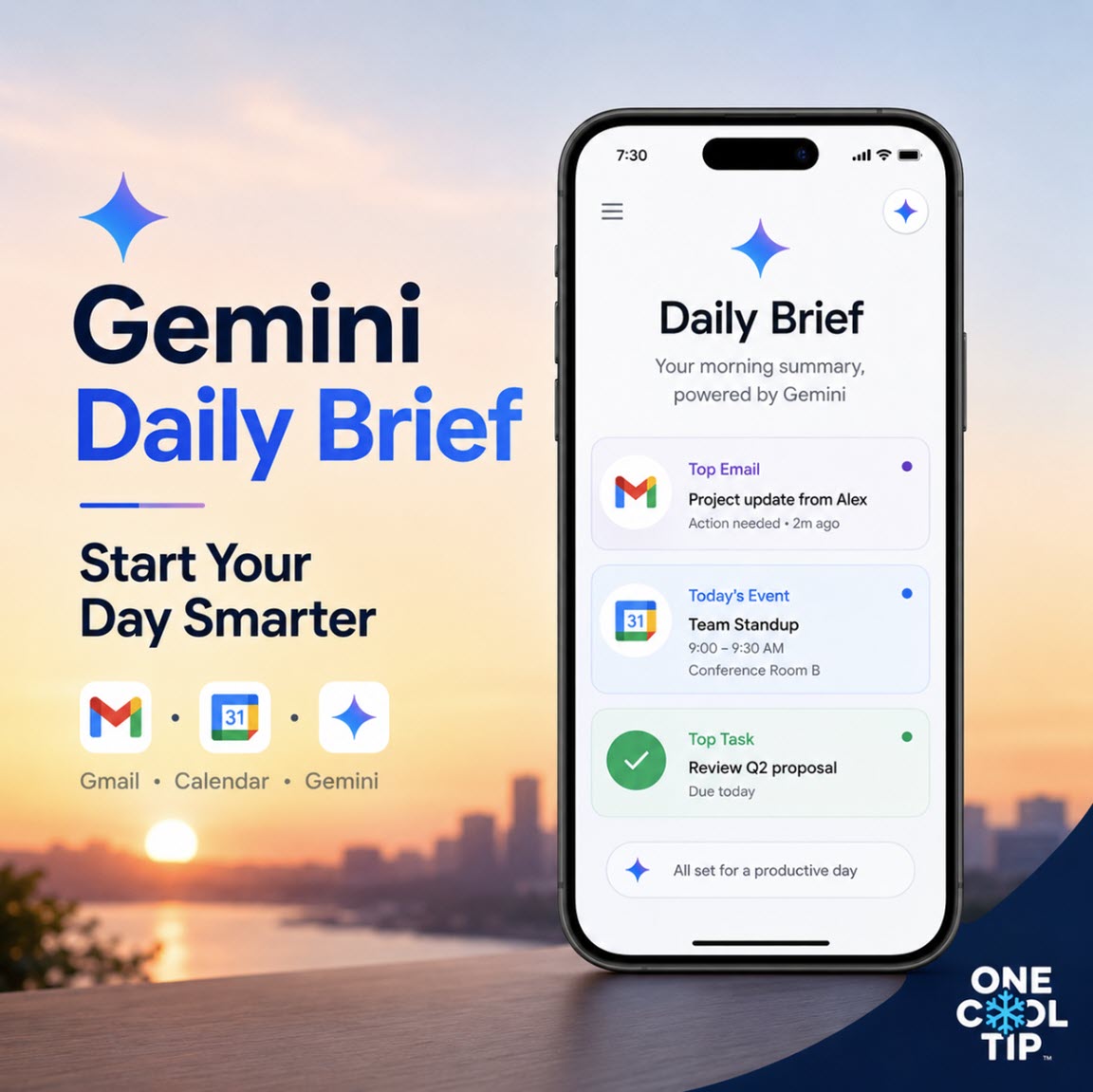
Cool Tip Theme: Gemini Daily Brief


New here? Subscribe to the One Cool Tip Newsletter for daily updates. It's FREE!

3️⃣

If you enjoy the One Cool Tip newsletter, please forward this newsletter to THREE friends or colleagues or share it on social media using the links below.


Leave a $$$ Tip!


Share this One Cool Tip Newsletter!

X Share This Email
LinkedIn Share This Email
Pinterest Share This Email

🚨AI Images Enter Everyday Fraud🚨


A recent case highlighted on ABC News shows how generative AI is starting to impact everyday consumer transactions.


A Florida father says he was hit with a $75 rideshare damage fee after his daughter’s Lyft trip, supported by a photo that appeared to show a messy car interior.


But when the family reviewed the image, the teen spotted a visible AI watermark, raising concerns that the photo wasn’t authentic.


After the issue was flagged, Lyft reviewed the case, reimbursed the charge, and removed the driver from the platform, according to the company.


Why it matters


  • 📸 AI-generated images are becoming harder to detect in everyday claims and disputes
  • 💳 Consumers may face unexpected charges backed by questionable digital evidence
  • 🔍 Vigilance is key: spotting details like watermarks can help identify potential fraud


Bottom line


This incident underscores a growing risk: AI tools can be misused to create convincing, but potentially false, evidence, making it critical for consumers to review charges closely and question anything that seems off.


And in Other News...


  • Google’s Mosquito Research Proposal


A recent federal notice has sparked confusion online about Google and mosquitoes.


According to a May 6, 2026 Federal Register notice, the U.S. Environmental Protection Agency (EPA) has received an application from Google LLC for an experimental research permit involving mosquitoes.


The proposed research focuses on using male mosquitoes carrying a naturally occurring bacterium (Wolbachia).


Scientists use this method to reduce populations of certain mosquitoes that can spread disease.


Key facts


  • 📝 Still under review: the EPA is evaluating the application and gathering public input.
  • 🧬 Health-focused research: the technology targets mosquitoes linked to illnesses like West Nile virus.
  • 🦟 Non-biting insects involved: the approach uses male mosquitoes, which do not bite humans.


Bottom line


This is a proposed, regulated research effort aimed at controlling disease‑carrying mosquito populations, not an active rollout.


Cool Deals of the Day

Help support One Cool Tip. Use this Amazon link when you shop online.


Check out these Cool Deals:


🔌 Anker Phone Charger, 65W 3-Port USB-C Charger: Check current Amazon price. Good for keeping a phone, tablet, and laptop charged while using Gemini on the go. Save 25% $29.99 Check it out on Amazon!


☕ Ember Temperature Control Smart Mug 2: Keep your coffee perfectly hot while Gemini reads through your morning inbox clutter. Save 35% $97.47 Check it out on Amazon!


💻 Logitech MX Master 3S Wireless Mouse: Easily click through your morning action items with customizable shortcut buttons for power users. $89.99 Check it out on Amazon!


*Prices accurate when originally published.

One Cool Tip may earn a commission from qualifying purchases.

Fuel Your Adventure

Try Big Mike's Jerky!


bigmikesjerky.com


Now on TikTok!


Today's Cool Tip

Wake Up to an Organized Day with Gemini Daily Brief


Stop wasting your morning sorting through messy email threads and scattered calendar invites. The new Google Gemini Daily Brief automatically rounds up your top priorities, unread messages, and daily schedule into one simple, personalized plan.  


Every morning brings the exact same digital hurdle. 


You sit down with your first cup of coffee, open your computer, and stare directly into a wall of unread emails, overlapping calendar appointments, and forgotten task reminders. 


Sorting through the clutter to figure out what actually deserves your attention takes time, mental energy, and unnecessary stress before your workday even begins.


Here’s a Cool Tip: Use the Gemini Daily Brief for a Personalized Morning Checklist.


Instead of manually digging through three different browser tabs to map out your morning, Google wants to handle the organization for you. 


Announced at Google I/O 2026, a new feature acts like a personal assistant that works while you sleep.  


Feature Explanation


The Gemini Daily Brief is an AI-driven dashboard built into the Gemini mobile and web apps. 


Instead of acting as a reactive chatbot where you have to type a prompt to get an answer, this tool works proactively in the background. 


It connects to your personal Google account through Google's Personal Intelligence framework to scan your Gmail inbox, Google Calendar events, Google Tasks, and past Gemini chat history.  


Every morning, the tool builds a structured, single-page digest divided into core areas: "Top of mind" for immediate, actionable tasks today, "FYI", and "Looking ahead" for long-term goals and upcoming commitments.  


The feature handles the heavy lifting of reading across your personal data silos. 


It pulls out emails that contain direct questions or time-sensitive deadlines, flags invitations you need to reply to, and tracks chores or appointments. 


It goes beyond a basic text summary by placing functional buttons directly under each item, allowing you to add events to your calendar, open the exact source email, or mark tasks complete with a single click.  


What You’ll Gain


  • Save time by skipping the morning routine of checking multiple apps to build a to do list.  
  • Reduce confusion by viewing related emails, tasks, and calendar events grouped together logically.  
  • Improve focus by seeing your highest priority items ranked at the very top of your feed.  


Step-By-Step Instructions


The Gemini Daily Brief is currently available in the United States for personal Google Account users who are 18 or older and hold an active Google AI subscription (such as Google AI Plus, Pro, or Ultra). 


To use the feature, you must first enable Personal Intelligence and Memory in your account settings.  


Web/Desktop:


  1. Open your web browser and go to the official Gemini website at gemini.google.com.  
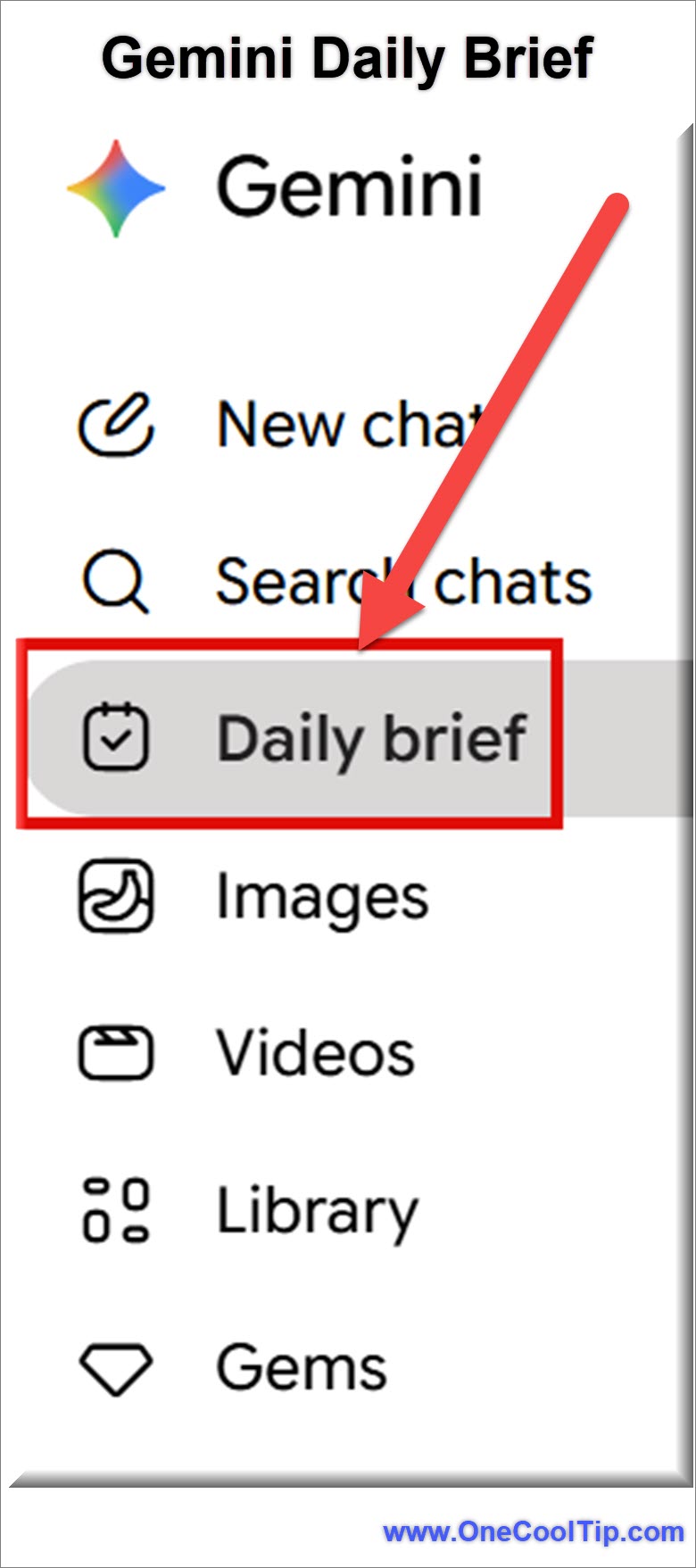
  2. Look at the left-hand sidebar menu on the main interface.
  3. Click on the Daily brief option to open your morning digest dashboard.
  4. To check the origin of any specific summary, click the More button (three vertical dots) below an entry and select Check source.
  5. To clear an item you have finished, click More and choose Mark complete or Dismiss.  


fig. 1 - Gemini Daily Brief Menu

iPhone/iPad and Android:


  1. Launch the Gemini mobile app (iOS / Android) on your mobile device.  
  2. Tap the Menu icon located in the upper left corner of the screen.
  3. Select Daily brief from the menu options to load your personalized daily overview.
  4. If you want to dive deeper into a specific action item, tap More beneath the item, then select Chat to open a dedicated conversation about that specific task.  
  5. To remove an item from your morning priority view, tap More and select Mark complete.  


Pros and Cons


Pros:


  • Aggregated View: Collapses your schedule, tasks, and unread mail into a single scannable page.  
  • Actionable Buttons: Quick interface links allow you to reply to emails or update calendar events without leaving the app.  
  • Smart Prioritization: Accurately flags time-sensitive language like "by end of day" or direct question marks in emails.  
  • Satisfying Workflows: The ability to gray out finished tasks helps track daily progress.  


Cons:


  • Subscription Wall: Requires a paid Google AI premium tier plan starting at $7.99 a month.  
  • Account Limitations: Only works with personal Google accounts; work, school, or supervised accounts are not supported.  
  • Language and Region Limits: Only accessible in English and restricted to users within the United States.  
  • Ecosystem Lock In: Cannot scan data from third party platforms like Outlook, Apple Calendar, or Todoist.  


Feature Access


The Gemini Daily Brief is rolling out to eligible users following its introduction at Google I/O in May 2026. 


The feature is available on the Gemini web platform, Android devices, and the iOS Gemini app. 


Access requires a personal account starting at $7.99 a month. 


It is restricted to users ages 18 and older inside the United States.  


Score

Criterion | Score (0–10) | Justification
Value | 8
It solves a real morning bottleneck by aggregating data into a single, high value dashboard.
Usability | 9
The interface is clean, easy to find in the menu, and features highly intuitive action buttons.
Wow Factor | 7
While automatic summaries are helpful, the feature is limited strictly to the Google ecosystem.
Total: 24/30 👍 Good
The Gemini Daily Brief is a highly capable digital organizer that changes how you approach a messy inbox, provided you are fully invested in Google's app ecosystem.


Key Takeaways


The Gemini Daily Brief turns your messy morning digital routine into an organized, actionable checklist. 


By linking your calendar, inbox, and tasks into one central hub, it frees up mental energy so you can focus on doing the work instead of finding it.  


Cool Tip Snapshot


  • Feature Name: Gemini Daily Brief
  • Platform(s): Web, Android, iOS  
  • Quick Benefit: Groups calendar events and urgent emails into one prioritized list.  
  • Best For: Busy professionals, students, and home users heavily reliant on Google apps.
  • Access Type: Paid Subscription (Google AI tiers)  
  • Difficulty: Easy


Try It Yourself


Open your Gemini app tomorrow morning and click the menu button to see if the Daily Brief is waiting for you. 


Give it a spin, clear out some tasks, and see how much time it cuts from your morning workflow. 


READ MORE


Read the Cool Tip on OneCoolTip.com.

Check out these Cool Tips & Tricks.


  • Enable Extensions: Connect external data easily. Go to your settings menu and toggle on individual Google apps like Drive, Maps, and YouTube to give Gemini more context.


  • Use Memory: Personalize future text interactions. Turn on the Memory toggle in your profile options so the AI remembers your job title, location, and preferred writing formats.  


  • Export Drafts: Save time writing emails. Click the Share icon at the bottom of a text response and select Export to Gmail to format it instantly.


  • Voice Interactions: Talk instead of typing. Tap the microphone icon or use Gemini Live on your mobile device to clear tasks hands free.  


  • Upload Images: Analyze physical documents instantly. Tap the camera button in the chat box to take a picture of a schedule or receipt and ask Gemini to organize the data.


  • Check Sources: Verify critical factual data. Click the Google logo or More button below an answer to search the web and cross reference the statements.


  • Modify Tone: Change response lengths quickly. Use the adjustment sliders under a generated response to make the text shorter, longer, or more casual.


  • Create Tables: Structure complex comparisons clearly. Ask Gemini to output your request as a table format for quick pasting into spreadsheets.


  • Pin Conversations: Keep active projects accessible. Click the three dots next to a successful chat session in your sidebar history and select Pin to lock it at the top.


  • Draft Calendar Invites: Schedule meetings via chat. Type a request detailing a meeting time, and use the inline calendar button to add it to your agenda. 

ICYMI - In Case You Missed It ...

Master Your Visual Identity with Gemini and Google Photos Personal Intelligence


Google's new Personal Intelligence feature allows Gemini to use your own Google Photos as a direct reference for generating highly accurate and personalized images. This update moves beyond generic AI art by ensuring that the people and pets in your generated visuals actually look like the real ones in your life.


Read the Full Cool Tip.


Read the Newsletter Version.

Looking for your next adventure?


Call Denise at Travel For You.

314.660.3039


Sign Up for the Monthly Newsletter


http://www.travelforyouvacations.com/


https://www.facebook.com/TRAVEL.FOR.U/


See You Tomorrow

Tomorrow's Cool Tip is waiting to amaze you.


Until then, go forth and conquer the tech world with your newfound knowledge!


Be sure to visit www.OneCoolTip.com for Cool Tech Tips for a Cooler Life!


And if you Like One Cool Tip, please support with TipJar!


Enjoy!


Rodger

Chief Cool Tipper

onecooltip.com@gmail.com


What Do You Think?

What do you think of today's OneCoolTip newsletter?
Positive        Neutral        Negative
X Share This Email
LinkedIn Share This Email

Connect with One Cool Tip!!

Facebook  X  Instagram  Web  Pinterest  YouTube  LinkedIn

As an Amazon Associate, One Cool Tip may earn a small commission from qualifying purchases.


Our media content is intended solely for informational purposes only. Please do not construe anything here as legal, tax, investment, financial, marital or other advice.


Copyright © 2026 | www.OneCoolTip.com | All Rights Reserved