|
I often say that the worst day to review new large language models is the day they are released: it's simply too hard to put them through their paces in a few hours, and at their current level of sophistication it can take days or weeks to fully understand how they differ from their rivals and predecessors.
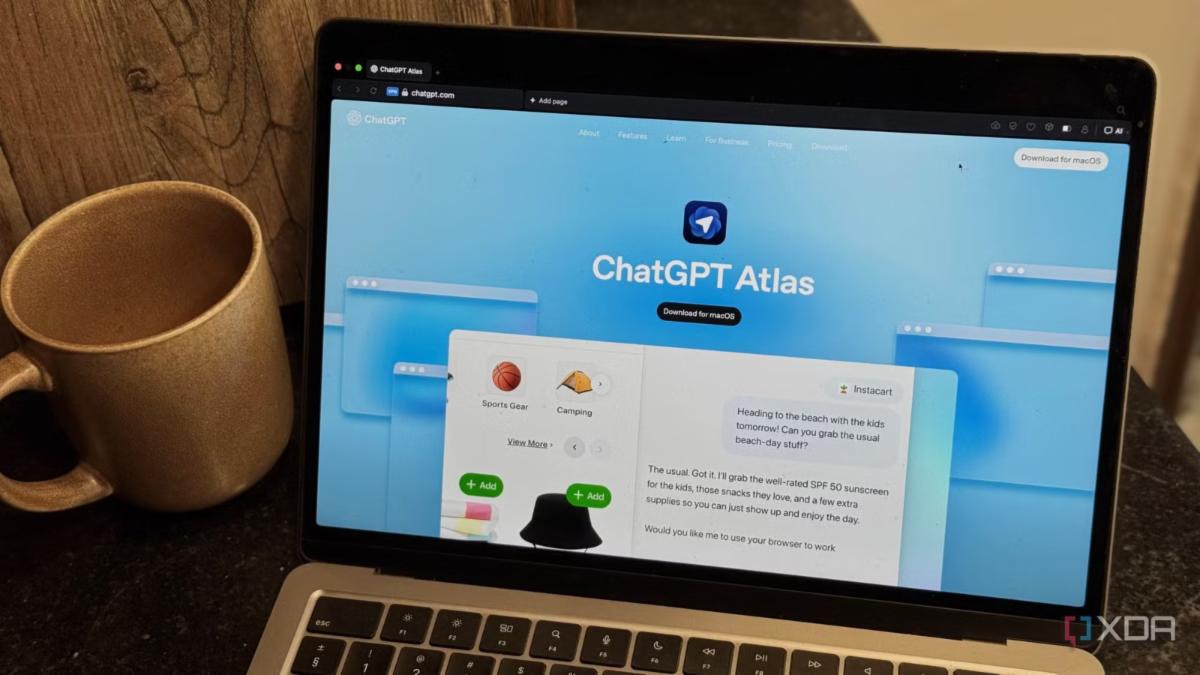
It turns out that an AI-powered browser is much the same. Like Perplexity's browser Comet, or the Browser Company's competitor Dia, Atlas is built on Chromium — the open-source web browser developed by Google that also serves as the basis for Chrome. As such, Atlas will be immediately familiar to any user of Chrome: on setup, you can import your bookmarks and key settings directly from your old browser, and navigate the new browser almost exactly as you did the old one.
The familiarity has pros and cons. On the plus side, Atlas is easy to use, and doesn't require learning a new workflow or giving up your favorite old Chrome extensions. You can install those from the Chrome Web Store, just as if you were using Chrome itself.
At the same time, Atlas can look so familiar that it's not entirely clear why anyone would switch away from Chrome.
Before its miraculous $610 million sale to Atlassian, the Browser Company spent years flailing in search of a feature set compelling enough to get people to leave Chrome for its Arc browser. But even after years of reshuffling user interface elements, and countless Browser Company blog posts and YouTube videos pondering the future of the browser, Arc barely surpassed 1 million App Store downloads.
With Atlas, OpenAI is making a narrower set of promises. If you find yourself increasingly using ChatGPT more than Google, you may prefer Atlas to Chrome. Where Chrome is built to capture, monetize, and improve Google search, Atlas is built to do the same for ChatGPT.
For the moment, and for most people, it still may not feel worth the effort. People already have myriad ways to use ChatGPT in and out of the browser: on the web, in the mobile app, in the desktop app, in voice mode, in third-party browser extensions, and so on.
But one lesson Google learned early on is that the more it could get people to use search, the more powerful it became. Searches generate data that can be used to improve search indices and large language models; they create surfaces to insert advertising; and they become a hook to tie people up in Google's ecosystem. Increasing search volume creates a flywheel effect that makes it harder for competitors to catch up: the company that has the most data can often provide the best search results.
Note: This is one reason why one approved remedy in the Google antitrust trial is for the company to share data about its search index with competitors. Later today our legal media team will have a long post analyzing the Google antitrust trial and the "remedies" proposed by the court.
With Atlas, OpenAI is simply applying that same logic to the AI era. ChatGPT already attracts 800 million weekly users, many of whom are already using it as a replacement for traditional search. But many of those people are entering their queries into ChatGPT through Chrome, which over time will seek to do more and more of what ChatGPT does today. Atlas is an effort to take away market share from Google before that happens.
Our team has only spent about 10 hours with Atlas so far, so for the most part I'll reserve my judgments until I've used it more. I also spent last night and early this morning reading commentary on the new browser, so here are 5 ways to think about Atlas as you consider whether to try it.
1. It’s a commentary on how slowly Chrome has evolved. Chrome has added AI features in the past year. But can you name them? If you can name them — can you find them? The browser's "Gemini in Chrome" feature, which lets you chat with tabs in much the same way as you can in Atlas and other AI browsers, feels tentative and tacked on compared to its rivals.
Atlas' big move is to surround every page with ChatGPT: your past chats and various tools in the left sidebar, an open chat in the right sidebar, and an agent that will take over the browser for you and attempt to get things done. It will do so with excruciating slowness, and probably not to your specifications. But if you want Atlas to shop on Instacart for you, it will try.
Other novel features include "cursor mode," which opens a ChatGPT window over highlighted text, allowing you to request that the browser transform it into something shorter, longer, in Spanish, and so on. A memory feature lets you ask it about tabs you browsed in the past; Atlas will resurface them upon request.
It will take at least a few weeks to see whether these features live up to the billing. And in the case of agent mode, it will likely take a few more model upgrades at least. But if nothing else, there is at least a theory here of why someone should use Atlas. It's "making ChatGPT your whole personality," but as a browser.
2. It's a distribution play. So says analyst Benedict Evans, adding that Atlas is also a data collection play. Until now, OpenAI has focused on making ChatGPT available wherever you might already be: the web, on your phone, and so on. With Atlas, OpenAI aspires to make ChatGPT a proper destination of its own. The browser is one of, if not the most-used apps on any computer; if OpenAI can own the browser it can better control its own destiny.
3. It’s a security nightmare. For months now, blogger and developer Simon Willison has been sounding the alarm about the risk that AI agents will suffer prompt injection attacks: malicious inputs that trick agents into harming you. By embedding invisible instructions in web pages instructing agents to steal your data or taking unwanted actions on your behalf, prompt injections can cause a lot of harm. And as Willison has diligently documented, there is currently no foolproof method for preventing them.
For that reason, Willison's enthusiasm for Atlas is muted. He writes:
The security and privacy risks involved here still feel insurmountably high to me — I certainly won't be trusting any of these products until a bunch of security researchers have given them a very thorough beating.
I'd like to see a deep explanation of the steps Atlas takes to avoid prompt injection attacks. Right now it looks like the main defense is expecting the user to carefully watch what agent mode is doing at all times!
In fairness, that's also the main defense Anthropic asks of users of its Claude for Chrome browser agent. While AI companies say they have trained their systems to be on high alert for prompt injections, serious risks remain.
4. It’s mostly just Chrome. OpenAI had an opportunity to do something visually striking or conceptually novel with Atlas. But the first version of the product is surprisingly bare-bones: a stripped-down version of Chrome that has seen Google services ripped out in favor of OpenAI's. You can understand why this would appeal to OpenAI employees, who spend all day dogfooding their own product. But Atlas still struggles to answer the basic question of why you wouldn't just continue using ChatGPT in the app or in your browser.
5. It’s too early to guess whether people really want this. While some commentators have suggested that the browser wars are back, it strikes me that none of the AI browsers to date have really made a dent in Chrome. Unless you do a lot of research in your browser, "chat with your tabs" can feel like a solution in search of a problem. AI labs appear to be under the impression that all anyone does in a browser is book vacations and order groceries, and that what they want is an agent who can do that worse and more slowly than the user could do it themselves.
At the same time, somewhere in here there is probably a good product to be built. An agent that anticipates your needs online, aids you in your tasks, and doesn't accidentally give away all your banking information in the process could well be more useful than Chrome is today.
Atlas represents a half-step in that general direction. But getting to the finish line will require some significant breakthroughs.
|