|
One Cool Tip Newsletter
August 30, 2026
| Your daily dose of tech-savvy brilliance! | |
😀Greetings! Happy Sunday, Cool Tipper!
Get ready to streamline your digital life with simple, actionable tips delivered straight to your inbox.
Cool Tip Theme: Gemini Live Productivity
Gemini Live can summarize email, brief your day, recall personal details, and run complex tasks using natural voice commands. Here is how it works.
New here? Subscribe to the One Cool Tip Newsletter for daily updates. It's FREE!
| |
3️⃣
If you enjoy the One Cool Tip newsletter, please forward this newsletter to THREE friends or colleagues or share it on social media using the links below.
Leave a $$$ Tip!
Share this One Cool Tip Newsletter!
| | |
🚨Don't Fall for the Scams That Follow Breaking News🚨
Scammers move fast, and major news events often create new opportunities for fraud.
Following reports about Dolly Parton's death, cybercriminals quickly began creating fake social media accounts, fraudulent charity appeals, and misleading merchandise offers aimed at fans.
These scams often use emotional stories and urgent requests to encourage people to click links, donate money, or share personal information.
Whenever a celebrity, public figure, or major news story dominates headlines, be extra cautious before donating, buying commemorative products, or responding to social media posts.
Verify information through official websites and trusted organizations rather than links shared in comments or direct messages.
A good rule to remember is that scammers often exploit emotions, so slowing down and verifying before acting can help keep your money and information safe.
And in Other News...
- Great News for Gemini Notebook Users Who Keep Hitting Limits
Google is making it easier for power users to get more done in Gemini Notebook.
Instead of using fixed daily limits, the service is moving to a more flexible system that considers factors such as prompt complexity, chat length, number of sources, and the AI features being used.
One of the biggest improvements is that usage limits will refresh every five hours rather than once per day, allowing users to continue working throughout the day.
If a task exceeds your current limit, Gemini Notebook can suggest alternative outputs or let you schedule resource-intensive projects, such as video overviews or slide decks, for later generation.
This means fewer interruptions and more flexibility when using AI for research, study, and productivity projects.
The update begins rolling out to consumer accounts on web and mobile starting September 2.
| |
| 🤔 Which Gemini Live productivity feature would help you most? | | | | |
Help support One Cool Tip. Use this Amazon link when you shop online.
Check out these Cool Deals:
| | |
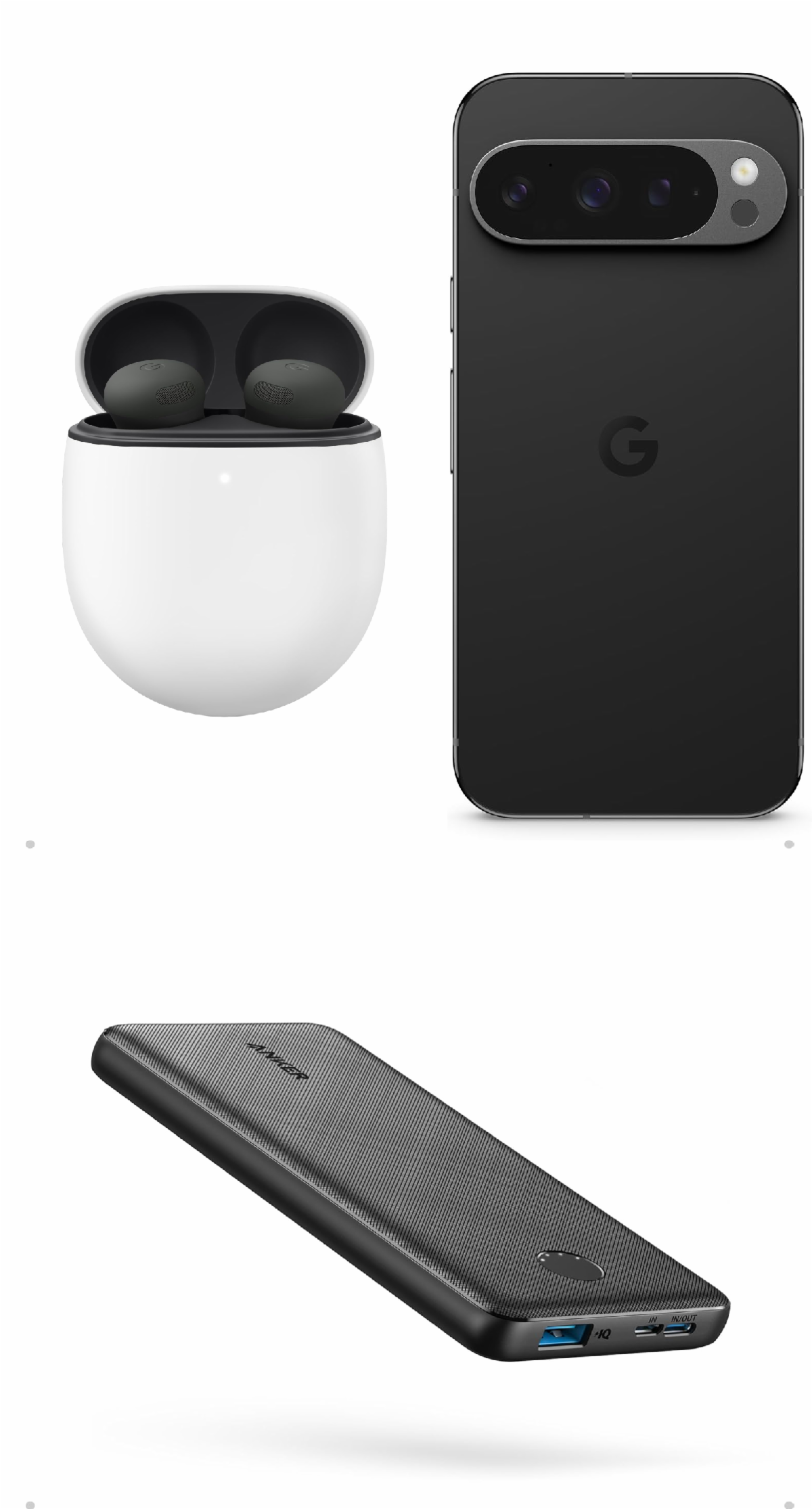
🎧 Google Pixel Buds Pro 2: Offers clear voice pick-up and active noise cancellation, making hands-free Gemini Live conversations effortless on the go.
Overall Pick! Now $229. 4.1 Stars. Check it out on Amazon!
📱 Google Pixel 9 Pro (Renewed): Android smartphone engineered with on-device AI hardware for smooth Gemini Live responsiveness and battery efficiency.
Look! Now $509.99. 4.0 Stars. Check it out on Amazon!
🔋 Anker PowerCore 10K Portable Charger: A compact power bank keeps your phone running during longer voice sessions, workdays, and trips.
Overall Pick! Now $25.99. 4.5 Stars. Check it out on Amazon!
*Prices accurate when originally published.
One Cool Tip may earn a commission from qualifying purchases.
| | |
Turn Spoken Ideas into Finished Tasks with Gemini Live
Google added major voice-driven productivity upgrades to Gemini Live, letting you organize emails, compile daily briefings, and complete multi-step tasks across Google Workspace. Here is how you can use natural conversation to clear your daily to-do list without touching your screen.
Staring at a cluttered inbox or a fragmented calendar first thing in the morning often derails productive momentum before work even starts.
Most voice assistants can set a single alarm or read the weather forecast, but they stumble when you ask them to handle complex, multi-step workflows across your apps.
Here’s a Cool Tip: Talk to Gemini Live like a personal assistant to triage your Gmail inbox and organize your calendar completely hands-free.
Google updated Gemini Live to bridge that gap.
Instead of treating voice as a simple command trigger, Gemini Live functions as an interactive delegate capable of managing emails, synthesizing schedules, and handing off complex tasks in the background through Google Workspace tools.
Feature Explanation
Gemini Live integrates deep app connectivity directly into its conversational voice interface.
Rather than requiring rigid, syntax-heavy commands, the assistant supports natural, flowing conversation across several core productivity updates:
-
Daily Brief: A spoken morning digest that combines your upcoming schedule from Google Calendar with key messages from Gmail. You can hear what matters for your day while making coffee or getting ready, without looking at your screen.
-
Hands-Free Inbox Management: You can ask conversational questions about your email, such as finding urgent notes from school or checking recent client requests. Gemini can search, summarize, star, archive, or delete messages on your spoken command.
-
Personal Intelligence: Gemini Live references context from past conversations and connected services (including Gmail, Google Photos, Search, and YouTube) to provide tailored answers and remember details from prior discussions.
-
Autonomous Task Execution with Spark: For multi-step projects, Gemini Live can parse your spoken instructions and delegate execution to Google Spark, which runs processes across Google Docs, Sheets, Drive, and the web in the background.
What You’ll Gain
- Save time by triaging and clearing your Gmail inbox purely with voice commands.
- Eliminate morning screen fatigue by listening to a consolidated Daily Brief.
- Delegate multi-step workflows like turning email invitations into organized calendar events automatically.
- Retrieve forgotten details instantly through conversational memory across your Google apps.
Step-by-Step Instructions
Here's how to do it.
Android:
-
Open the Gemini app on your Android device.
-
Tap your Profile icon in the top right corner and select Settings.
-
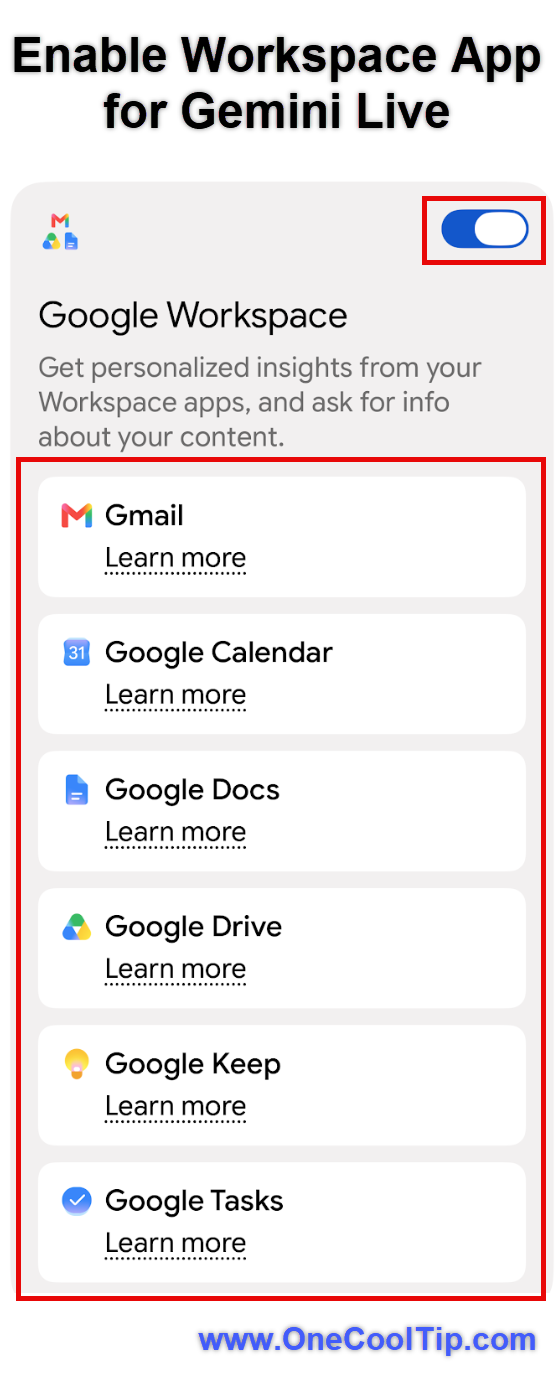
Choose Extensions (or Personal Intelligence / App Connections) and ensure toggles for Google Workspace (Gmail, Calendar, Drive) are set to On.
-
Return to the main Gemini screen and tap the Gemini Live icon (represented by the waveform symbol) in the lower right corner.
-
Start speaking naturally. For example, say: "What is my daily brief today?"
- Follow up conversationally: "Check my inbox for emails from my accountant, summarize the main points, and star them."
iPhone/iPad:
-
Open the Google app or standalone Gemini app on iOS.
-
Tap your Menu icon and navigate to Gemini Settings > Personal Intelligence.
-
Tap Connected Apps and verify that Google Workspace permissions are enabled.
-
Tap the Live waveform icon inside the Gemini chat interface to start a spoken session.
-
Speak your request aloud: "Do I have any urgent emails this morning?"
| | fig. 1 - Enable Workspace App for Gemini Live | | |
Web/Desktop:
- Not currently available on desktop browsers in the live full-duplex voice interface, based on available source information.
- You can use standard text prompts and microphone dictation in the web app, but full Gemini Live background delegation is primarily built for mobile app environments.
Pros and Cons
Pros:
-
True hands-free delegation: Allows busy professionals and parents to organize schedules without holding a phone.
-
Fluid conversation: You can interrupt, clarify, or change topics without restarting the prompt session.
-
Cross-app continuity: Pulls data from Gmail, Drive, Calendar, and Photos in a single cohesive response.
-
Background task handling: Multi-step actions can execute while you focus on other work.
Cons:
-
Requires broad app permissions: Full functionality requires connecting private email and personal app data.
-
Potential for misinterpretation: Complex email triage requests should be verified before issuing bulk delete commands.
-
Rollout variance: Specific features like Spark background execution may roll out in phases depending on region and language.
Feature Access
-
Supported Platforms: Android and iOS via the official Gemini and Google apps.
-
Account Compatibility: Available for personal Google accounts; Workspace business or enterprise accounts may require administrator approval for AI extensions.
-
Language Requirements: Initially launched in English, with additional languages expanding in rolling updates.
Score
Criterion | Score (0–10) | Justification
Value | 9
Converts passive voice assistants into practical productivity tools that handle real administrative chores.
Usability | 8
Voice interaction feels conversational, though managing extension permissions requires initial setup.
Wow Factor | 8
The ability to chain inbox triage directly into background task creation provides genuine utility.
Total: 25/30 | 🌟 Excellent
Gemini Live turns speech into an effective operating layer for Google Workspace, significantly reducing screen time for routine organization.
Key Takeaways
Voice controls in Gemini Live now let you manage Gmail, organize your calendar, and delegate multi-step tasks without manual tapping.
With proactive Daily Briefs and background workflow handling, you can streamline daily administrative tasks on the go.
Cool Tip Snapshot
-
Feature Name: Gemini Live Productivity & Workspace Actions
-
Platform(s): Android, iOS
-
Quick Benefit: Spoken inbox triage, daily briefing digests, and automated task execution
-
Best For: Busy professionals, parents, and students managing packed schedules
-
Access Type: Rolling Out (Free & Google One AI Premium accounts)
-
Difficulty: Easy
Try It Yourself
Take two minutes today to test the new Gemini Live features: tap the Live icon and ask for your Daily Brief.
Leave a comment below sharing your favorite voice prompt, subscribe to the One Cool Tip newsletter for daily technology advice, and share this guide with friends, family, and coworkers who want to save time.
READ MORE
Read the Full Cool Tip.
| | |
Check Out These Cool Tips & Tricks
-
Daily Brief: Get a spoken summary of your meetings and key emails in one go. Tap the Live icon and ask, "What is my daily brief?"
-
Inbox Search: Find critical messages without typing long search queries. Ask Gemini Live to look for urgent messages from specific senders.
-
Star Important Emails: Mark key correspondence for later review hands-free. Tell Gemini to star the email you are currently discussing.
-
Calendar Scheduling: Convert email details into scheduled events instantly. Say, "Add the meeting mentioned in that invite to my calendar with driving time."
-
Conversation Memory: Pick up previous discussions without starting from scratch. Ask Gemini Live to recall specific details or notes discussed in earlier chats.
-
Document Drafts: Turn unstructured spoken brainstorming into formatted Google Docs. Ask Gemini to organize your spoken points into a clean document outline.
-
Natural Interruptions: Change direction or ask clarifying questions mid-sentence. Simply speak over Gemini to redirect the assistant without pausing or tapping buttons.
-
Voice Selection: Personalize how your assistant sounds for better listening clarity. Go to Gemini Settings and choose your preferred conversational voice profile.
-
Drive Retrieval: Locate buried spreadsheets or presentations using voice context. Ask Gemini to locate files related to a specific project name in your Google Drive.
-
Extension Controls: Keep control over which services Gemini can access. Visit the Extensions menu inside Settings to enable or disable individual app connections anytime.
| | ICYMI - In Case You Missed It ... | | | | |
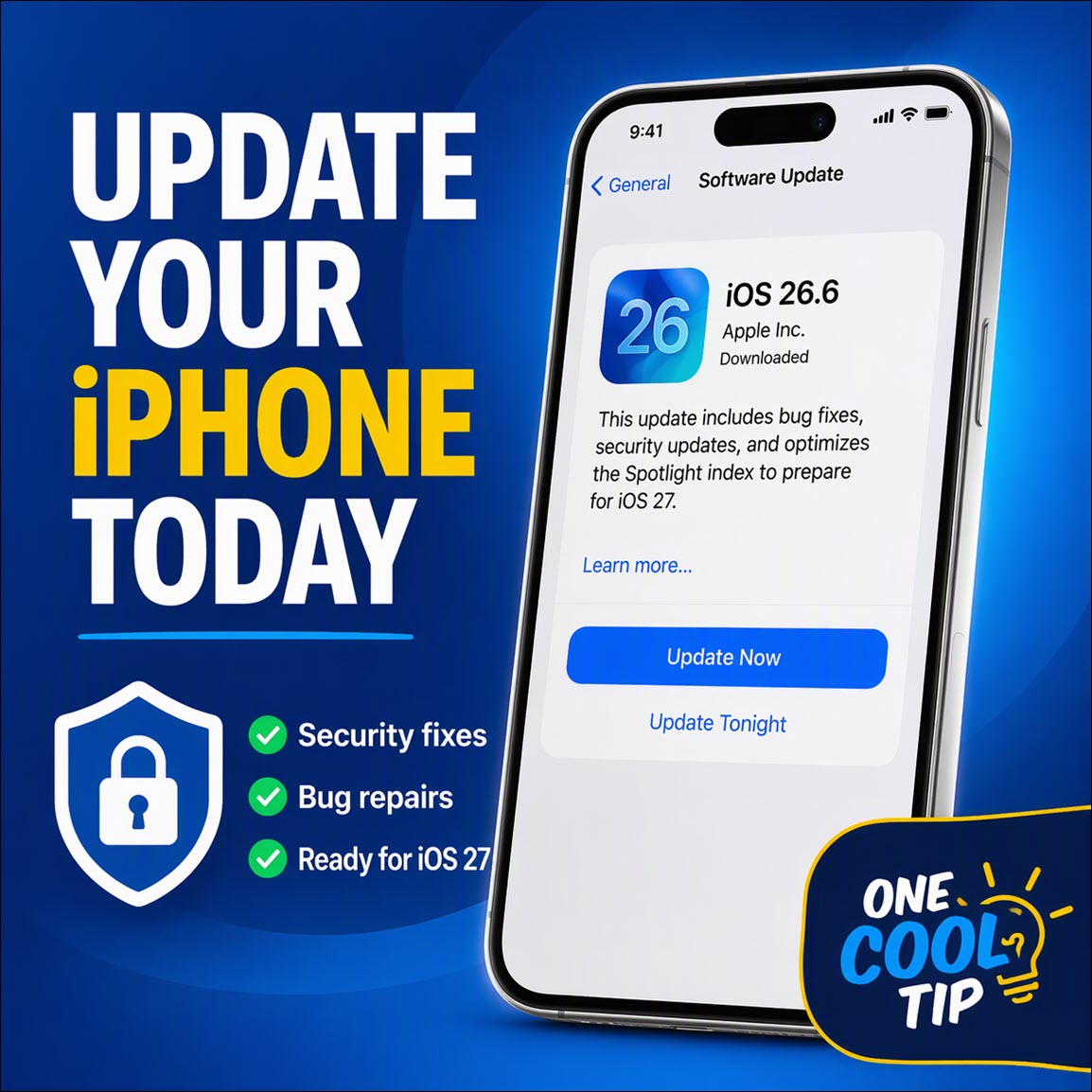
Why You Should Install iOS 26.6 Now
iOS 26.6 may not deliver a collection of flashy new tools, but it includes important security fixes and system improvements. The update also optimizes Spotlight search in preparation for iOS 27.
Read the Full Version.
Read the Newsletter Version.
| | |
Tomorrow's Cool Tip is waiting to amaze you.
Until then, go forth and conquer the tech world with your newfound knowledge!
Be sure to visit www.OneCoolTip.com for Cool Tech Tips for a Cooler Life!
And if you Like One Cool Tip, please support with TipJar!
Enjoy!
Rodger
Chief Cool Tipper
onecooltip.com@gmail.com
| |
| What do you think of today's OneCoolTip newsletter?
| | | | Connect with One Cool Tip!! | | |
|
As an Amazon Associate, One Cool Tip may earn a small commission from qualifying purchases.
Our media content is intended solely for informational purposes only. Please do not construe anything here as legal, tax, investment, financial, marital or other advice.
Copyright © 2026 | www.OneCoolTip.com | All Rights Reserved
|
| | | |