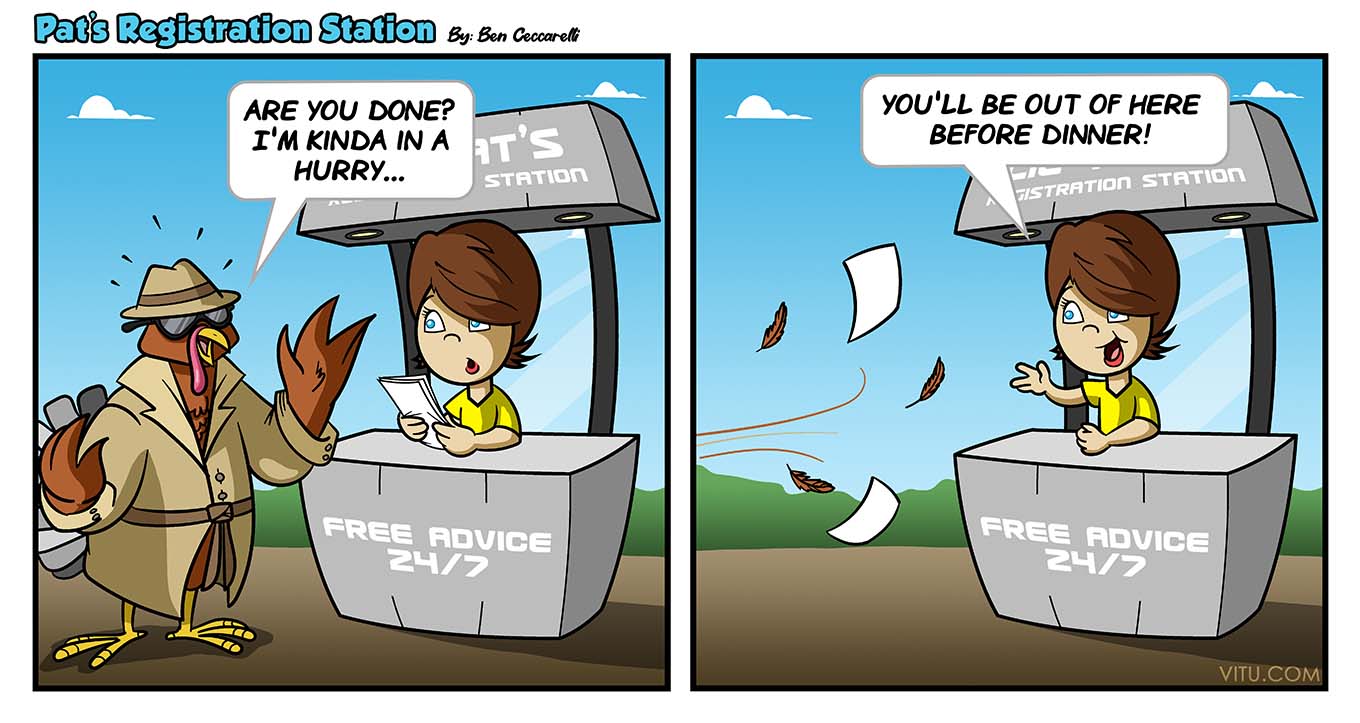
Did you know that in the cartoon above — Pat’s Registration Station — that Pat is a real person? It’s none other than our very own Pat Trimmer, one of Vitu’s first employees who was instrumental in getting DMVdesk off the ground. We love you, Pat!
|
|
|
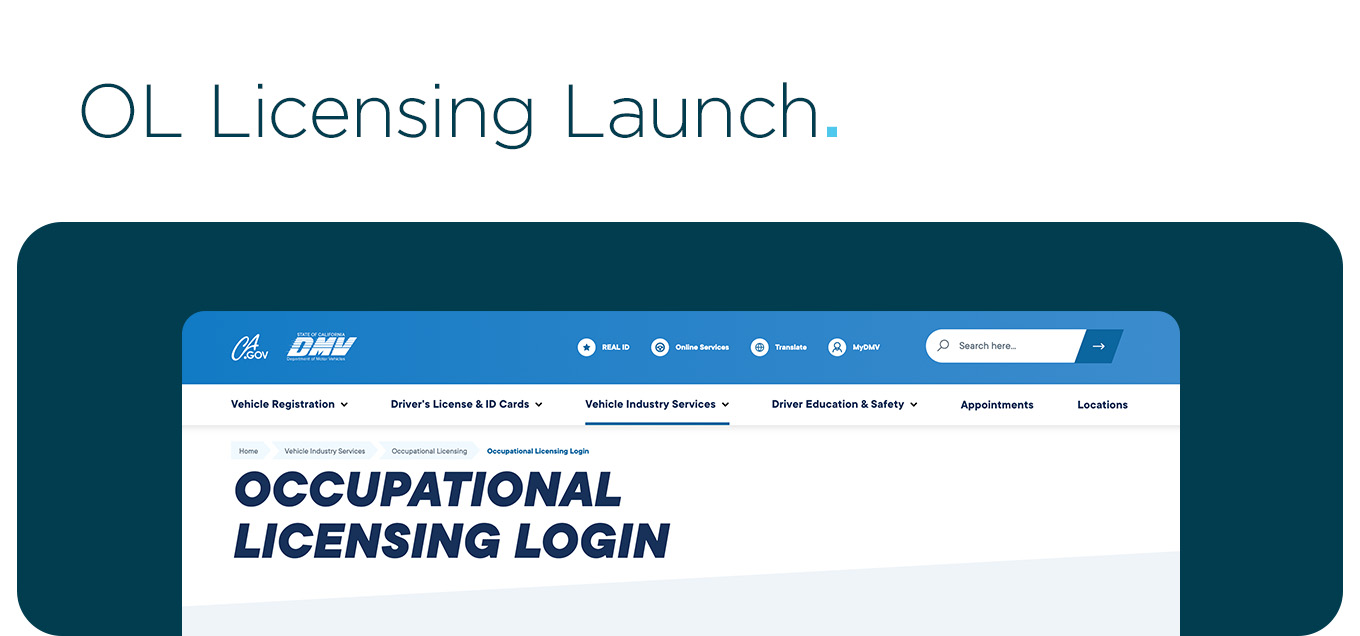
Did you know that California DMV launched a new website for applying and managing Occupational Licenses (OL)? It’s true and it’s available here.
This is great news for your sales team. As California DMV Occupational Licensing points out, “Any individual involved in the selling of vehicles, executing of vehicle contracts or supervising salespersons engaging in these sales activities must be licensed as a salesperson by the DMV.” Now, there’s an easy way to apply for new licenses, renew or modify active licenses, and pay any associated fees.
BONUS: RMP’s 2022 REG 401 book covers everything Occupational Licensing (OL) and compliance at your dealership. We offer this book at no charge for Vitu/DMVdesk partners. Simply visit the RMP website and click on Bookstore in the upper right. When you get to our California books and see REG 401, choose the Digital Book (Complimentary for DMVdesk/Vitu Users) option. Stay tuned for the 2023 book early next year!
|
INF 1128
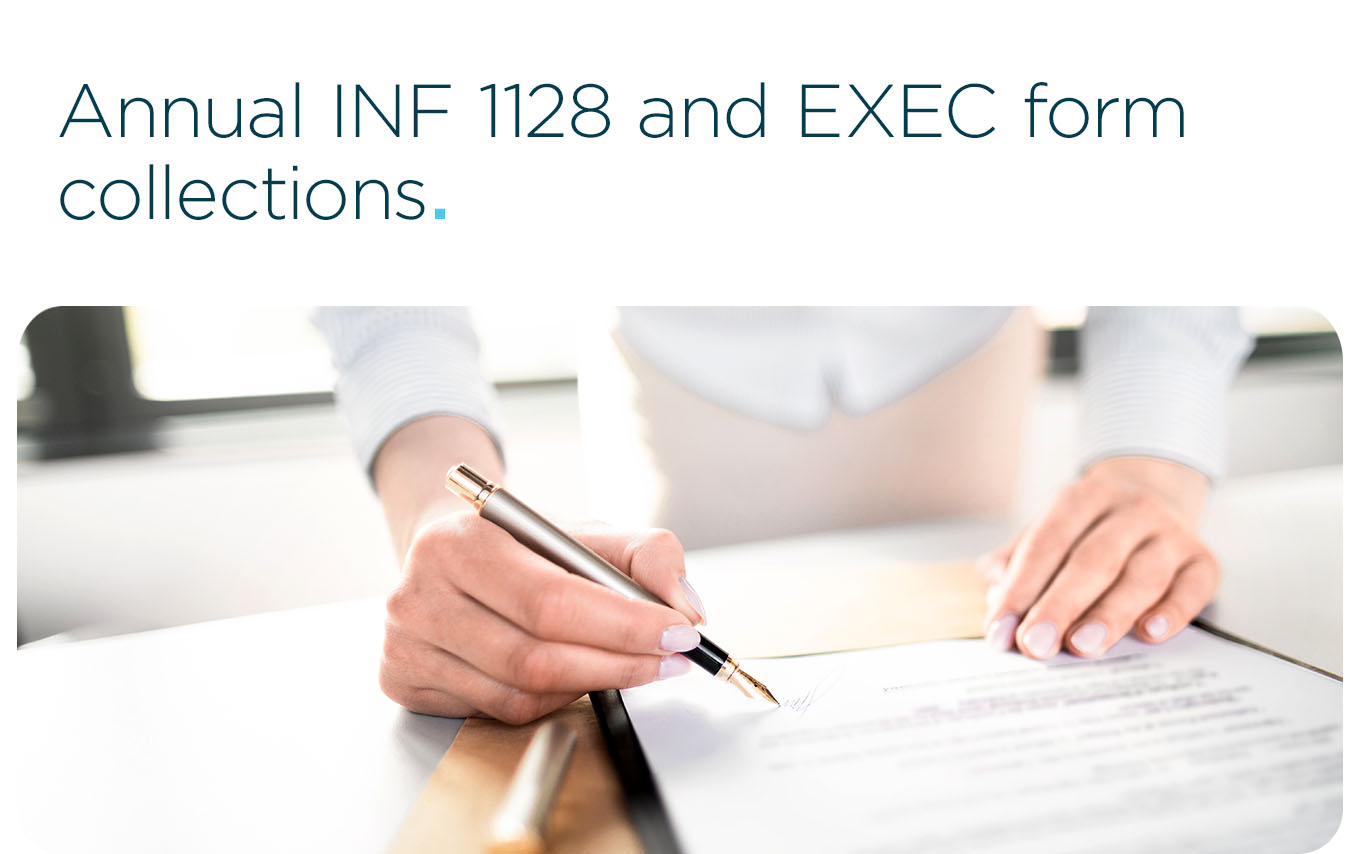
It’s that time of year again for our friendly reminders regarding signing and updating the INF 1128 — Information Security Statement and the EXEC 200X — Information Security and Disclosure Statement Public/Private Partnerships Employee forms.
The INF 1128 — Information Security Statement has to be filled out and signed for each user that has access to run or view a KSR at your dealership and updated annually on the back.
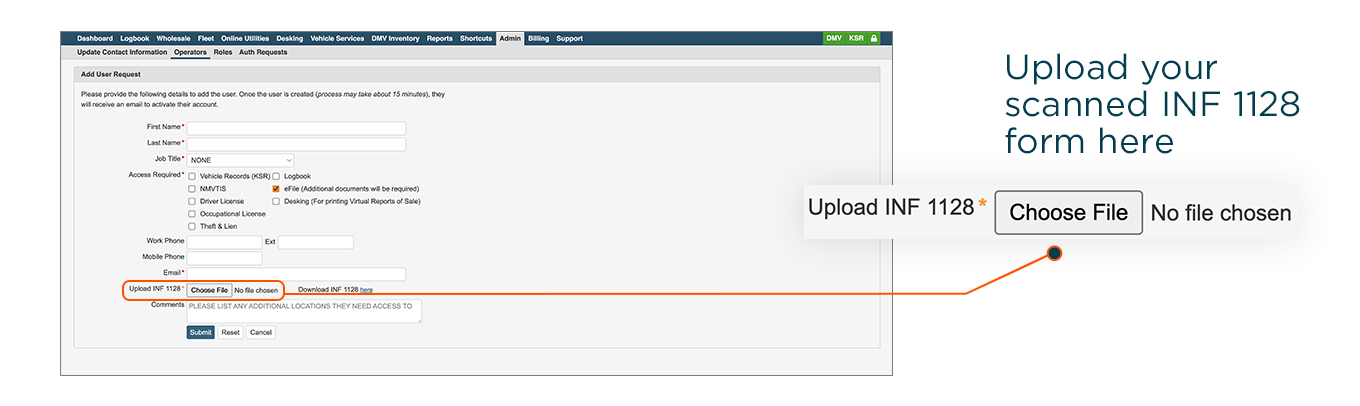
While on the Add User Request page, notice the Upload INF 1128 section. Simply click on the Choose File button and find the scanned INF 1128. Submitting the Add User Request information in DMVdesk makes the entire process of getting your new users up and running that much smoother. We’ll set up access for your new users within minutes.
|
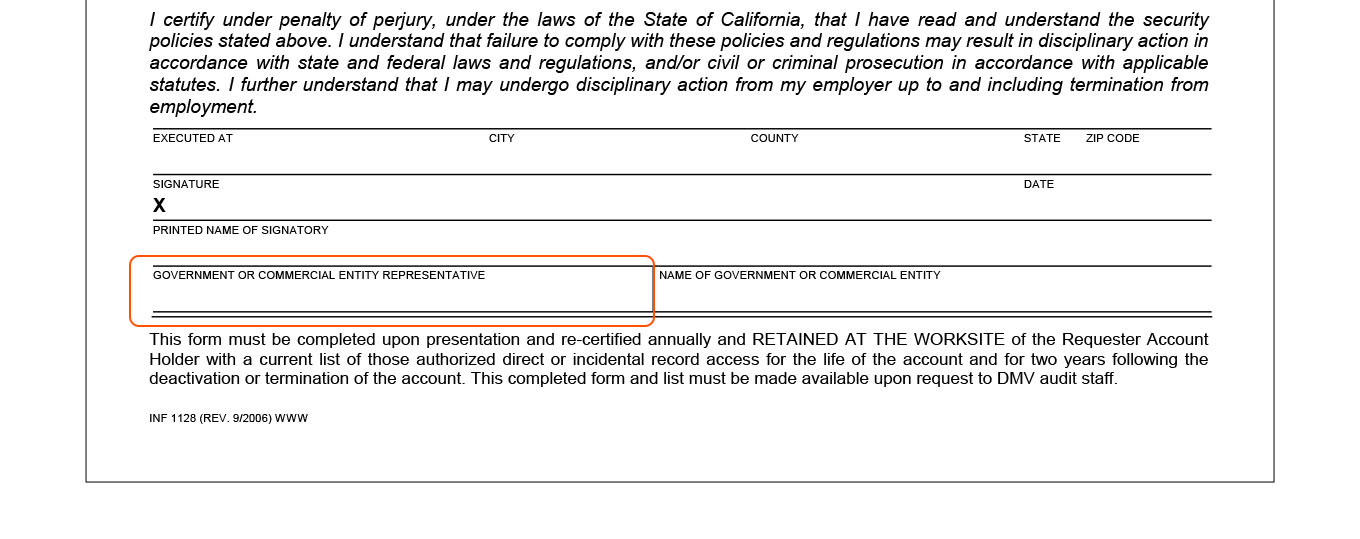
IMPORTANT: the INF 1128 — Information Security Statement requires two signatures. These days, we are seeing a lot of missing signatures on the Commercial Entity Representative section of the INF 1128.
The INF 1128 is a document that requires two signatures. One signature from the person acknowledging the uses and restrictions of using a KSR, and the other signature from the Commercial Requester Account Administrator. The CRA Administrator for the dealership should sign in the box that says, "Government or Commercial Entity Representative.”
|
EXEC 200X
Each BPA-approved employee must read and annually sign the EXEC 200X — Information Security and Disclosure Statement Public/Private Partnerships Employee. The employee should keep one signed copy, and the dealership management should keep the original copy in their compliance folder.
|
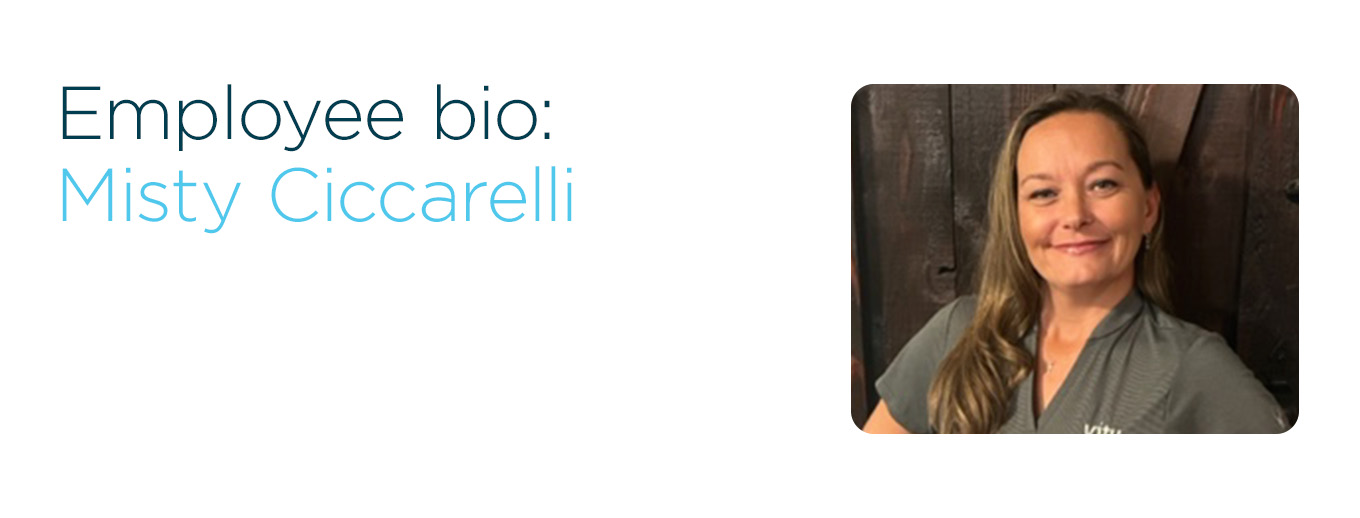
Say hello to Misty Ciccarelli. For our partners in the Inland Empire and San Diego area, you’ll recognize Misty as your Account Executive who checks in with you regularly and offers support, tips and training when needed. Before starting at Vitu in May of 2012, she worked at dealerships for over 10 years bringing all of that experience along with her to better serve you and all of our dealer partners.
When Misty started, she actually was one of the first Account Executives. “Being one of the first AE’s I have watched the company grow as much as I have over my 10 years here at Vitu. Doing this job has definitely changed me for the better, pushed me past a lot of my comfort zones and helped me grow in work and personal life,” she says. Misty’s favorite part about her job is getting to know each staff member at our partner’s dealerships — and them getting to know her. “I truly enjoy helping my clerks learn new things and watching them grow in their jobs,” she says. She’s proud that some of her clerks are now Business Managers.
Working with Vitu has become such a part of Misty’s life, she could not imagine what it would be like to not be part of the team. “I work with a great group of people that support me each and every day — Vitu has definitely become my second family,” she says. But what about her real family? Misty is married to the best friend of her life for 11 years with three beautiful children and one amazing granddaughter. She and her family built their home on a piece of land purchased 14 years ago and finished building it over the course of a couple of years. Along the way, their home also turned into a farm of sorts, finding Misty and her family raising turkeys, chickens, ducks, goats and pigs over the years.
What’s Misty’s personal philosophy? “Stay humble, work hard and be kind,” she says. “Everyone has different challenges in this life. Keeping that in mind every day as we step out into the world, we have an opportunity to make it a little better for someone else as well as ourselves.” We couldn’t agree more, Misty!
|
|
|
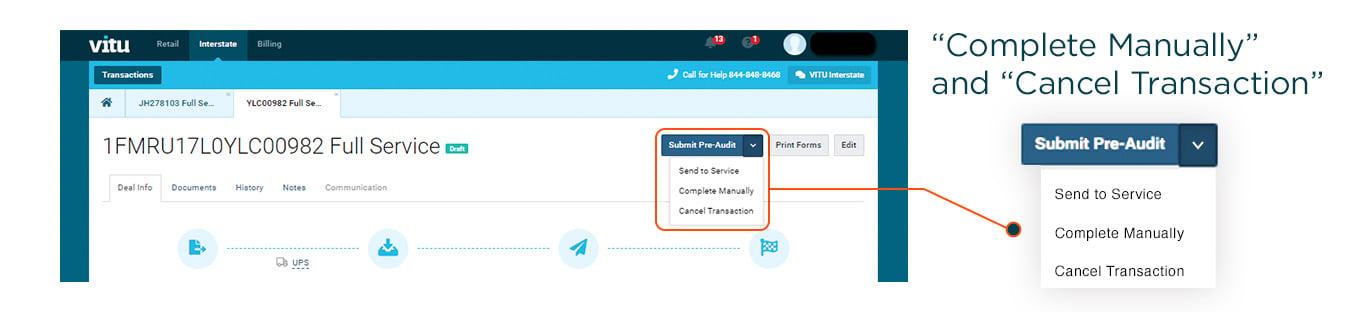
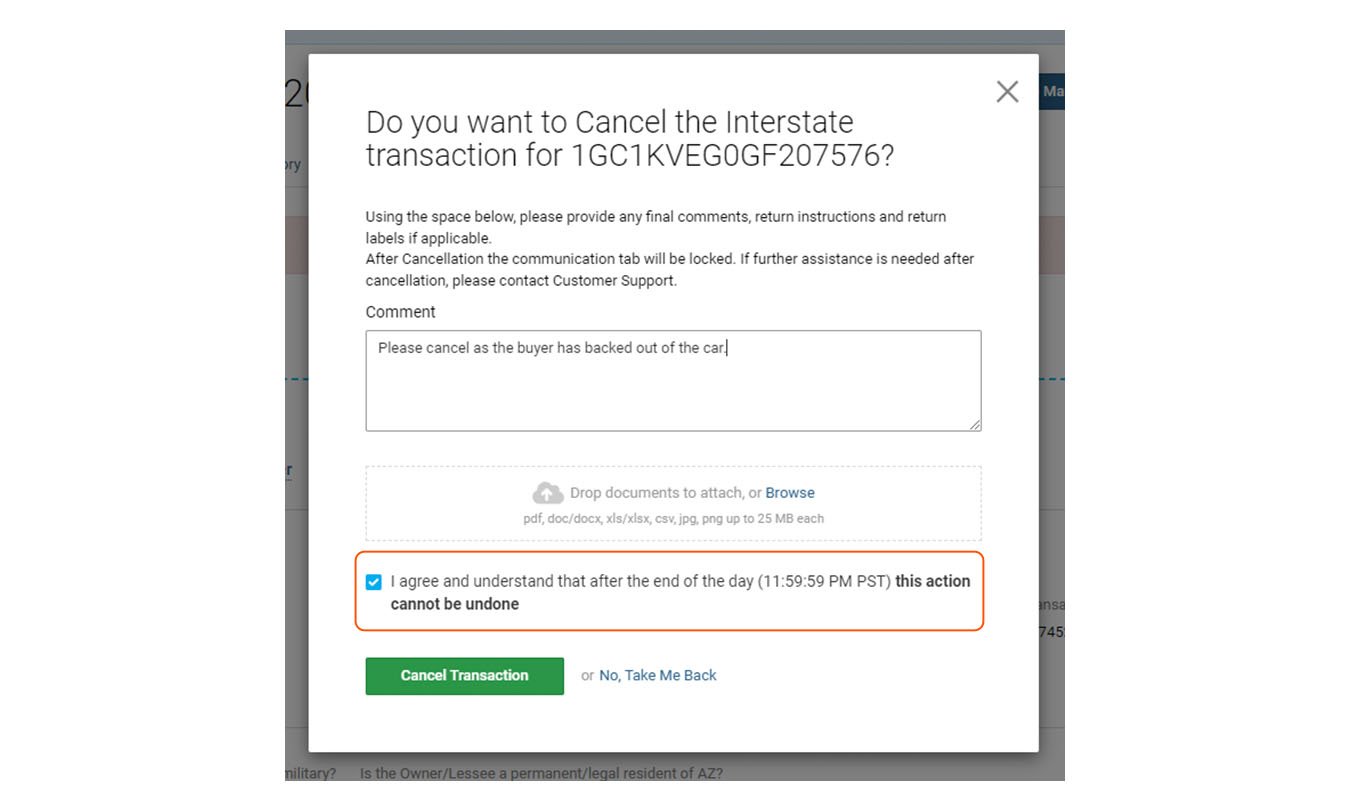
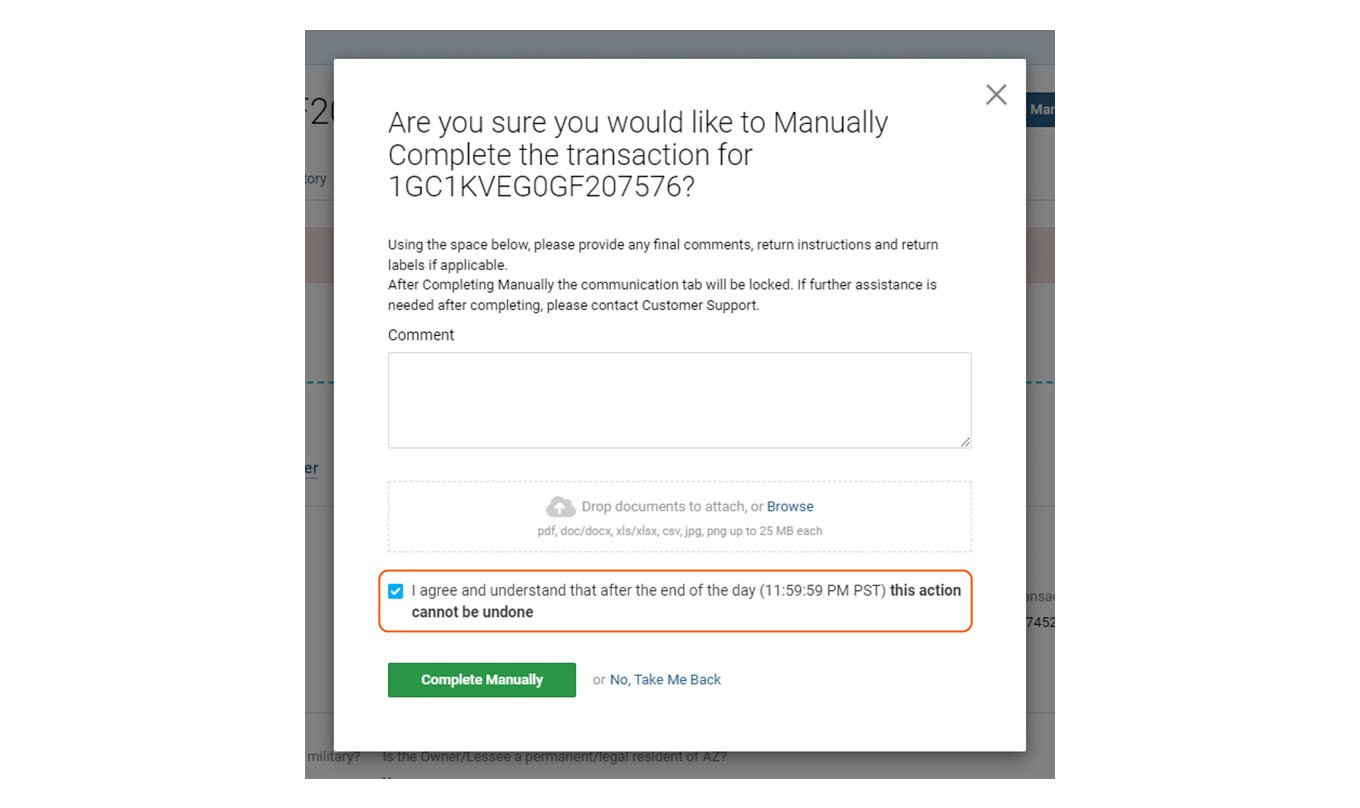
Let’s review what we know about the Complete Manually and Cancel Transaction actions for deals in Vitu Interstate. These are both restricted to Full Service deals and are available in certain statuses before deals are Sent to State. When available to use, these options are in the Submit Pre-Audit dropdown menu.
|
Cancel Transaction
Available for Full Service deals before they are Sent to State, Cancel Transaction allows you to end this transaction and change the status to Cancelled. If choosing Cancel Transaction, remember these important points:
|
- Provide any final comments, return instructions and return labels, if applicable.
- Once Cancel Transaction is chosen, the Communication tab is locked. For any assistance after cancellation, please contact Customer Support.
- Billing for services rendered will immediately happen after the end of the day!
|
Complete Manually
Available for Forms & Fees and Full Service deals, Complete Manually allows you or your customer to register the vehicle. Here are some key points to be aware of if you choose Complete Manually:
|
- Provide any final comments, return instructions and return labels if applicable.
- Once Complete Manually is chosen, the Communication tab is locked. For further assistance after cancellation, please contact Customer Support.
- Billing for services rendered will immediately happen after the end of the day!
|
One last thing — since Complete Manually and Cancel Transaction cause the deal to bill for the services rendered, these actions are only available if your dealership has Full Service permissions.
Fixing deals accidentally moved into Complete Manually or Cancel Transaction
Before midnight on the same day:
|
- Just click the Reopen Transaction button to restore your transaction back to its original state.
|
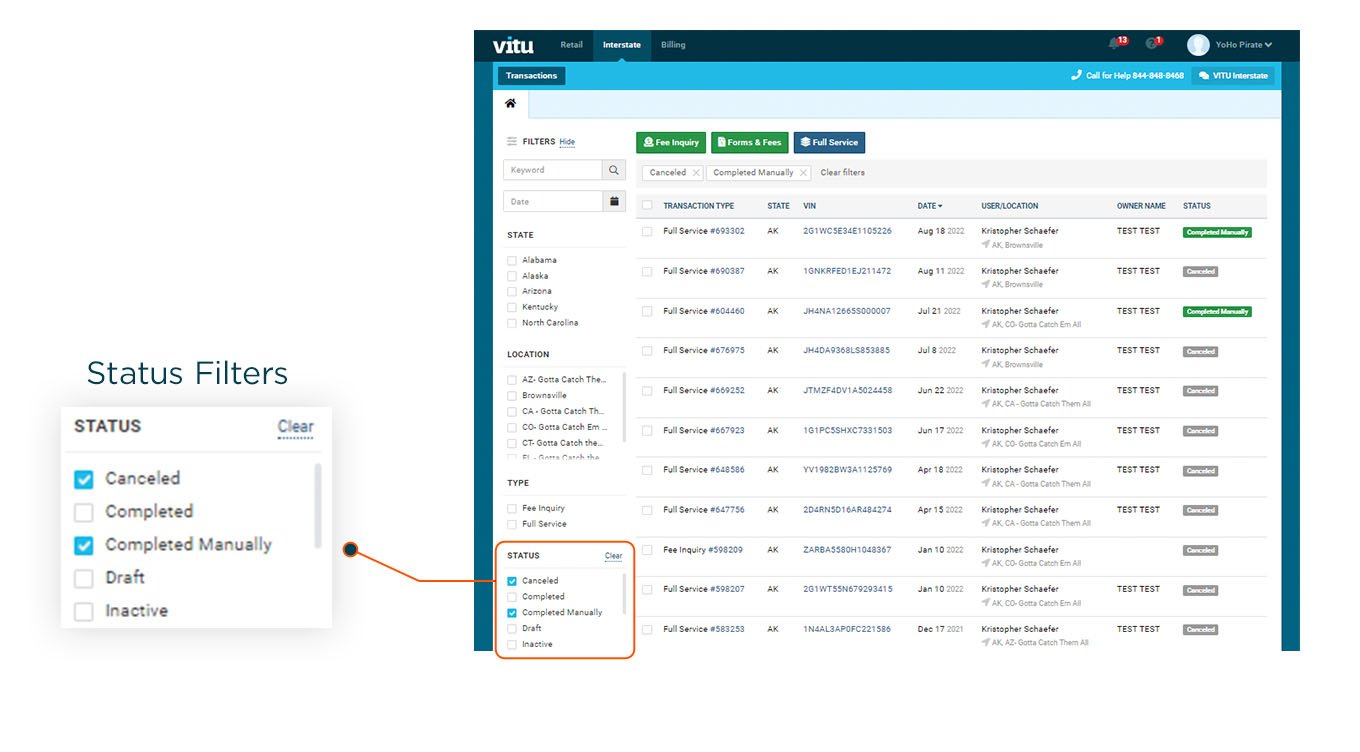
- The deal is billed and can no longer be reopened. You can quickly find these deals using the Status Filters at the bottom left of your screen to mark the appropriate checkboxes.
|
|
|
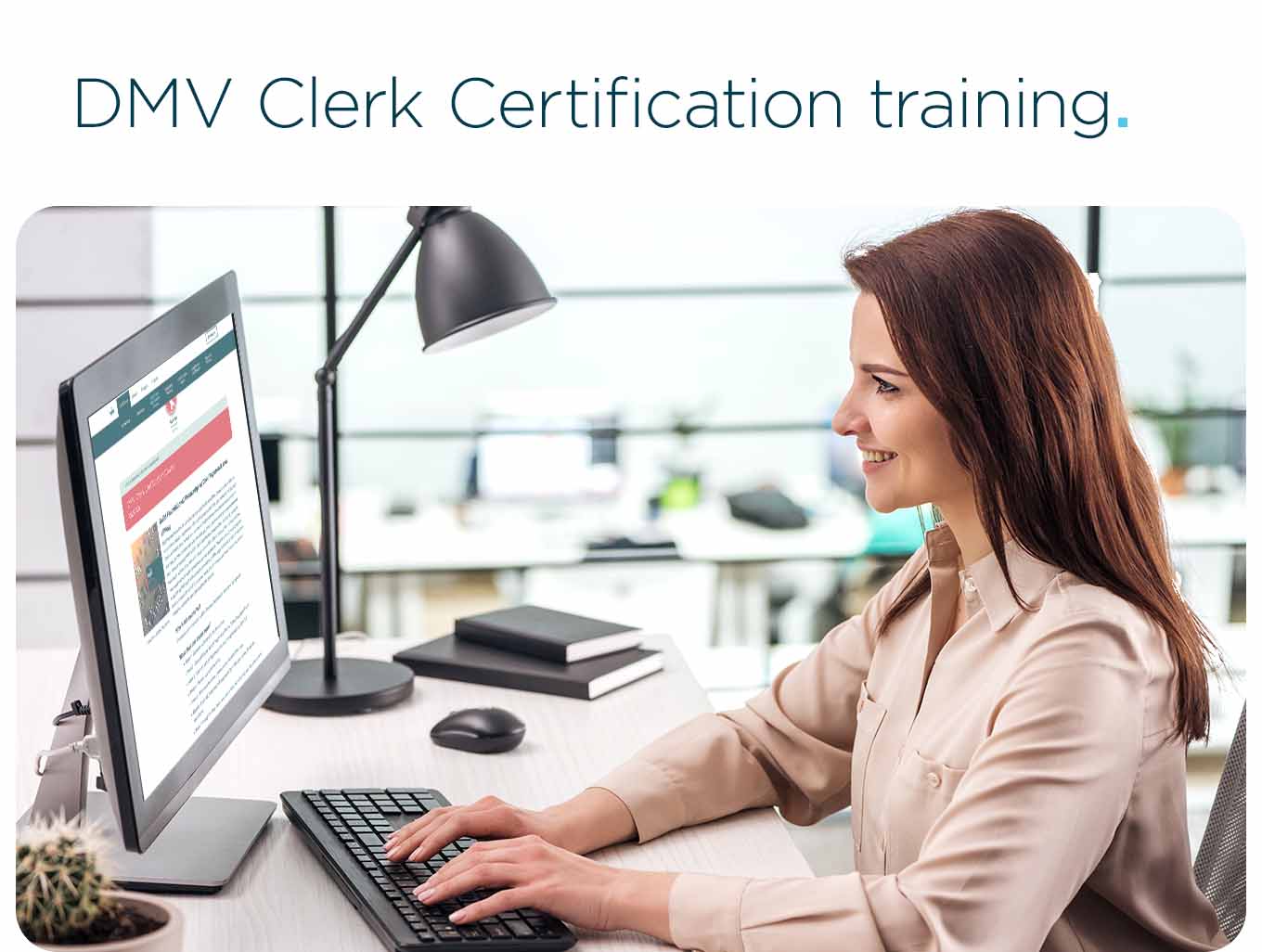
Is your dealership having trouble finding Title Clerks to process title and registration work? Or, need to train a new title clerk or an existing employee on DMV processes? There’s an online course for that. Be on the lookout for our DMV Clerk Certification training, which offers specialized training online from our knowledgeable staff on DMV processes and procedures. Make no mistake, your employees (or potential new employees) won’t breeze through the training (it requires passing two exams to complete the course), but once they finish, they will be equipped with the knowledge and know-how to implement DMV title and registration processes for your business office.
|
|
|
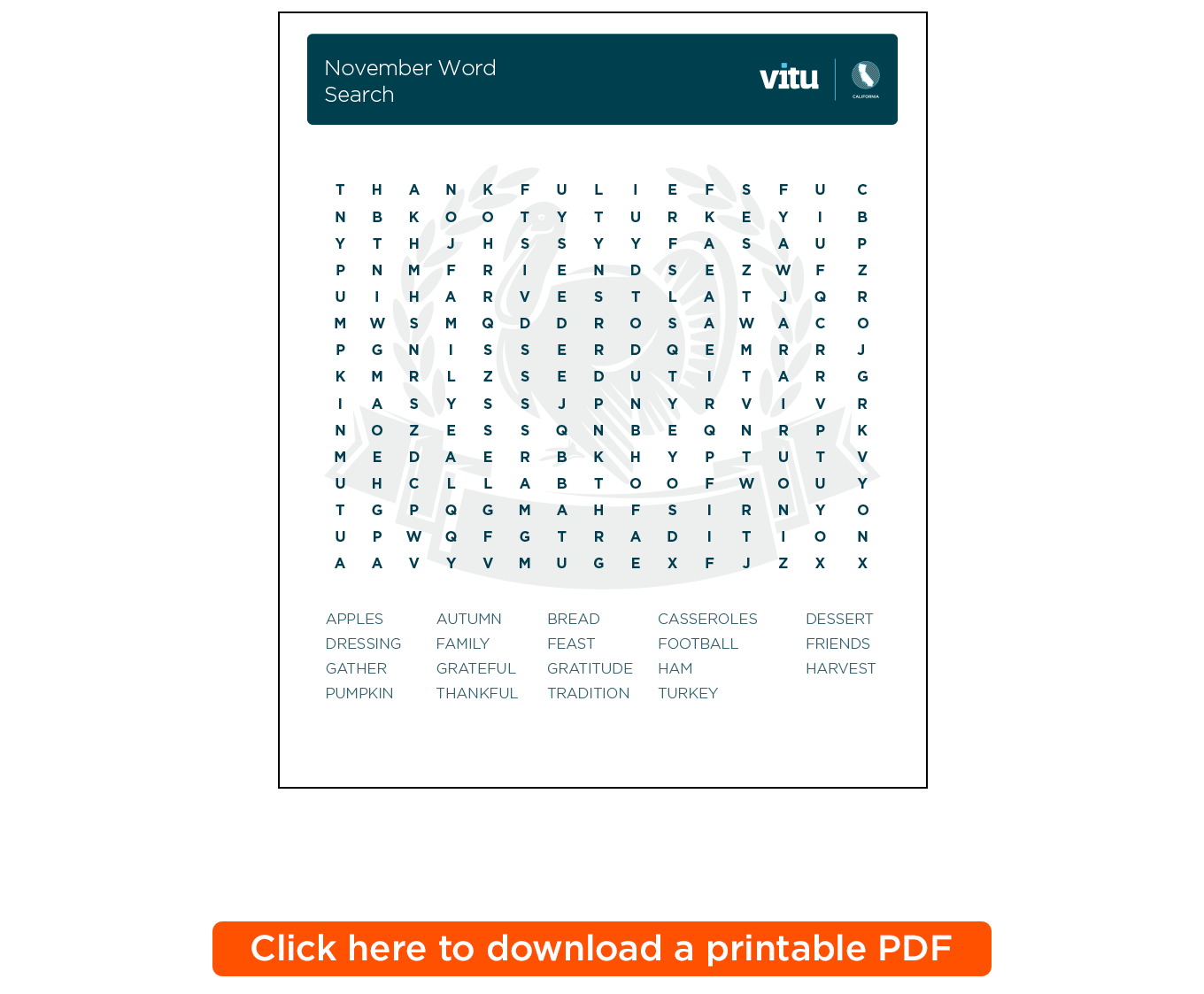
Send In Your November Word Search to Win a Prize
To enter the Stress Buster Contest, all you have to do is send us your completed entry.
|
Send your completed entry to cafunfacts@vitu.com, along with your name and contact information. We will randomly select one winner from the current entries. The winner will receive a $25 Amazon gift card.
Submit your response no later than December 5, 2022. The winner will be notified by December 9, 2022. Please limit responses to one email per person. Allow up to one week for delivery of the prize to your email address.
Last Month’s Stress Buster Winner
Congratulations to the winner of last month’s Stress Buster Contest!
|
|
|
29901 Agoura Road, Agoura Hills CA 91301
Office Phone: 818-706-1949 • Office Fax: 818-707-7786 • info@vitu.com
Office Hours: Monday to Friday, 9:00 a.m. to 5:00 p.m.
If you have a registration question or support issue, we're always here for you –
24 hours a day, 7 days a week.
Call toll free: 877-368-3375
|
|
|
|