Lil' Pat's Registration Station
|
|
|
|
We know that processing a lease buyout can sometimes be tricky. So let’s clear some things up for you. To avoid BPA errors and to prevent a vehicle from being reclassified and assigned a change to the Vehicle License Fee (VLF) class in error, follow these simple steps:
|
- Confirm the names of the current Lessees (LSE) match the names of the new owners.
- If the current Lessees are buying out the lease on a dealer transaction, submit a REG 256 — Statement of Facts.
- Be sure to write, “Lease Buyout” or “LBO” in the upper left-hand corner of your Report of Sale (ROS) and on the back of your title.
|
Within DMVdesk, the REG 256 is already pre-filled and available to you on your document checklist and can also be found under Additional Forms for the deal.
More detail
When the vehicle is being transferred from a Lessor (LSR)/Lessee (LSE), determine if the application is a lease termination/buyout to the LSE by checking if the names of the current LSEs on DMV’s record are the same as the new registered owner, and:
|
- If the names of the LSEs on DMV’s record are the same as the new registered owners:
- Do not reclassify the VLF class unless a non-family member is also being added or deleted.
- If the current LSE is adding or deleting a co-owner, a REG 256 is required from the LSE, with Section A (Use Tax Exemption) and Section B (Statement for Smog Exemption) completed.
- If the first name matches, but the last name does not — due to marriage, divorce, etc. — please include a Name Statement — REG 256 from the LSE with Section B and Section F completed.
- If the vehicle is being transferred to the same LSE and the application contains a Report of Sale (ROS), you must submit a REG 256 with Section B and Section G completed, stating that the current Lessees are buying out the lease and the lease payoff amount.
|
|
|
The Wholesale Report of Sale (REG 396) and Vehicle Auction Wholesale Report of Sale (REG 398) serve as the release of liability from the selling dealer to the purchasing dealer. Did you know that you can submit your Release of Liability (ROL) notice electronically as you complete your Wholesale ROS (REG 396)? By doing this, the information is posted directly to the vehicle record, rather than relying on the DMV to enter the information weeks after the sale. This helps prevent the selling dealership from being held responsible for parking or toll violations that occur after the sale.
To turn on submission of the Release of Liability at the time of Wholesale ROS creation, follow these steps.
|
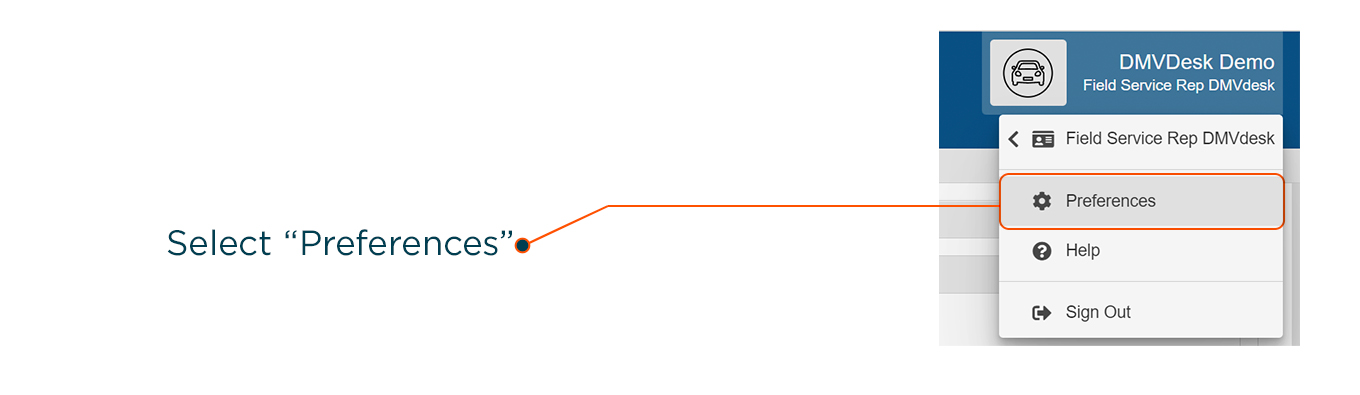
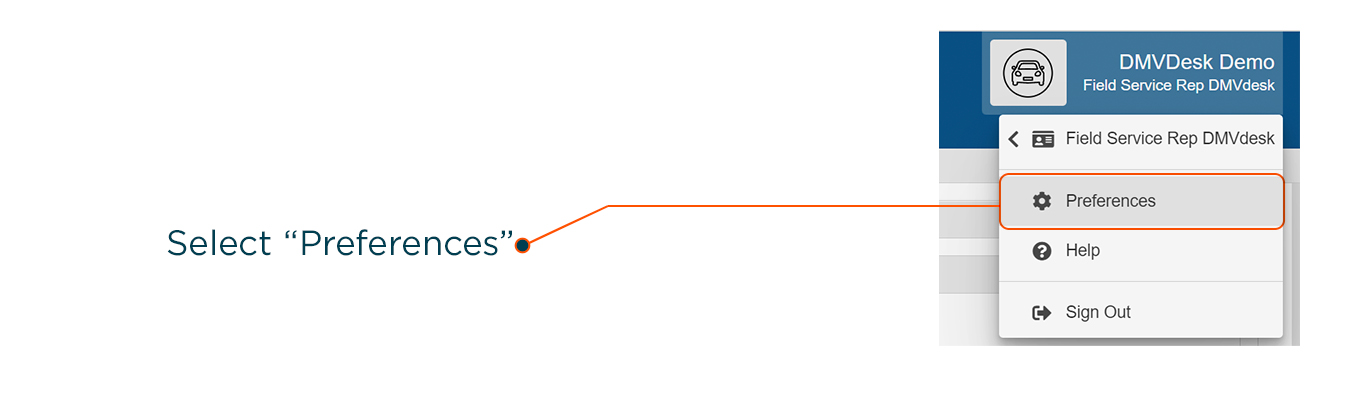
- In the dropdown menu at the top right, click on Preferences.
|
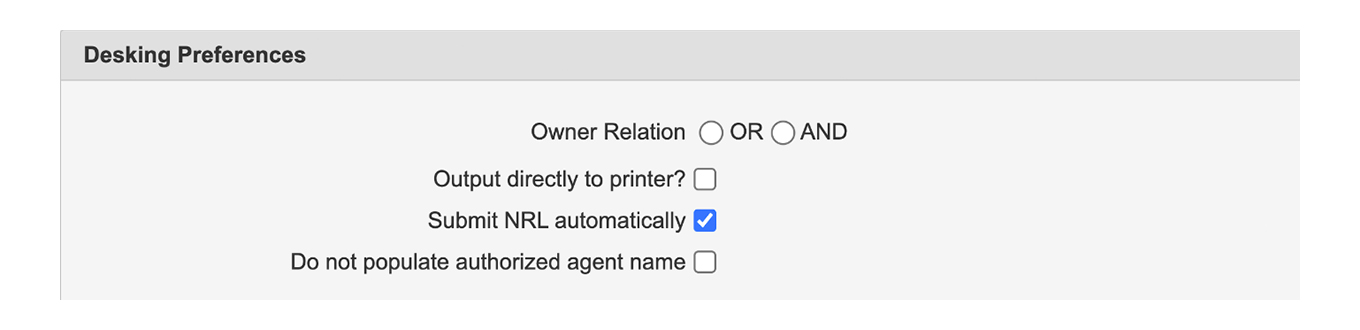
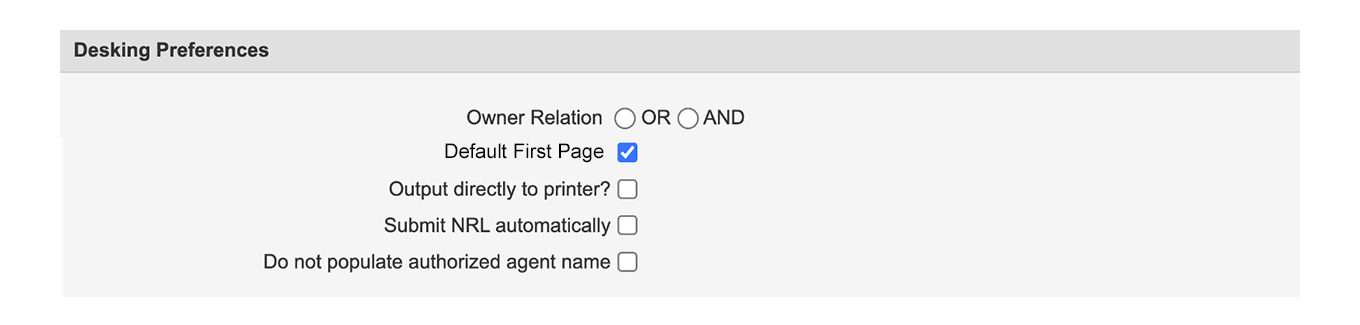
- In the Desking Preferences section, mark the Submit NRL automatically checkbox.
|
Now the Notice of Release of Liability will be submitted when the Wholesale Report of Sale is created.
|
|
|
There’s a handy way for F&I to quickly get to the Desking page. Take a moment to set your default landing page in DMVdesk to the Desking page with these steps.
|
- In the dropdown menu at the top right, click on Preferences.
|
2. In the Desking Preferences section, select Default first Page.
|
For the Default First Page checkbox to be available, the user making the change must have the job title of Finance Officer — to change the job title, simply contact Vitu Support.
|
|
|
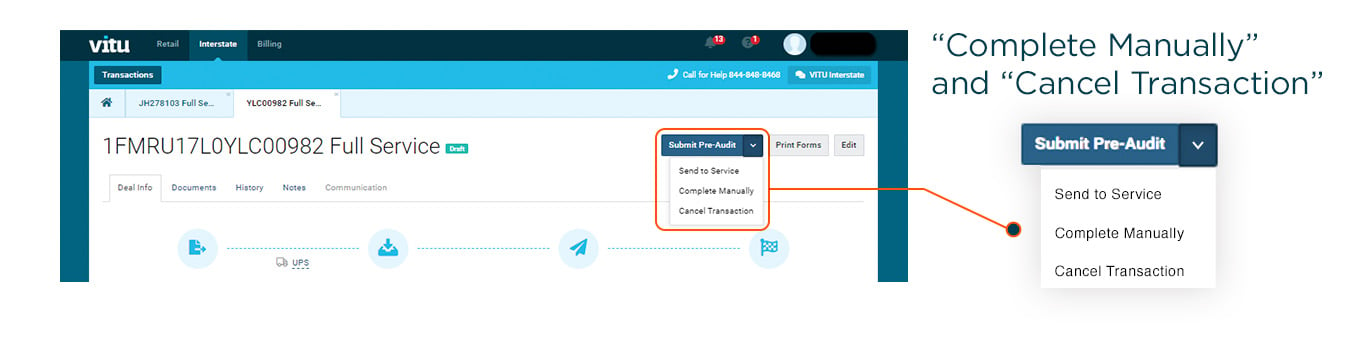
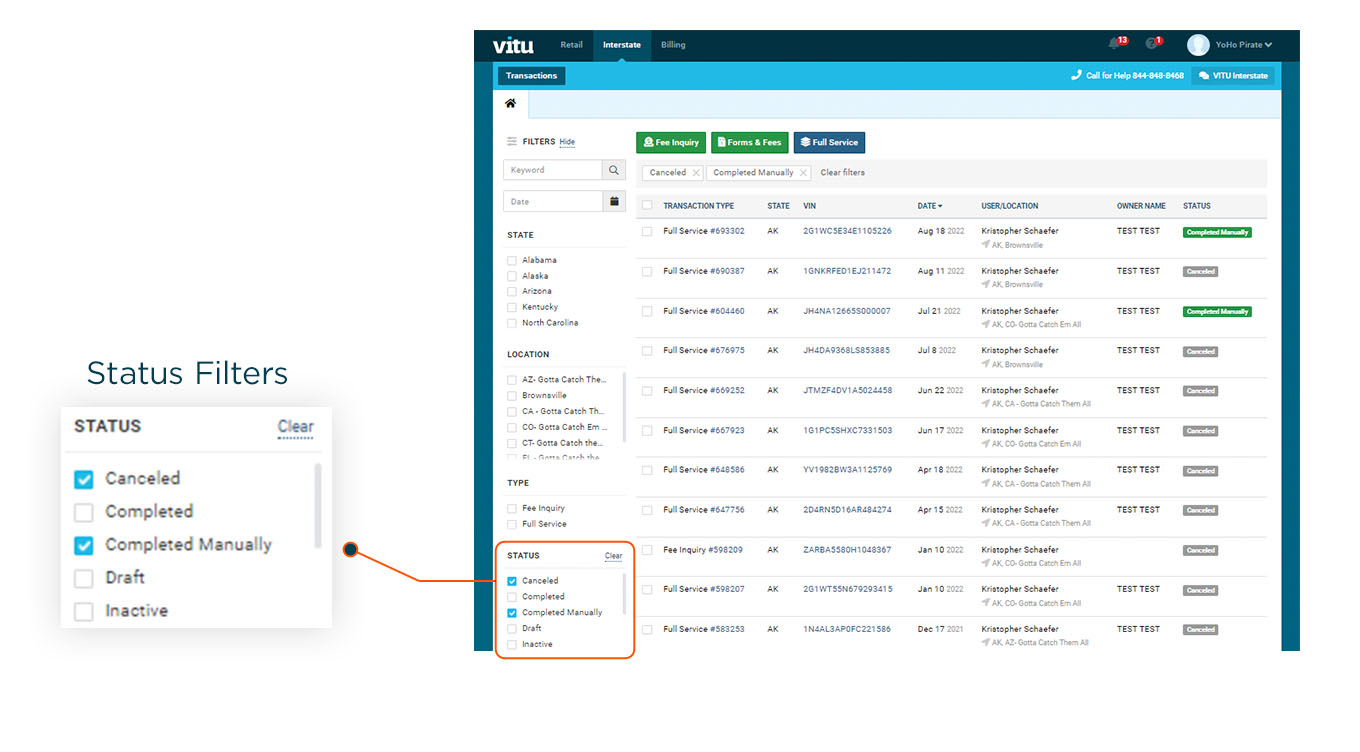
For deals in Vitu Interstate, now you have the option to Complete Manually or Cancel Transaction. These actions are restricted to Full Service users and are available in select statuses before deals are Sent to State. You can find these options in the Action dropdown menu when they are available to use.
|
Let’s take a closer look at these new actions. Cancel Transaction is available for Full Service deals before they are Sent to State, which allows you to manage, view, and filter your vehicle log more effectively. And since Complete Manually and Cancel Transaction cause the deal to bill for the services rendered, these actions are only available if your dealership has Full Service permissions.
But what if a deal was accidentally moved into those statuses? You have until midnight (on the same day) to reopen the deal. However, after midnight, the deal is billed and can no longer be reopened. To find these deals, just mark the checkboxes for the Status Filters you want at the bottom left of your screen, as in the image below.
|
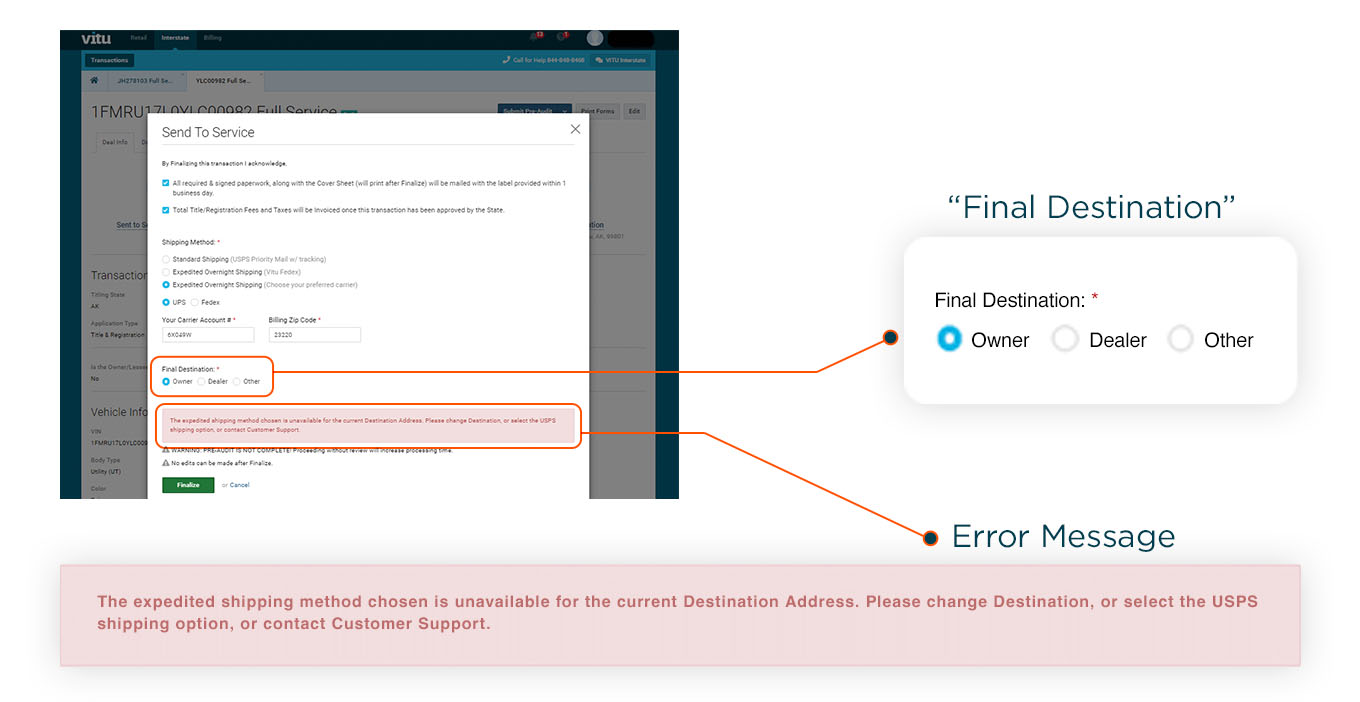
Vitu Interstate now verifies that shipping labels are successfully generated before allowing a deal to complete the Send to Service process. What this means is that complications (such as overnight delivery not being available to the customer’s address) are easily identified, allowing for adjustments to be made.
Updated Send to Service popup
As part of this process, the Final Destination selection has moved from the bottom of the Deal Info tab into the popup that appears when you select Send to Service. This way, you can adjust the final destination if needed, right in the popup.
|
In addition, any error encountered while attempting to generate a label will now be shown within this popup. Please realize that if a shipping label fails to generate for any reason, you must resolve the error or use an alternate shipping method before the Full Service submission can be completed.
|
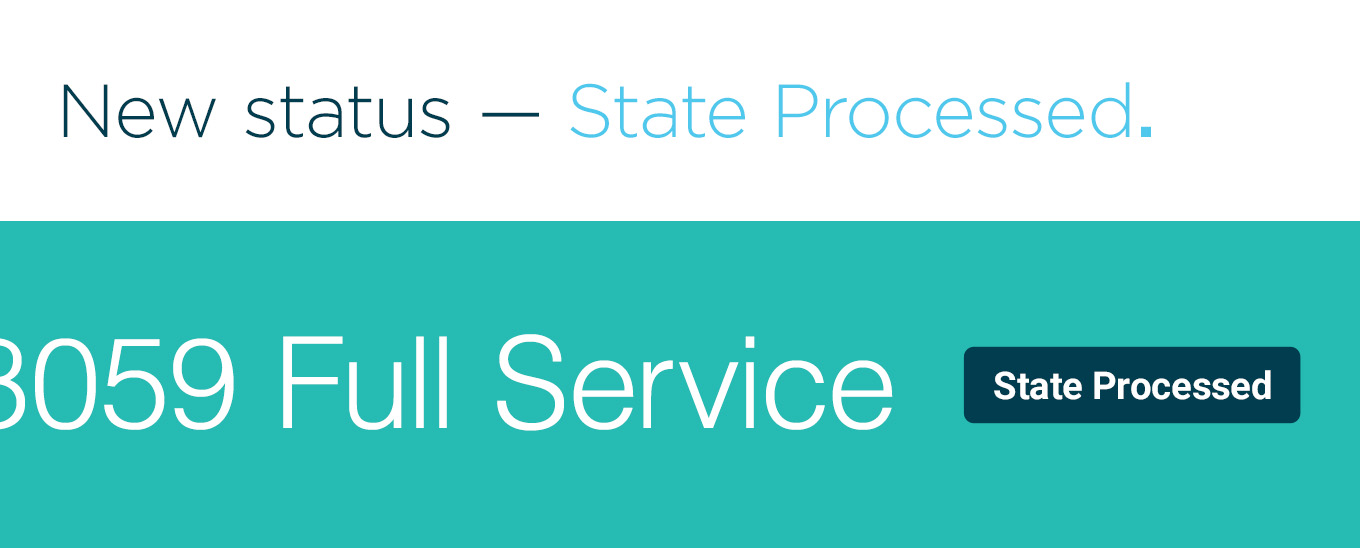
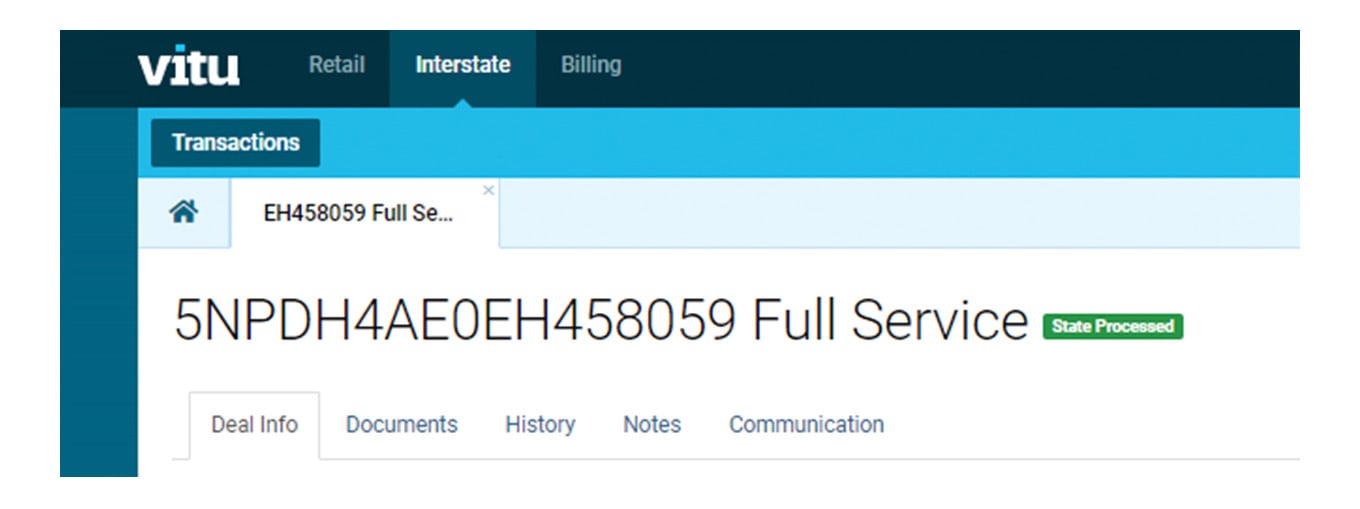
There is now a new status called State Processed for deals in Vitu Interstate, which shows you when the state has finished processing an application.
|
One handy thing to keep in mind is that you can also use this State Processed status to filter your deals in Vitu. To help you with that, here’s a little more detail on what these two statuses mean:
|
- State Processed — The current deal is finished by the destination DMV, but Vitu still has a few things left to do on it.
- State Completed — Everything is fully done, including billing.
|
Now you have the option in Vitu Interstate to have your DBA (Doing-Business-As) name or a Preferred Name to appear in lieu of your Location Name on all forms and for all titling states. If you wish to use your DBA name or a Preferred Name, please contact your Account Executive so they can update your Vitu Interstate application configuration.
|
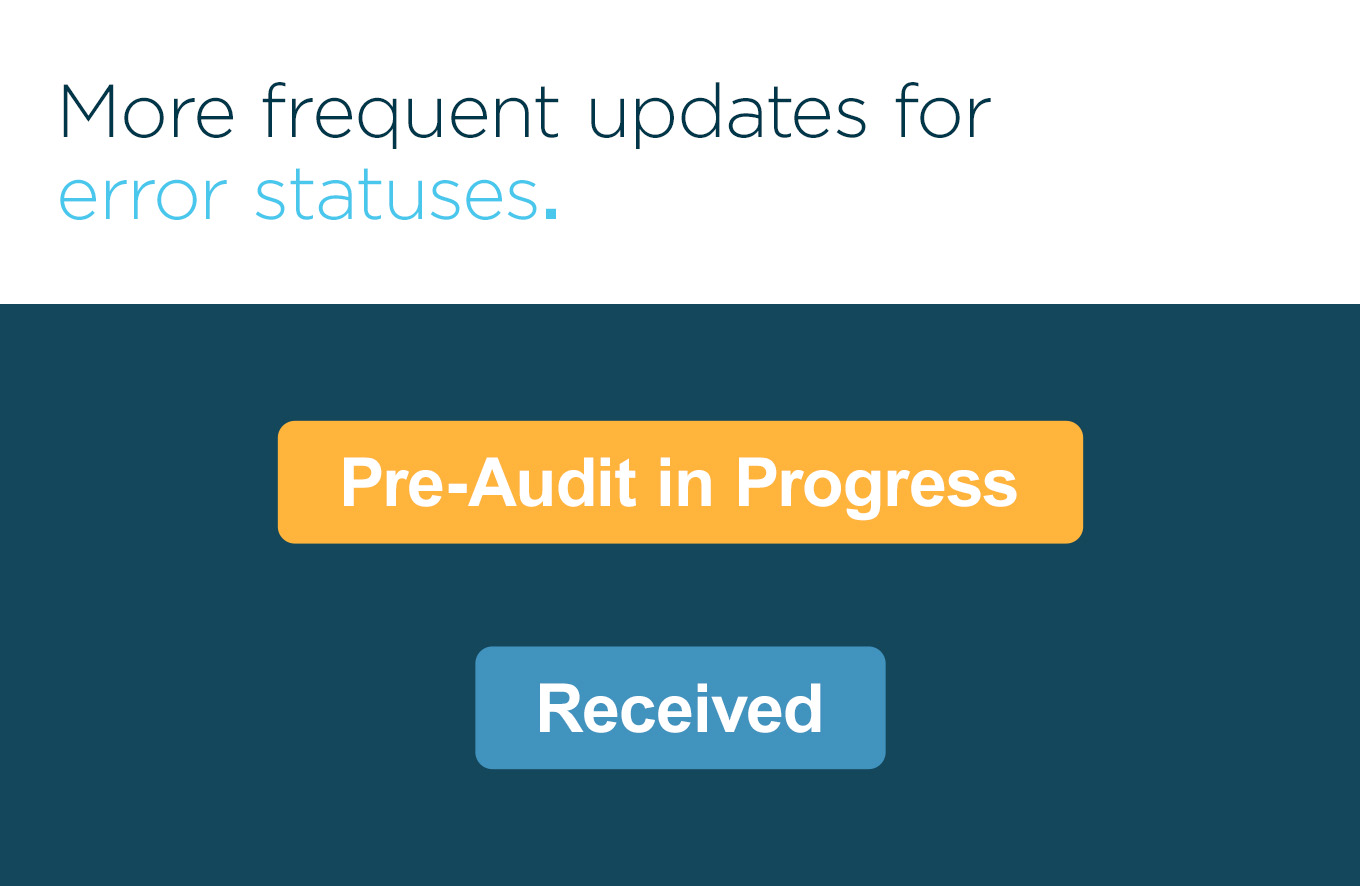
Previously, when a deal entered into the status of PreAuditErrorsFound or Errors Found in Vitu Interstate, it would remain in that status while Operations reviewed any updated or provided information. Now, as soon as Operations begins review of a corrected application, the deal status will update back to PreAudit in Progress or Received status.
|
You may have noticed that after a Michigan deal is complete, the registration term is longer than 12 months and the fees are higher than expected. No worries — Michigan just does things a little differently.
In many states, registration terms and fees are based on the vehicle purchase date — and is usually a 12-month term. Instead, Michigan sets the registration expiration date as the primary listed owner’s birthdate (MO/YR). So here are two things to remember for Michigan deals:
|
- Final registration fees may be higher than quoted for Personal Use vehicles.
- If less than six months remain between the time Michigan receives the application and the customer’s birth date month, then the registration term will be extended for an additional 12 months and the registration fee will be prorated.
|
This has always been the rule for Michigan — we just want to make sure you’re not concerned if the registration term is longer than you expect.
|
|
|
F&I — Registration Streamlining for Sales & Finance is again available in-person by appointment. For all sales and finance staff, this F&I course covers it all, helping your dealership reduce errors and minimize overages. All attendees will also receive an F&I handout along with their own digital book link to F&I — Registration Streamlining for Sales & Finance.
Cost
|
- $1,250 for up to 10 people
- $125 for each additional person
|
Click below to view the schedule and register.
|
Our REG 101 class for new vehicles and REG 201 class for used vehicles are presented together, in-person. For Title and Reg Clerks as well as anyone interested in California Titling and Registration, this is the place to pick up vital tips on all things title & reg. You’ll also receive a link to the 2022 REG 101 and REG 201 online books.
Dates
|
- September, October and November classes are available
|
- San Bernardino
- Agoura Hills
- Sacramento
|
Click below to view the schedule and register.
|
If you’re a Used or Wholesale Dealer License holder who needs renewal, you can get it done easily. Once you complete the online TD REN — Training Dealers Renewal course, our RMP team will mail you a DMV Certified Certificate of Completion and you’ll be good for another two years! This online course is available anytime.
Cost
Click below for instant access to the online course.
|
|
|
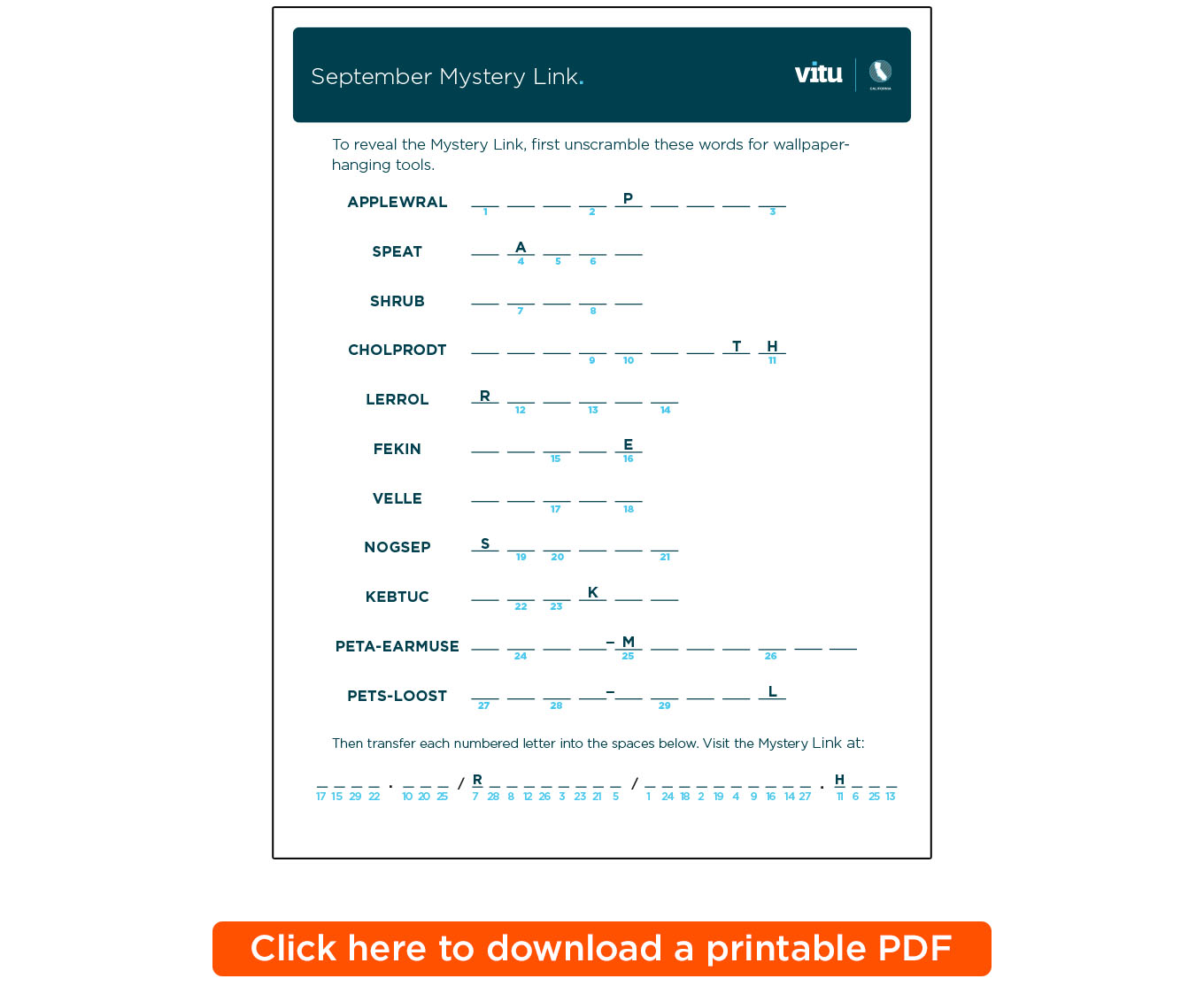
Send In Your September Mystery Link to Win a Prize
To enter the Stress Buster Contest, all you have to do is send us your completed entry.
|
Send your completed entry to cafunfacts@vitu.com, along with your name and contact information. We will randomly select one winner from the current entries. The winner will receive a $25 Amazon gift card.
Submit your response no later than October 5, 2022. The winner will be notified by October 10, 2022. Please limit responses to one email per person. Allow up to one week for delivery of the prize to your email address.
Last Month’s Stress Buster Winner
Congratulations to the winner of last month’s Stress Buster Contest!
|
|
|
29901 Agoura Road, Agoura Hills CA 91301
Office Phone: 818-706-1949 • Office Fax: 818-707-7786 • info@vitu.com
Office Hours: Monday to Friday, 9:00 a.m. to 5:00 p.m.
If you have a registration question or support issue, we're always here for you –
24 hours a day, 7 days a week.
Call toll free: 877-368-3375
|
|
|
|