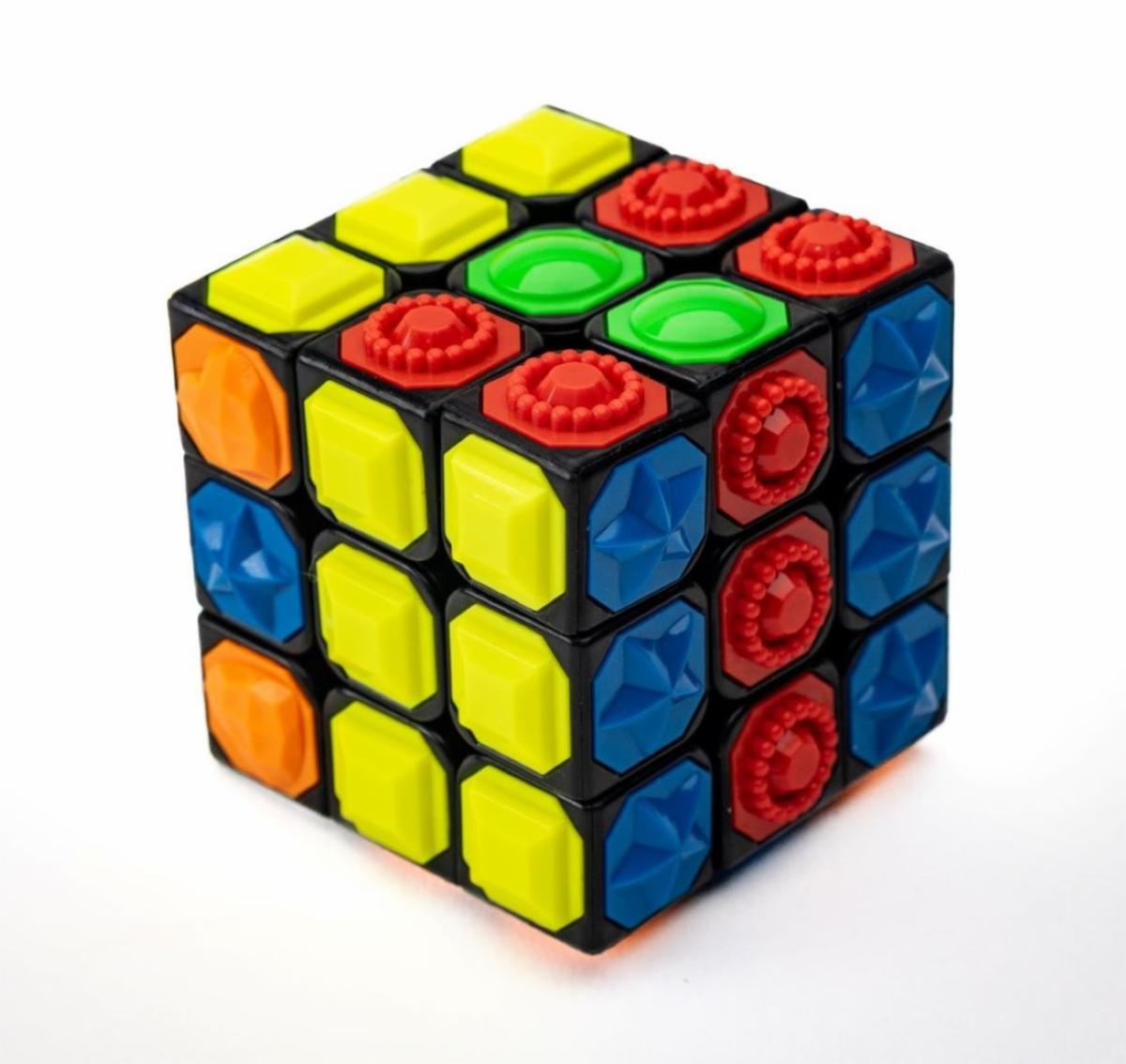
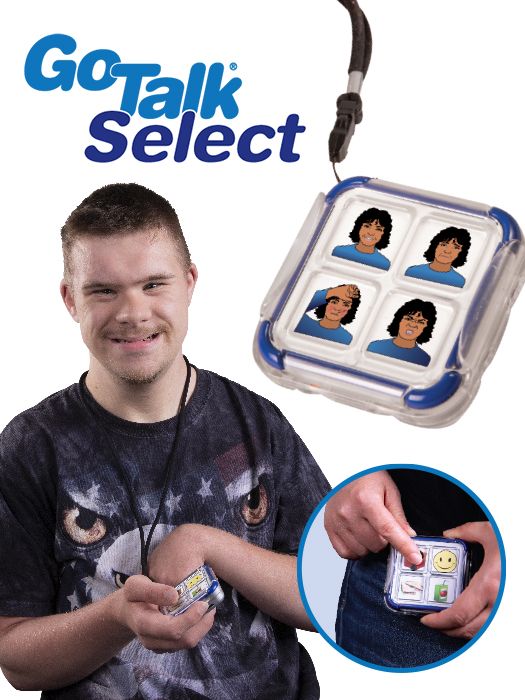
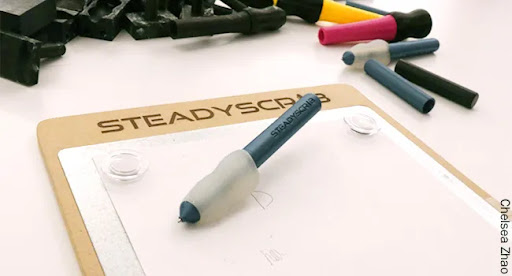
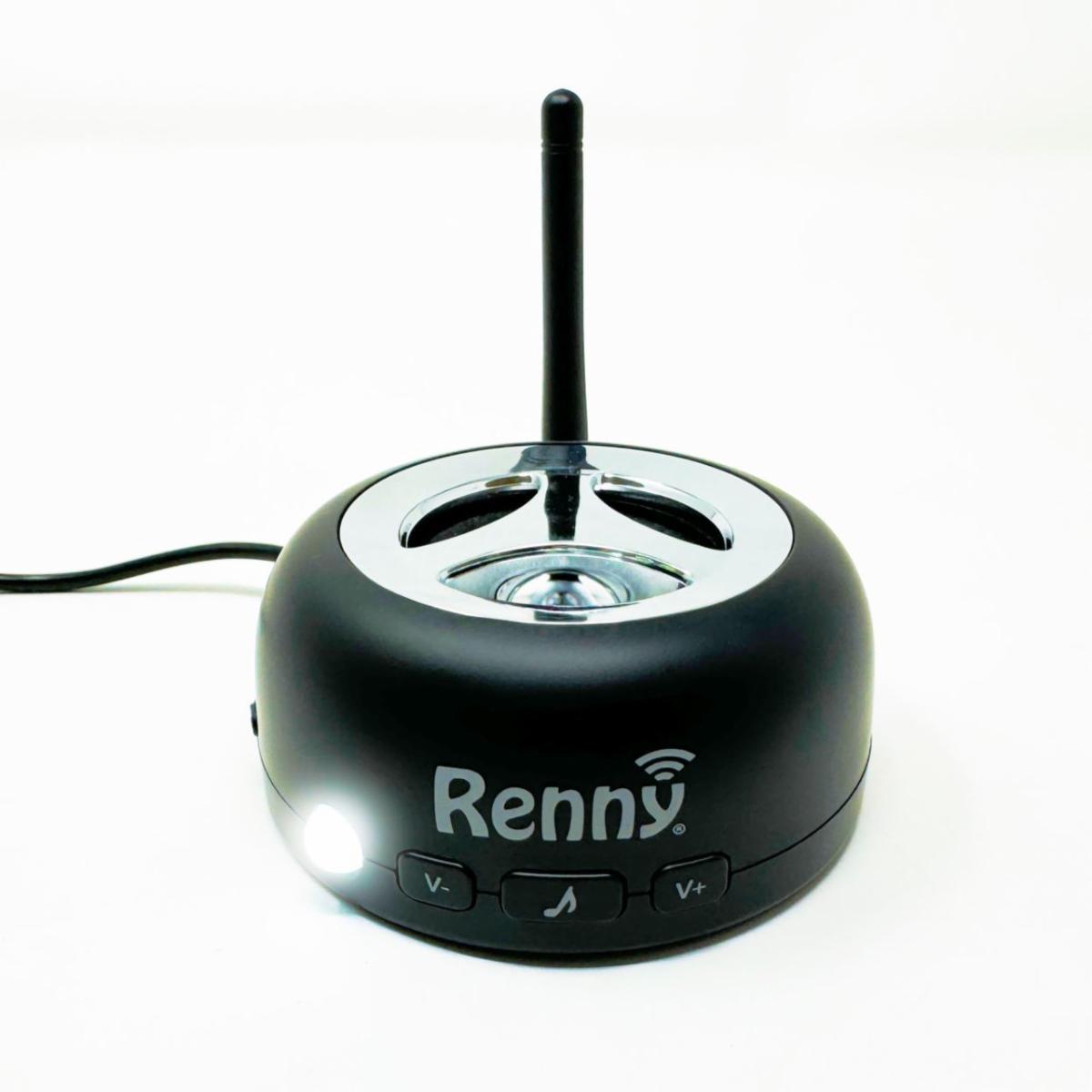
8 New Demonstration Items | | We are pleased to announce the addition of new assistive technology (AT) tools available for Alaskans to explore in our demonstration center. These hands-on demonstrations provide an objective opportunity to evaluate how various tools can support greater independence and help individuals achieve their personal and professional goals. | | Meta (Ray‑Ban) smart glasses resemble regular eyewear but include a camera, open‑ear speakers, a microphone, and touch controls. The user gives voice commands such as “Hey Meta” to have surroundings described aloud, signs or printed text read, objects or individuals identified, or translations provided. The glasses also integrate with Be My Eyes so that the user can connect live to sighted volunteers for hands-free guidance. | | Tactile Game Cube is a tactile puzzle for blind, low‑vision, or hands‑on learners. Each face of the cube has nine raised shapes—dots, lines, triangles, or grids. The user rotates the cube to match all nine shapes on one side. This activity builds spatial reasoning, problem-solving, and fine motor skills entirely through touch. | | |
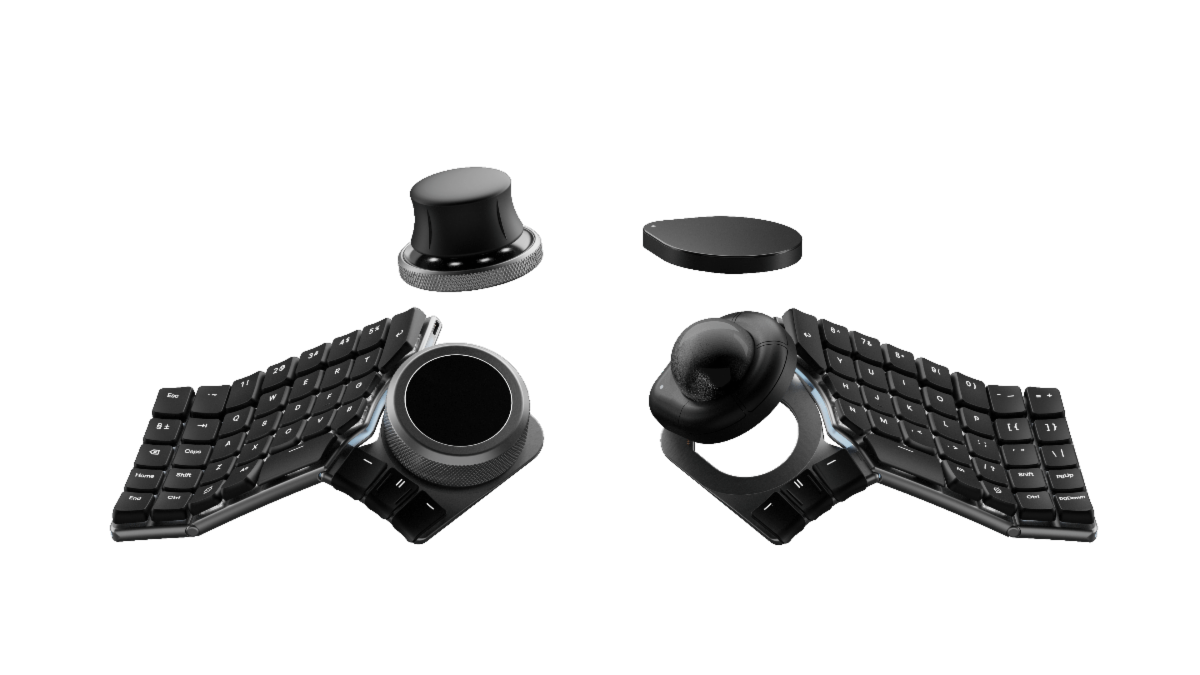
Naya Create keyboard is an ergonomic keyboard that pairs with snap‑on modules. Available modules for demo include:
- the Touch module (a built‑in touchpad with gestures),
- the Track module (a precision trackball for navigation without hand movement),
- and the Tune module (a programmable dial with haptic feedback for scrolling, zooming, or adjusting volume).
These modules enable typing and input tailored to user needs while reducing reliance on multiple devices.
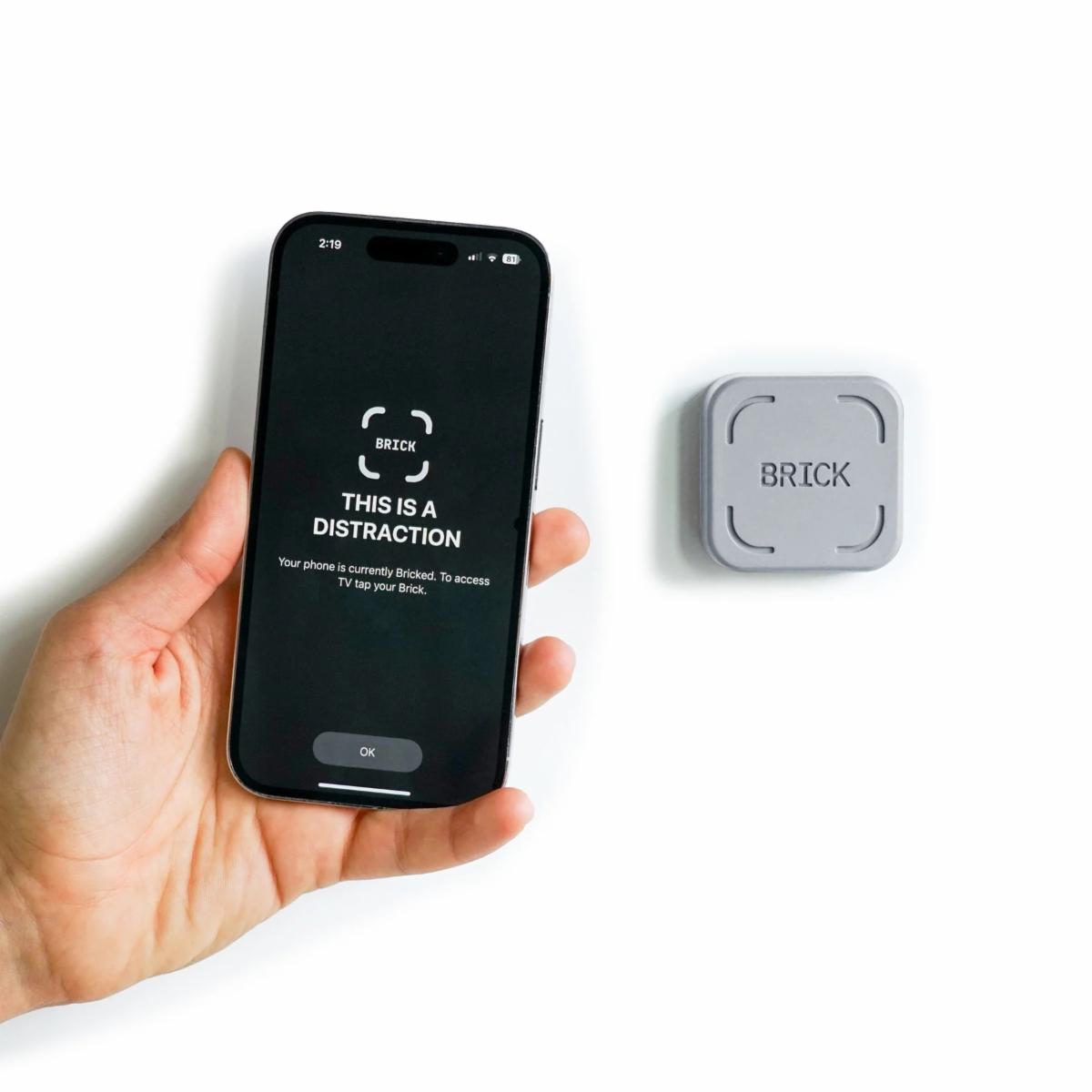
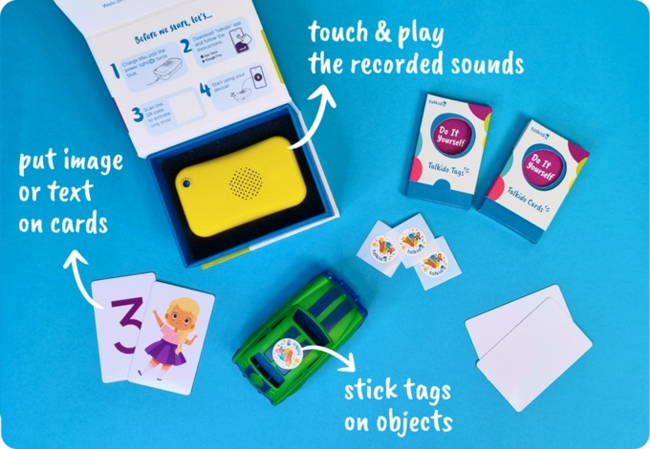
| | Brick is a small square device that blocks distracting apps and notifications when users tap the device to their phone. The user selects apps or sites to block in the Brick app, activates “Brick Mode,” and the phone becomes distraction‑free. To regain access, the user must physically tap the Brick again, creating a deliberate pause before unlocking the phone. | | Talkido includes a device called Mio and a companion app. A support person records messages and links them to cards or tags. When the user taps a tag, Mio plays the message. This system helps build language and communication skills through interactive, personalized audio cues. | | GoTalk Select is a wearable communication device with four large buttons and three levels, allowing up to 12 recorded messages. A support person records words or phrases such as greetings, requests, or classroom needs. The user taps a button to speak the message through a clear loudspeaker. The device is light enough to clip to a lanyard or pocket. | | SteadyScribe is a pen‑and‑clipboard kit with a weighted, magnetic pen and a galvanized steel clipboard. The pen’s weight and wide grip, combined with the clipboard’s magnet, stabilize writing for users with tremors or stiffness, helping produce smoother handwriting. | | Renny Extra Loud Cell Phone Ringer is a Bluetooth device that alerts users with hearing loss to calls, texts, or emails. Once paired with a smartphone, Renny rings up to 117 dB and flashes a white light, even if the phone is on silent, vibrate, or in another room. It helps individuals remain aware of important alerts without relying on the phone itself. | | Spotlight: 35th Anniversary of ADA Signing | | Thirty-five years after it became law, the Americans with Disabilities Act (ADA) has done more than just make places and services accessible—it has helped create new ideas and tools that work better for everyone. Because of the ADA, there is a steady need for AT, like voice assistants and apps that people can change to fit their needs. These tools are now part of everyday life. The ADA is still helping shape a future where technology is made to include and support all people. Learn more from the AT3 Center at the website below. | | |
Visit the iPad Resource site and find tips, tricks, training videos, website resources, and some of our staff's favorite applications (apps) on this site. If you're not sure what apps are, there's a video for that! The resources are organized by the iPad user's level of beginner, intermediate, and advanced.
We have recently added a support page for troubleshooting common problems iPad users may face.
| | Donate gently used AT devices, and ATLA will provide them to other Alaskans in need at no cost. The donation is 100% tax-deductible and is a great way to give back to the community. Check here monthly for items that may benefit you or someone you know! | |
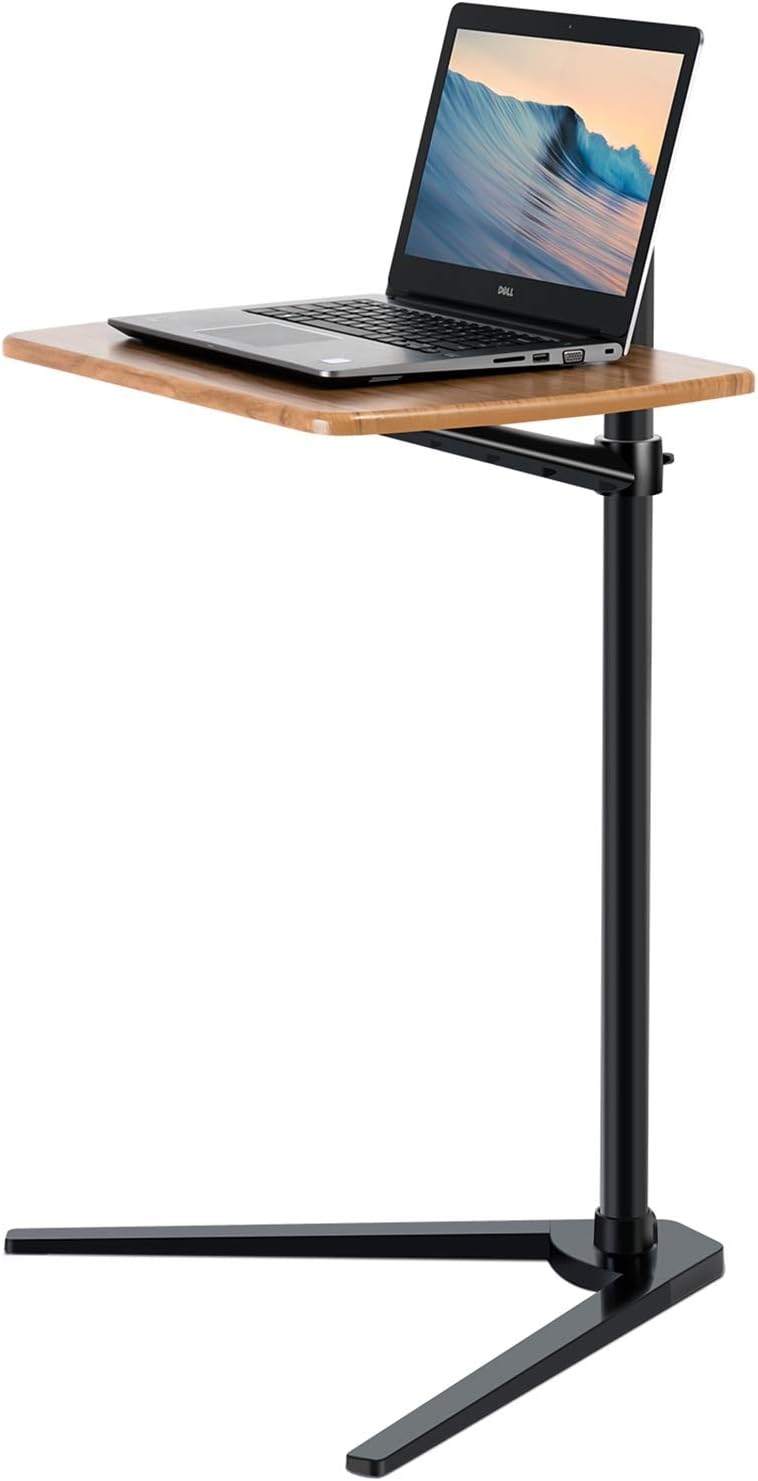
Viozon Tablet and Laptop Floor Stand
This height‑adjustable tray table is designed to slide over your bed, sofa, or chair for ergonomic laptop use. It adjusts from about 11.8 to 35.4 inches high and supports up to 17lbs, with a twist‑lock knob to secure the height you prefer. The 14.2 by 20.9 inches tray is spacious enough for laptops or tablets, and the sleek, space‑saving V‑shaped base slides easily under furniture for stable placement.
| |
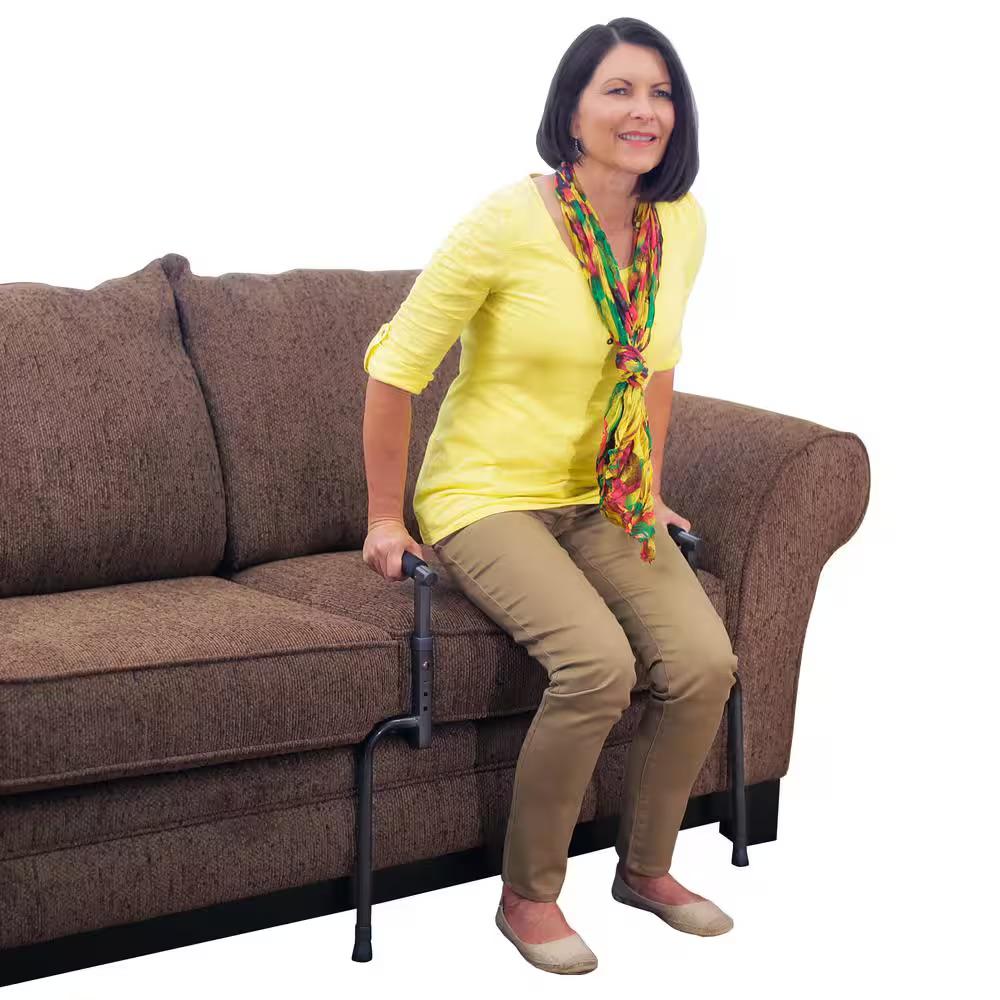
Able Life Stand Assist
The Able Life Stand Assist provides balance and support when sitting or standing from a chair or couch. It helps to prevent dangerous falls for those needing mobility assistance. Compatible with furniture cushions that are 12 to 21 inches above the ground, 19 to 26 inches wide, and 24 to 27 inches deep.
| |
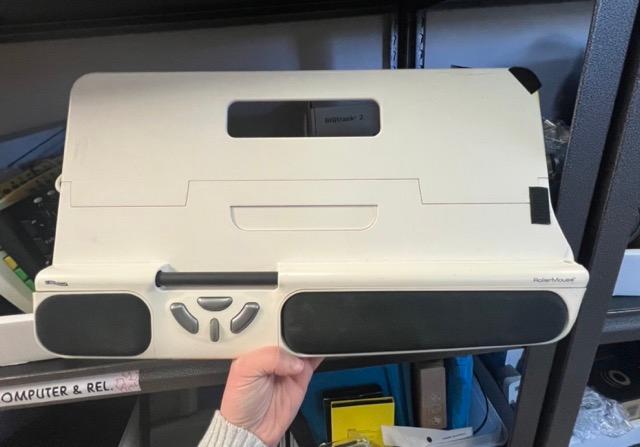
Contour Roller Mouse
The Contour Roller Mouse sits directly in front of a user’s keyboard, keeping their hands within shoulder width and eliminating the need to reach, grip, or move a mouse. The Rollerbar allows smooth, accurate cursor movement and tap-to-click functionality.
| |
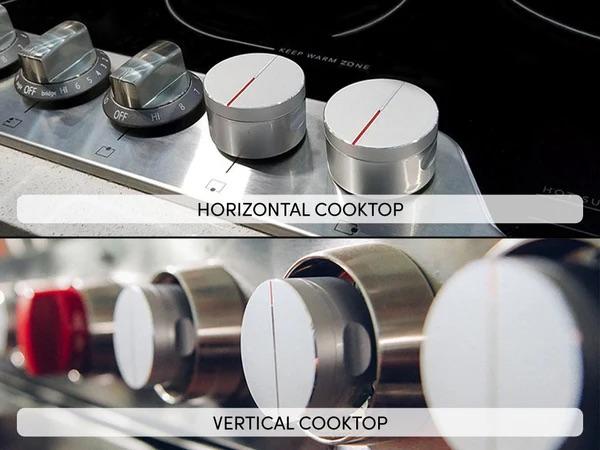
Toch Smartturn Stove Knobs
These smart turn stove knobs provide automatic reminders when the user forgets to turn off a running stove. When the stove is turned on, a sensor monitors the user’s movements. If left unattended for too long, the device will alert the user via local alarm or a caregiver via mobile phone notification.
| |
Assorted iPad Cases
Need an iPad case? ATLA has a wide variety of iPad cases in reuse that may fit your iPad! Complete the form below and include your iPad model so we can check for a case that will fit. Find out what iPad model you have here.
| | Please expect contact within 14 business days of the ReUse Request submission. Individuals will be contacted in order of form submission. Please do not call or email staff with item requests. If items are to be shipped to an individual, ATLA will cover the shipping cost up to $20.00. *This form is only a request; equipment is not guaranteed.* | |
Join other people with disabilities, caregivers, parents, and professionals!
Keep up-to-date on the latest assistive technology topics!
| |
iPadⓇ, AppleⓇ , iPhoneⓇ, and iOSⓇ are all trademarks of Apple Inc.
You are receiving this email because of your relationship with or interest in Assistive Technology of Alaska. Should you receive this message by mistake, please click "unsubscribe" below.
| | | | |