Here’s how crews across the country are simplifying
their workflows while improving accuracy and saving time:
1. Measure
Use the PQI gauge as normal—GPS and timestamp on. Whether using PQI 380+ or PQI 380, the data is automatically tagged and ready.
2. Capture Data
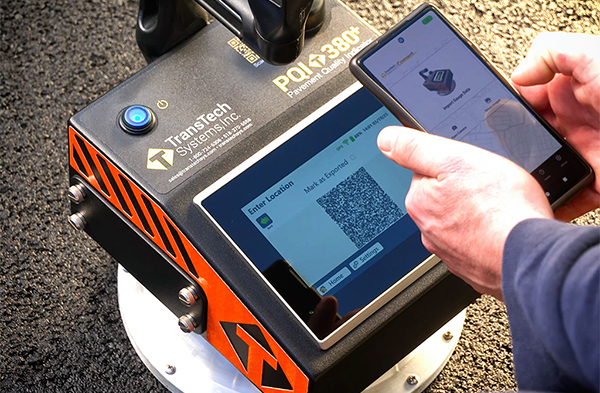
PQI 380+
Tap Upload and scan the on-screen QR code with our free mobile app.
PQI 380
Tap Export, drop the file on a USB, and upload via the web portal.
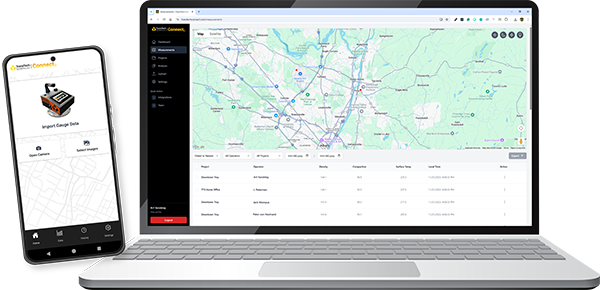
3. Visualize in Seconds
Our web portal instantly flags results as Pass, Warning, or Fail using a color-coded heatmap, making soft spots easy to spot and address.
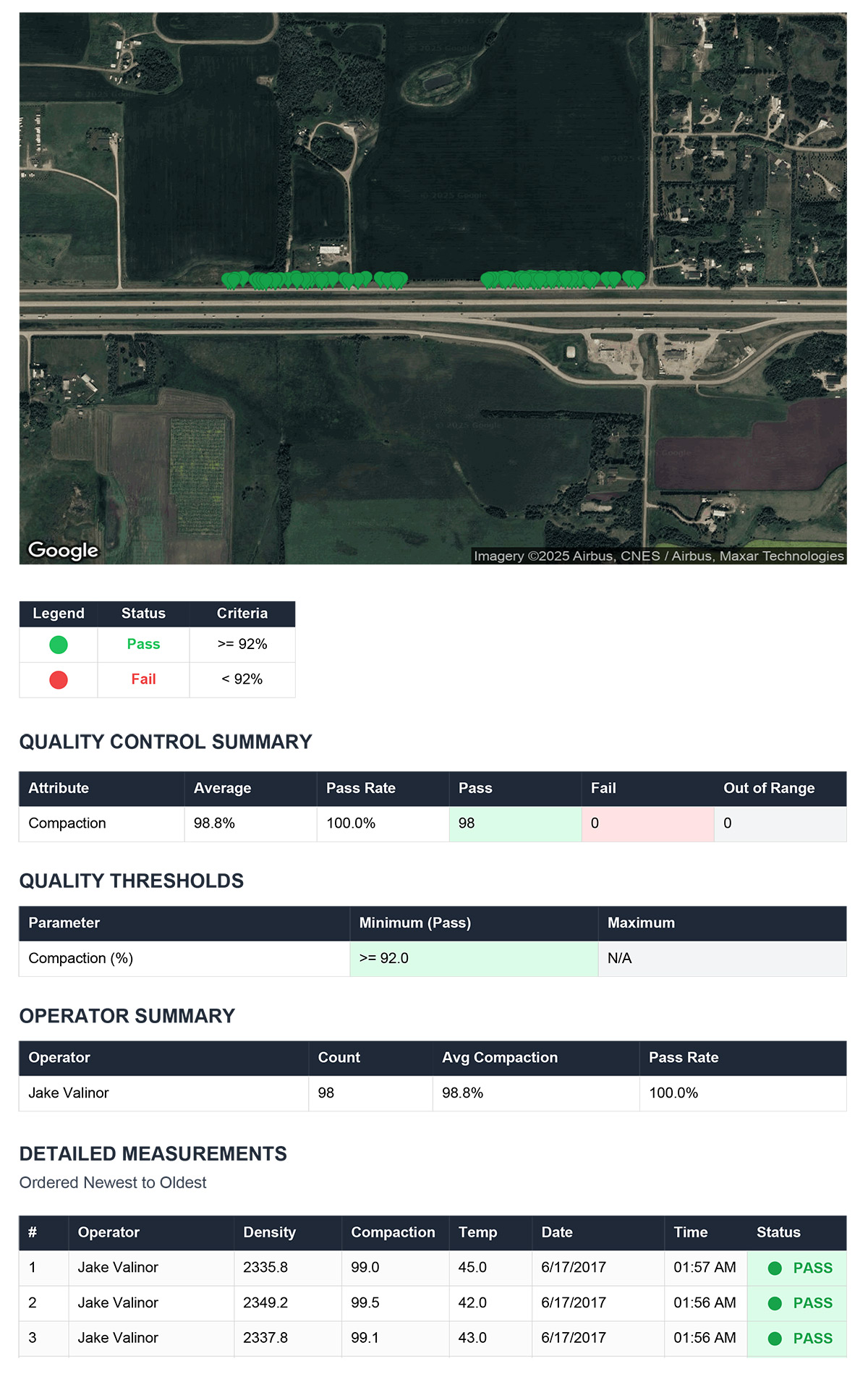
4. Report Instantly
With just a click, generate timestamped, GPS-tagged PDF or CSV reports—no clipboards or re-typing, all formatted for e-ticketing compliance.
Why Crews Like It:
✔ No manual data entry errors
✔ Adjust rolling patterns while the mat is hot
✔ Scalable for small crews and large enterprises
Try It on Your Next Shift!
Measure ➤ Scan/Export ➤ Visualize ➤ Report.
It’s that simple!
Sign up today for a 14-day unlimited trial of TransTech Connect.
Explore all features, including the new reporting tools, without
any commitment or credit card required.
Experience our interactive demo, or schedule a personalized demo
to see how TransTech Connect can work for your specific needs.
Shoot us an email at
connect@transtechsys.com to get started!
Seamless reporting, real-time insights,
and cloud-connected data only with TransTech Connect!
TransTech Systems, Inc. | 900 Albany Shaker Road, Suite | Latham, NY 12110 US
Unsubscribe | Update Profile | Constant Contact Data Notice