Student Affairs


The ACC SIS Modernization Project Is Underway


Dear Student Affairs,


Welcome to Student Affairs Student Information System (SIS) Modernization Project Newsletter. As part of a commitment by Student Affairs Leadership to keep our staff informed and involved as we undergo the modernization of our SIS, Student Affair Operations will be sending out this monthly newsletter to all staff with information pertinent to our areas. 


We want to ensure this information is readily accessible to you and the Student Affairs (SA) Student Information System (SIS) Modernization Project site is your one-stop-shop for all news, updates, trainings, and resources relevant to Student Affairs employees. Here, you can also meet the Student Affairs professionals who will be fully dedicated to helping us navigate this massive transformation. Or, you can send your feedback or questions using our SA SIS Modernization Project feedback form. The form can be submitted anonymously or you can include your email address if you would like a direct response.


Last week Dr. Buchanan reminded us that, “When it comes to any major transformation, success (or failure) comes from the people, not the technology.” I hope you will join me in answering her challenge to commit to the success of this effort.


Kindly,


Ana Rummer

AVC Student Affairs Operations

What is Workday Student?

Learn More

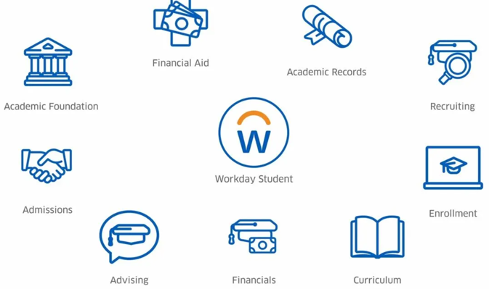
Workday is a fully integrated, mobile-friendly student platform that can help bridge the digital divide by empowering our students to manage their relationship with ACC from anywhere, with any device. 


With Workday staff can spend less time navigating multiple screens and platforms and spend more time focusing on what matters most: our students.

What is the ACC SIS Modernization Project?

The ACC SIS Modernization Project is a multi-year, multi-department, multi-vendor effort to modernize our student information system (SIS) with a new, fully integrated, mobile-friendly cloud platform and to upgrade /retire/integrate auxiliary systems to support the College’s full SIS needs. The platform the College has selected for its new SIS is Workday Student.

For the Workday Student Implementation, ACC has formally contracted with Workday Professional Services to be our implementation partner (also known as our "systems integrator" or SI).

What We're Excited About


“I am most excited about the Workday Student transition because it should make life easier for our Academic Guidance Specialists by lessening the software needed to successfully complete our work with students. I am also excited about the prospect of utilizing Workday for even more comprehensive, holistic support for our students across ACC's many divisions - Siloes are the enemy of collaboration and Workday has the potential to continue breaking down those barriers.”


-Jana McCarthy

SA SIS Advising Lead

What We’ve Done So Far: Discovery & Planning

Last Week...


ACC completed a week of virtual Discovery Sessions with our Workday partners. This gave ACC and Workday to learn more about each other and see Workday functionality in action.


This week...


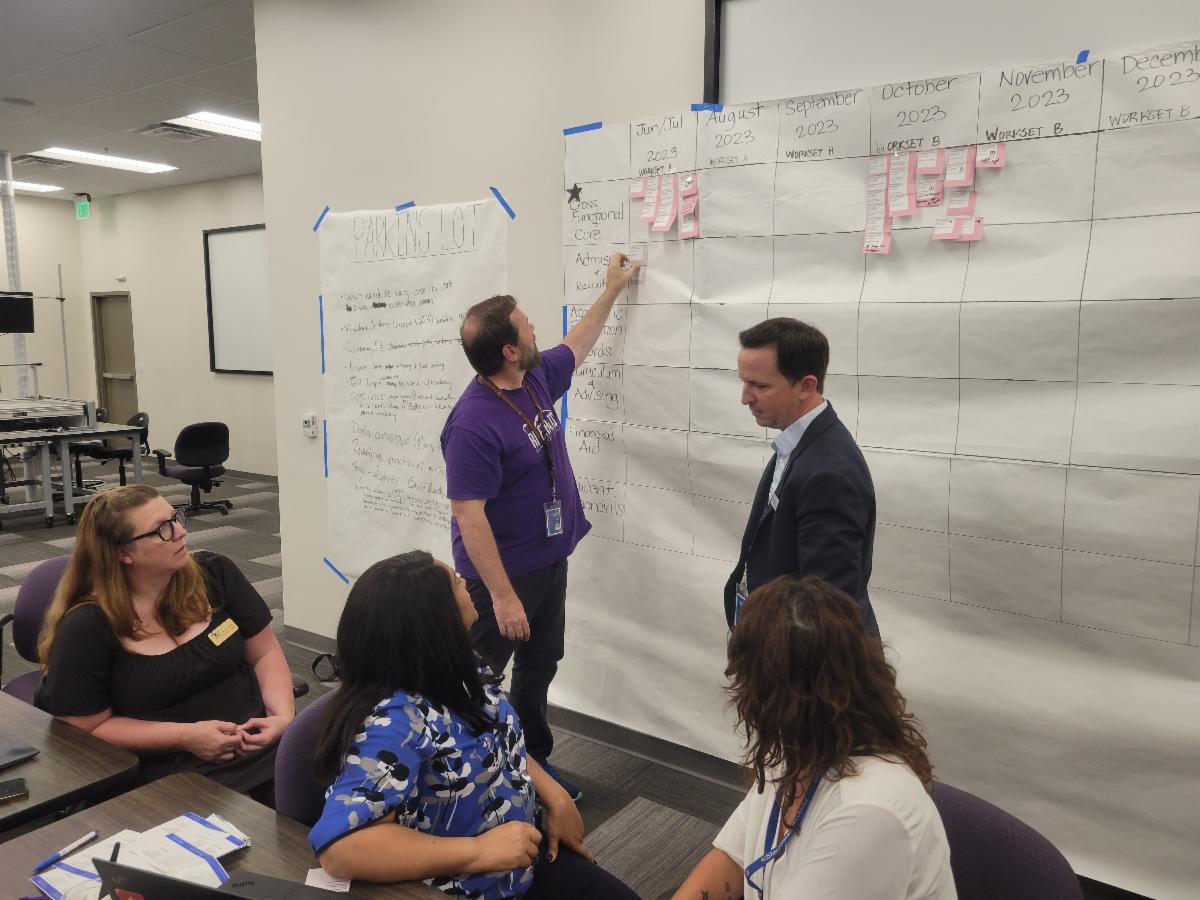
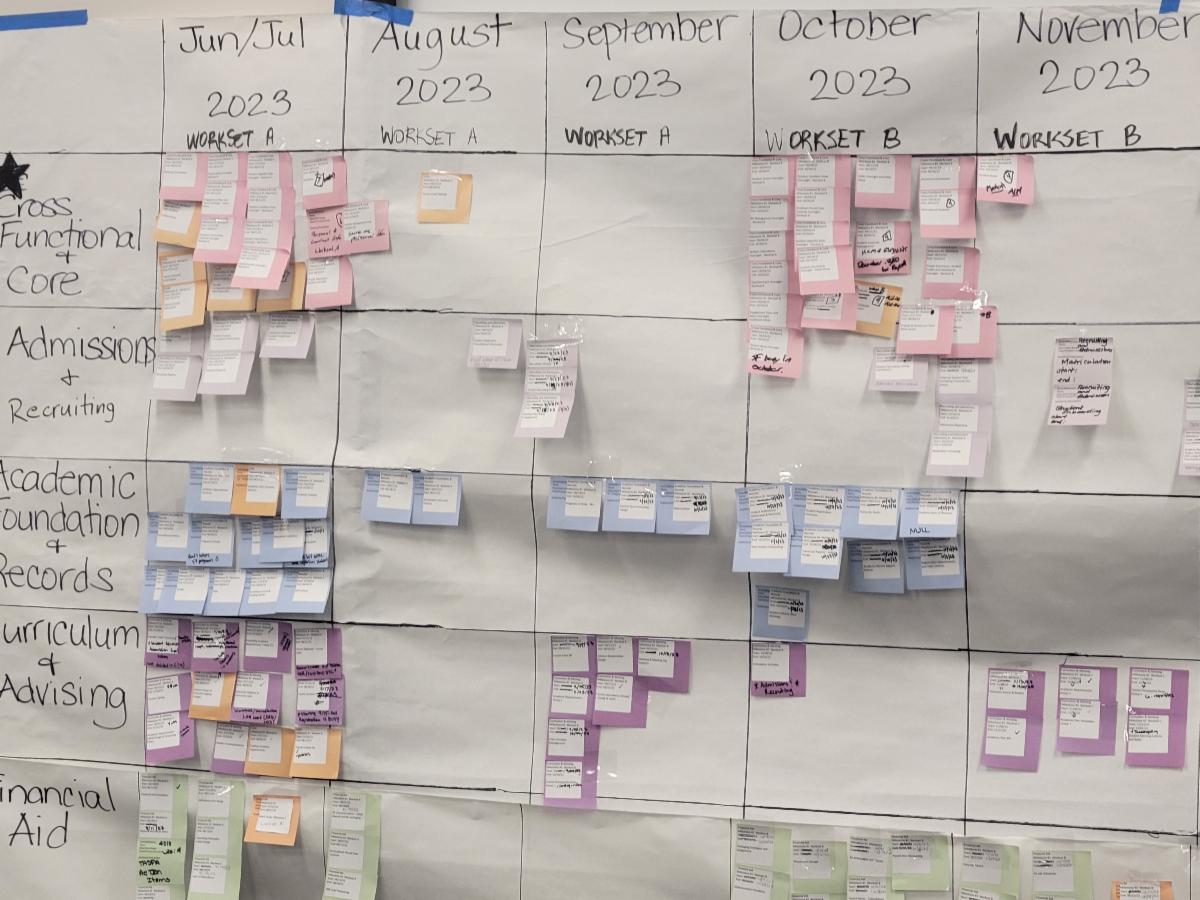
ACC subject matter experts completed two all-day Planning Workshops with Workday. These Workshops focused on identifying the major activities we will complete for each functional area, what will be live in Workday when, and how we will manage the transition period when Workday and Colleague are both live.


From these meetings Workday will provide ACC with a detailed project plan that will tell us what processes will be configured in Workday when and what sync method we will use between Workday and our legacy systems


What We Learned...


We’ve heard the September 2025 go-live date for Workday. But what does that really mean? That was one question WE had at the Planning Workshops. The answer? It’s complicated.


If you were around for the Colleague implementation you might recall a single go-live event: one-day Colleague wasn’t “live” and the next day it was. No doubt many of you remember the big bang go-live for Workday HCM and Finance. Well, Workday Student is a little different. Because Workday Student is built around our academic calendar there is no single go-live event. Instead, Workday Student functionality goes live whenever that functionality is needed to support the targeted go-live academic term which in ACC’s case is Fall 2025.


Think of it this way, much of the work we would do for Fall 2025 is actually done anywhere from a month to a year in advance. Things like course catalogs, financial aid, and even students applying to attend all happen before the term starts. 


To support our target term of Fall 2025 we will have several go-live events in which different functionality goes live starting in Fall 2024 and going until we are fully implemented in Fall 2025. This rolling wave deployment means some functions will be done in Workday Student as early as October 2024.


What is Going Live When?

Workday Student go-live is divided into 4 groups of functionality each with their own deployment dates.


**Tentative Business Function (Go-Live) Milestones Timeline

October

2024

 
  • Recruiting & Admissions
  • Application Fees & Tuition Deposits
  • Academic Units & Levels
  • Student Core
  • Program of Study Profiles
  • Calendars
  • Educational Institutions
  • Verifications, Awarding & Packaging for New Student
  • ISIRs
  • Course Catalog
  • Class Schedule

February 2025

 
  • Registration & Advising
  • Student Conversion (All)
  • Verifications, Awarding & Packaging for Continuing Students
  • Fee Calculations, Sponsors, & Waivers

June

2025

 
  • Student Payments
  • Cashiering Integration
  • Payment Plans
  • Disbursement
  • R2T4

September

2025

 
  • Student Financials Balances
  • Grading
  • Graduation
  • Transcript Generation
  • End-of-term Processing

What About Colleague?

The first question we asked when we learned about the rolling wave deployment was: does this mean we’ll be doing work in two systems? The short answer is: yes.

But what that work looks like will be different depending on the data involved. There are 3 different sync methods for working in Workday while Colleague is still live:


  1. Dual Entry: Staff entering data into both Workday and Colleague (or another legacy system).
  2. Catch-up Conversion: Migrating data from Colleague (or another legacy system) to Workday to build a foundation of data in Workday but continuing work in Colleague. Any new data collected since the first migration would then be migrated again as functionality shifts to Workday to essentially “catch-up” Workday with the latest data.
  3. Integration: IT would build a temporary integration to keep the data synced between Workday and Colleague (or another legacy system). The integration would retire after the functionality moves over to Workday.


What Sync Method Will My Data Use?


During this week’s planning meetings, ACC subject matter experts worked with Workday to create a draft plan of which data will use which sync method. The plan will be reviewed and finalized in the coming months. As final plans are made with your department’s leaders and subject matter experts, we will work with your leaders to evaluate how those plans may impact your day-to-day and share with you: 1) the planned sync method, 2) how it will roll, and 3) and any training, job aides, or other resources to support the new method.

What's Next


Our next major milestone is the Workday “playbooks” which is the plan developed during the Planning Sessions. Workday is tentatively scheduled to return in late June to review the playbooks and kick-off our Workday Student design.

While we wait on Workday, the Student Affairs Project Team will be working on documenting our area’s risks and assumptions and building out information sheets and videos to begin introducing our staff to Workday Student.


Student Information System (SIS) Modernization

Contact us: sasisteam@austincc.edu

 
Facebook  Twitter  Instagram