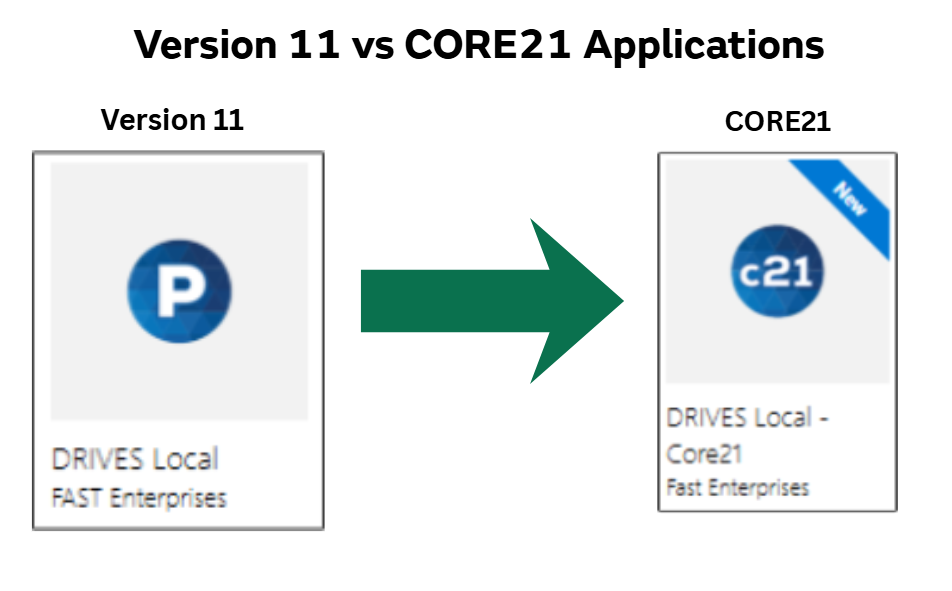
- System Access: Log in to the upgraded DRIVES environment.
- Settings Verification:
- Confirm Location settings.
-
Confirm Inventory settings.
-
Confirm Printer settings.
-
Confirm Scanner settings.
-
Confirm you are able to open your Payment Batch and are assigned to the correct office.
-
Confirm you are able to open your Service Day and are assigned to the correct office.
County DLO Users
Upon your first login after the upgrade, please complete the following technical and operational steps:
- Production Pathway:
- For users who access DRIVES on Thales computers, continue to use the shortcut to DRIVES located on your computer’s desktop.
-
System Access: Log in to the upgraded DRIVES environment.
- Settings Verification:
-
Confirm Location settings (region/district office).
-
Confirm Printer settings.
-
Confirm you are able to open your Payment Batch and are assigned to the correct office.
-
Confirm you are able to open your Service Day and are assigned to the correct office.
Rollout Support Quick-Reference
CORE21 Questions or Issues: For any questions related to CORE21 functionality or to escalate something not working correctly post-rollout, please escalate to your designated POC. Your POC will escalate to the County/State Support Group chat spaces and complete the form submission to submit the request to the project team.
Major Incidents: If a Major Incident occurs (i.e. DRIVES is slow, spinning, credit card issues), please call the DRIVES phone number at (720) 251-4104 or (888) 303-1532.
Computer/Technical Issues: For all other network or computer-related issues, please use the self-service portal https://servicehub.colorado.gov/servicehub to submit a ticket to OIT. The team will review and respond to the ticket as soon as possible.
We appreciate your partnership and dedication during this significant system upgrade. Your attention to these technical details ensures that Colorado residents continue to receive the high level of service they expect.
|