Access and Advocacy Services. Removing Barriers, Building Independence. A Disability Network Eastern Michigan Program logo.

Is the AI You Just Built Accessible?

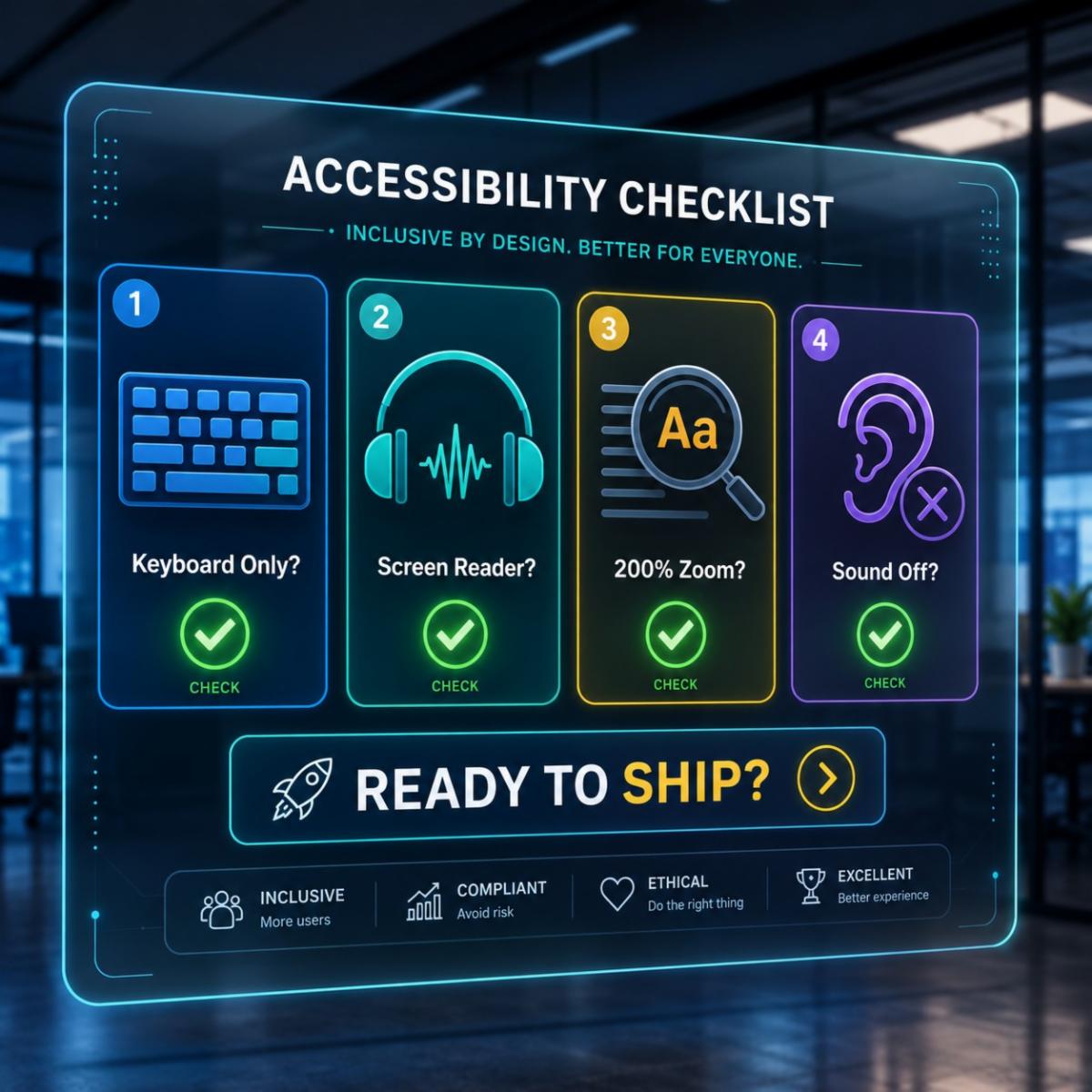
A digital accessibility checklist that tells users to check with a keyboard only, a screen reader, at 200% zoom, and with the sound off.

So far, we have looked at a few things. How accessibility makes AI better. Where AI helps. Where it falls short. Now let's get practical.


Are you shipping AI features? Most teams are. Here is how to make sure they work for everyone. Not just the easy users.


First, a few quick terms:

  • A screen reader is software that reads what is on a screen out loud. People who are blind or have low vision use it.


  • Keyboard focus is the spot on the page that is “active” when you use the keyboard instead of a mouse.


  • Zoom at 200% means making everything on screen twice as big.

Pull out these checklists the next time you review a feature.

Checklist for AI chatbots and assistants


  • Can someone move through the whole chat using only the keyboard? Try it. Put your mouse hand behind your back.


  • When a new message shows up, does a screen reader say it out loud? Most chatbots forget this part. It needs a small bit of code called an ARIA live region. (ARIA is code that tells screen readers about parts of a page. A “live region” tells the screen reader to announce new content.)


  • After the user sends a message, where does the keyboard focus go? It should land somewhere useful. It should not just vanish.


  • Is the chat easy to read at 200% zoom, without things breaking?


  • Is there a clear, easy way to reach a real person? Hiding that option is a common trick.


  • If your bot times out, does it warn the user first?

Checklist for AI that builds pages and content


Many teams now use AI to make pages, forms, or whole screens on the fly. But AI does not make accessible code on its own.


  • Does the code use real headings, real buttons, and real form labels? Or just plain boxes dressed up to look like them? (Using the right code tag for each part of a page is called semantic HTML.)


  • Are colors checked for contrast? Or is the AI just picking ones that look nice? (Contrast is the difference in lightness between text and its background. Enough contrast makes text easy to read.)


  • Do the images have alt text? Or are they just empty image tags? (Alt text is a short written description of an image that a screen reader can read out loud.)


  • If users can ask the AI to build screens, can they also ask it for accessible ones? And does it actually listen?

Checklist for voice interfaces


  • Not everyone can speak. Some users are mute. Some have speech disabilities. Some just cannot talk where they are right now. Is there always a way to type instead?


  • Not everyone can hear. Does your voice tool also show its answers on screen?


  • Does it understand accents, non-native speakers, and different ways of speaking? Most do not do this well.

Checklist for AI agents that take action


These features actually “do” things. They book the meeting. They send the email. They update the record.


  • Does the user get a clear note about what the AI just did?
  • Can they undo it or cancel it?
  • Does it ask first, before big actions?
  • Can a screen reader read the list of actions?

A few rules for all of it


Try using your feature five ways:


  • with only a keyboard
  • with a screen reader
  • at 200% zoom
  • with motion turned off (the setting that limits animations)
  • with the sound off


If it still works, it is probably in good shape. If it does not, you just shipped something that shuts out real customers.


The fastest way to find out is to test it with real users.


Right now, AI features get a lot of slack. They are new and exciting. That window will close. The teams who build for everyone from day one will not have to rebuild later.

Read other articles in our AI & Accessibility series:

Have Questions about AI and Digital Accessibility?

Contact Amy Maes, Access and Advocacy Services Director

Disability Network Eastern Michigan is committed to promoting independent living by breaking down barriers and opening paths towards personal choice through resources, advocacy, information, support, and education.

Follow our social media pages to remain up-to-date with everything happening at DNEM.

Facebook  Instagram  Linkedin  Youtube