|
Last month we talked about how AI tools can quietly make accessibility easier by generating captions, suggesting alt text, and flagging contrast issues. All good stuff.
But there's another side to this story. AI is also being used in ways that “look” like accessibility but are not really. In addition, sometimes the gap between "looks accessible" and "actually is accessible" is the difference between someone being able to use your product and someone giving up on it.
A few patterns worth knowing about:
-
Auto-captions that are not quite right. The captions on YouTube, Zoom, and most meeting platforms have gotten better — but they still aren't accurate enough on their own. Names get mangled. Technical terms turn into nonsense. Accents trip them up. For someone who relies on captions to follow along, "close enough" is not close enough. The fix is not to skip auto-captions; they are a great starting point. The fix is to treat them as a first draft, not a finished product.
-
Alt text that says nothing. AI can write alt text for any image now. Often it produces something like "a person standing in front of a building." Technically true. Completely useless. Good alt text answers “why this image is here?” the meaning, the point, the reason you used it. AI does not know your context. It can give you a starting line, but the substance has to come from you.
-
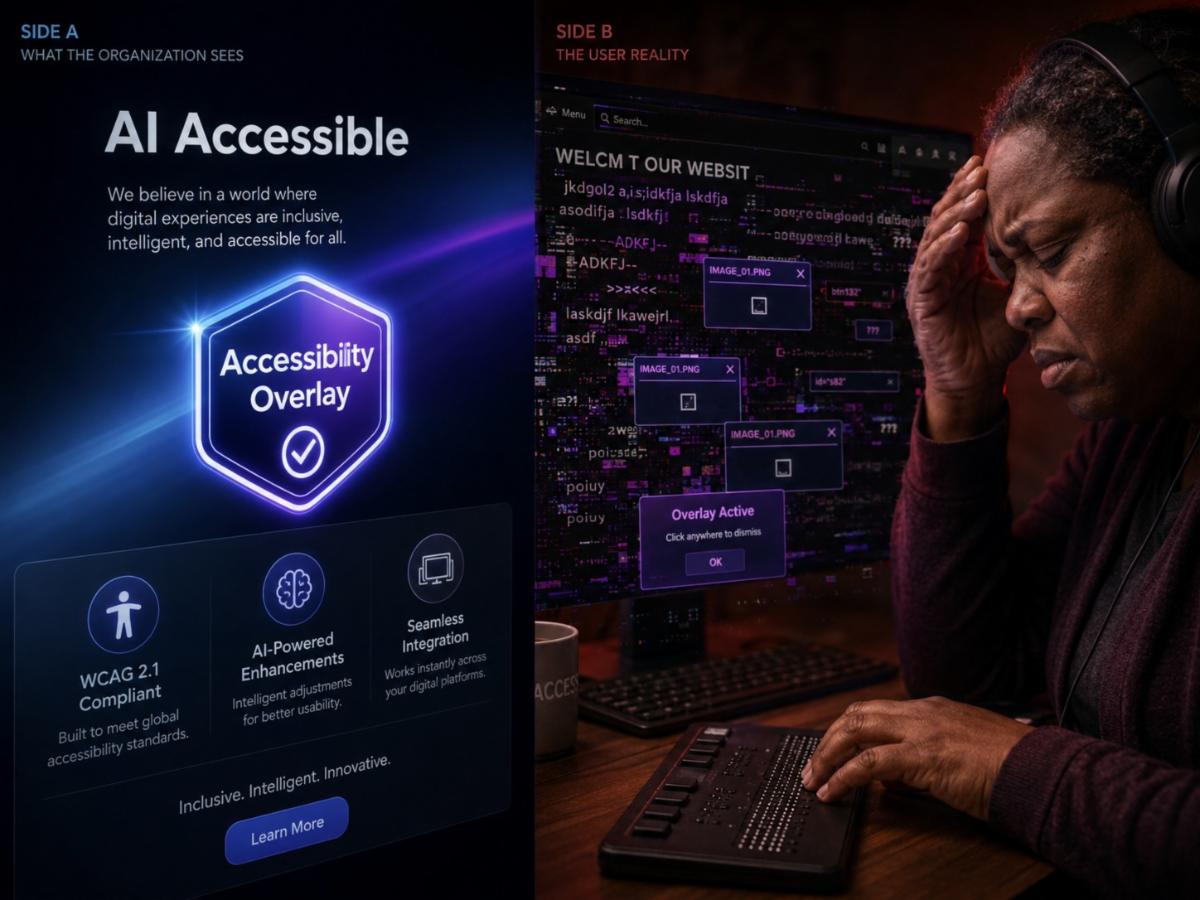
Accessibility overlays. You've probably seen the little widget that pops up on a website offering "accessibility settings" including font size, contrast, dyslexia-friendly fonts. Companies sell these as a one-script fix for accessibility compliance. The disability community has been pretty clear about them for years: they don't fix the underlying problems, they often make things worse for screen reader users, and lawsuits against businesses that rely on them keep coming. If a vendor promises AI-powered accessibility in a single line of code, that's a red flag, not a solution.
-
Chatbots replacing real support. AI chat assistants can be genuinely helpful until they're the “only” option. For users who need accommodations, getting stuck in a chatbot loop with no clear path to a human is a familiar and exhausting experience. Always leave a visible way out.
The pattern underneath all of these is the same: AI is a useful assistant, but it is not a substitute for actually doing the accessibility work. It can give you a head start, catch things you missed, or speed up tedious tasks. What it cannot do is care about your users for you.
The best teams treat AI as a co-worker, not a contractor. They use it to lighten the load and then put a human eye on the result.
|