|
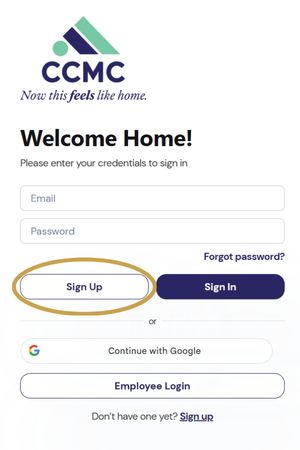
We're thrilled to introduce you to BUURT, our updated resident portal. BUURT replaces our previous VMS portal and will serve as a one-stop shop for all your association needs. The portal is designed to simplify your experience: from viewing and paying your association account balance to accessing your current compliance issues.
Why “BUURT”?
BUURT stands for Building Unified User and Resident Tools and is also a play on the Dutch word buurt, which means neighborhood.
How Does BUURT Benefit You?
We understand how overwhelming it can be to juggle multiple systems for association details. That’s why we’ve created this streamlined experience to:
- Simplify the way you pay and view your account balance
- Streamline access to your resident account information
While all the previous payment options are still available to you, with BUURT, you can set up single sign-on (SSO) with Western Alliance Bank (WAB) to make payments quicker and easier moving forward. While you can view your balance in BUURT, payments and recurring payments are still processed by WAB through their banking portal. After logging into BUURT and clicking pay, you will be transferred to the WAB banking portal and can choose to enable Single Sign-On (SSO). CCMC does not store any personal banking information; the SSO simply allows you to have a single login and password to view your association-related business and pay assessments.
The addition of BUURT does not impact any scheduled payments or your existing recurring payments. Although you are not required to sign up, we encourage you to sign up to help you monitor your account moving forward and to take advantage of SSO with our banking partner.
What You Can Expect in BUURT
The new portal is a centralized technology platform that will optimize how you currently:
- Pay and view your account balance
- View any current compliance issues
- View assessment statements and letters associated with your account
- Update your BUURT account contact information
|