Bytes and Insights Logo
 

Learn21's Weekly EdTech Update

November 2, 2023

Welcome to

Bytes & Insights

Getting a phone for school


It's great that we all have a device in our pocket that is as powerful as our current computers. But, it also leads to a terrible work-life balance if you are using it for work. So, what are your options?


Setting up a separate work phone

A few years ago I realized that I didn't really like having so much of my work life intertwined with my personal life on my phone. Wondering about solutions, I ended up buying a separate phone for work and it has been one of the best things I've done. Now I can use it at work, and at the end of the day throw it on a charger and forget about it until the next day. And since I'm around wifi all day, paying for a phone plan isn't a requirement.


Buying a phone

Being the tech geek I am, and because my personal phone is an iPhone, I went with an Android phone for work. That way I get experience with the Android operating system and can help staff and students who have an Android phone. Amazon has a Moto G Pure (on Tracfone) for 50 bucks. The camera is really good and it's got a nice bright screen. The performance is so-so, but I'm comparing it to my iPhone 14 Pro, so most phones are going to seem slow compared to it.


Getting a cheaper iPhone is difficult because you're either buying used or refurbished. It's possible, but you're probably not going to find an iPhone that is up to date for $50.


What about service?

Whether you need cell service or not depends on a few different factors. One is the availability of WiFi. If your district allows your phone on your network then that removes one reason for service. You can set up your phone using Google Voice for calls and texts and use WiFi for connectivity. This does mean that if you're not on WiFi your phone will be kind of worthless.


One reason to buy service is that you will get a phone number that you can use for texting or calling that is separate from your personal number. I ended up buying service from Tracfone. If you look around, you can find discounts on the yearly rate, I spend about $9/month. Even with service, I use Google Voice for calls and texting. Google Voice also has the advantage of being able to use it from your computer.


Using The Phone

If you are a Google school, you can sign into the phone with your school Google account but I would not do that. Not only does this opens up the phone to full access from your Google administrator at your school district it may limit what applications you can install. The first isn't that big of a deal because we're only using this for school, but the second could be a deal breaker. For those reasons I would recommend you create a private Google account to use to set up the phone and install apps and sign in as a secondary Google account to your school account. If your school district isn't a Google school district, then this is a moot point and you'll have to use a personal Google account anyway.


Throughout this article I've been talking as if you're going to have an Android phone as your second phone, but that might not be the case. If you do buy an iPhone, then I would recommend you setting up a different Apple ID for the phone instead of using your personal Apple ID. This way all of your text messages from your personal account are not going to be intermingled on your work device. This also separates the backups of the device from your personal Apple ID.


How is it going?

I have really enjoyed having a separate phone for the past few years. At the end of the day I can just shut off my work phone and not have to worry about getting dragged into things that are not time sensitive. It's also nice that all of the pictures I take at school are separate from my personal stuff. All of my messaging is now separate too, so those dad jokes can go to my daughter now and not been seen at work.


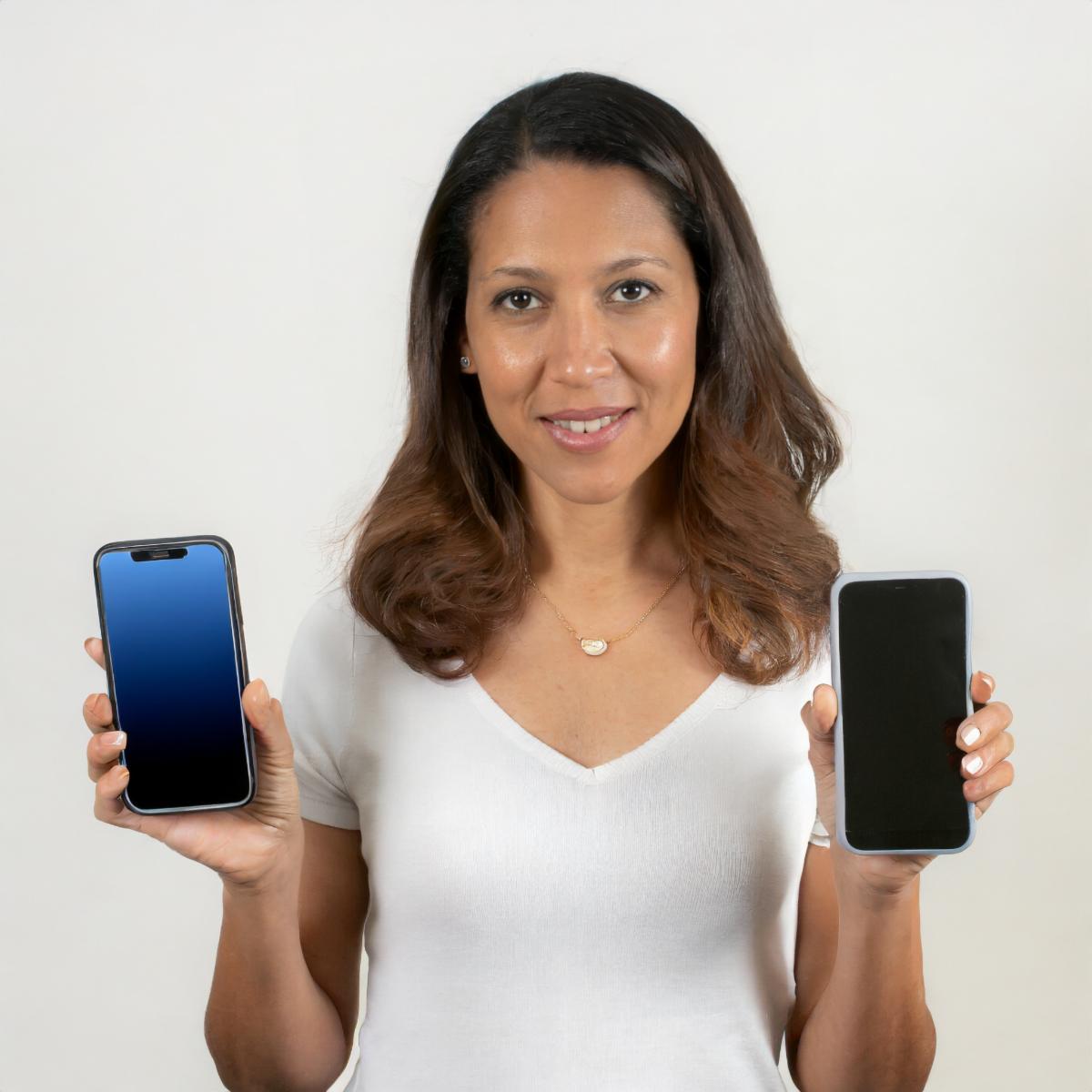
woman holding two phones
 

Tips & Tricks

Google Docs word substitutions is a great way to save time while working in Google Docs. I use it to expand ;kcs; to Kenton City Schools and ;ide; to our district hashtag of #InquireDreamExcel. There are tons of phrases or sayings that you use everyday that you could enter in to Google Docs and have it expand.


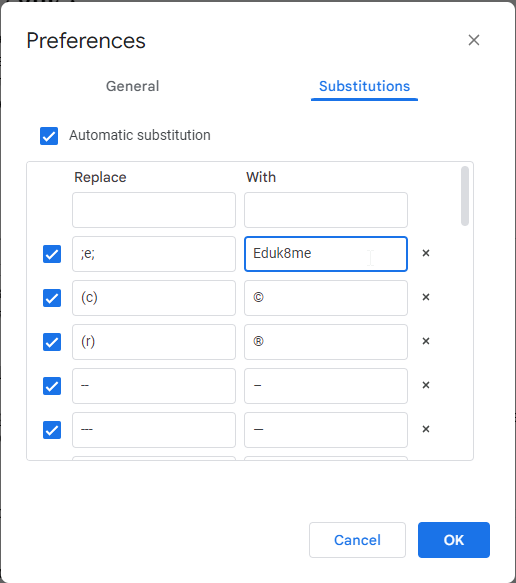
To get started, open up Google Docs. Go to Tools > Preferences and click on the Substitutions tab. In this window, you can see the word substitutions that are already set up or add your own at the top. Enter the abbreviation you want to use in the first box, and then the expanded text in the second. Click OK.


Screenshot of word substitution main screen.

Now when I type ;e; I’ll get Eduk8me This will work for all of the abbreviations in Google Docs


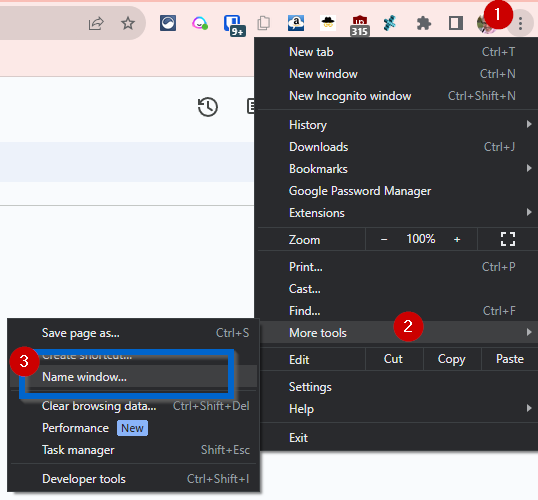
Browsers such as Google Chrome and Microsoft Edge allow you to name your browser windows to help you find the window you need. This tip is great if you use multiple profiles in your browser or for the rare breed of browser users such as myself that have 150-200 tabs open across 6 or more windows. To name a browser window, click on the three dot menu in the upper right, then More tools > Name Window...:

Chrome menu screenshot

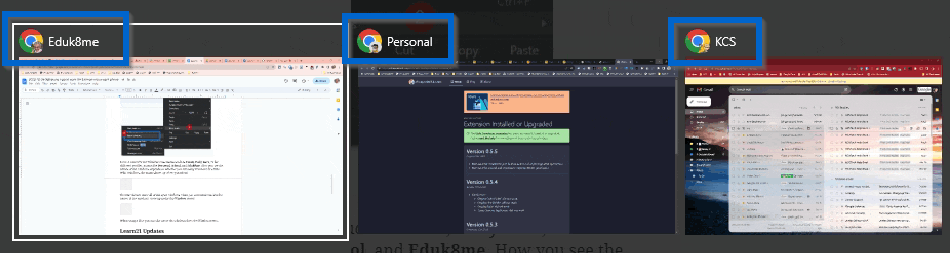
Enter a name for the Window. I use names such as Email, Daily Docs, or for different profiles, names like Personal, School, and Eduk8me. How you see the names of the windows depends on whether you are using Windows or a Mac. With Windows, the name shows up when you alt-tab:

Screenshot of named windows.

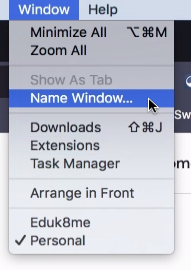
The Mac doesn't show all of the open windows when you command-tab, but the names of the windows will show up under the Window menu:

Window menu showing Name Window option

When using a Mac you can also name the windows from the Window menu.

Learn21 Update

Charting an Inspiring New Course: Ohio ISTE and ASCD Affiliates Meet to Advance Education 


October 25, 2023 marked an exciting new chapter in Ohio education as leaders from Ohio ASCD met with Learn21, Ohio’s ISTE affiliate and CoSN Chapter, and convened for their first of many collaborative meetings. With the recent ISTE + ASCD merger at the national level between these two powerhouse education organizations, state leaders recognized the immense potential to collaborate in Ohio as well. Dr. Dawn Williams and Dwight Carter represented Ohio ASCD and William Fritz and Dr. Stacy Hawthorne represented Learn21. 


The positive energy and proactive spirit of partnership were evident from the start. Both teams came prepared with ideas to enrich professional learning opportunities for their members statewide through this new alliance. 


Key initiatives emerging from this first leadership gathering include:


- Cross-promoting both organizations in their respective communication channels. This expands reach and exposure.


- Inviting Ohio ACSD leaders to the Ohio CoSN - ISTE conference happening November 8-9, 2023 in Columbus as guests of Learn21. This is the first step in what may lead to a larger state level conference that includes ASCD in 2024. 


- Launching regional meetups across Ohio in 2024 to convene both ISTE and ASCD members for networking and shared learning. This provides more local connections.


- Keeping all affiliate boards apprised of ongoing plans to foster greater alignment and future joint efforts. This ensures stakeholder buy-in.


- Establishing quarterly leadership meetings to maintain momentum and open lines of communication. This sustains the partnership long-term.


Rather than simply following the national merger, Ohio ISTE and ASCD leaders recognized the immense potential for delivering greater value to educators by working hand-in-hand. Their collaborative spirit and shared passion for empowering educators will surely catalyze exciting innovations that take professional learning to new heights.


This joint affiliation meeting marks just the start of what promises to be an immensely productive partnership advancing education in Ohio and setting a model for other states. Stay tuned for updates as these teams begin mobilizing energy, ideas, and resources to help shape the future of the teaching profession here!


Extra Credit

Traditional brainstorming in groups often turns into a festival of groupthink and wasted potential. Enter "brainwriting": a different approach where everyone first generates ideas solo, these ideas are pooled together, and then the group collectively picks the best ones. This is a way to ensure all voices (yes, even the shy kid in the back or staff member) are heard in classroom discussions or staff meetings, making the collective brain of your class or team way smarter.


MIT has released OctoStudio on Android and iOS. The app allows students to create multimedia works. It looks a lot like Scratch, so it should be pretty approachable. I haven't had a chance to try it on our Android enabled Chromebooks yet, but will shortly.


Mental well-being of our students isn't the best right now, and a majority of states are blaming Facebook and Instagram. The states claim Meta exploited young users for profit and have burdened school systems with increased mental health expenses. Meanwhile, Meta is saying that they've made changes, but the states aren't buying it. This lawsuit could directly affect the social media landscape your students navigate daily, potentially making it less of a minefield for their mental health. Or it could go nowhere, the social norms of smartphone use are still in flux, and I think that's an area we as educators need to be looking at. The first problem is the feeling that any message you receive has to be reacted to immediately. A lot of pressure could go away if society would realize that not everyone can reply immediately.


Bytes and Insights is written by Eduk8me’s Ryan Collins who writes about education and educational technology. He’s also the Director of Technology for Kenton City Schools in Ohio. Sign up for his Of Bits and Bytes newsletter at https://eduk8.me.


Learn21 Logo

www.learn21.org