|
Securing your accounts with two-factor authentication
Turning on two-factor authentication (2FA) is one of the best things you can do to keep your accounts secured.
What is two-factor authentication?
It's pretty much a requirement for the computer to know who is at the keyboard for things to work. The first factor in authenticating your presence on a computer is through a username and password. That means anyone who has your first factor can now be “you” to the computer.
The solution to this issue is to add another factor to the authentication process through either another device like a smartphone, Yubikey, or other device. The other option is to authenticate through a biometric such as your face or your fingerprint.
How it works
Most people when starting out with 2FA will opt to receive a code over texts. After you authenticate with your username and password, the service will text you a code and ask you to enter that code. This stops anyone from signing in to the service with only your username and password.
A step up from the texting of codes is to use an authentication app such as Google Authenticator or Authy. Instead of receiving a code, you will open the app and a code will be there that you enter. These codes are time based and the math behind them is very cool, but that's for another day.
Some services use push notifications and an app on your phone. One of the most used is Google and the Gmail app. Once you have turned on 2FA in your Google account and installed the Gmail app, Google will send a push notification when you sign in, on which you need to press Yes to complete the sign in. This is usually faster than using codes and works well.
When two-factor authentication fails
Security is constant vigilance, and even when it's turned on there are ways you can be scammed.
With using codes from texts or an authentication app you must be very careful when you are signing in. If you are on a fake site asking you to log in, the site will accept your username and password, and then in the background it forwards that information to the correct site. If it asks for the code, the fake site will ask you for the code and also forward it to the real site, effectively signing in the attacker.
When using push notifications you won't get hit because the push notification will never come. However, if scammers get your username and password, they may try to get you on the phone and trick you into hitting yes when you get a push notification. Rule of thumb, if you are not logging in, don't hit yes.
The first step in keeping safe is to make sure you're on the site you think you're on. One of the advantages of using a password manager is that they won't fill in a username and password on a site they don't recognize, which should set off alarms for you to check the page you are using.
Getting started
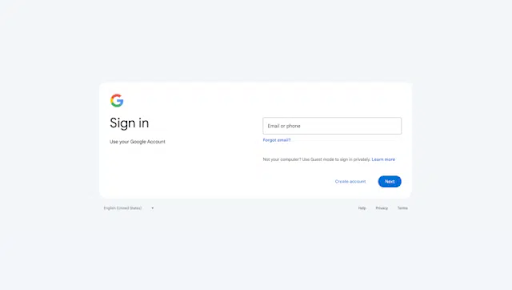
Each service works a little differently, but once you set one up, it makes it easier to set up the others. Here are the links to Google's and Microsoft's directions to using 2FA.
And yes, it is a pain and yes, it is annoying.
"Everyone is all for security until they are inconvenienced." - Ryan Collins
I say that phrase at least once a week, and I totally understand the annoyances since all of my accounts have 2FA turned on. But right now it's one of the best ways to keep your account yours.
|