Learn21's Weekly EdTech Update

February 1, 2024

Safer Internet Day

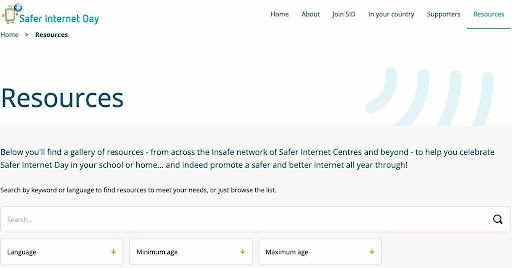
Safer Internet Day is on February 6th this year. The day is to reflect on how everyone can stay safe online. The Safer Internet Day website has a ton of resources to help you raise awareness of online safety in the classroom and in your life.


Almost a 5th of millennials and a 5th of Gen Z have had their identities stolen and 50% of people do not feel they have privacy online. These statistics highlight the need to raise internet safety awareness.


Finding resources

The Safer Internet Day site features a search engine that allows you to select content by search terms, language, and age.

You'll want to be sure to select the language you want to use before you start searching. There are many resources, but they are also in a multitude of languages.


Quick list of tips for staying safe online

Staying safe online requires constant effort. Here is my list of items to start with when it comes to online safety:

  • NEVER share a password or two-factor authentication code with ANYBODY. Use a password manager and create a long, unique password for every site. My password manager currently holds 1,112 logins, and each one has a long unique password like Chafe-Postnasal7-Arguable.
  • Turn on two-factor authentication for every account that offers it.
  • NEVER share personal information, especially cell phone numbers, with anyone. We've gotten to the point where we give out our number to everyone, but that number can also be tied to various services for a recovery method or two-factor authentication code. It's better to use messaging in an app or email.
  • If an email feels questionable, don't click on any links in the email. For emails from companies, open a new tab and go to their website to sign in. You can also mouse over the links and look in the bottom left corner to verify the link goes where it says it's going, but that isn't foolproof
  • Don't post anything that you wouldn't want to show up on the front page of the newspaper or on the news. The internet is forever, and that picture will be available for a long time.


Verify, verify, verify…. and then trust. On the Internet, nobody knows you're a dog, exemplified in Dog with a Blog.

Tips and Tricks

Microsoft is rolling out a new default font in Office 365. Say goodbye to Calibri and welcome Aptos. Changing things up like this may be a little upsetting, so here's how you can change your default font back to Calibri.


Open up a document in Word. Click on the Design Tab and select the font you want to use as the default from the Font dropdown:

Click on Set as Default and acknowledge the change:

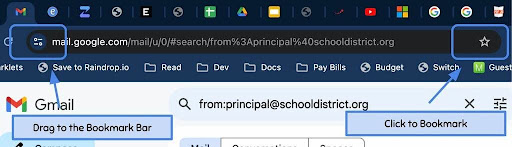
Do you perform specific searches often in Gmail? For example, you may search for all of the emails from your principal a few times a week. Luckily for us, there is a way to bookmark searches in Gmail making it a one click process to find these emails.


In Gmail, perform your search. For example, entering from:principal@schooldistrict.org into the search to find all of the emails from the principal. After you click search, the address of the page can be bookmarked. Click the star in the address bar or drag the lock to your bookmark bar. Now you can use that link to perform the search.

One search I always bookmark is after:2023-08-01 which will find all emails after August 1st, 2023. I will click on this bookmark to find all of my emails from the current school year, and then add search terms onto it to narrow down my search and find the email I need.

Learn21 Update


Social Emotional Learning (SEL) Apps We Love February Campaign

Last week we wrapped up our New Year - New SDP campaign which looked at ways EdTech leaders can improve student data privacy in their schools, apps, and company policies. We loved looking at best practices for student data privacy and highlighting companies and nonprofits that are leading the charge in protecting students and their privacy. 


As we move into February we are excited to announce our next campaign - SEL Apps We Love! In the spirit of Valentine’s Day we wanted to share resources that encourage students and educators to build their self-confidence and self-esteem and while growing in the social and emotional understanding of themselves and the world around them.


What to Expect 

Every weekday in February we will post our favorite SEL apps and how we use them to help build social-emotional learning in students and educators. You will want to follow us on LinkedIn, X (formerly Twitter), or Instagram for our daily posts. 


We will also be designing five SEL lesson plans that educators can implement in their classrooms that will be available at the start of each week and will focus on one of CASEL’s five SEL domains. 


The CASEL Model of SEL

Each of the apps or resources we will highlight will connect to the CASEL model of social-emotional learning. We are using CASEL as a base for our campaign as their model offers a comprehensive view of what comprises effective SEL. CASEL’s model looks at five key components of social-emotional learning: 

  • Responsible Decision Making - Helping students make choices while considering ethical and safety concerns while evaluating the benefits and consequences of those decisions. 
  • Self-Management - Being able to manage one’s behaviors, emotions, and thoughts and achieving personal and communal goals. 
  • Self-Awareness - Understanding one’s own emotions, thoughts, and values and how they influence behavior in a variety of situations.
  • Social Awareness - Learning how to understand and empathize with others perspectives from diverse cultures and backgrounds. 
  • Relationship Skills - Being able to build and maintain strong relationships with people from diverse backgrounds and contexts. 


Learn21’s SEL Services 

We have a team of educators at Learn21 who are dedicated to helping students learn and grow. We offer a custom professional development services to help educators implement SEL practices into their classrooms and schools that can include:

  • SEL curriculum development
  • Implementing SEL practices 
  • Adult SEL practices
  • School culture and community building strategic planning and development
  • Training to leverage technology to enhance SEL. 


Please email us at training@learn21.org to inquire about our SEL services and how Learn21 can help you and your students learn and grow. 

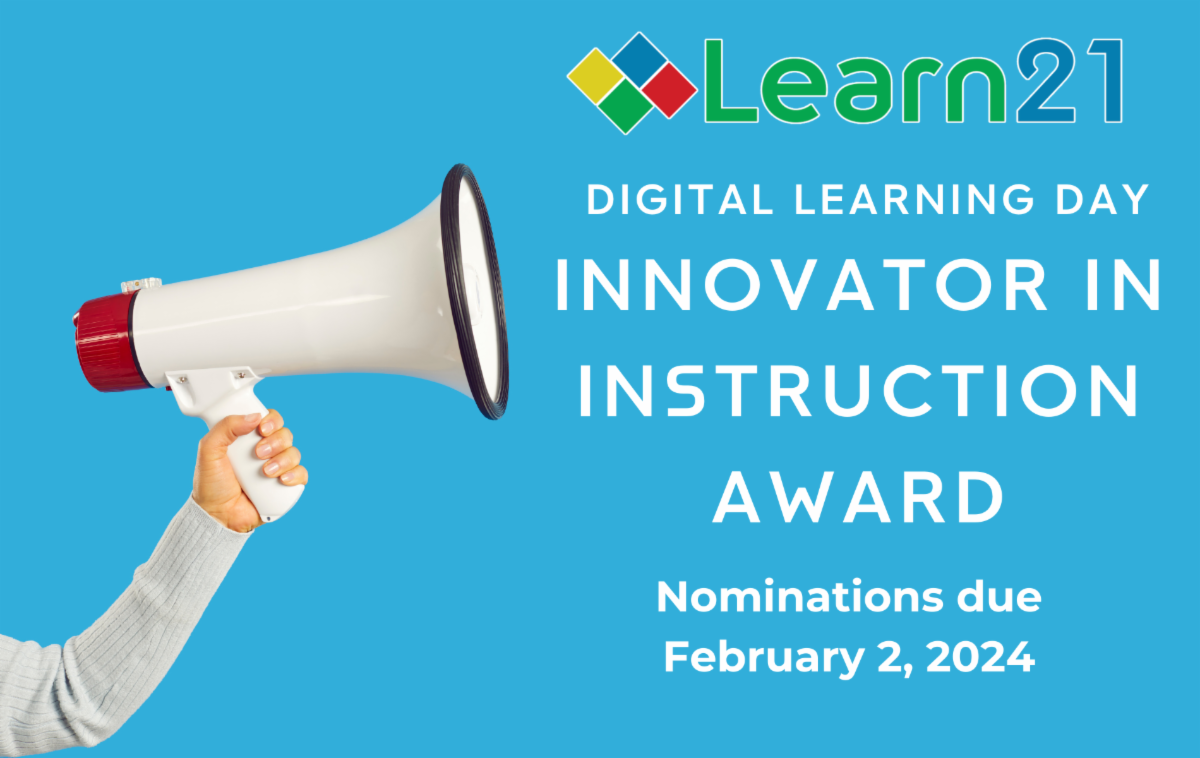
Digital Learning Day - Innovator in Learning Award Nominations Due Wednesday, February 7th

In the ever-evolving landscape of education, digital learning has become an integral part of our classrooms, reshaping the way teachers educate and students learn. At Learn21, we recognize the pivotal role of educators who skillfully integrate technology into their teaching to enrich the learning experience. The Innovator in Instruction Award, awarded on Digital Learning Day, is our way of honoring these exceptional teachers who not only embrace digital learning but also elevate it to new heights.


This award celebrates educators who demonstrate outstanding innovation, effectiveness, and creativity in using digital tools and strategies to enhance student learning. It is a testament to their dedication to impart knowledge and inspire a lifelong love for learning in their students. These educators are the trailblazers who set benchmarks in digital education and pave the way for others to follow.


Through the Innovator in Instruction Award, Learn21 reaffirms its commitment to the K-12 education sector, acknowledging the vital role teachers play in shaping the minds of the future. Our goal is to support and empower educators, providing them with the tools and resources they need to succeed in this digital age. This award is more than just a recognition; it's a celebration of the passion, innovation, and dedication that these educators bring to their classrooms every day.


In honoring these exceptional individuals, we also reinforce our dedication to fostering new learning models, enhancing student outcomes, and improving teacher satisfaction. The Innovator in Instruction Award is not just an award; it's a symbol of our ongoing commitment to supporting educators and students in achieving their fullest potential.


You are welcome to nominate yourself or a colleague. Submit your nominations before Wednesday, February 7th. Awards will be announced on Digital Learning Day 2024, February 15. Please email training@learn21.org with questions. 

Extra Credit

Arizona State University is collaborating with OpenAI to bring the OpenAI tools like ChatGPT to campus. ASU is the first higher-education institution to work out such an arrangement with OpenAI. They are looking at how AI can be used in their educational programs, research, and organizational processes.


Believe. Sleep. Play. I will click on an educational headline that contains the word "play," but if it also contains "sleep" then I will be reading it with a vengeance! Larry Ferlazzo's latest article in EducationWeek looks into 3 researched based ideas to help you teach effectively. Along with sleeping and play, he also discusses "belief" which is the most important idea in the article.


The Atlantic is telling us that we've forgotten how to use computers (Archive Link) in a piece which turns out to be an ode to the computer mouse. I still get requests for mice by staff and students "because the trackpad is too hard to use."

🙋‍♂️ Bytes and Insights is written by Eduk8me’s Ryan Collins who writes about education and educational technology. He is also the Director of Technology for Kenton City Schools in Ohio. Sign up for his Of Bits and Bytes newsletter at https://eduk8.me!


If you'd like to take a hiatus from Bytes & Insights, please use the Update Profile link below. This will allow you control over which emails you receive from Learn21.

www.learn21.org

LinkedIn        X        Instagram