NEW: Circle Decodables Library
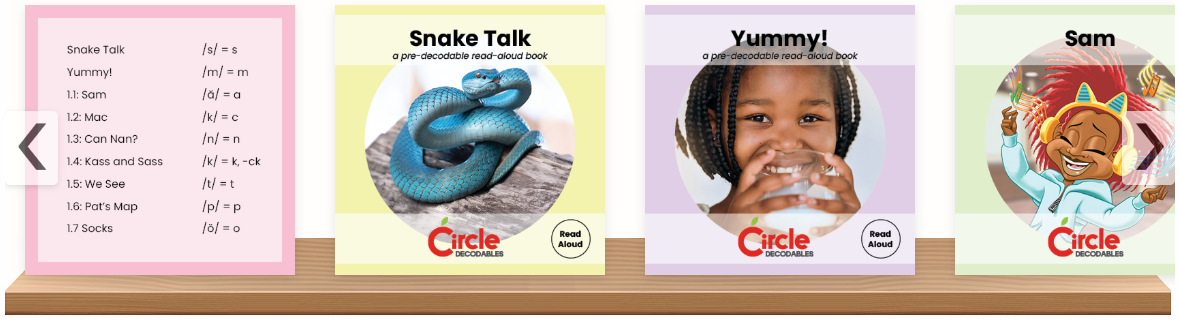
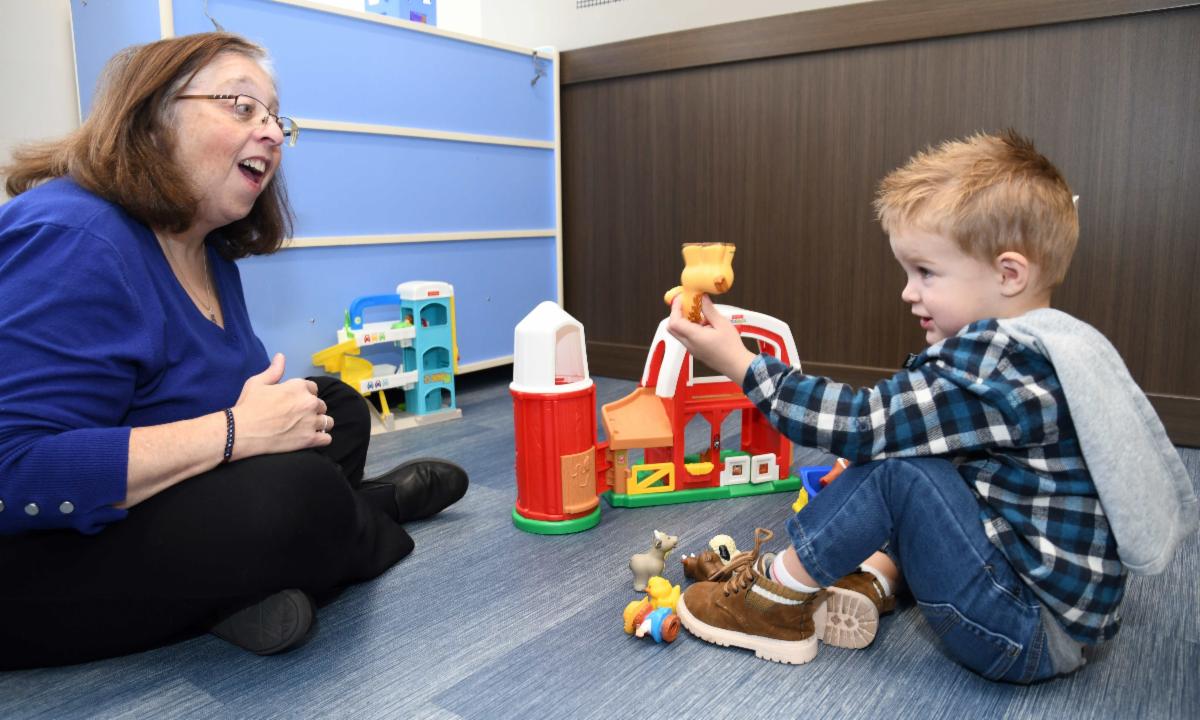
A new dashboard button, located under the Activities and Materials banner, now provides access to the first four sets of books in the Circle Decodables Library. Soon expanding to ten sets, each book in the library reinforces specific sound-spelling patterns and high-frequency words, helping children build decoding skills, fluency, and confidence. With a variety of genres, rich illustrations, and meaningful content, the series makes reading both accessible and enjoyable for young learners. Available for free in a digital format on CLI Engage, the decodable books will also be made available for purchase in printed versions from the CLI Solutions Group.
| |
TX-KEA Renamed Circle KPM
Starting in the 2025–26 school year, TX-KEA's name is changing to Circle Kindergarten Progress Monitoring (KPM) to better reflect its purpose and align with related resources like pre-K Circle Progress Monitoring (CPM) on CLI Engage. However, the Circle KPM assessment and measures will remain the same throughout the 2025-26 school year.
| | |
COT Renamed Circle CQI
Previously known as the Classroom Observation Tools (COT), CLI Engage now includes a series of tools that support observation and goal-setting for key teaching and caregiving competencies that result in high-quality learning experiences for young children. Rebranded as the Circle Continuous Quality Improvement System (CQI), the expansive system includes both digital tools and downloadable resources to support infant & toddler and prekindergarten programs. Designed for specialists to document teachers’ demonstration of competency through classroom observation, versions are available for teachers as well as administrators. Go to the Circle CQI System page to download updated guides and learn much more!
| | Online Course Access Restored | |
Course Catalog Updated
CLI Engage self-instructional online courses are now available through the Full Course Catalog button on the dashboard. CLI Engage will continue to improve the look and feel of the new online coursework platform, and to connect individual courses to links listed on webpages. Please know that there may be some initial delays in awarding certificates. If you have questions or need assistance, please submit a Help Ticket.
| | Webinars for New Teachers or a Quick Refresher | Watch Launching BOY Success: CPM Essentials to get started with helpful administration tips, implementation guidance, and resources for a smooth start to the school year. This webinar is designed to support your success with CPM, whether you’re a new teacher or simply need a quick refresher. | |
KPM Essentials
Watch our Launching BOY Success: KPM Essentials webinar for a quick walk through key steps, tools, and best practices designed to support new and experienced educators in understanding and implementing the Circle Kindergarten Progress Monitoring assessments.
| |
BOY Assessment Resources
Browse our BOY Assessment Resources, specifically organized to support your beginning-of-year needs. Access webinars, courses, and other tools to build your knowledge and confidently administer assessments that maximize student outcomes.
| |
Assessment Window Management
Assessment windows are open for each LEA to choose on CLI Engage. Now, districts have access to a new optional feature that would enable districts to lock assessment dates to prevent accidental administration outside the LEA’s defined window. While scores remain accessible for reporting and grouping, the CLI Engage Assessment Lock feature helps maintain testing integrity without affecting Ed-Fi data transmission to ECDS.
| |
Assessment Toolkit Links
Explore our Assessment Toolkits on CLI Engage to learn all about the vast array of available tools. Curated to meet the needs of each age group, these toolkits provide easy access to everything teachers and administrators need, from administering assessments and reviewing data to sharing reports with families and planning instruction.
| |
Uploading Teacher and Student Data
CLI Engage has several options for uploading data. Visit the Uploading Teacher and Student Data webpage to view a quick video and access helpful guides. For large-scale, centralized data uploads, the new Universal Roster Upload process is ideal for bulk uploads of student and teacher data into CLI Engage. It streamlines many manual steps, making it more efficient. This method is recommended for large programs with staff to assist in preparing the upload spreadsheet.
| |
Assessment Practice Area
Located under the Screening, Progress Monitoring, and Observation banner, the Assessment Practice Area provides educators with a realistic replica of the assessment systems on CLI Engage. This practice environment allows teachers to explore the assessments and reports prior to administration with students. Review our how-to guide for step-by-step instructions for using this tool.
| |
NEW: Resources for Children with Learning and Developmental Differences
The Dan L Duncan Children’s Neurodevelopmental Clinic at the Children’s Learning Institute is compiling a growing collection of high-quality online resources related to common developmental concerns. These free, digital resources include topics relevant to emotional, behavioral, and educational challenges, as well as supports to help children at home and at school. Explore the first three topics: ADHD, Autism Spectrum Disorder, and Reading Difficulties/Dyslexia.
| |
Explore the Family Engagement Toolkit
Enhance your family engagement efforts with CLI's Family Engagement Toolkit. The toolkit includes resources and tools that seamlessly integrate with procedures you likely already have in place, such as progress monitoring, homework, parent-teacher conferences, and open houses. Get started here with resources and tailor them to your program's needs today!
| | |
Guide to Pre-K to Grade 2 Data Reporting
Visit the TEA Early Childhood Data Collection Requirements website to learn more about reporting requirements for pre-K through 2nd grade. This site provides important guidance on what data must be collected and submitted to ensure compliance with state requirements and to support early learning initiatives.
| | CLI Engage makes it easy to get the help you need by using our various support options. We recently added a phone line for quick and simple requests and a new Help Desk Portal. | | | | |
Call Us
800-530-3111 (toll-free)
Monday–Friday
8:00 a.m. to 4:00 p.m. CT
| | | District-Level Office Hours | |
For district staff managing data and reports
📅Days: Monday & Tuesday
- 9:00 a.m.–11:00 a.m. CT
- 2:00 p.m.–3:30 p.m. CT
| | |
For all users with any questions
📅Days: Wednesday to Friday
- 9:00 a.m.–11:00 a.m. CT
- 1:00 p.m.–4:00 p.m. CT
| | |
Subscribe
Explore a wide selection of newsletters tailored to your interests! Subscribe today!
| |
| | | |