|
FMA Virtual Event Participant Instructions
Florida Medical Association | Virtual Event Participant Guide
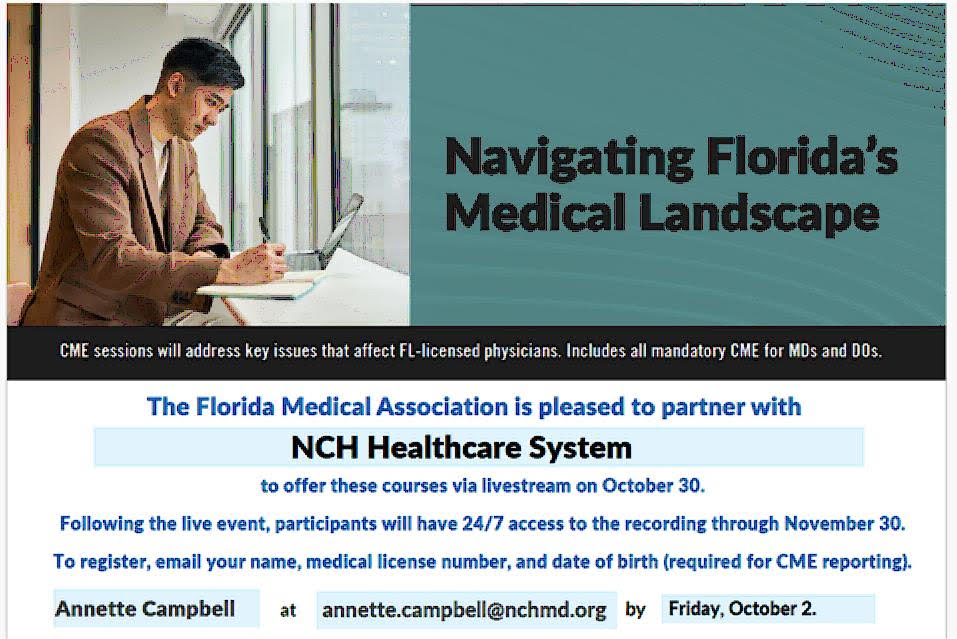
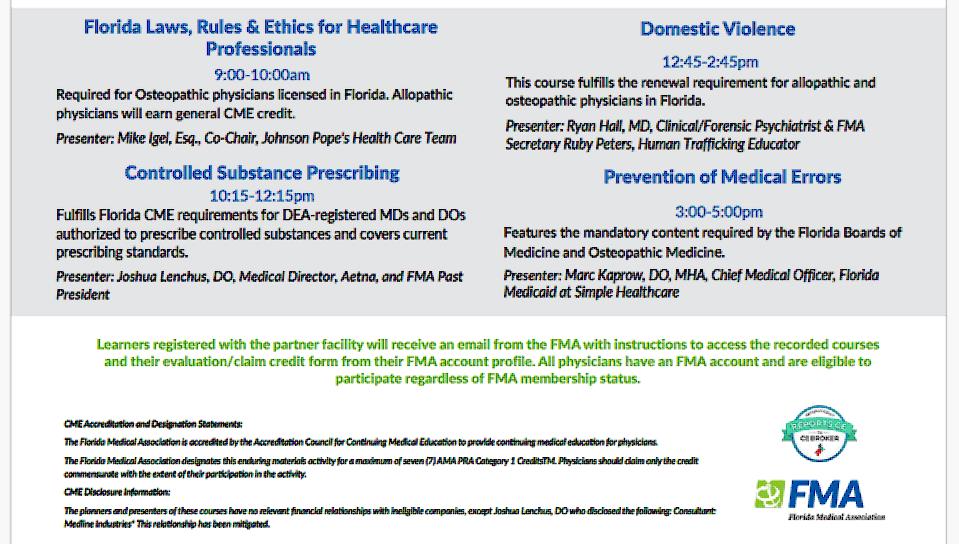
Livestream: October 30 | Recording & CME Claim Deadline: November 30 – Times for livestream courses are listed in the flyer above.
Important Information
1. All Florida-licensed physicians have an FMA account, regardless of membership status.
2. The course will be offered live via livestream on October 30. After the livestream, participants will have 24/7 access to the recording through November 30. CME credit must be claimed by November 30. You do not have to participate in the livestream – you can do the courses without the livestream between 10/31 and 11/30. You also do not need to do all the courses unless you choose to – you can do only what is relevant or required for you.
3. Course links and handouts will be available through your FMA account.
4. You do not need to add the event to your cart or pay FMA dues to access the event materials.
5. If you registered with an email address different from the one currently on file with the FMA, your account will be updated to the email address provided during registration to ensure event access.
6. If you previously unsubscribed from FMA emails, you will be re-subscribed so you can receive event information, access instructions, and links.
How to Access the Live Event
Option 1: Use the Webinar Reminder Email
Reminder emails will be sent from Florida Medical Association (customercare@gotowebinar.com) one week, one day, and one hour before the event. Open the email and click the JOIN WEBINAR link.
Option 2: Access Through Your FMA Profile
1. Go to www.flmedical.org and click Profile at the top of the page. Sign in using your username (email) and password. Email membership@flmedical.org if you need login assistance.
2. Under the Profile Menu, locate the blue section containing your profile options and click the orange Event Access/Claim CME tab.
3. Locate the event and click Access Webinar.
4. Slides and/or supporting documents will be available in the webinar handouts section.
After the Event
1. Log in to your FMA account at www.flmedical.org and select the Event Access/Claim CME tab.
2. The recording will be posted after the stream and will remain available through November 30.
3. Course handouts will be listed with the event.
How to Claim CME Credit
1. Log in to your FMA account and click the Event Access/Claim CME tab.
2. Locate the event and click the Claim CME Credit link.
3. Claim your CME credit no later than November 30.
4. Claimed CME credit will be reported on your behalf to CE Broker. Please allow time for processing; all credit claimed by the deadline will be reported no later than December 11.
5. After reporting is complete, your CME certificate will be available to print from your FMA Profile.
|