Oct. 15, 2025

Canva + audience engagement: 'An audience wants to feel valued'


In the age of endless scrolling and shrinking attention spans, it’s harder than ever to keep your audience engaged.


Audience editors and brand managers don’t just think about where to reach audiences, but how — the message, tone, and formats that will best land in the busy information landscape. At the core of their work is something all journalists and professional communicators should care about: building a relationship with the readers, listeners, and viewers you aim to reach.


Doing this well takes a combo of listening to your target audience and establishing brand awareness.


“If you’re pushing your product and you never have that relationship with them, they’re not going to stay,” says Bethany Atkinson, the brand and product designer for Deep South Today. “An audience wants to feel valued, especially in the media landscape.”


Atkinson and her team rely on Canva to maintain brand consistency across the newsrooms within the Deep South Today network. She says those small things you might take for granted — like font colors and simple graphics — can make all the difference in whether your readers stick around for the story or keep scrolling.


We’ll hear more from Atkinson later this week on how Deep South Today uses Canva to create newsletter and social media polls. And over the next seven days, we’ll focus on Canva tools that make audience engagement feel less like a buzz phrase and more like something you can handle within your organization or as an independent media professional. We can’t wait for you to dive in!

Language choices can unlock and engage new audiences


Earning trust can take more than meeting people where they are. It also means removing linguistic barriers.


Not everyone consumes news in your audience's dominant language. Translation ensures that more people can understand and engage with critical information that affects their lives — from health updates to election coverage to global events. It’s about making news inclusive and equitable.


But translating news stories, visuals, and other materials designed to engage and inform across multiple languages is time-consuming and can be expensive, especially for smaller newsrooms.


Newsrooms using Canva’s Translate tool, however, have the ability to instantly translate text within any Canva designs directly in Canva. Within just a few clicks, journalists and editors can translate important infographics for local-language reach. Here’s how:


  • Open any Canva design with text that you want translated. While this is a Pro account feature, any user can try it once at no cost.
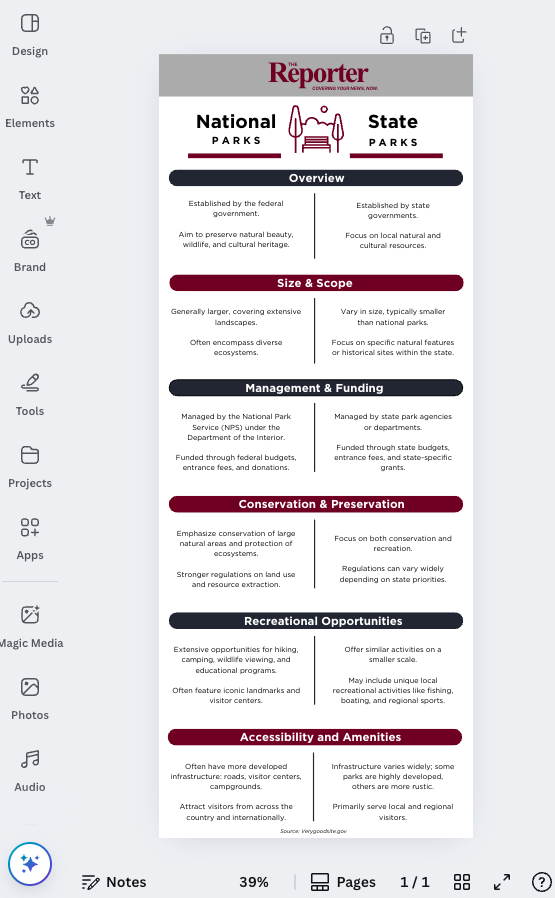
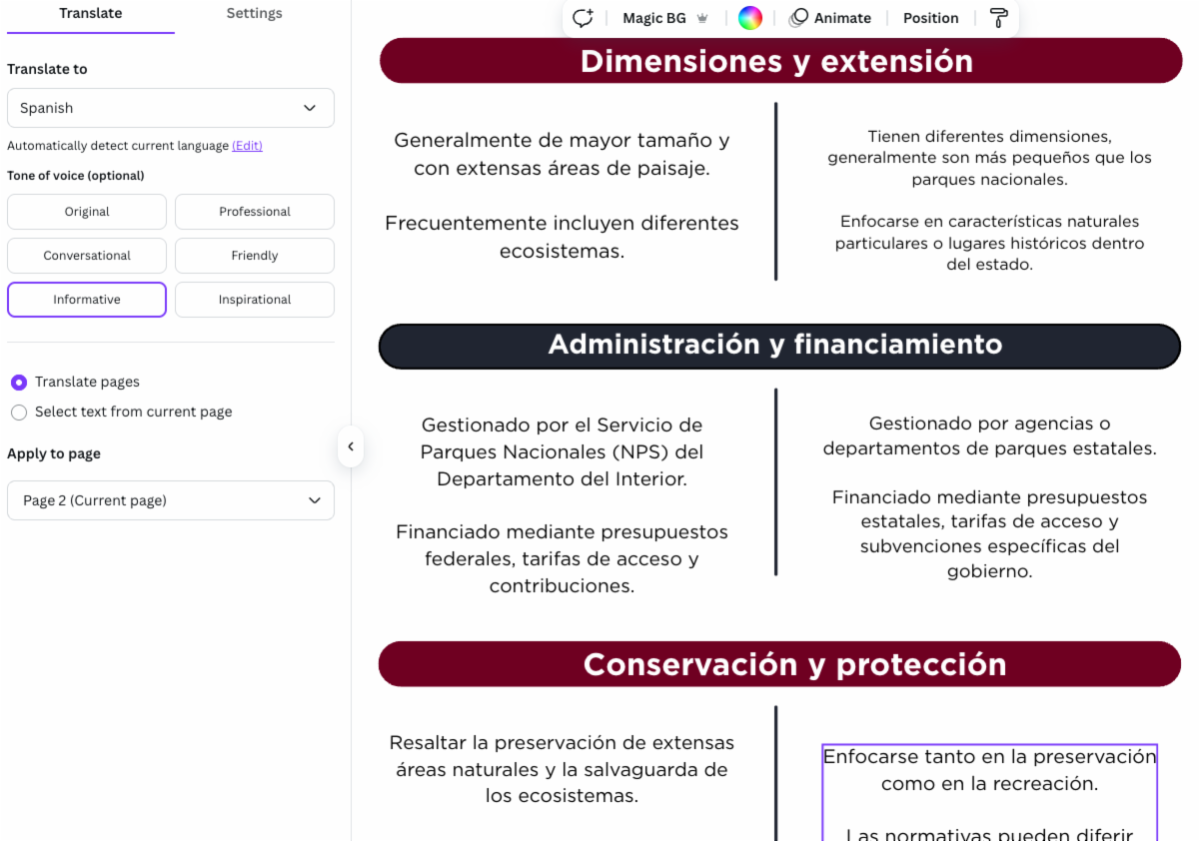
  • Here, we’ve opened an infographic that provides a side-by-side comparison of national and state park details. 
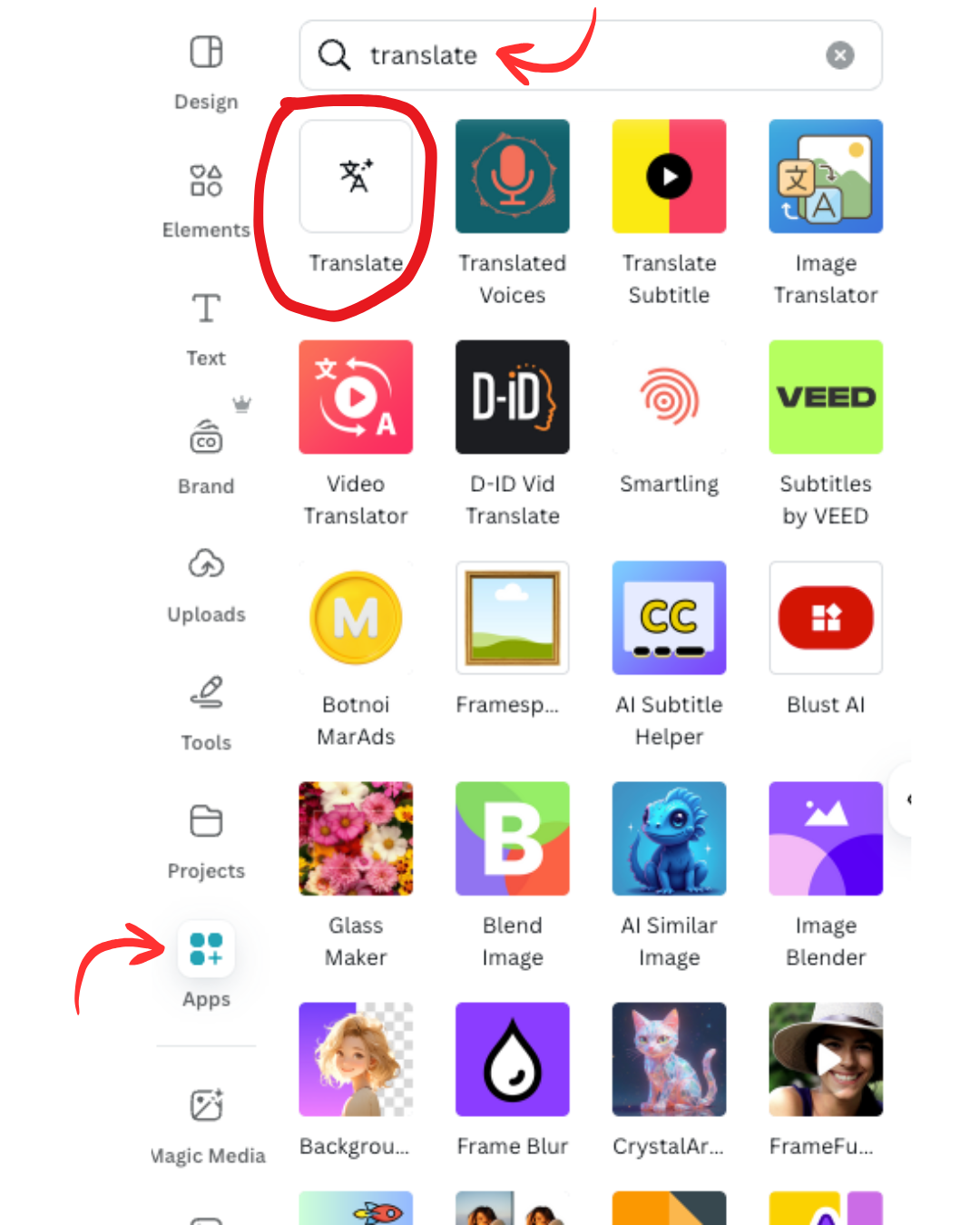
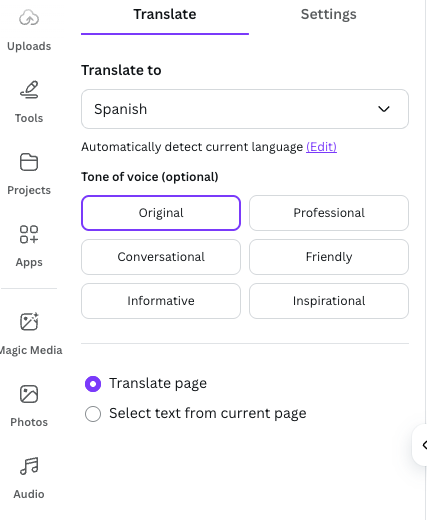
  • On the sidebar, select “Apps” and search for “Translate”.
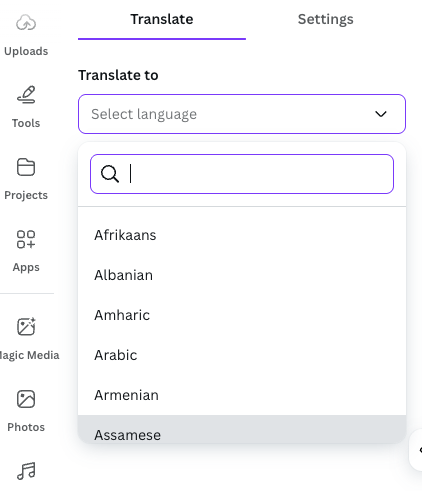
  • The Translate tab will appear on the sidebar. Select your target language from the more than 130 options, then click “Translate pages” and select which pages you want the translation to apply to in the dropdown menu. Or, select specific text on the page you want translated.
  • Hint: You can also choose whether to automatically resize fonts and duplicate translated pages in the “Settings” tab.
  • We are selecting Spanish. Once you select the language, you can choose the tone of voice for the translation (optional). 
  • Within a minute, Canva has duplicated the design and translated the text.
  • Use the drag-and-drop editing tools to the left of your design to polish it. (Hint: Once translated, you may need to resize to adjust for the length of your text.)
  • Once you ensure your AI-translated text reflects your desired tone and message, share and publish your designs using Canva’s built-in social media integrations.
  • Watch a demonstration of Canva Translate here, and try it with one of your designs to get familiar with the tool.

Camp Canva is a partnership between the National Press Club Journalism Institute and Canva to offer 31 days of free training for journalists today and continuing through the month of October. Camp Canva is a self-paced, opt-in e-mail learning series that offers quick tips and tricks for media professionals to supercharge storytelling and audience reach. Learn more about Canva's World Tour.


For any questions about this free program, contact Institute staff.

LinkedIn  YouTube  Web  Email