Operational Update from
Executive Director Brian Collins
| | |
Listen to the latest operational update from Executive Director Brian Collins about improvements IMRF is making to better serve our members, retirees, and employers.
Learn more about the resources Brian highlights by visiting IMRF's Member Access Learning Center. While you are there, be sure to check out "how to" guides, find answers to frequently asked questions, and more!
|
| Only Use Barcoded Forms YOU Create | | | |
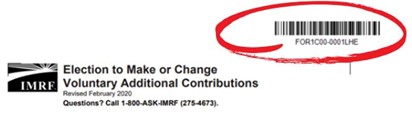
Many of the forms generated by IMRF have barcodes. These barcoded forms are unique to the member's account it was generated from.
IMRF uses the barcode to quickly update the member’s account with their requested changes.
| | | |
Please only use barcoded forms that are created from YOUR Account!
If a duplicated, barcoded form is used by a different member and is sent to IMRF, the form will be directed to the original member's account whose name is associated with the barcode.
This causes delays in fully processing benefit updates of the member who submitted the form with someone else's barcode.
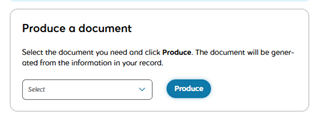
Learn how to produce a barcoded, pre-populated form here!
| | |
What to Expect When Applying for Benefits | |
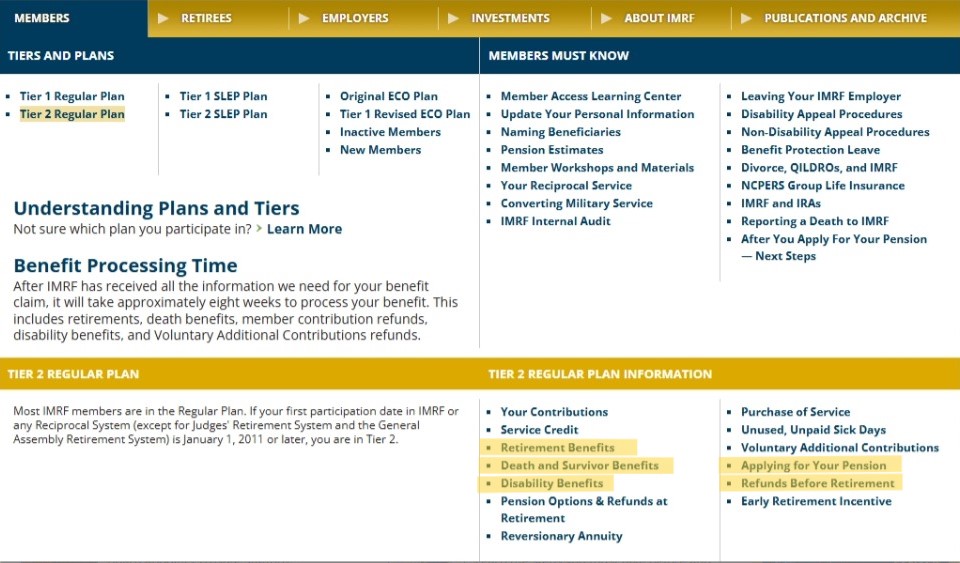
Applying for your pension, death benefits, member contribution refunds, disability benefits and Voluntary Additional Contribution refunds can take some time.
After submitting ALL the necessary documents, including reciprocal information from other pension systems, please allow 8 weeks for IMRF to fully process the request.
Learn more about all these processes at www.IMRF.org.
Helpful Hint: You can find benefit information based on your pension tier by clicking on members, your tier, and selecting the topic you are interested in!
| | | |
Q. Why can’t I sign in to my Member Access account?
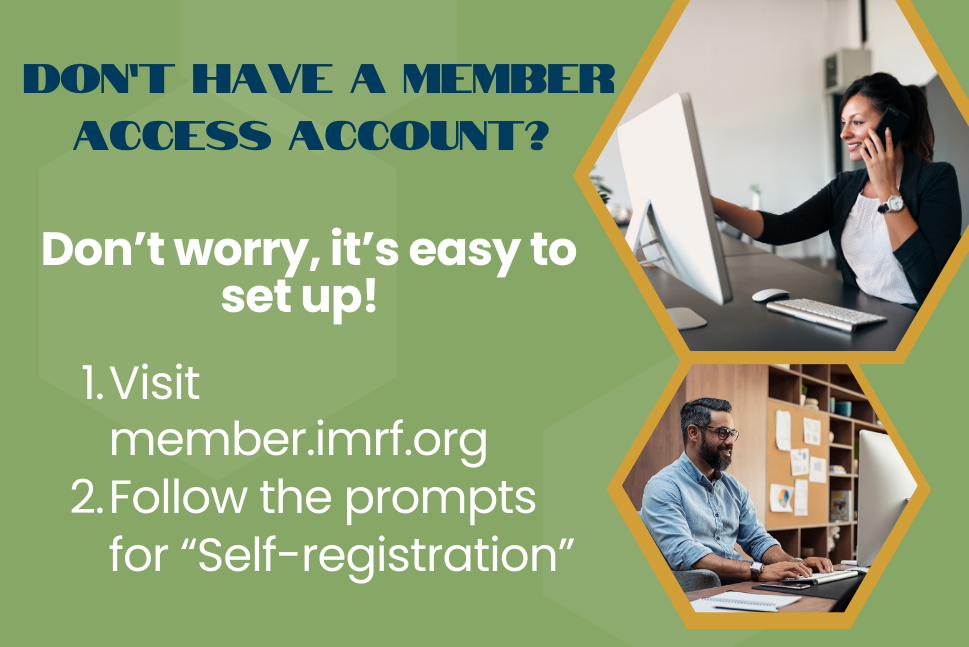
All IMRF members need to create new Member Access accounts in our system, which was updated in March 2024. You will need to self-register for an account in this new Member Access system, even if you had an account in the old system. Your old User ID and password will not work to sign in to the new Member Access.
Please note: When you self-register for your new account, the system will assign and email you a new User ID—it will no longer be the User ID you previously had.
|
Q. I created my new Member Access account—why am I having trouble signing back in?
When you created a Member Access account after March 2024, the system assigned you a new User ID, and you created a new password. Your old User ID and password will not work to sign in to Member Access.
-
If you don’t know your User ID, input your Key Identifiers on this page and the system will provide your User ID. You can also find your User ID in the confirmation email the system sent you when you created your account.
-
If you don’t know your password, input your User ID on this page and the system will help you reset your password.
| |
Q. What’s better about the new Member Access?
Our new Member Access offers many improvements. For example, you can now use the site to choose to receive electronic instead of print communications—a feature our members have frequently requested.
On your home screen, you can instantly see if there’s been any recent activity with your account or if IMRF needs additional information from you to proceed with processing a benefit or change request.
It includes a mobile version that can be used easily on any device as it automatically adjusts to different-sized screens. The site also utilizes enhanced security features to better protect your account.
There are many additional tools available for you in Member Access—visit the Member Access Learning Center to learn more.
|
Q. When I click on the "My Account" link in the upper right corner of new Member Access, I can’t find information I used to see in my old Member Access account. Where is that information now?
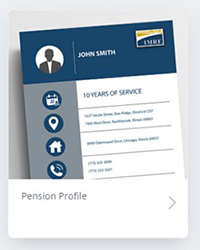
A. Once you sign in to your Member Access account, you can find much of your account information by clicking on the Pension Profile box. This is in the middle of your Member Access homepage.
| |
Under Pension Profile, active members can choose from the following tabs:
- Personal Information
- Employment
- Pension Plan
The Pension Plan tab has information about your service credit, contributions, and salary history.
| |
Q. Where can I find information about my member contributions?
A. We will be adding your member contribution information to Member Access in the future. In the meantime, you can find your contribution information in your annual member statement.
Sign in to your Member Access account, click on the “Documents” widget and go to the “Annual Statements & Tax Slips” tab. Click the name of the statement you want to view to open it and see your member contribution information.
| |
|
Safely Invest More for Retirement through Voluntary Additional Contribution
IMRF's Voluntary Additional Contributions (VAC) program is a unique, secure, and effective savings vehicle available only to IMRF members.
As a supplemental retirement savings plan, the VAC program is low-risk and offers higher interest rates than many other retirement savings options. (Especially important during a time of market volatility.)
| |
With VAC, you can elect to save between 1% and 10% of your reported earnings in an account that currently earns 7.25% interest.
While current market volatility has caused some IRAs and 401(k)s to drop, the 7.25% interest rate of VAC provides a safe, consistent return on investment regardless of what the markets are doing.
| |
Contributions are made after tax and do not reduce your taxable income the way 457 or 403(b) plans do.
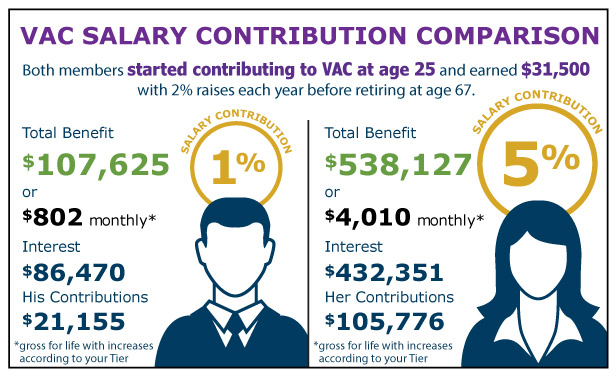
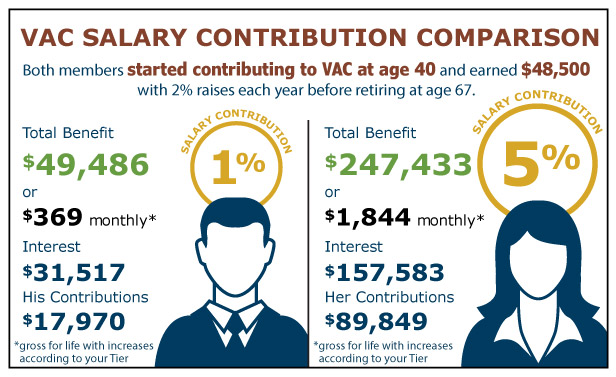
VAC interest is credited at the end of the year, based on the opening balance at the beginning of the year. IMRF members who begin contributing under the age of 40 will benefit significantly from the compounding interest on their contributions, which will add up to substantial savings by the time they retire.
VAC is a great way to build the personal savings members may need to supplement their pensions in retirement.
For more information on VAC, go to www.imrf.org/VAC.
| |
How do you sign up?
To sign up for VAC, print and complete the application that you can find in your Member Access Account.
Your Employer’s Authorized Agent needs to sign it. They can submit it to IMRF through Employer Access, or you can submit it to IMRF through Member Access.
To submit the form in Member Access, sign into your Member Access account, click on Secure Message in the Quick Links column on the right side of the page. Click on Compose New Message. You can then attach the form to your Secure Message.
| | | | |
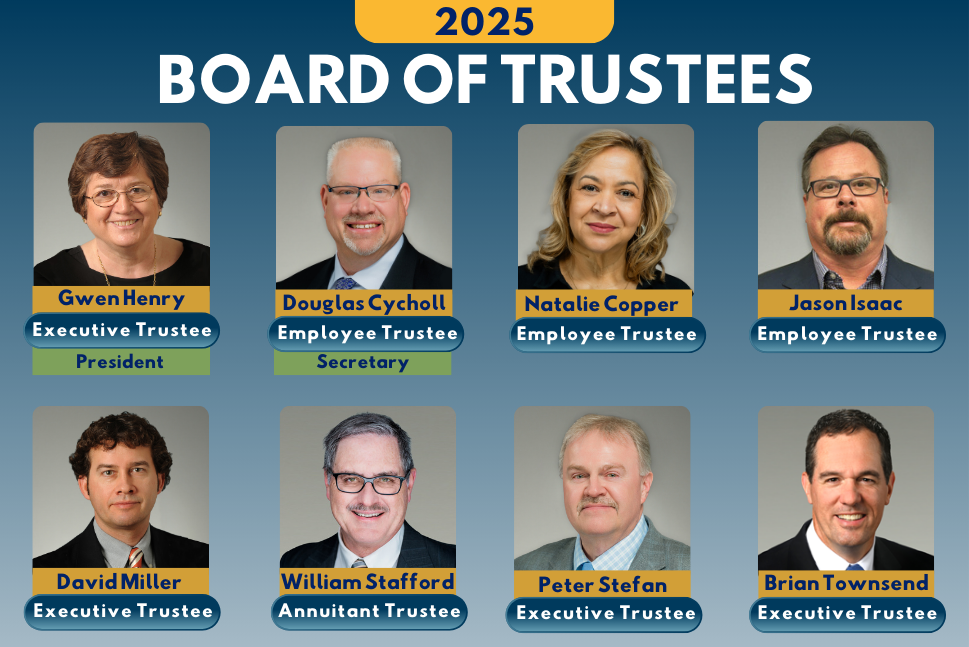
The IMRF Board of Trustees works for you to ensure that IMRF is fully funded and financially sound.
This fall there will be an election for two Employee Board of Trustees Seats to serve a term from 2026 through 2030. Employee Trustees work at one of our 3,062 employers and help provide oversight from the perspective of an active IMRF member.
Information about how to run for the IMRF Board will be available by
July 1 on the IMRF website.
| | | |
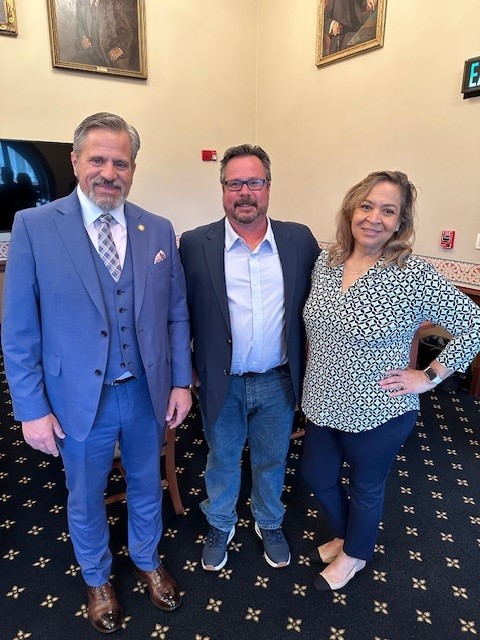
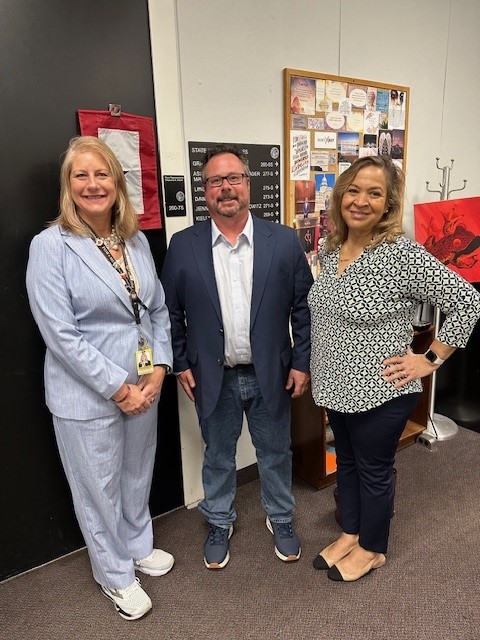
IMRF Board Members Natalie Copper and Jason Isaac meeting with Sen. Rob Martwick (pictured on the left), Chairperson of the Senate Pensions Committee, and Rep. Stephanie Kifowit (photographed on the right), Chairperson of the House Appropriations Committee for Pensions & Personnel.
IMRF Trustees Natalie Copper and Jason Isaac recently met with legislators in Springfield to provide them with an IMRF update. This visit was also an opportunity to educate legislators about IMRF and the benefits it provides its members, retirees and employers.
Trustees met with:
- Sen. Neil Anderson, Republican Caucus Chairperson and Minority Spokesperson of the Senate Pensions Committee
- Sen. Chris Balkema, Member of Senate Pensions Committee
- Sen. Rob Martwick, Chairperson of Senate Pensions Commitee
- Rep. Lisa Davis, Member of House Personnel & Pensions Committee
- Rep. Jay Hoffman, House Assistant Majority Leader
- Rep. Stephanie Kifowit, Chairperson of House Appropriations Committee for Pensions & Personnel
- Rep. Janet Yang Rohr, Chairperson of House Personnel & Pensions Committee
| | |
2211 York Rd., Ste. 500
Oak Brook, IL 60523-2337 (Main Office)
3000 Professional Dr., Ste. 101, Springfield, IL 62703
Member-only Phone: 1-800-ASK-IMRF (275-4673)
| | Please do not reply to this message. Replies to this message will not be read or responded to. Please visit our website to create a Member Access account and connect with IMRF. To ensure our emails reach your inbox, please add "newsletter@imrf.org" to your address book. Update your email address through Member Access. | | | | | |