|
Printing on our new printer
If you use the the new (used) printer, you can connect using either a USB flash drive or a USB wire that plugs directly into your device.
If you choose to use a wire, follow the prompts on your device to connect.
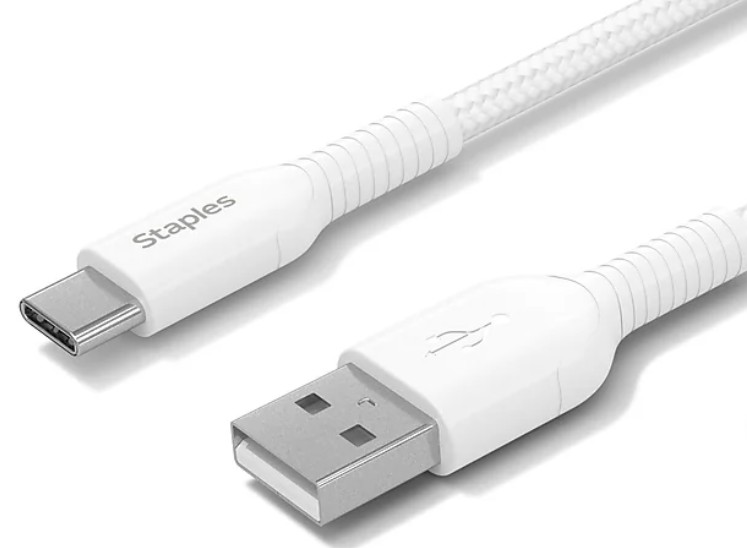
Adapters: Being older, our printer has a large USBa port on the right side to connect to for printing.
Adapters for both flash drives are on the black wire file holder on the wall of the copy room. They have one end that's USBc (small) and one end that's USBa (large).
Please return adapters to the wire shelf after use.
If you have a rare situation with a device that you think has neither type of USB port, please send a screenshot of your device details (under about my device) and a screenshot of all of it's ports to office@johnwesleyumc.org and allow response time during business hours.
Please be aware that HDMI is for A/V, not printing. Look for a small port, like you'd plug a cell phone in to.
|