|
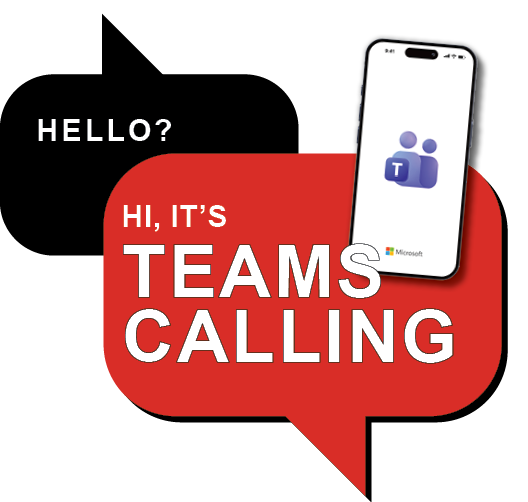
Say Hello to Calling
in Microsoft Teams
This fall, campus calling at Grinnell is moving into Microsoft Teams—bringing calls into the same place you already chat, meet, and collaborate.
But you don’t have to wait until fall to experience it.
Try Teams Calling Early
We're expanding the Teams Calling Pilot and inviting faculty and staff to participate.
Interested in participating?
Sign up by August 17, 2026, to join the Teams Calling Early Adopter Pilot. After registration closes, ITS will finalize the pilot rollout and communicate next steps to participants. We anticipate enabling Teams Calling for pilot participants before the start of fall classes.
No new number. No extra tools. Just a simpler way to stay connected.
During the pilot, incoming calls to your campus phone number will continue to ring on your existing Cisco phone. You'll also be able to place outbound calls using Microsoft Teams, giving you an opportunity to get comfortable with Teams Calling before the campus-wide transition.
Instead of relying on a desk phone to make you calls, you’ll be able to make calls in Teams from your computer or mobile device wherever you’re working. The full transition, scheduled for the fall academic break, will replace the College’s aging phone system, allowing you to both make and receive calls directly through Teams.
What you’ll experience during the pilot
- Place outbound calls directly from Microsoft Teams
- Use your laptop or mobile device (if you choose)
- See how calling fits alongside Teams chats, meetings, and collaboration tools
- Continue receiving calls through your existing Cisco phone
What stays the same
- Your campus number
- How people reach you
- Your existing Cisco phone for incoming calls during the pilot
Most faculty and staff will not need a physical phone after the transition. However, physical phones will remain available where needed. ITS is working directly with offices and individuals to support shared lines, reception workflows, and other specialized setups ahead of the transition.
Why this matters
Grinnell’s current Cisco phone system is nearing end-of-life and becoming increasingly costly to maintain. Moving calling into Teams helps simplify our communication tools, improves reliability through a cloud-based system, reduces long-term costs, and supports the College’s strategic priorities around sustainability and equity.
A transition designed for campus
The move to Teams Calling is currently being tested through pilot groups and refined based on feedback. Leading up to fall break, ITS will share clear setup steps, training resources, and timely reminders so everyone knows what to expect. Additional support will be available immediately after launch.
Stay connected
Follow updates, timelines, and frequently asked questions on the Teams Calling project site.
| | |
Summer AV Upgrades Successfully Completed
This summer, ITS, the Office of the Dean, and faculty and staff colleagues worked together to successfully complete AV upgrades in 25 rooms across Bucksbaum, the Bear, Macy House, Steiner, and Goodnow.
These improvements support more reliable, consistent classroom technology experiences and reflect a shared commitment to enhancing teaching and learning spaces across campus. Thank you to everyone who helped plan, coordinate, and accommodate the work throughout the summer, especially faculty and staff who provided valuable input along the way. Note: A small number of rooms are awaiting minor parts deliveries and will be fully completed by August 11.
To help faculty and staff become familiar with the new equipment, in-person training sessions will be offered in August in Bucksbaum, the Bear, and Macy House. Register in GLADIS and join us for a hands-on overview of the updated technology.
| | |
|
Wired Network
Upgrade Completed
This summer, we completed the campus wired network upgrade, the final phase of a major effort to update Grinnell’s network infrastructure. The project upgraded network equipment across campus, improving reliability, performance, security, and long-term support while aligning the wired environment with the recently updated wireless network.
For most faculty and staff, the transition has been seamless. College-owned devices connect automatically, and personal devices already enrolled in the new network environment continue to connect as expected. The upgraded networks use certificate-based authentication, providing a more secure and streamlined experience.
Need to connect a new personal device? Detailed instructions on how to get connected are available on GrinnellShare.
Thank you for your patience throughout this project and for helping us build a more connected, secure, and future-ready campus network.
| |  |
|
ITS Project Highlights
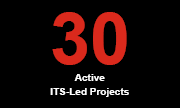
Summer may be a quieter time on campus, but it’s one of the busiest seasons for ITS project work. Our monthly Active Projects Update provides a high-level view of the technology initiatives underway across campus, from teaching and learning, and campus administration to information security and enterprise systems. ITS is currently managing 30 active projects, with additional project requests being prioritized and scheduled for the coming fiscal year.
| | | |
Building the Foundation for What's Next
Last spring, we shared that Grinnell Collage had begun a multi-year effort to strengthen the administration systems that support key campus operations, including student records, registration, and financial in Ellucian Colleague.
As this work continues, you may be wondering: What exactly is happening and why does it matter?
Much of the activity taking place today won’t be immediately visible to most faculty, staff or students—and that’s by design.
Think of it as preparing a house for the future. Before adding new rooms, smart technology, or modern amenities, you first need to ensure the foundation is solid; wiring is up to date, and everything behind the walls is ready to support what’s next. That’s the phase we are in now: strengthening the systems, processes, and data that support Colleague and other administrative tools.
Just as a house needs a dependable infrastructure before new features can be added, colleges need reliable systems, accurate data, and efficient processes before they can fully benefit from new technologies. After more than 20 years of relying on Colleague, the College is investing in the foundational work needed to ensure its systems continue to effectively support the institution and adapt to changing needs. This foundation work will help position the College to take advantage of future improvements in reporting, automation, system integration, and other emerging technologies.
At Grinnell, the current Readiness Phase focuses on that groundwork. Project team members are identifying manual processes that could be streamlined, correcting duplicate or inaccurate data, and ensuring the systems connected to Colleague are compatible with future cloud-based capabilities. Working with Colleague power users in the Registrar’s Office and the Business Office, the team is also identifying pain points and opportunities for improvement.
While much of this work is behind the scenes, the benefits reach far beyond technology. Stronger data quality, more consistent processes, and improved system connections help create a better experience for everyone who relies on these systems and position the College to adopt new capabilities in the future.
| | |
Before you can build what’s next, you need a strong foundation.
The work happening today prepares Grinnell’s core systems to support future innovation, efficiency, and service across the College.
| | |
Building Technology Talent Through the Springboard Program
The Springboard Program is one of the ways ITS invests in both emerging technology professionals and the future of technology services at the College. At a time when many organizations have reduced entry-level technology roles, the Springboard Program continues to provide recent graduates with hands-on experience while bringing fresh perspectives, new ideas, and additional capacity to ITS.
Now in its fourth year, the program has become an important part of our organization, creating a pathway for recent graduates to build careers in technology while helping Grinnell develop and retain talent within the organization.
What is the Springboard Program?
The Springboard Program is a three-year employment and professional development program designed to help recent graduates build technical, professional, and leadership skills.
Participants rotate through up to three areas within ITS, which may include Network Services, Information Security, Project Management, Audiovisual Services, and Enterprise Systems. Along the way, they gain practical experience, earn industry certifications, and receive mentorship from experienced ITS professionals.
Since the program began, ITS has hired 7 Springboard participants, with two additional participants expected to join the program this year. The program has already helped build a pipeline of technology talent for the College, with 3 Springboard graduates continuing their careers at Grinnell after completing the program. Others have gone on to successful technology-related careers at organizations beyond Grinnell, demonstrating the program’s success in preparing participants for employment in their desired field.
What do Springboard Participants do?
Springboard participants begin in Service Management as Technology Specialists and Service Relationship Managers, where they develop a strong foundation in customer service, technical support, and relationship building. They then may move into other areas of ITS, gaining exposure to the technologies and services that support teaching, learning, administration, and campus life.
Working alongside teams across ITS, participants contribute to projects, initiatives, and daily operations that improve technology services for the campus community.
Making an Impact
Springboard participants play an active role in supporting and improving technology services across campus. Their contributions have included:
- Reducing ticket backlogs and improving response time
- Conducting classroom AV readiness checks before the start of each semester
- Enhancing and developing ServiceNow (our ticketing platform) workflows and services
- Creating and implementing Tech Time programming
- Supporting major technology implementations and upgrades
- Providing project management and operational support across ITS
These contributions demonstrate the value of the Springboard Program to both ITS and the broader College community.
| | The Current Springboard Cohort | |
Ethan Kono
(1st Year)
Service Management
Megan Bernacchi
(2nd Year)
Project Management
“I knew I wanted to manage projects, and because of the opportunities the Springboard Program has afforded me, I am able to do meaningful work for the community I care about.”
- Megan Bernacchi
Springboard Alumni in ITS
Arsema Berhane
Identity and Access Analyst
Gavin McFarland Technology Services Desk Specialist
Hunter Brenning
Associate Systems Administrator
"After graduation, I had a general interest in IT but no clear direction. The Springboard Program allowed me to shadow various departments, helping me pin down my ideal career path."
- Hunter Brenning
Springboard Alumni Outside ITS
Logan Strawser
Tier 1 Support at Randstad Digital
Grayson Groepper
Analyst & Staff Sergeant at Air National Guard
| | |
ITS Staff Pursue Professional Development Opportunities
Two ITS team members recently achieved significant professional development milestones.
Mattie Vukmir earned the Project Management Professional (PMP) certification, a widely recognized credential that demonstrates advanced expertise in project management. Only about 40% of U.S. project managers hold the PMP certification.
Megan Bernacchi was selected for the 2026 Iowa Tech Connect cohort, a statewide leadership development and networking initiative through the Iowa Technology Association. The program brings together emerging technology leaders from across Iowa to learn about technology across industries, develop leadership skills, and build professional connections. Special thanks to Abhishek Guar, who recently completed the program and encouraged Megan to apply.
Congratulations to Mattie and Megan on these accomplishments and their commitment to continuous learning and professional growth.
| |
Proofpoint: Protecting Your
Inbox Behind the Scenes
Every day, Grinnell College receives thousands of emails—and not all of them are legitimate. Proofpoint is the email security system that helps protect you and the College from spam, phishing attempts, malicious links, and harmful attachments before they reach your inbox.
Why should you care?
While Proofpoint successfully blocks harmful messages, it occasionally quarantines legitimate emails too. If you’re expecting a message from a new contact, vendor, event organizer, or external partner and don’t see it in your inbox, Proofpoint may be holding it for review.
What should you do?
When Proofpoint quarantines a message, you’ll receive a Proofpoint End User Digest email from proofpoint@grinnell.edu. This digest provides a summary of quarantined messages and allows you to:
-
View a message
-
Release it to your inbox
-
Release and Allow Sender for trusted senders
- Mark a message as Not Spam
Note: Only release messages from senders you trust. Quarantined emails may contain malicious links or attachments.
Taking a moment to review your digest helps ensure you don’t miss important communications while still benefiting from the protection Proofpoint provides.
Tech Tip: Before submitting a ticket about a missing email, check your latest Proofpoint Digest—you might find the message waiting for you there.
| |
Having Trouble Signing In?
If you’re unable to access or sign in to certain College websites or applications, a personal VPN or privacy service may be the cause.
Many College systems do not work properly when traffic is routed through services such as Apple Private Relay or personal VPNs like NordVPN, ExpressVPN, Surfshark, Proton VPN, and others.
To resolve the issue:
- Temporarily disable Apple Private Relay (on iPhone, iPad, or Mac)
- Turn off any personal VPN service on your phone, tablet, or computer
- Close and reopen the application or website then try signing in again
If you continue to experience problems after turning off Private Relay or your VPN, please contact the TSD in person at the Forum, by phone at (641) 269-4901, by email at ITservices@Grinnell.edu, or online at help.grinnell.edu.
Tech Tip: If a College website works on one device but not on another, check whether a VPN or privacy service is enabled on the device experiencing the issue.
| |
Canvas Office Hours This Summer
Need help with Canvas? Whether you’re building a course, troubleshooting an issue, or looking for tips and best practices, Gina Donovan, Learning Management Systems Administrator, will be offering open Canvas Office Hours throughout the summer.
From July 28 – September 9, 2026, stop by during office hours for one-one guidance and support. No appointment is necessary, but if you’d prefer a dedicated time, you can also schedule an appointment with Gina.
Location: HSSC S1360
Office Hours Schedule
-
Tuesdays: 11:30 a.m. – 1:00 p.m.
-
Wednesdays: 9:00 a.m. – 10:30 a.m.
| | To view all upcoming office hours, visit the ITS Event Calendar. If you’d like to add these sessions to your Outlook calendar, click the calendar icon with the plus sign on the event listing. | | | | |
Check Out the Tech Time Schedule
Tech Time continues to bring ITS support directly to your building. Whether you have a quick technology question, need help troubleshooting an issue, or want to share feedback, we’d love to connect. Check the Tech Time schedule to see when we’ll be in your area next.
For urgent or time-sensitive needs, submit a ticket at help.grinnell.edu or call x4901 for the fastest support.
| |
|
Classroom Technology Training Available
Teaching in a classroom with updated technology or in a space that’s new to you this semester? Classroom technology training is available to help you get comfortable with your teaching environment before classes begin.
Whether you need a refresher, a walkthrough of a specific classroom, or an introduction to campus technology tools such as Microsoft Teams or GrinnellShare, training can be scheduled for individuals or departments.
Watch for an email from Ivy Schuster, IT Training Specialist, at the end of July with details on scheduling training sessions and upcoming group training opportunities.
|
| | |
A Clearer View of Technology Projects and Priorities
Later this year, ITS plans to launch new project portfolio management capabilities within ServiceNow—the platform ITS already uses to manage requests and service tickets. The new Strategic Portfolio Management module will bring project intake, prioritization, resource planning, scheduling, and reporting into a single system. By providing a clearer view of project demand and available capacity, it will help ITS and campus partners better understand what work is underway, what can be supported, and how future initiatives can be planned.
This initiative is an important step toward a more transparent and data-informed approach to managing the growing portfolio of technology projects that support Grinnell’s mission. With improved forecasting and coordination, ITS and campus partners will be better positioned to align priorities, anticipate resource needs, and make informed decisions about future technology investments.
| | | | |