Take a look at the different types of Cricut machines available
Different Types of Cricuts
It is getting really challenging to have Cricut classes these days with so many types of machines available. You know I own nearly every single Cricut cartridge available but it's not like the "old days" when I could have you come to class and just cut what you need from a cartridge. The newest machines require the use of the Design Studio software (requiring Internet access) and you owning and linking your cartridges to the Design Studio (or having the new Cricut Access plan, which does not include all cartridges). Some of the new images and cartridges are digital only and you need to have purchased them yourself (like the new Disney(R) Villains cartridge).

Here's a quick guide from newest to older machines and the features of each.
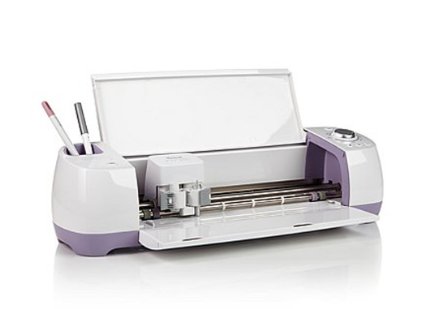
Cricut Explore Air
  • Cannot use cartridges directly in machine
  • Dual carriage for cutting and writing or cutting and scoring in one step
  • Embedded Bluetooth® for wireless cutting
  • Mat sizes 12 x 12 or 12 x 24
  • Software and Internet required
  • Can cut SVG images*
  • Can use any font on your computer**
  • Software can print to your printer for cutting later in the machine
  • Cricut Design Space software online; connect via cable or built-in Bluetooth
Cricut Explore One
  • Cannot use cartridges directly in machine
  • Dual carriage for cutting and writing or cutting and scoring in one step
  • Optional Bluetooth® for wireless cutting
  • Mat sizes 12 x 12 or 12 x 24
  • Software and Internet required
  • Can cut SVG images*
  • Can use any font on your computer**
  • Software can print to your printer for cutting later in the machine 

  • Cricut Design Space software online; connect via cable or optional Bluetooth
Cricut Explore
  • Cannot use cartridges directly in machine
  • Single carriage for cutting or writing
  • Optional Bluetooth® for wireless cutting
  • Mat sizes 12 x 12 or 12 x 24
  • Software and Internet required
  • Can cut SVG images*
  • Can use any font on your computer**
  • Software can print to your printer for cutting later in the machine
  • Cricut Design Space software online; connect via cable or optional Bluetooth
Cricut Expression 2

  • Use cartridges directly in machine or built-in cartridges
  • Can be used with Cricut Craft Room online
  • Mat sizes 12 x 12 or 12 x 24
  • Can be used with Cricut Craft Room online; connect via cable and Internet
Cricut Expression
  • Use cartridges directly in machine
  • Mat sizes 12 x 12 or 12 x 24
  • Can be used with Cricut Craft Room online; connect via cable and Internet
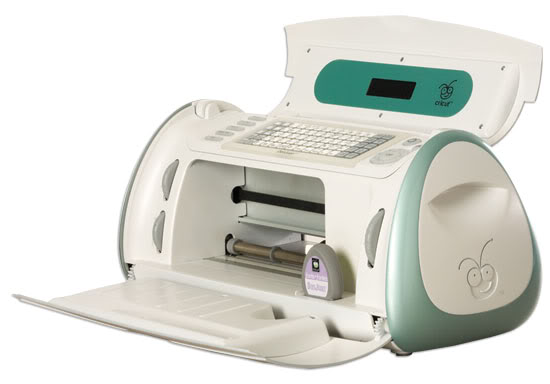
Cricut Mini
  • Cannot use cartridges directly in machine
  • Mat size 8-1/2 x 12 (special mat)
  • Must be used with Cricut Craft Room online; connect via cable and Internet
Cricut Imagine

  • Use cartridges directly in machine
  • Can print and cut
  • Mat size 12 x 12
  • Can be used with Cricut Craft Room online; connect via cable and Internet
Cricut Create
  • Use cartridges directly in machine
  • Mat size 6 x 12
  • Can be used with Cricut Craft Room online; connect via cable and Internet
Cricut Personal Electronic Cutter
  • Use cartridges directly in machine
  • Mat size 6 x 12
  • Can be used with Cricut Craft Room online; connect via cable and Internet
Cricut Cake Mini
  • Use cartridges directly in machine
  • Mat size 6 x 12 (Special mat)
  • Can be used with Cricut Craft Room online; connect via cable and Internet
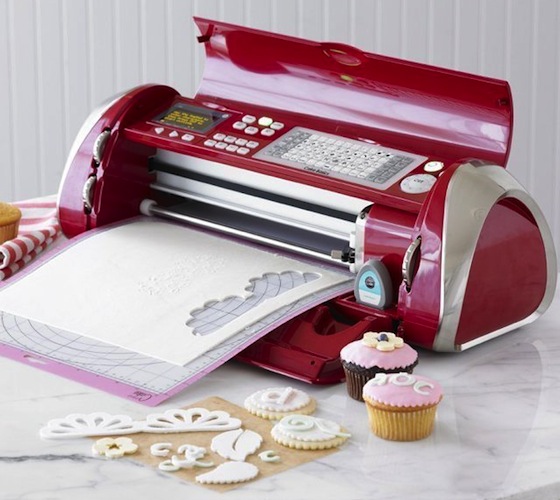
Cricut Cake Personal Electronic Cutter
  • Use cartridges directly in machine
  • Mat size 12 x 12 (Special mat)
  • Can be used with Cricut Craft Room online; connect via cable and Internet
*What are SVGs?

SVG stands for Scalable Vector Graphic. There are millions of SVG files out there that you can create, buy, or get for free and cut with your Explore machine. Files include images like Snoopy, minions, superheroes, and all sorts of things that are not available on cartridges.
**What are fonts?

Fonts are the different lettering styles on your computer like Arial or Times New Roman. There are millions of free fonts (my favorite font site is Dafont) or those you can purchase (I buy from many sites like Font Bundle ).
Dawne Flammger  | 716-472-4323 | Email | Website | Facebook
STAY CONNECTED: