The Next Act in Digital Banking:
Transfers and Alerts

Our upgraded digital banking experience premieres July 13! As we get closer to launch, we’re sharing helpful details about features that may look or work a little differently after the upgrade. This message focuses on transfers, alerts, and account notifications.


For more information on our upcoming new experience, visit the Digital Banking Upgrade Center.

FIRST LOOK

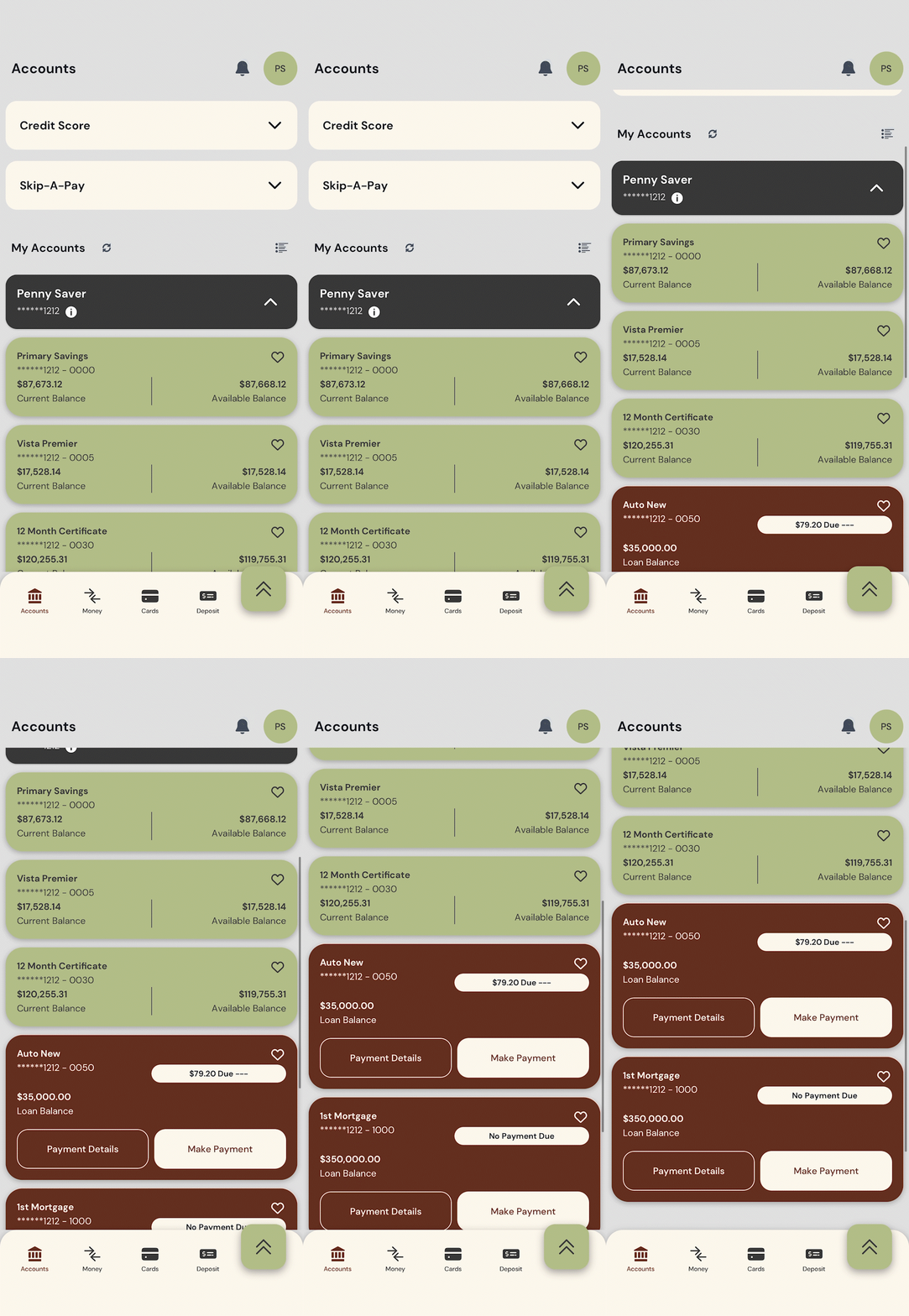
Your account dashboard has a new look!

The first thing you'll see after registering will be your accounts dashboard. This new layout is designed to give you a clear view of your relationship with Peninsula Credit Union.


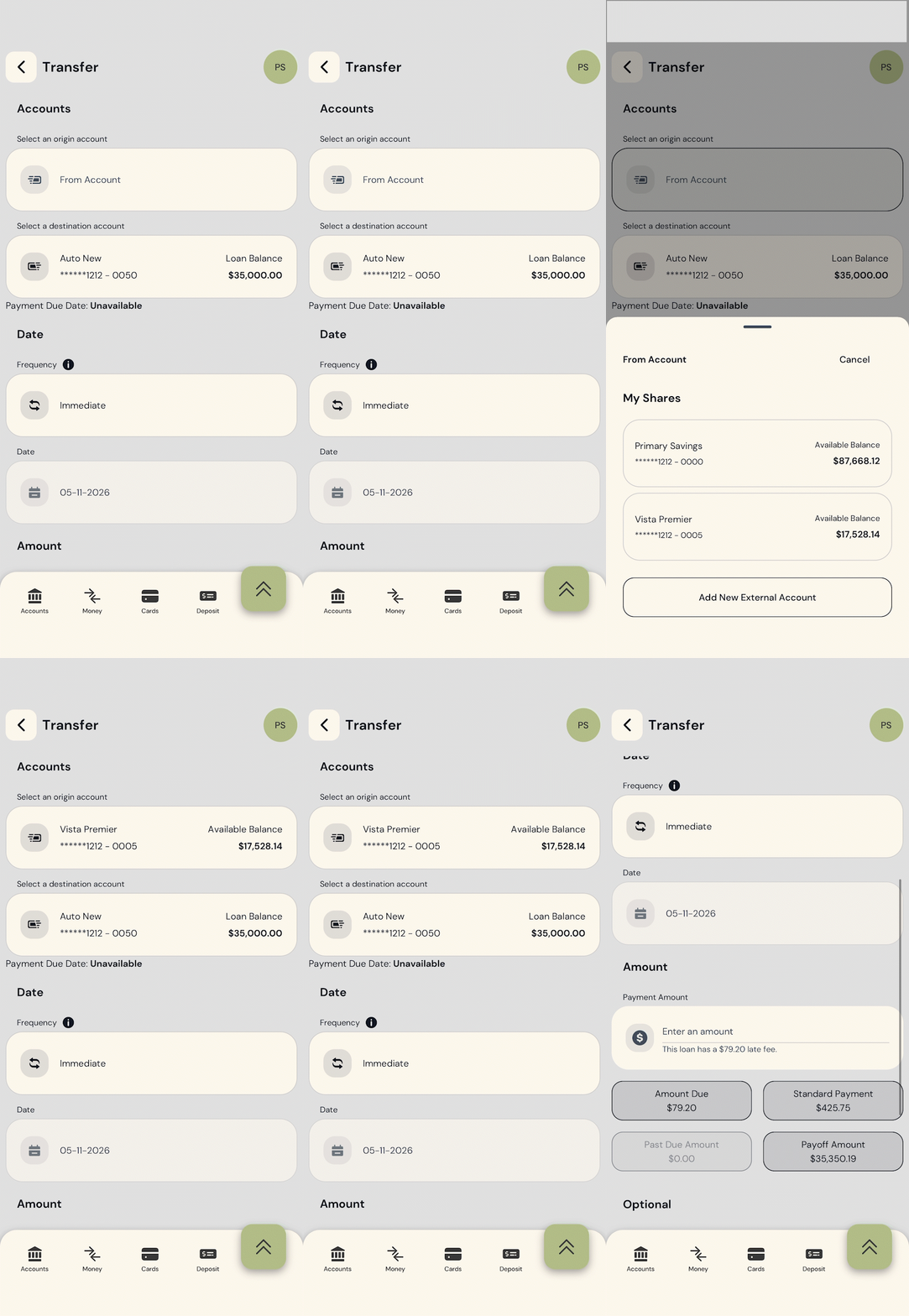
Transfers can be found in the "Move Money" section at the bottom of your screen.


What to expect:

  • Checking and Savings accounts are in green. Loans, lines of credit, and VISA credit cards are in brown.
  • This dashboard will be customizable, enabling you to show or hide your most relevant accounts.
  • More information on your account dashboard and individual accounts is coming soon!


Helpful tip:

Giving your accounts different nicknames will help you easily and quickly tell them apart. This makes deposits and payments much easier.

TRANSFERS

Moving money will still be simple — it just might look a little different.

After the upgrade, transfers will be available in the new digital banking experience with updated navigation and a refreshed layout.


Depending on the type of transfer, you may need to review or re-establish certain settings after launch.


What to expect:

  • Internal transfers between Peninsula accounts will be available in the new system.
  • Scheduled or recurring transfers may need to be reviewed after launch.
  • External transfer options may look different in the upgraded experience.
  • Step-by-step guidance will be available through our Digital Banking Upgrade Center.


Helpful tip:

After July 13, take a few minutes to review your scheduled transfers and make sure everything looks the way you expect.

ALERTS & NOTIFICATIONS

Stay informed with account alerts.

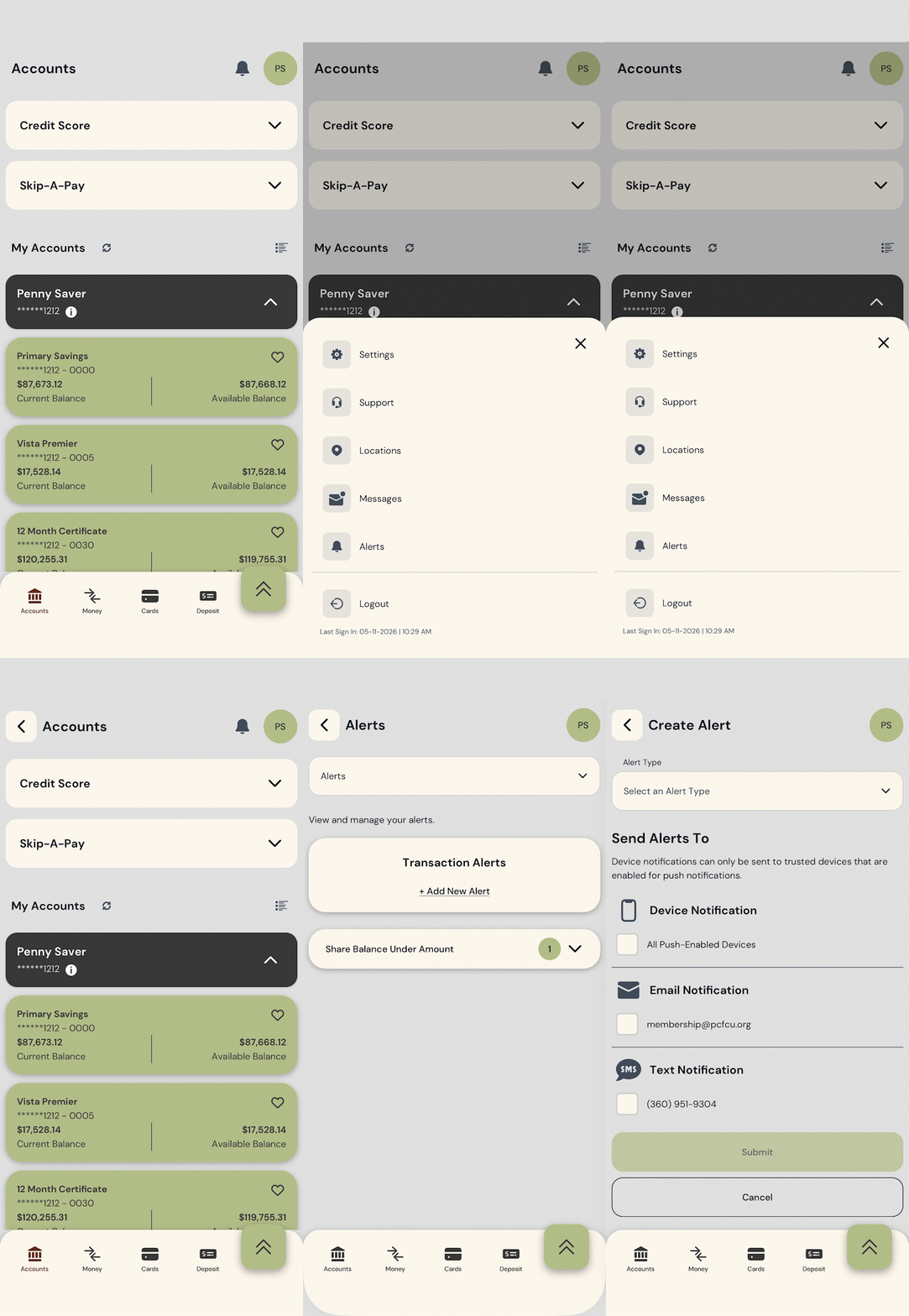
Alerts help you keep track of account activity, balances, transactions, and other important updates. In the upgraded digital banking experience, alerts and notification settings may need to be reviewed or recreated after launch.


What to expect:

  • Alert options may look different in the new system.
  • Existing alerts may not carry over.
  • You may need to set up certain alerts again after July 13.
  • We’ll provide instructions to help you manage alerts and notification settings.


Helpful tip:

After launch, review your alert settings so you continue receiving the notifications that matter most to you.

What you should do now:

Before the Curtain Rises...

A little preparation now can help make the transition smoother.


  • Make sure your address, phone number, and email are up to date.
  • Bookmark our Digital Banking Upgrade Center.
  • Watch for login instructions as we get closer to July 13.
  • Plan ahead for digital banking downtime during conversion weekend.
  • After launch, review your transfers, alerts, and notification settings.

Important Dates

July 10 - 12: Online and mobile banking will be unavailable during conversion.

July 13: Your new digital banking experience goes live.

You'll have continued access to your debit and credit cards during the digital conversion.

COMING SOON TO THEATERS:

HOW-TO VIDEOS

We’re creating a series of short how-to videos to help you get comfortable with the upgraded digital banking experience on both desktop and mobile.


These videos will walk through common tasks like logging in, using bill pay, making transfers, viewing eStatements and notices, setting up alerts, and more.


Watch for these helpful previews on our Digital Banking Upgrade Center as we get closer to the July 13 premiere.

Security Reminder!


Peninsula Credit Union will never ask for your password, login credentials, or verification code. If you’re unsure whether a call, text, or email is really from us, stop and contact us directly.

Questions? We're here to help.

Online:

Answers to many questions can be found at our Digital Banking Upgrade Center.


Scroll down to the FAQ section to see if the information is available.

Over the phone:

Still need help? That's okay. We're here for you.


Give us a call or visit your local branch.

Facebook  Instagram  Web  Email