2026–2027 • SECONDARY• EDITION 11

Set the Level, Then See the Work!

Teacher introducing AI to three students using laptops in a classroom.

When it comes to AI use, students don't need a ban or a free-for-all. They need clarity from you about how much AI use is expected on a given assignment. The 4-Level AI Use Framework gives you shared language for that.


Be specific when you give an assignment. Naming the level removes the gray area before students start working.

Set the Level: What's Allowed?

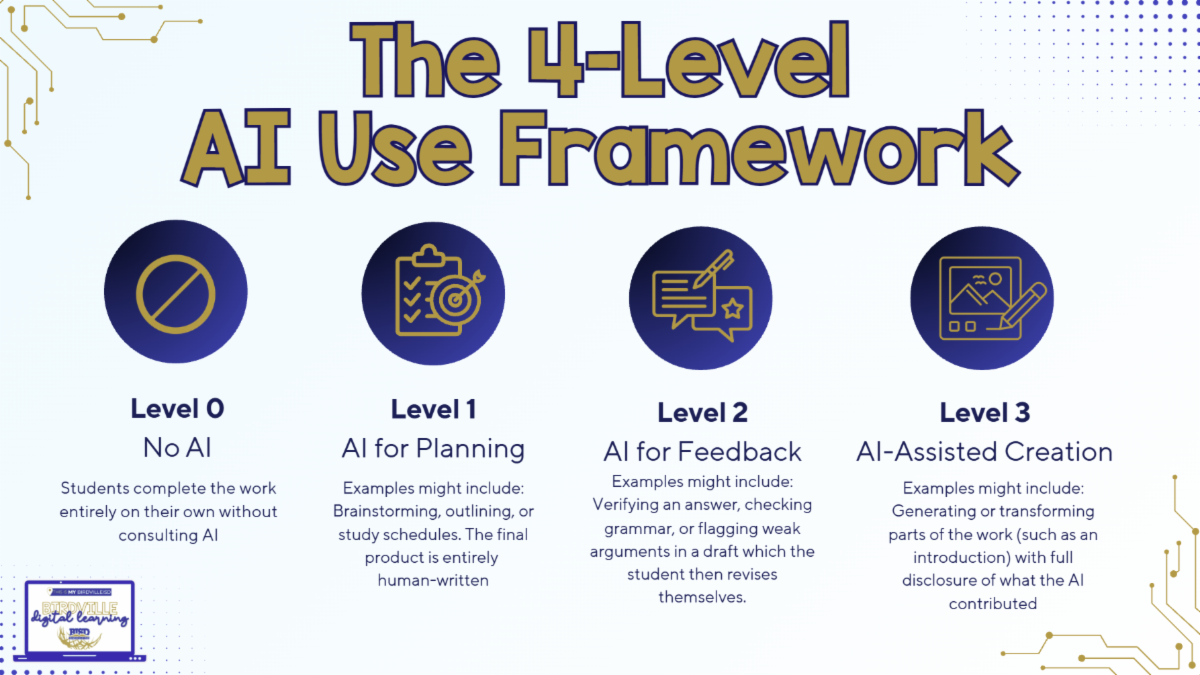
Use the 4-Level AI Use Framework to identify how much AI assistance is allowed on an assignment. Choose the appropriate level and share it with students before they begin so expectations are clear.

Infographic showing four levels of student AI use, from no AI to AI-assisted creation.

See the Work: How Was AI Used?

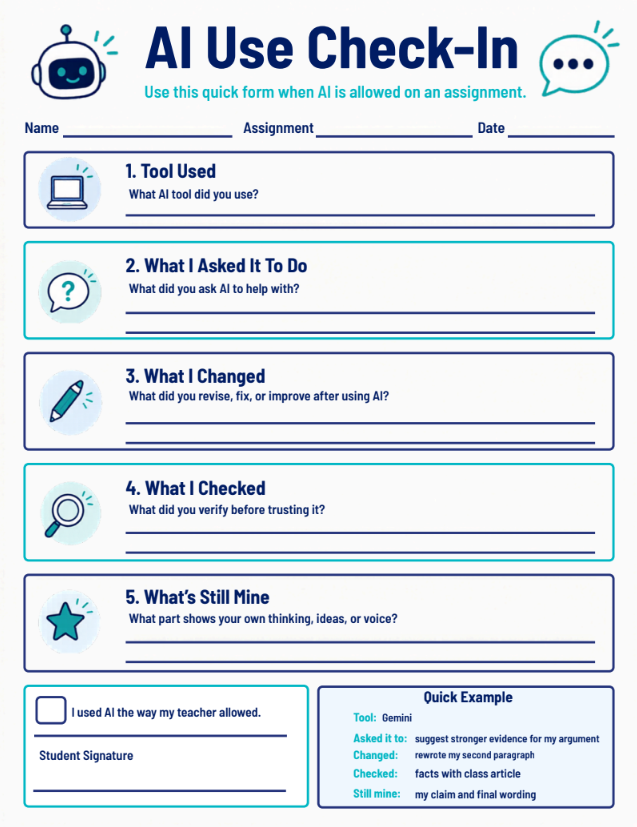
Use the AI Use Check-In Form to help students reflect on and document their use of AI. Students record which tool they used, how they used it, and what they checked, changed, and kept from their own original thinking. This helps make their AI use more transparent.

Student form documenting AI tools used, prompts, revisions, fact-checking, and original work.

Ready-to-Use Resources

Make AI use more transparent with an editable check-in form! Choose the format that works best for your classroom.

Customize and print for students.

Customize and post in Canvas.


Keep Chrome Running Smoothly!

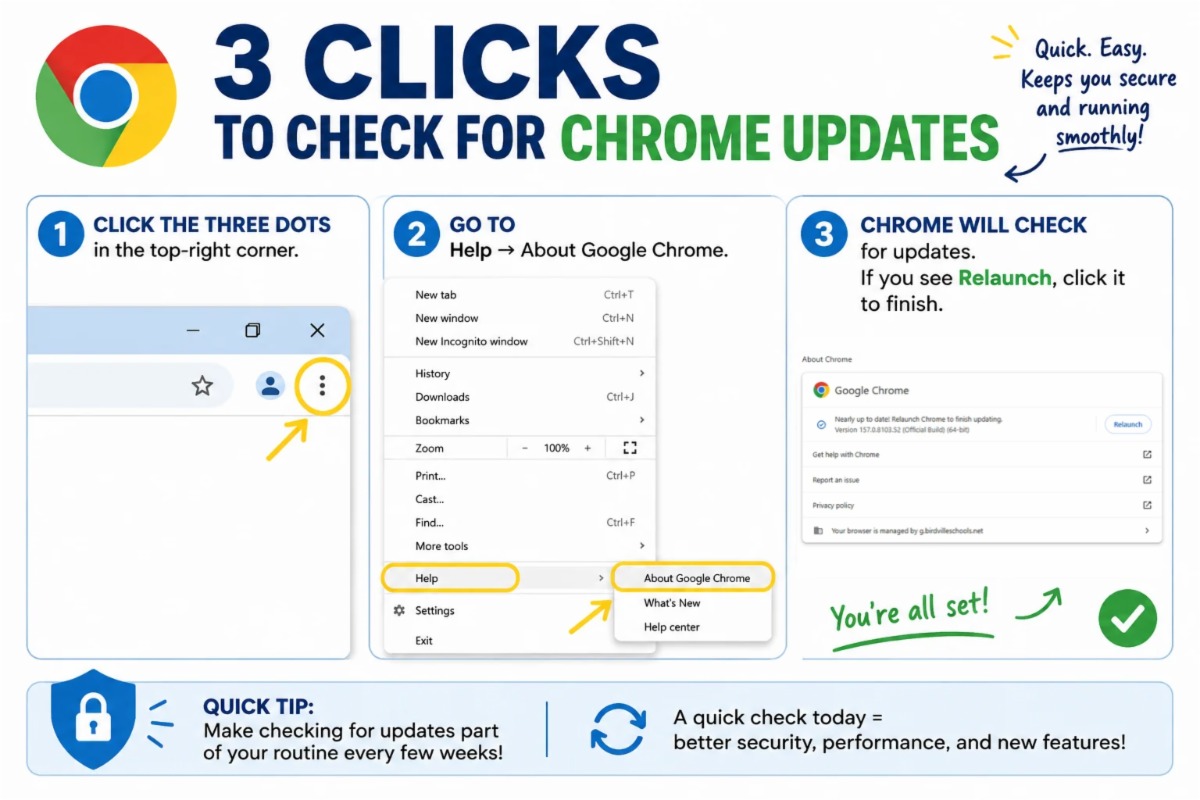
Chrome updates automatically, but sometimes it needs a little help finishing! Take a minute to make sure your browser is up to date!

Three steps to check Chrome updates: open menu, select About Google Chrome, and relaunch if needed.

Make Updates a Habit!

Google Chrome browser logo

Check for Chrome updates every two weeks to help keep your browser secure and running smoothly.


Need a little help? Watch the quick video below for a step-by-step walkthrough!

 
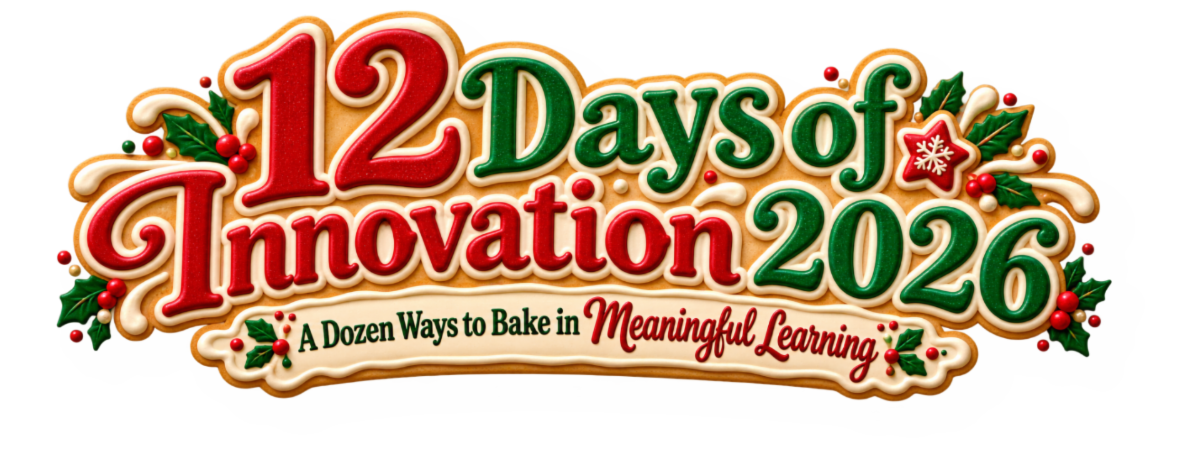
Festive cookie-style logo for 12 Days of Innovation 2026: A Dozen Ways to Bake in Meaningful Learning.

Get ready for 12 Days of Innovation 2026: A Dozen Ways to Bake in Meaningful Learning! Beginning December 2, we're serving up 12 bite-sized, self-paced learning opportunities!


Curious what's on the menu? Take a peek at this year's schedule!


Earn up to 6 hours of Flex/CPE credit by completing the daily learning and reflections by January 19, 2027.


Ready for a fresh batch of inspiration? Register today!

Newsletter emerging from an envelope, representing past Digital Learning Update editions.

Looking for something we shared?

Browse Previous Digital Learning Updates

Digital Learning Quick Links

How Can We Support Your Campus?

Connect with your Digital Learning Specialist for planning, resources, technology integration, instructional support, and more!

 
Birdville Digital Learning Logo
 

Follow Digital Learning for more tips, resources, and ideas.

Instagram    Facebook    X