Hello Pet Parents,


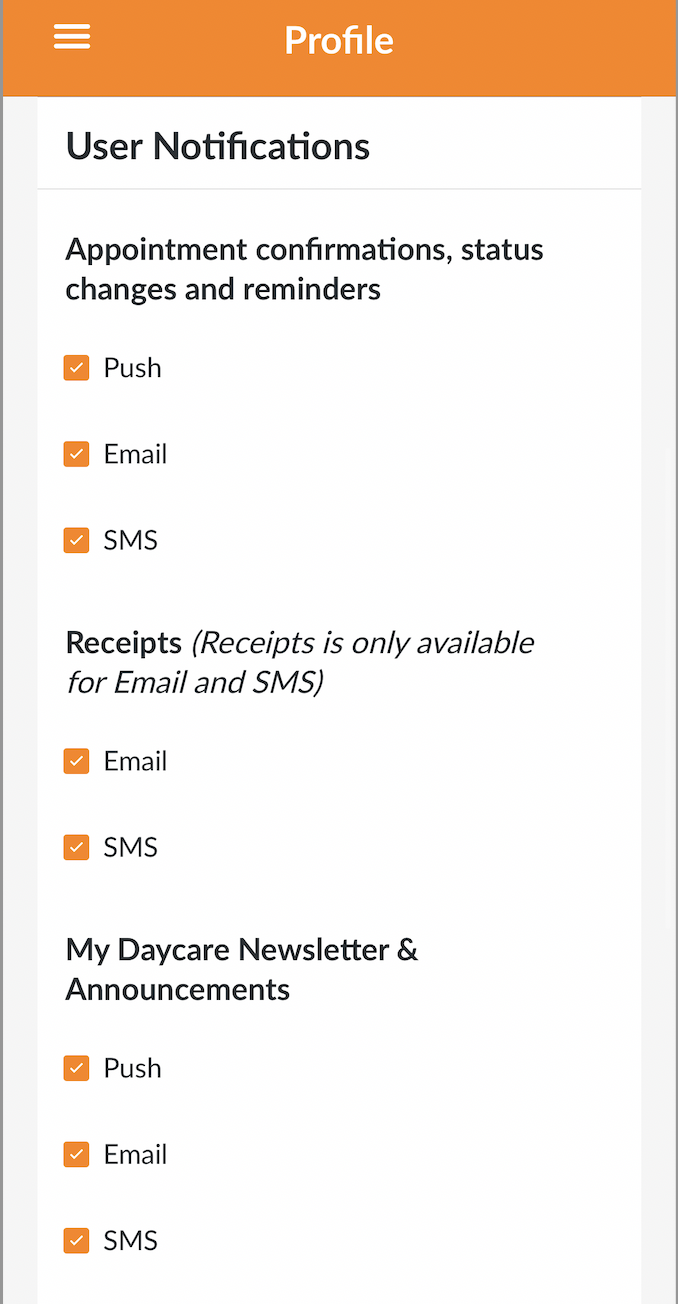
With the new change to our pricing system, we also have a new format for notification types and where you view your appointments within your App Dashboard. Please double confirm that your notifications preferences are up-to-date for receipts, appointments, and announcements within the app.

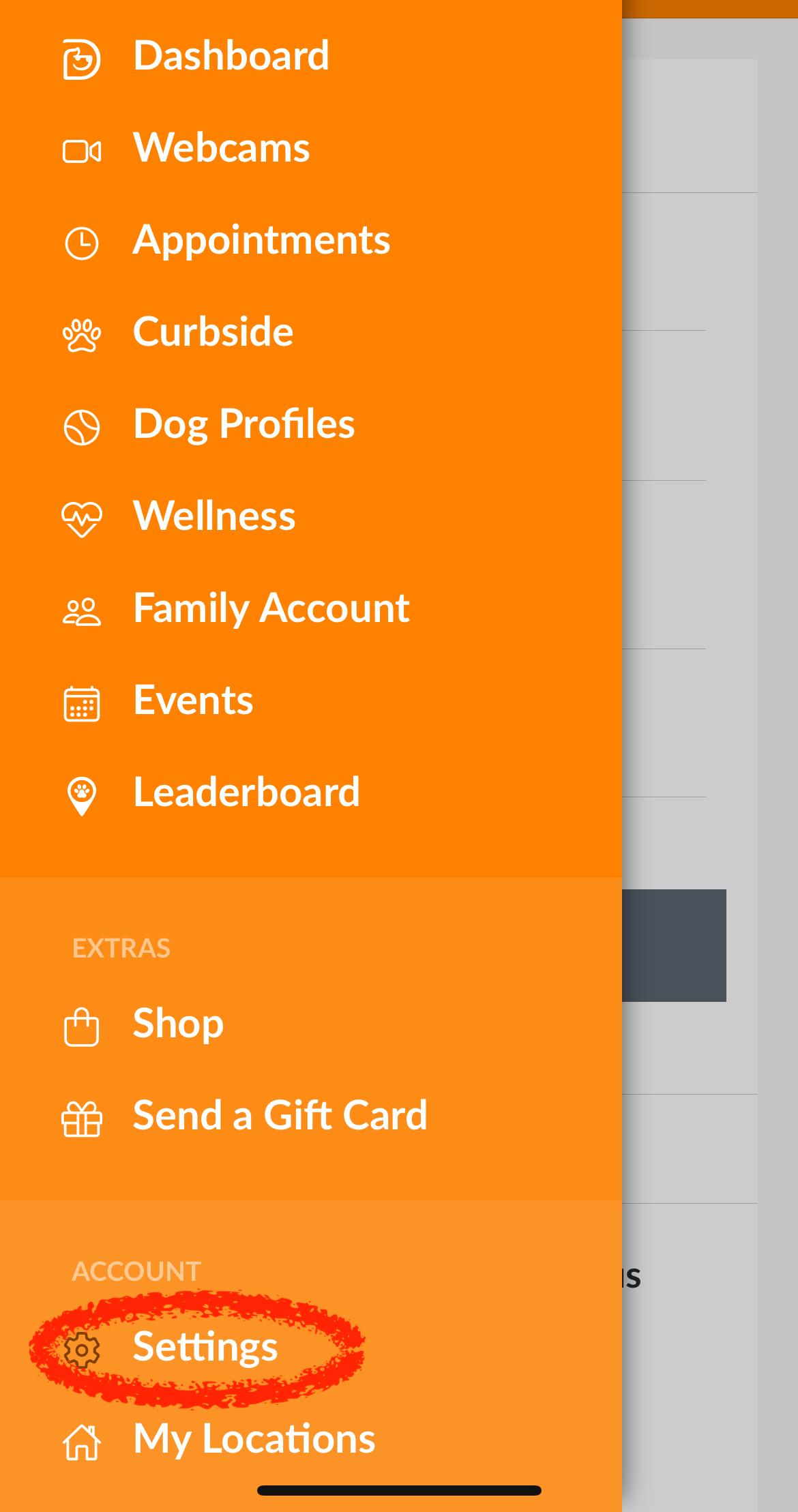
To confirm new app notification settings, please do the following:


  1. Click on the hamburger menu (three lines) at the top left of the app home screen
  2. Within the menu, click into "Settings" under "Account"
  3. Within "Settings" your User Profile will appear. Scroll down to User Notifications and then make a selection on the type of notifications you want to receive. You can keep all checked or uncheck based on your preference.
  4. Once selections are made, scroll down on the screen and click on "Save Changes."

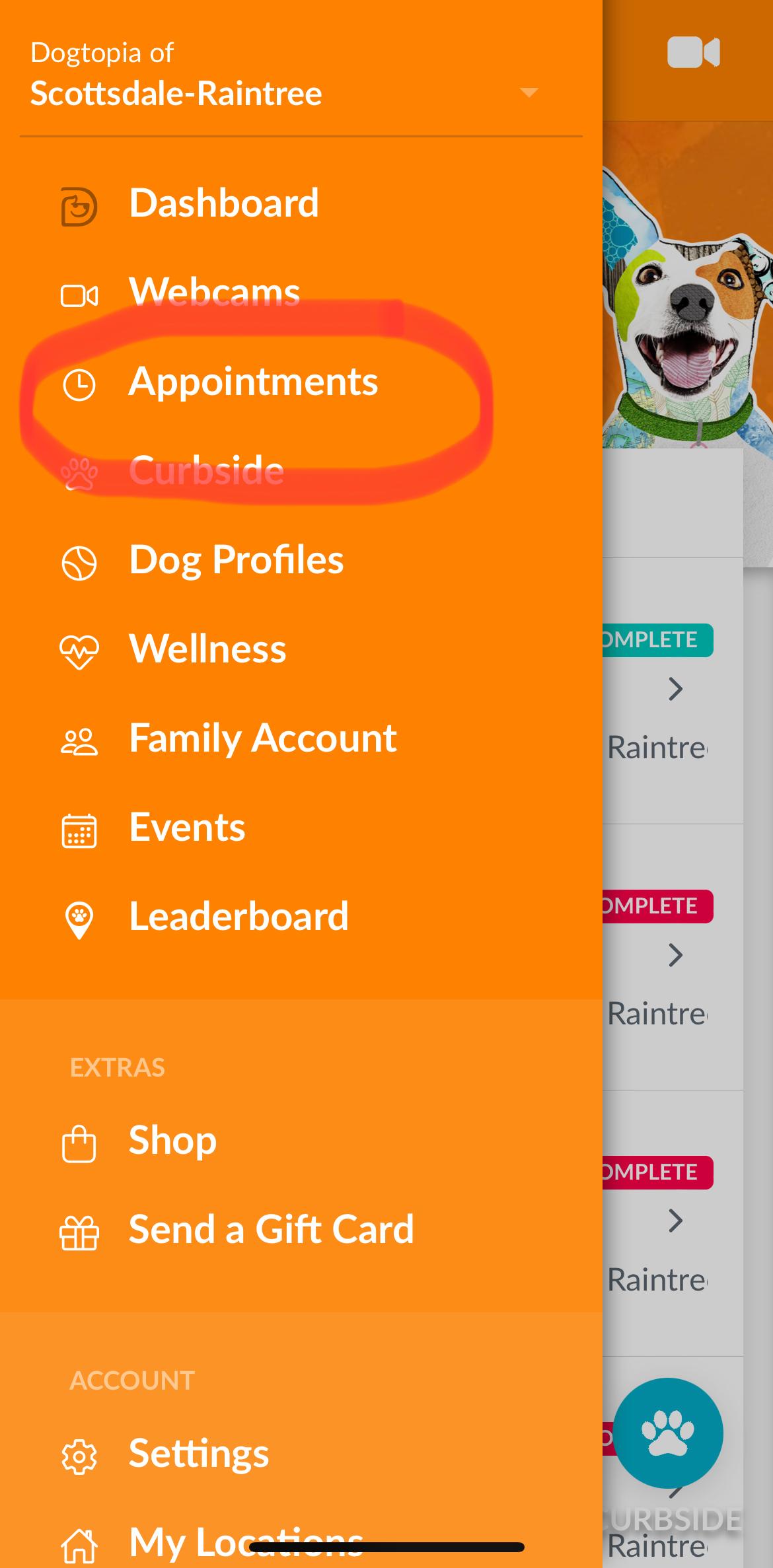
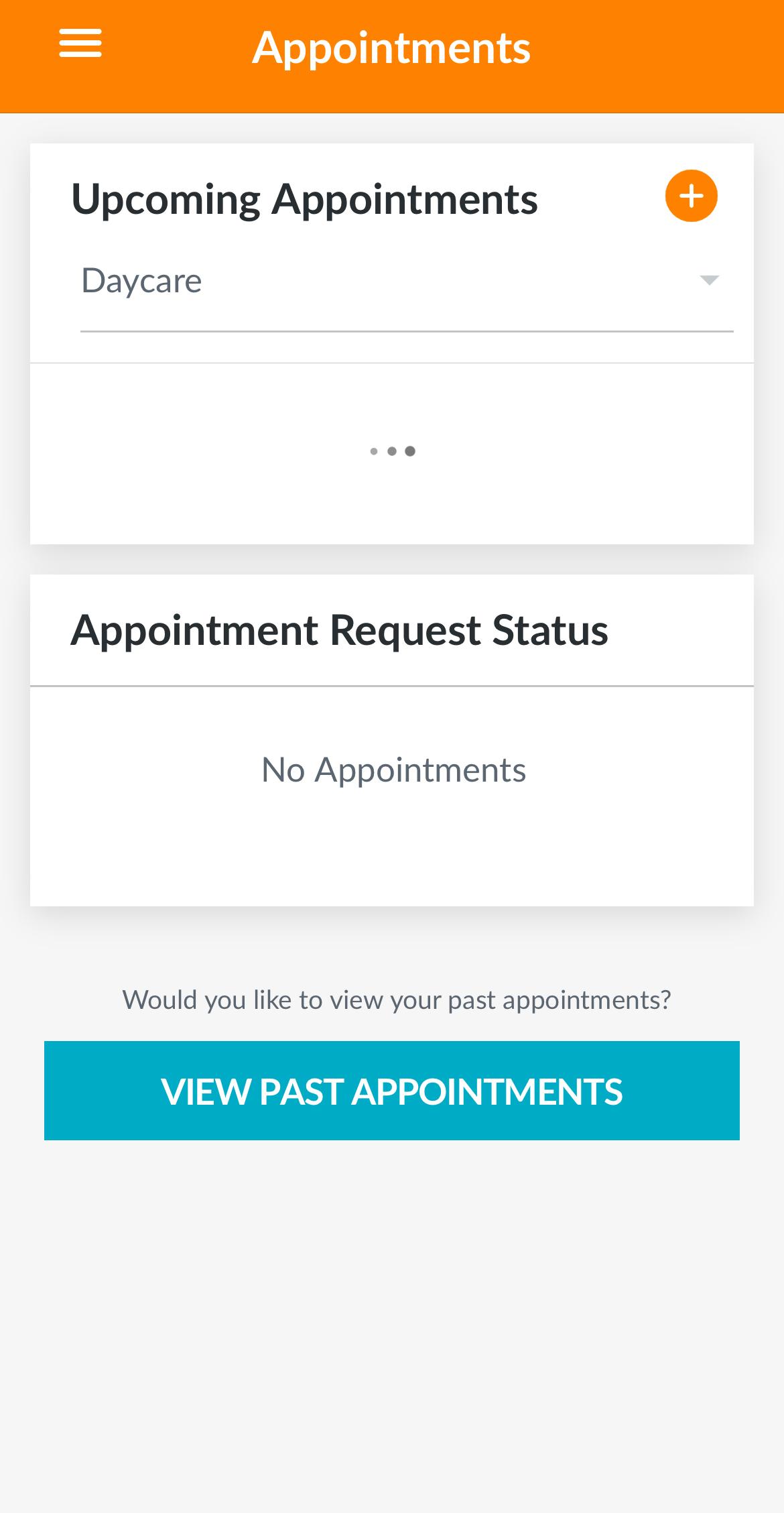
To view all of your confirmed appointments, please do the following:


  1. Click on the hamburger menu (three lines) at the top left of the app home screen
  2. Within the menu, click into "Appointments"
  3. Within "Appointments" you can view any Meet & Greet appointments, filter any upcoming Daycare, Boarding or Spa appointments, along with viewing the status of any appointment requests.

If you are still having issues accessing the app, request appointments or watch the webcams, please send us an email with the specific problem along with screenshots (if possible) AND the email you are using to log in.


Thank you for being a valued part of our community, we can't wait to see you and your dog(s) soon.


Your Dogtopia Family