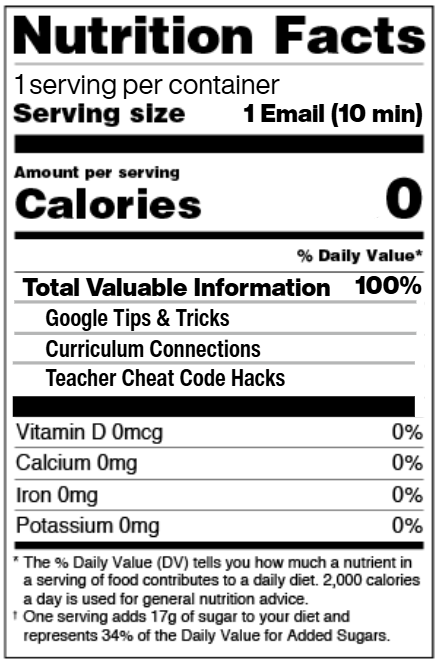
Welcome to the September issue of Tiger Bytes, and the first issue for the 2026-27 school year. This is your monthly serving of technology tips and tricks created by your Elementary BTIL team members and delivered to your inbox for you to use. This issue is brought to you by the Cedar Heights BTIL Team. Shout out to Tiffany Ahrens, Meghan Bruns, and Lynn Gerbig!

Google Tips and Tricks: Scribe extension for easy step by step instructions!


Want to make a step by step list of directions but don’t want to spend all the time thinking through all of the instructions and typing them out? The Scribe extension for Chrome can be a lifesaver!


Add the extension to your Chrome browser and sign in using your Google Account. When you want to create step-by-step instructions (complete with screenshots and a highlighted cursor to show exactly what you want), click on the extension button, and click start capture. Scribe will then transcribe your actions step by step for you, while inserting screenshots along the way. The directions are also editable, so you can adjust the direction steps, add commentary if you want it, and when you are done you have a clean document ready to share.


This could make creating directions a whole lot easier!


Curriculum Connections: Polypad - Amplify Math Resource


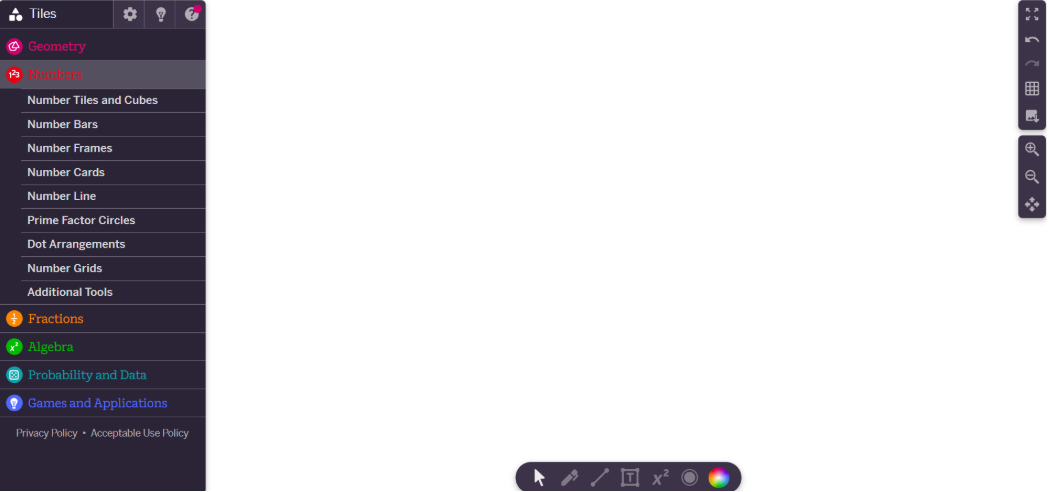
Whether you work with upper elementary students who have their own chromebooks, or with lower elementary students where you would be displaying this for a lesson, Polypad is easily accessible and has manipulatives you will use. Click through the various tiles for geometry, numbers, fractions, algebra, probability and data, and games/applications. You can drag the number lines to create larger numbers and add jumps, split number bars into smaller sections, alter fraction bars, drag clock hands, and more. This user-friendly interface makes it a resource you will want to bookmark! 


Teacher Hack: Things to know about using AI


AI Use and Ethics

Google Gemini and Google AI tools are licensed through the district. When you are signed in with your school Google account, Google states that Workspace for Education data is not used to train its AI models, and Gemini chats and uploaded files are not reviewed by human reviewers. This makes district-approved Google AI tools the appropriate choice when working with school-related information, within district guidelines.


Other AI tools, such as personal versions of ChatGPT or Claude, may have different privacy and data-use policies. Do not enter student names, grades, IEP information, behavior information, student work containing identifying information, or student photos into unapproved AI tools.


A Quick Look at Google AI Tools

Gemini: Google’s conversational AI tool for brainstorming, drafting, analyzing information, and creating content.

Google Workspace AI: AI features built into tools such as Gmail, Docs, Sheets, Slides, and Meet to help with writing, organization, and productivity.

Google Vids: An AI-supported video creation and editing tool.

Gemini Notebook: An AI research and note-taking tool that can help organize and work with information you provide.


What About FERPA & COPPA?

FERPA protects the privacy of student education records and personally identifiable information. Student names, IDs, dates of birth, and other information that could identify a student can be protected education-record information.

COPPA protects children under 13 when online services collect personal information. In schools, districts may sometimes provide consent on behalf of parents, but this is limited to school-authorized educational purposes and does not allow companies to use student information for unrelated commercial purposes.


The easiest rule to remember: You can use AI to help you teach, but protect student privacy, verify AI-generated information, and use district-approved tools for student data.


Bonus Teacher Tip: District Technology Kit Checkout


You are still able to reserve district Technology Kits through the website. There are a number of different kits available including OSMO's, iPad Carts, Sphero Indi's, 3D Printers, and much more.


If you have any questions, you can contact Brian Unruh for help with the kits.