|
Why are Epic contacts critical to keep accurate?
- Importing to ACORD forms
- Emailing from Epic
- Utilizing Indio (a spectacular program!)
- Marketing Campains
- General servicing
Things to remember:
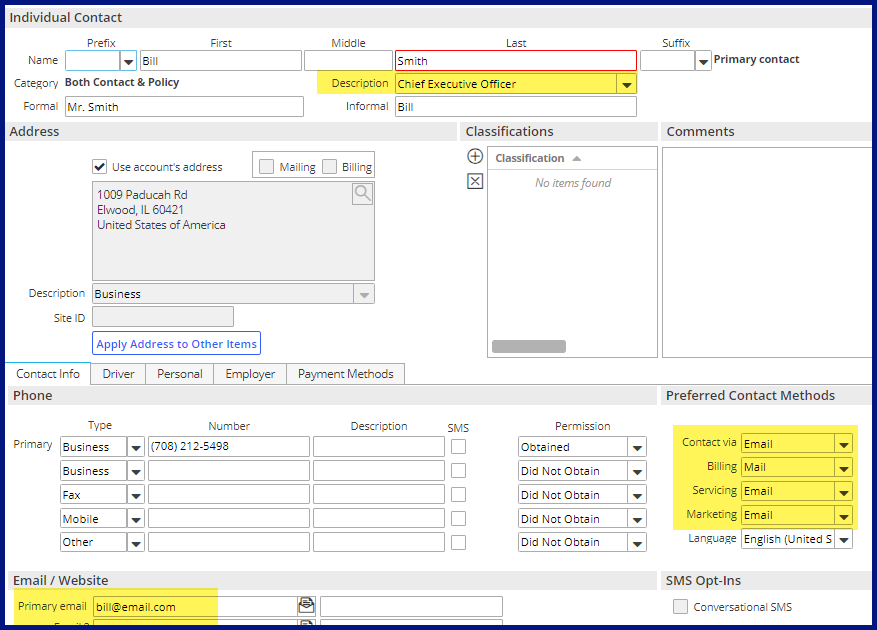
- Individual preferred contact methods - set all to email except maybe billing. Epic's distribution will then default via email. This includes your company contacts!
- Description - use to define the contacts role
- Category - selecting contact onlyl will eliminate the abiltiy to import to ACORD forms.
- Business contacts - business info & Identfication tabs will default information to future new ACORD forms.
Make a push for the rest of this year to update and clean up your contacts!
And watch for future newsletters - the add screen is redesigned in the browser...
|