Logo for the Roanoke Higher Education Center Library

Monthly Newsletter

February 2026

Library News

πŸ•“ New Hours of Operation

Please note that the RHEC Library now has new hours of operation. The library is now open Monday through Friday, 7:30 a.m. - 4:00 p.m.


Photo of a sign outside in the snow. It says, 'Cold? Check out a book! You'll still be cold but you'll have a book'

πŸ’» Introducing OneSearch!

The library has transitioned to a new Integrated Library System. This upgrade includes patron access to OneSearch -- your new tool for searching ALL of the library's resources in one place!


Using OneSearch, you can:

  • Search for print books, e-books, journal articles, and more
  • Access full-text electronic resources
  • Place material requests
  • Manage your research by creating favorites lists and exporting citations
  • View items you currently have checked out and renew material


Signing in to OneSearch for the first time? Set your password at this link by entering the email address you supplied when applying for a library card. Don't have a library card yet? Apply for one today!

New Print Books

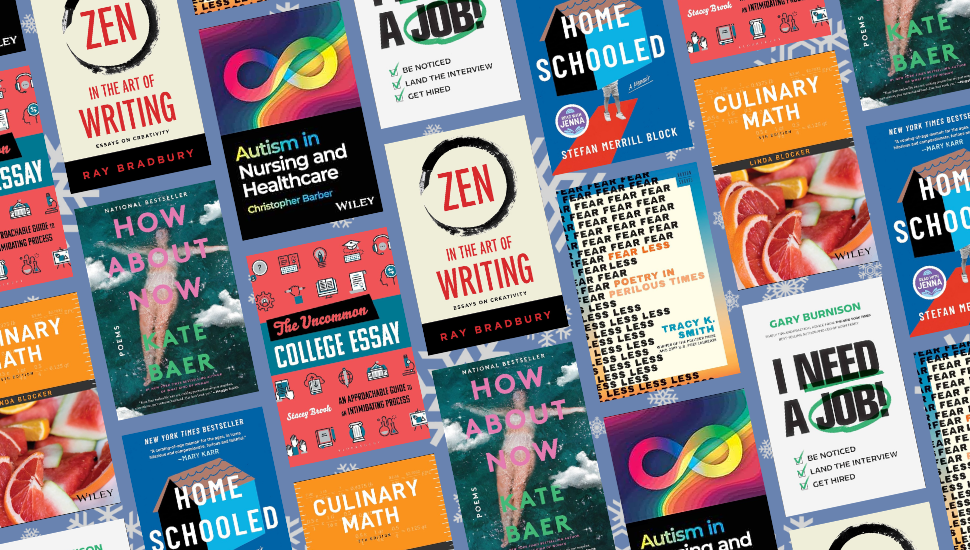
A collage of book covers from the new books list

πŸ“š New professional development, study guide, and curriculum-focused titles:


πŸ“š Featured new additions to our popular fiction and non-fiction:

Upcoming Library Programs

β™ŸοΈ Casual Gaming Night

Friday, February 6, 2026 | 5:00 p.m. - 9:00 p.m. | Room 418

Join our community program all about tabletop gaming! Several popular board games will be provided, as well as beverages and snacks. Players are encouraged to bring along their favorite board game.

More info and registration.


🎨 Peaceful Paint Night

Thursday, February 19, 2026 | 5:00 p.m. - 9:00 p.m. | Room 418

This monthly art program is free and open to the community. Set your creativity free and paint whatever your heart desires. All supplies will be provided as well as drinks and snacks!

More info and registration.


β˜• Coffee, Tea, & Poetry

Tuesday, February 24, 2026 | 6:00 p.m. - 7:30 pm. | Library (Suite 216)

Attendees are invited to share their work (or work they admire) in a safe, judgment-free space. Coffee, tea, and light snacks will be provided.

More info and registration.

ON DISPLAY

Read Before You Watch

A photograph. In the foreground is a bucket of popcorn and a blanket. In the background is a large television screen and a string of lights.

This month, the library is featuring books that have upcoming or recently released film and television adaptations!

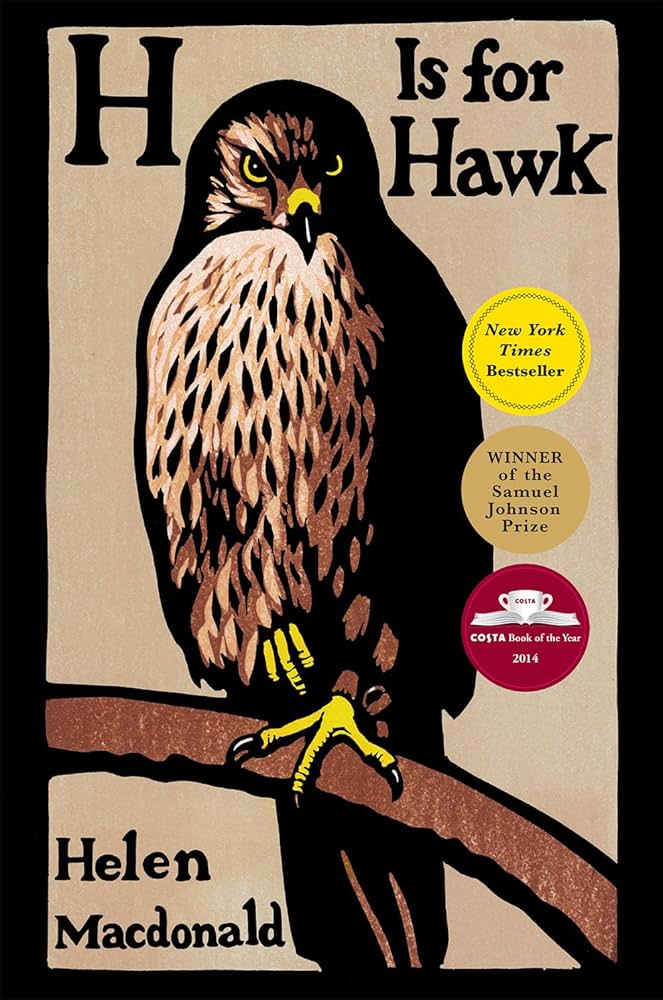
H is for Hawk

by Helen Macdonald


"An award-winning best-seller from the UK recounts how the author, an experienced falconer grieving the sudden death of her father, endeavored to train for the first time a dangerous goshawk predator as part of her personal recovery." - Provided by publisher


Currently showing in theatres. Watch the trailer!

Book cover for H is For Hawk

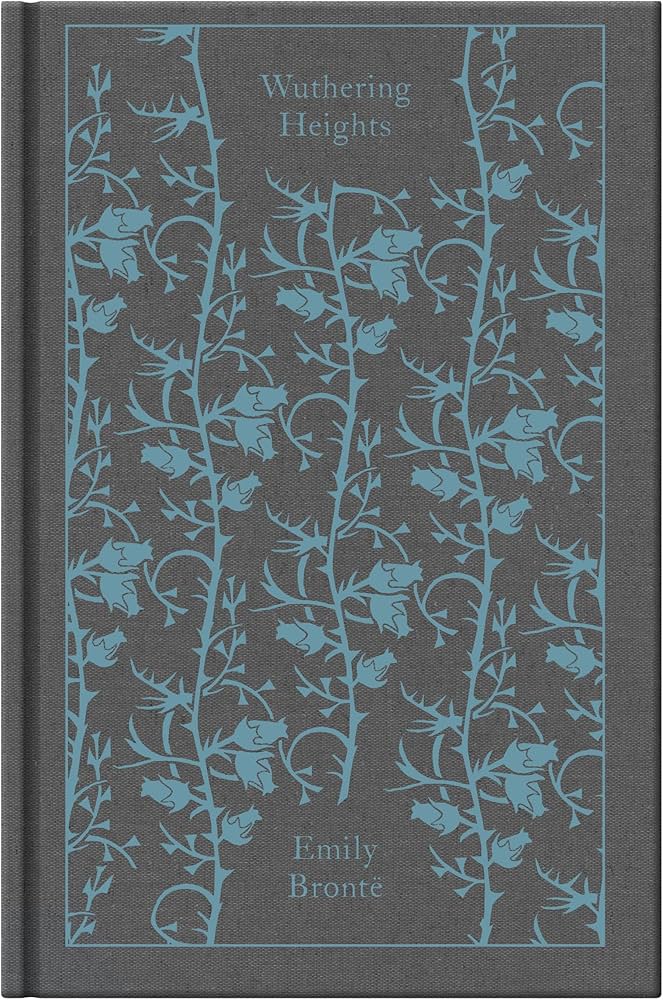
Wuthering Heights (also available as an ebook)

by Emily Brontë


The 19th century Gothic novel that still haunts readers today. An exploration of gender roles, societal expectations, and generational trauma, its multi-faceted nature has resulted in numerous interpretations in film. Director Emerald Fennell's upcoming adaptation looks to be an interesting one!


In theatres February 13th. Watch the trailer!

Book cover for Wuthering Heights

Project Hail Mary

by Andy Weir


"A lone astronaut. An impossible mission. An ally he never imagined. Ryland Grace is the sole survivor on a desperate, last-chance mission--and if he fails, humanity and Earth itself will perish." Provided by publisher


In theatres March 20th. Watch the trailer!

Book cover for Project Hail Mary

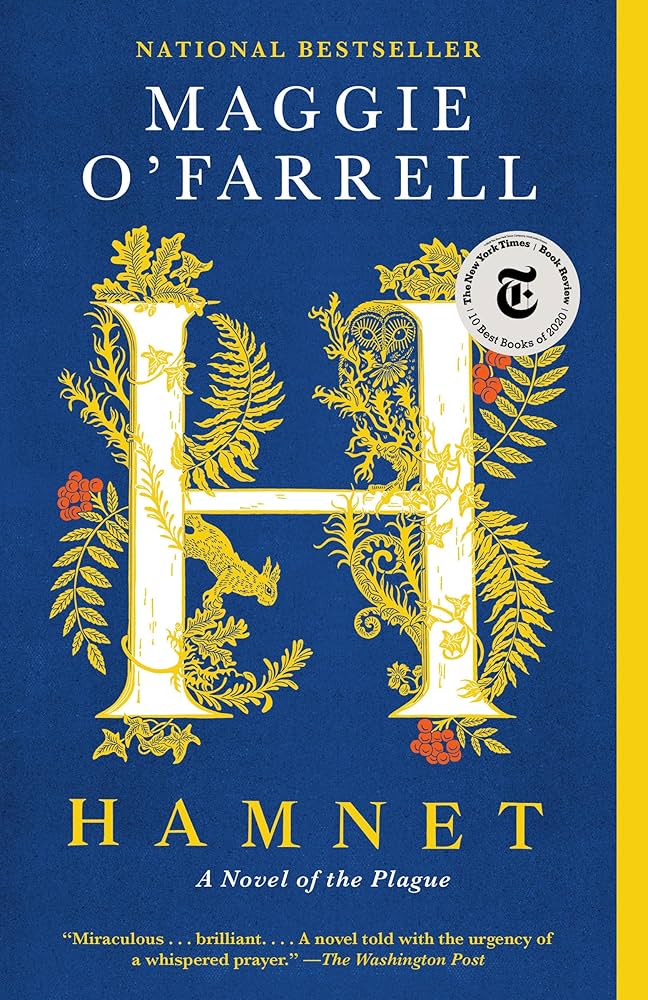
Hamnet: A Novel of the Plague

by Maggie O'Farrell


"A short, piercing, deeply moving novel about the death of Shakespeare's 11 year old son Hamnet--a name interchangeable with Hamlet in 15th century Britain--and the years leading up to the production of his great play." - Provided by publisher


Already nominated for 8 Academy Awards, the film is currently showing in theatres. Watch the trailer!

Book cover for Hamnet

More books from the display:

RESEARCH TIPS

Building an Effective Search

A graphic of three students doing work. Two are using a laptop. One is using a tablet while holding an open book.

Searching for resources in a research database works differently than your typical Google search. While online search engines are great for finding a large amount of information very quickly, databases are designed to be precise. The upside to searching in a database is you can find resources that match your research topic exactly. The downside is they don't always accommodate natural language searching well.


Here are some tips for building an effective search in a research database.


Step 1: Write out your research question.

Write out what you hope to learn through your research. It's okay if your question evolves or changes along the way. You can always adjust as you learn more about your topic.


As an example for this guide, we will be exploring the question "What is the impact of gamification strategies on student motivation in elementary school?"


Step 2: Identify the key concepts of your research question.

These are the nouns, people, places, ideas and time periods that define the basis of your question. Think of it as your research question without filler words.


Key concepts from our example question would be:


  • Gamification
  • Student motivation
  • Elementary school


Step 3: Turn your key concepts into keywords for your search.

Our key concepts make good keywords for a search. However, not every resource will use the same vocabulary. To enhance our search, think of synonyms and related terms for your key concepts to create additional keywords.


  • Gamification ➑️ gamify, game-based learning
  • Student motivation ➑️ student engagement
  • Elementary school ➑️ primary school, grade school, K-5


Step 4: Turn your list of keywords into a search string using Boolean operators.

Boolean operators tell the database how to search for your keywords. There are three operators in a search string: AND, OR, and NOT.


  • AND narrows a search, requiring that any keywords linked by AND be present.
  • OR broadens a search, and is used to link related terms. Keywords linked by OR will retrieve results with either keyword present.
  • NOT narrows your search, telling the database to exclude any terms you don't want present in the results. Only use when needed.


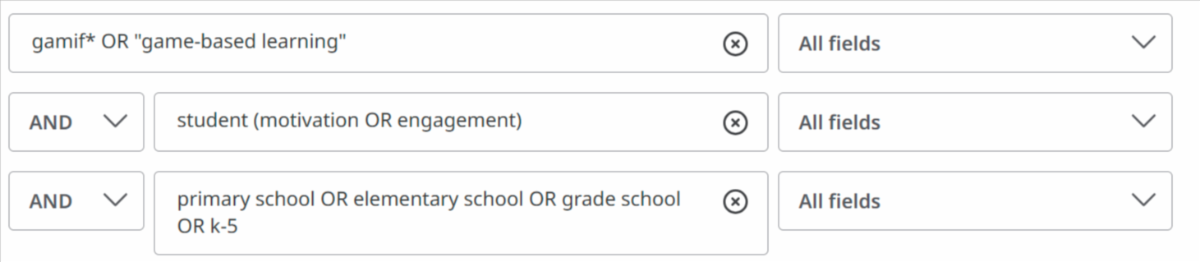
The advanced search functionality of most research databases include separated fields to help you build your search string. Below is a possible search string for our research question demonstrated in the database Education Research Complete.

Screenshot from the advanced search feature of a database. The search string entered into the first search box is: gamif* OR "game-based learning". The search string entered in the second box is student (motivation OR engagement). The search string entered in the third box is primary school OR elementary school OR grade school OR k-5. All search boxes are separated by the AND operator.

Written out, this search string would appear as:


(gamif* OR "game-based learning") AND (student (motivation OR engagement)) AND (primary school OR elementary school OR grade school OR k-5)


Tips:

  • When using multiple Boolean operators, use parentheses around keywords linked by OR. In the example above, the search will always look for resources that contain the word "student." It will also look for resources that contain the words "motivation" or "engagement," but does not have to include both words.
  • Use quotation marks to keep phrases together. In the example above, the search will specifically look for the phrase "game-based learning," and not just the words "game-based" and "learning" on their own.
  • An asterisk can be used as a truncation wildcard, in order to include multiple versions of the same word. In the example above, gamif* will look for gamify, gamified, gamifying, gamifies, and gamification.
  • It's a good idea to start your search by looking for keywords in all fields, meaning it will search for your keywords in all areas of a resource, including its full-text (if available), title, abstract, author, subject, and more. If you need to narrow your search to more relevant results, try changing the fields to Title or Abstract.


Step 5: Adjust your search as needed.

Creating effective search strings takes practice, as well as trial and error. It is likely you will need to tweak your search multiple times.


Not getting enough results? Try adding additional keywords with the OR operator. Getting too many results? Use AND and NOT operators to force the search engine to be more precise.


And always feel free to Ask a Librarian if you need additional help!

FEATURED RESOURCE

Education Research Complete

Logo for Education Research Complete.

Education Research Complete is the definitive online resource for education research. Topics covered include all levels of education from early childhood to higher education, and all educational specialties, such as multilingual education, health education, and testing. Education Research Complete provides indexing and abstracts for more than 2,100 journals, as well as full text for more than 1,200 journals, and includes full text for nearly 500 books and monographs.


How to access: If you're connected to the RHEC network, via wired access or wi-fi, you automatically have access. If you are not connected to the RHEC network, off-campus access is available by entering your RHEC Library Card number. (Need a card? Apply here!)

Roanoke Higher Education Center Library

www.education.edu/library


Did someone forward you this email? Sign up here!

Facebook  Instagram  LinkedIn  Web  X  YouTube  Email