|
Qualia Tools for FinCEN Reporting
This brief guide will outline tools for FinCEN compliance that are available in Qualia.
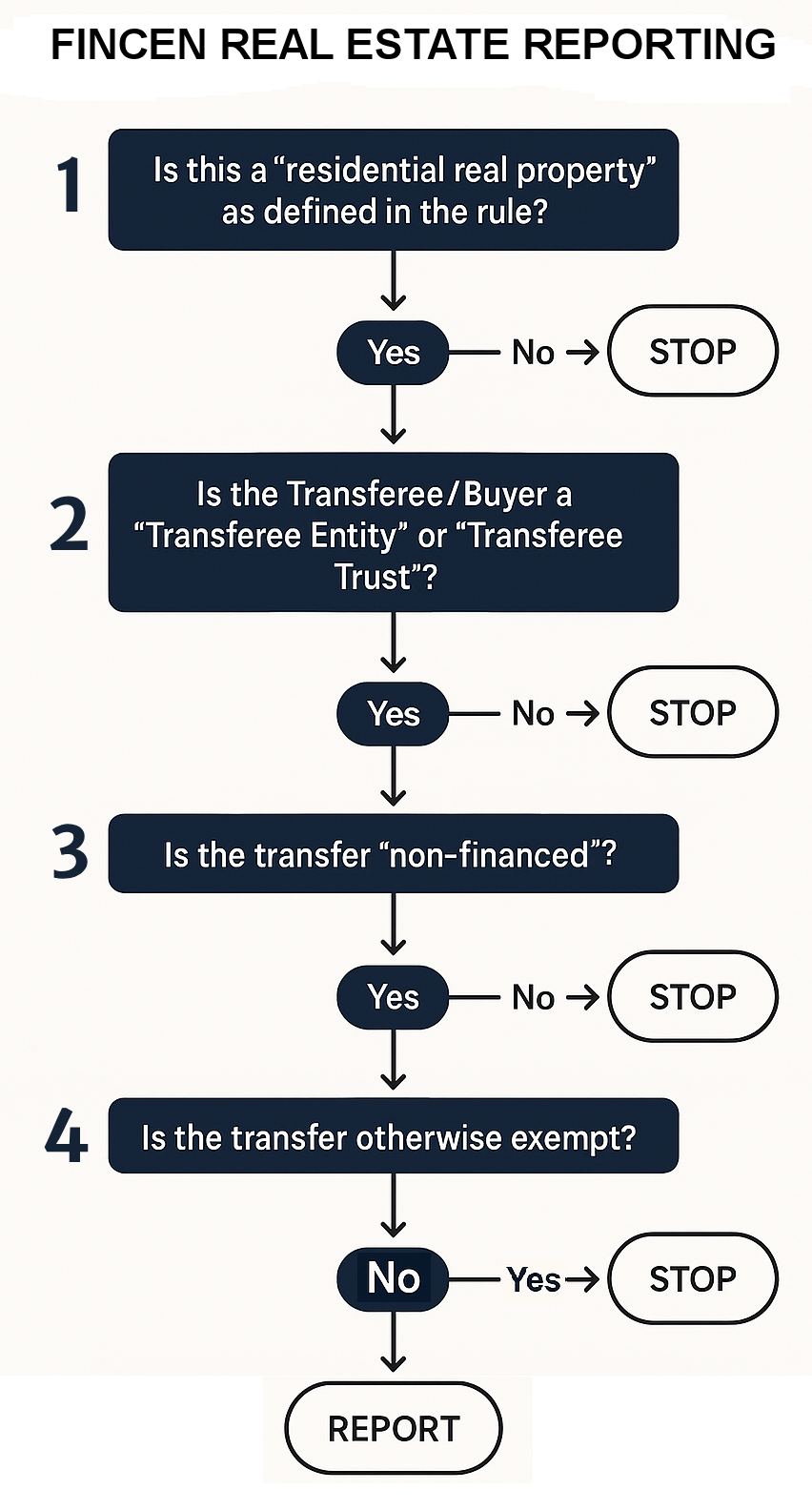
Order Tracking – A FinCEN Reportable toggle has been added to each order to allow marking of transactions that are subject to the rule.
FinCEN Reportable Flagging – You can configure Smart Actions (Buyer is Organization / Organization Type) to automatically add a task to the workflow prompting a manual review and mark the FinCEN Reportable toggle accordingly.
FinCEN Smart Action Group – You can configure Smart Actions (Order is FinCEN Reportable) to automatically add FinCEN compliance tasks to your workflow and automate sending of the information request (when available).
Information Collection – Qualia is developing FinCEN Info Requests to help you securely and efficiently gather the required reporting information from buyers and sellers.
Submission Status Tracking – Qualia has created a new report in the Admin section that will list all orders your team has toggled as FinCEN Reportable, along with due dates and submission status.
Report Submission – Qualia plans to provide a more integrated report submission process, for XML and batch uploads directly to the BSA e-filing website, when that becomes possible.
FinCEN-reportable Command – Qualia Clear can check your designation of whether a file meets the reporting requirements. A dedicated command in Qualia Clear will help you audit which open orders may be reportable to FinCEN.
Audit Flagged Orders using Custom Reports – You can use reports to track orders where the buyer is an org, cash-only, or tasks related to FinCEN to audit all files to determine if they meet the requirements for the FinCEN Real Estate Report.
|