Knowing DRS Compatibility &
Power Requirements is Important
|
|
February 9, 2023
Furuno Fred #2023-01
|
|
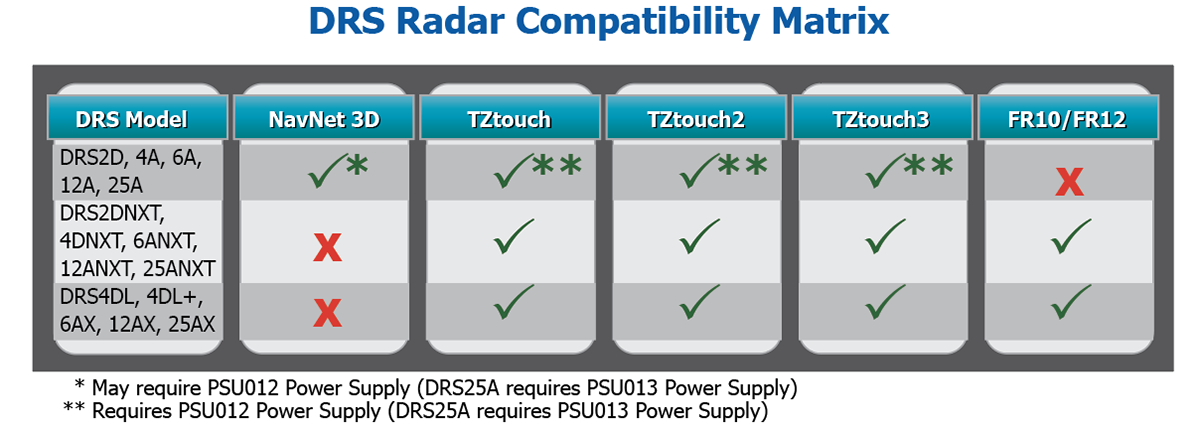
Furuno first introduced the DRS (Digital Radar Sensor) models in 2008. With correct software and proper power, these original Radar models are still compatible with our newest NavNet TZtouch, TZtouch2, and TZtouch3 Multi Function Displays. |
|
Power - The original DRS Radars (DRS2D, 4D, 4A, 6A, 12A and 25A) require 48VDC. This is either supplied directly by a NavNet 3D MFD or via an external power supply, such as the PSU017, PSU012 or PSU013 (DRS25A only). The TZtouch series MFDs do not provide output power, so the correct PSU box or power source is required.
|
|
Over the years, we have introduced newer DRS units, such as the DRS4DL, 4DL+, X-Class, and NXT DRS Radar sensors. These newer sensors work only with TZtouch, TZtouch2, and TZtouch3 MFDs, as well as the new FR10 and FR12 Radar displays. These newer DRS models are “direct to power” (accepting either 12VDC or 24VDC depending on the model) using a newly designed power/signal cable. The cable comes in 10m (001-512-600-00) , 15m (001-512-620-00), 20m (001-512-640-00), and 30m (001-512-680-00) lengths. For Radars where 24VDC is required, a 12VDC to 24VDC converter may be required. Furuno offers two 12/24VDC converters: NEW-12V-24V-7A or NEW-12V-24V-16A
|
|
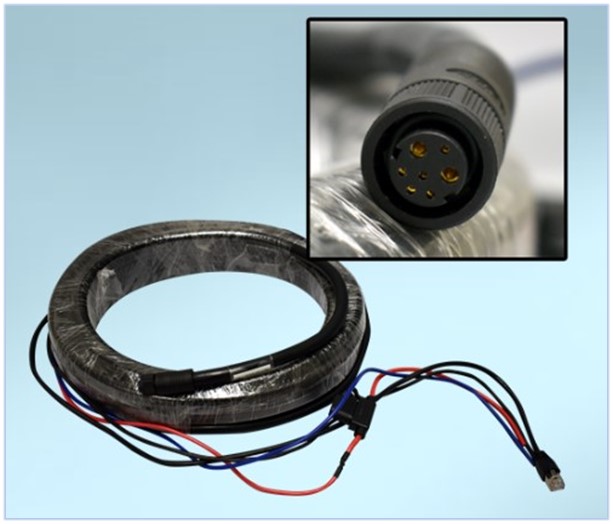
An example of the newer DRS power/signal cable is shown below
|
|
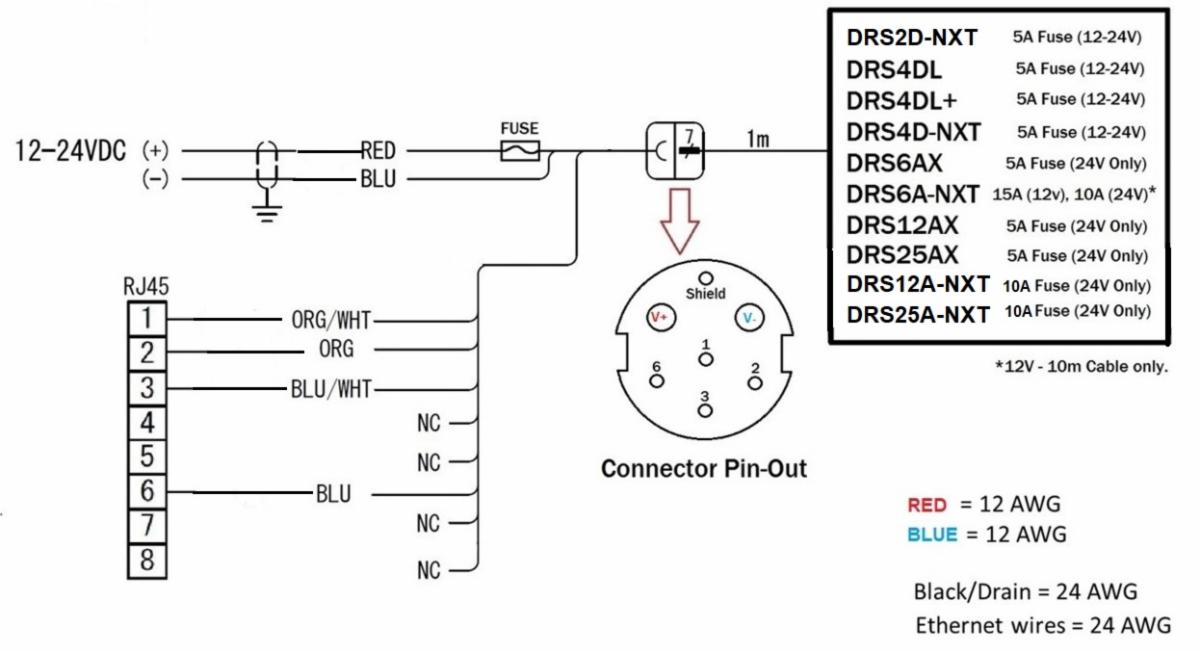
A diagram of the DRS power/signal cable (with fuse recommendations) is shown below. |
|
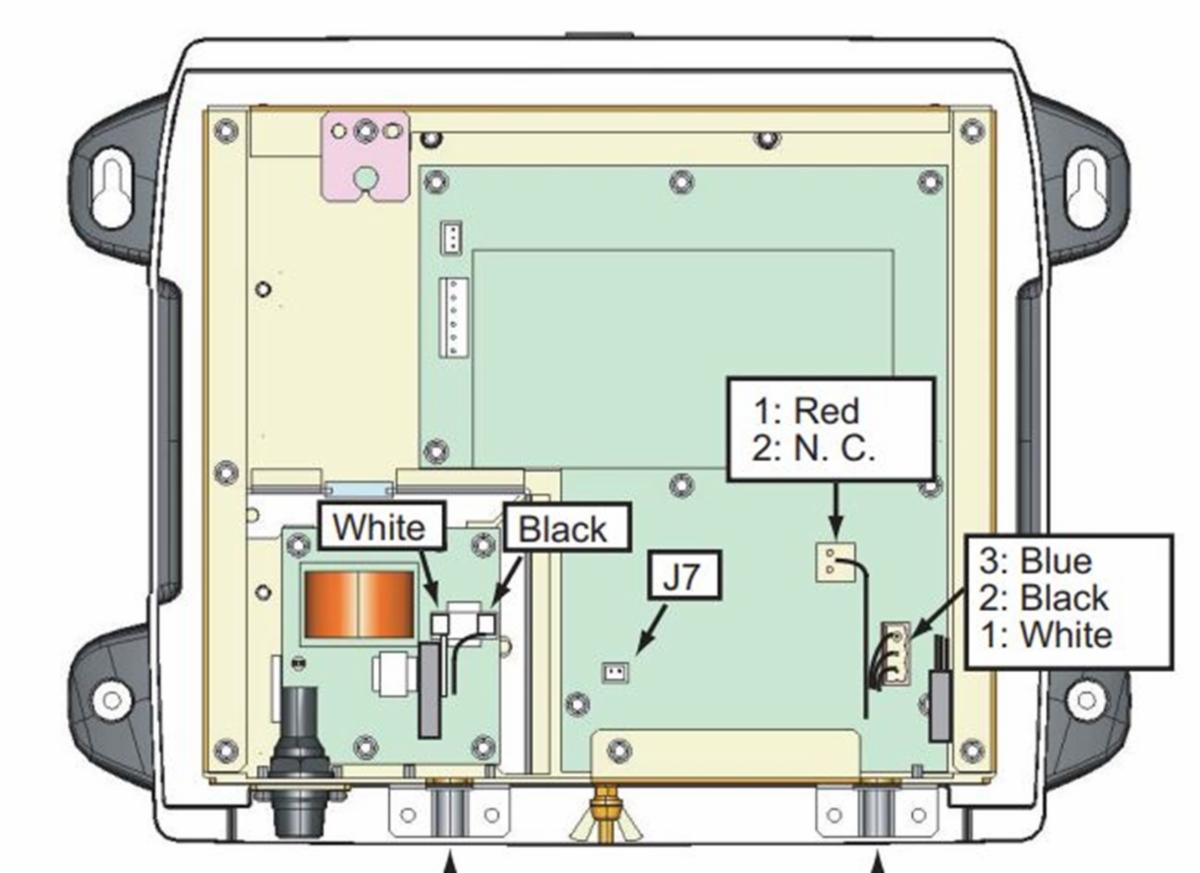
Jumper – The PSU012 and PSU013 were originally designed for the NavNet 3D product line. They included the “Power Sync” feature to allow them to power on at the same time as the NavNet 3D MFDs. Since this feature is not used on the newer TZtouch/TZtouch2/TZtouch3 MFDs, the Power Sync feature must be bypassed.
This is done by installing a jumper (Originally provided with the PSU, but also available as PN# 001-183-760-00) on J7 found on the main board towards the front of the PSU (See Below). This jumper is required to be in place when using the TZtouch, TZtouch2 and TZtouch3 systems.
|
|
Software – DRS software must be v1.16 or higher to connect to a TZT, TZT2, or TZT3 MFD. Software can be updated one of three ways:
- Via NavNet 3D MFD (Before retrofitting to TZT).
-
Via TZT1 (v5.01 or later), TZT2 (v4.01 or later), or TZT3 series display (any version). Click here for procedures.
- Via PC and an Ethernet connection to the HUB using software posted under the DRS model on our website.
We have all the latest software versions, as well as detailed instructions, for all three methods available on our website ( www.FurunoUSA.com). |
|
Please contact our highly knowledgeable Technical Support Department with any questions you have.
Furuno USA, Inc.
|
|
|
|
|
|
|