undefined

Coming May 5: New Dashboard for all Hive MLS Users


ACTION REQUIRED: ALL USERS MUST REGISTER BEFORE LAUNCH

PRE-REGISTRATION BEGINS TODAY


Please Read Below to Ensure You are Prepared


What to Expect:


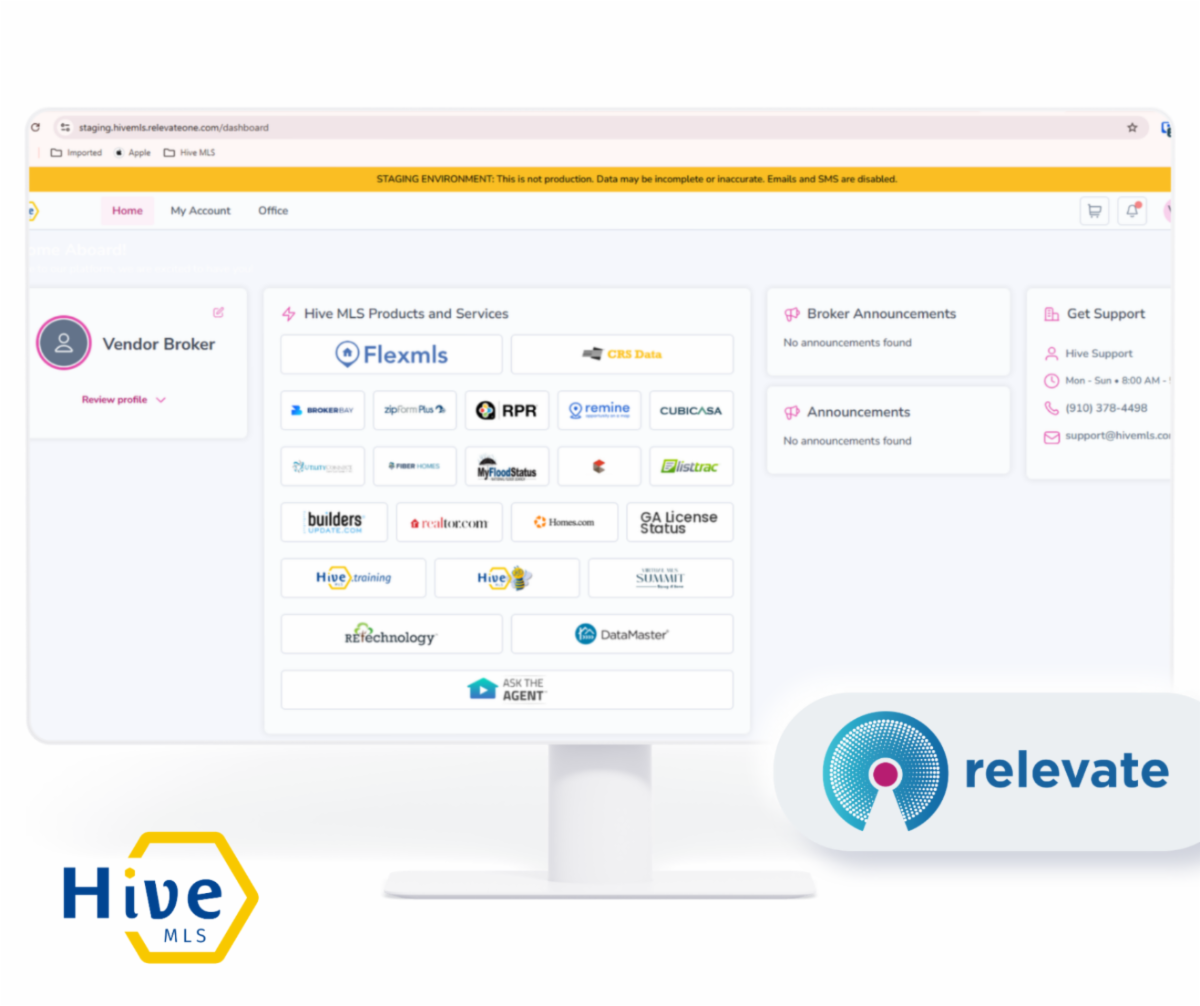
All Hive MLS users will be transitioning to a new login dashboard on May 5th. This is where you will access your MLS platform (i.e. Flexmls or Matrix) and all your other MLS tools. The new dashboard will also feature better usability, association resources, upcoming education, and important announcements - all in one place. All Hive users will receive a registration email from info@hivemls.com to their email. This is how you set up your login credentials in preparation for the transition on May 5. Please complete the instructions in the email as soon as possible.


Note: Your listings, MLS data and transaction history are safe during this transition. The current dashboard will remain unchanged until May 5 when you will begin accessing your MLS tools using Relevate: https://hivemls.relevateone.com


Pre-Claim Email Step-by-Step


Starting at approximately 4:00 PM on April 20
, members will receive a pre-claim email that includes their username. The email will come from info@hivemls.com with the subject line: “Welcome to your NEW Hive MLS Member Dashboard.”  


Note: The system will automatically resend the registration email daily (April 20 - May 5) to all members who have not yet claimed their account pre and post launch, as a reminder.


STEPS

  1. Locate the email
  2. Click 'Set Up My Account' button
  3. Subscriber’s MLS Login ID will already filled in as your username
  4. Create and confirm your password
  5. Re-enter username and password to finish the process
  6. Bookmark for May 5th : https://hivemls.relevateone.com


How to Pre-Claim Video

Cannot Locate The Email:  


If you cannot locate the Pre-Claim 'Welcome' email from info@hivemls.com during the registration period, then:


  1. Go to https://hivemls.relevateone.com/claim-account , enter you MLS Login ID, (use your Flex or Matrix Login Credentials) 
  2. A fresh link will be sent instantly to your email
  3. Locate the email
  4. Click 'Set Up My Account' button
  5. Subscriber’s MLS Login ID will already filled in as your username
  6. Create and confirm your password
  7. Re-enter username and password to finish the process
  8. Bookmark for May 5thhttps://hivemls.relevateone.com


Who do I Contact for Questions or Issues?


We're here to help with any questions.


Hive MLS Support:  


Call: 910.378.4498 or


Email:
support@hivemls.com